


Warbound Gear Router
- By

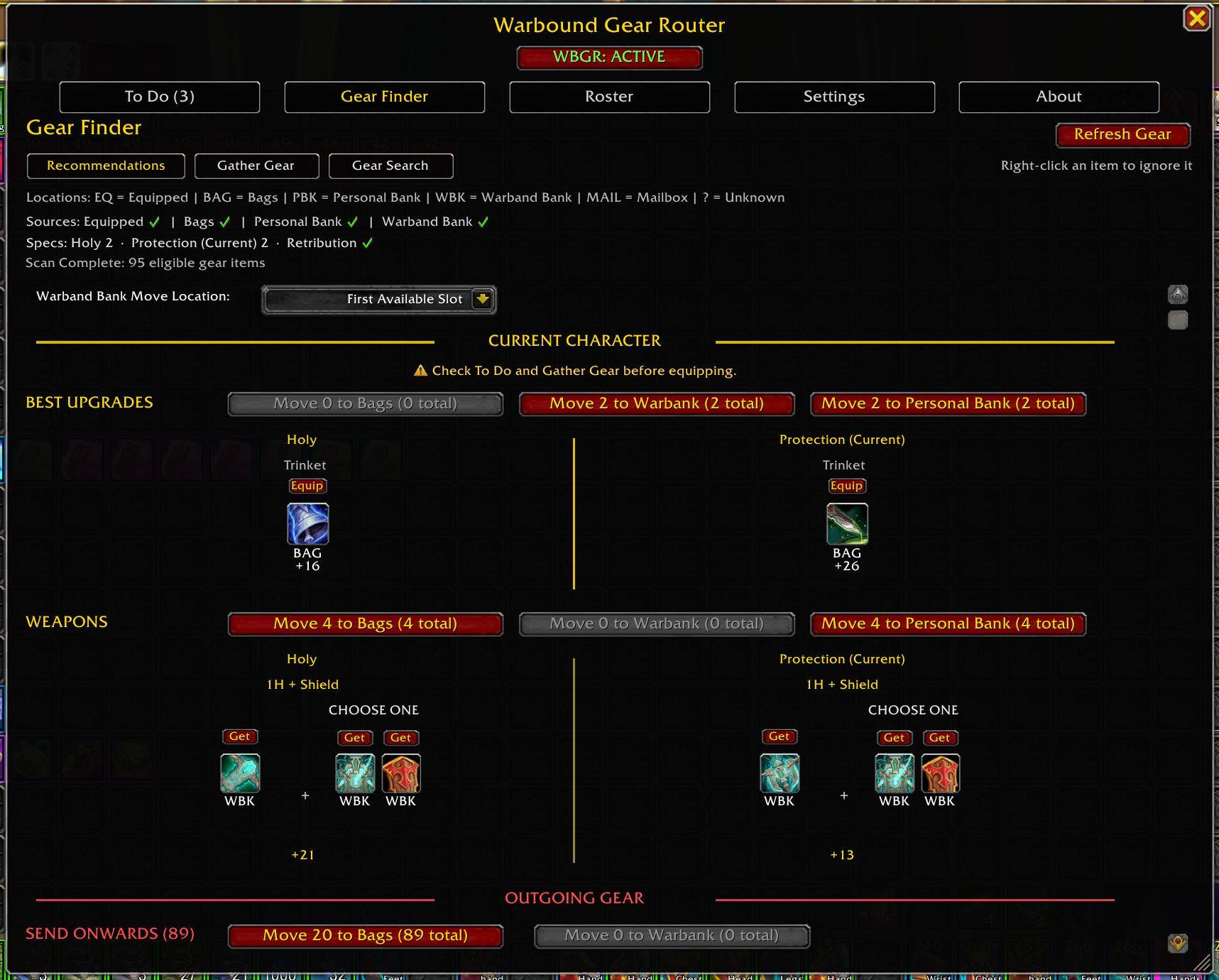
Gear Finder > Recommendations organizes routed gear by action, showing your best upgrades, complete weapon setups, and outgoing gear. Get or equip recommendations, choose between equivalent upgrades, and move the rest where it needs to go.
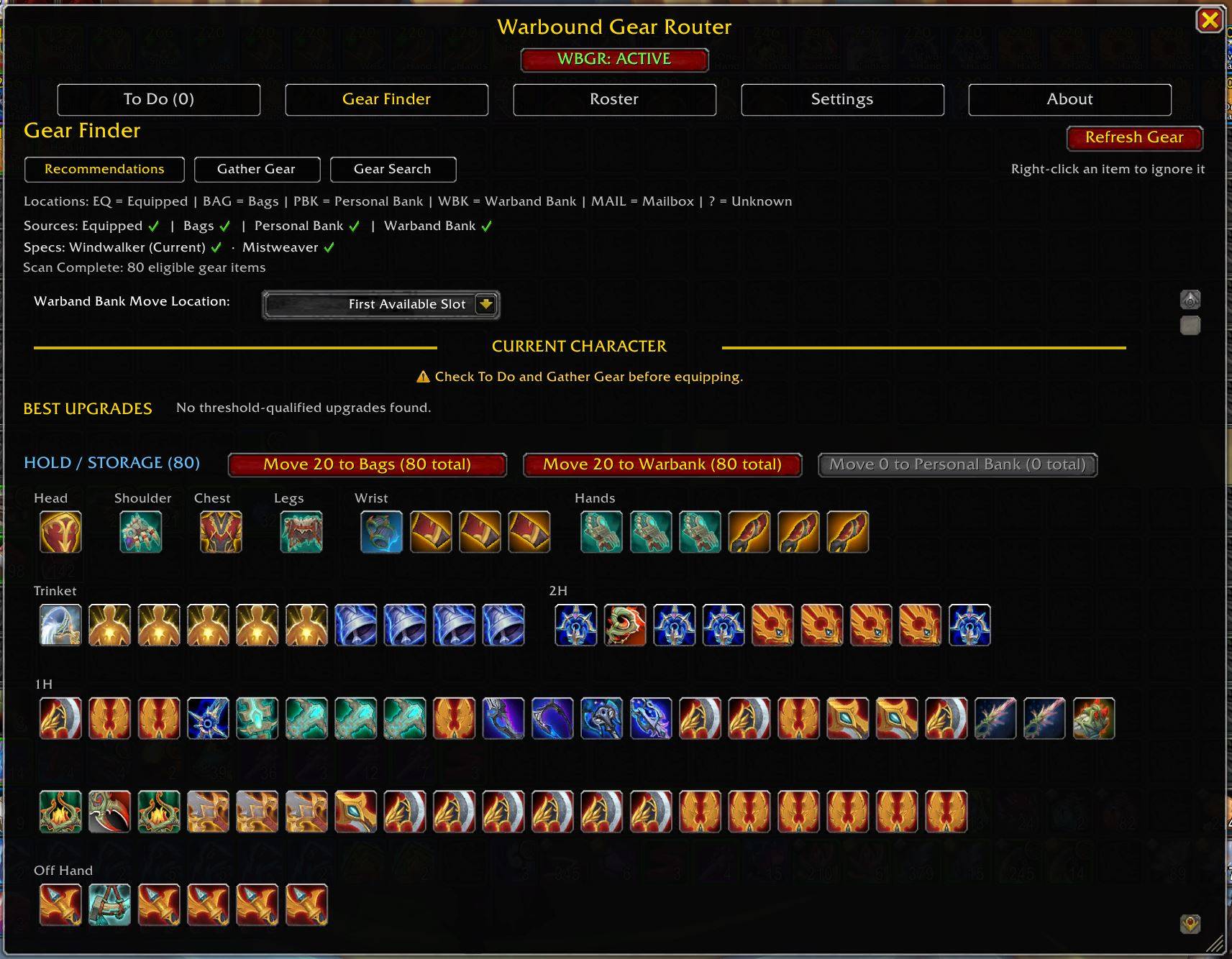
Gear Finder > Recommendations keeps useful Warbound gear organized in HOLD / STORAGE until another character can use it, without treating those items as current upgrades.
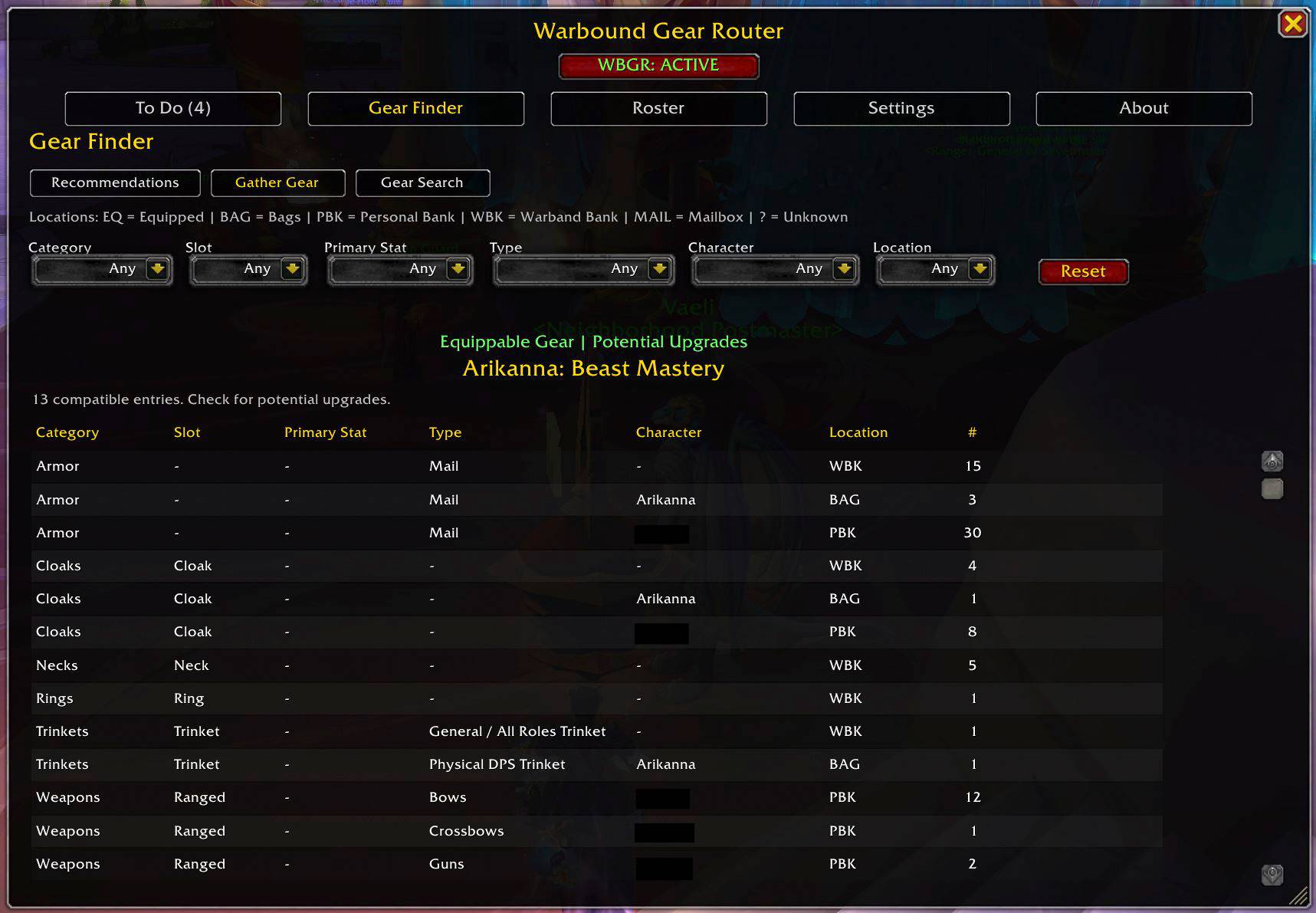
Gather Gear finds compatible gear across your tracked storage that the current character may be able to use, making it easy to spot potential upgrades.
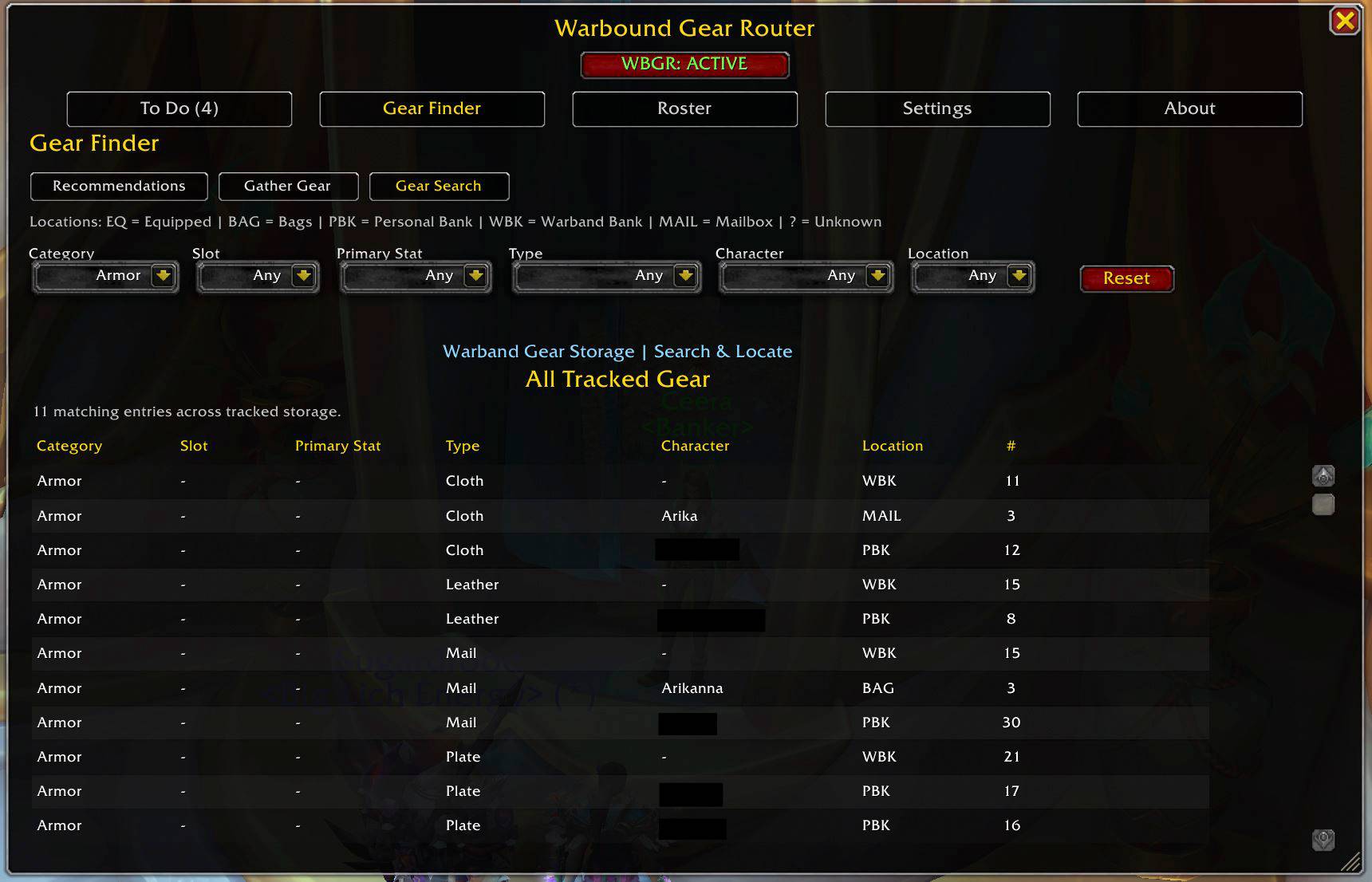
Search tracked gear across your roster and quickly see where it is stored, including Bags, Personal Banks, the Warband Bank, and Mail.
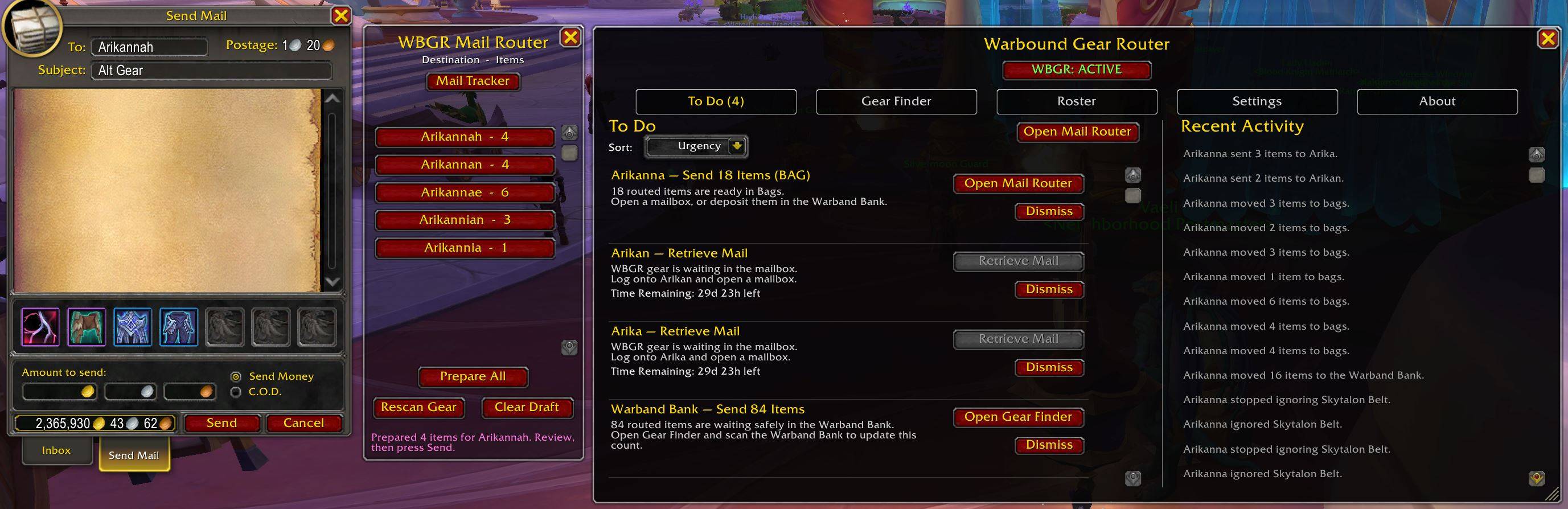
Use To Do and Mail Router to prepare gear transfers at the mailbox, track items waiting to be retrieved, and review recent activity.
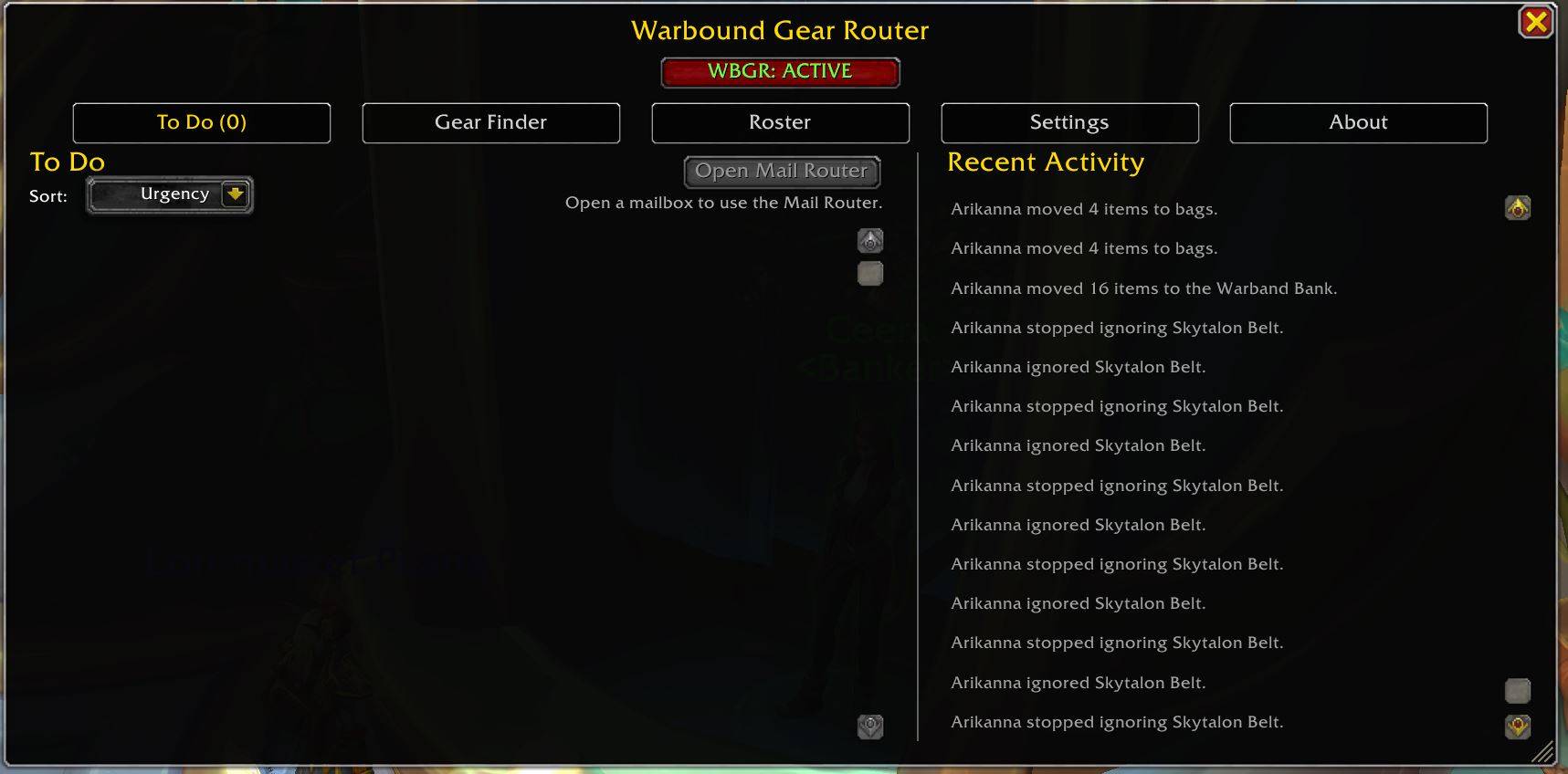
When everything has been equipped, mailed, stored, or otherwise resolved, To Do reaches zero.
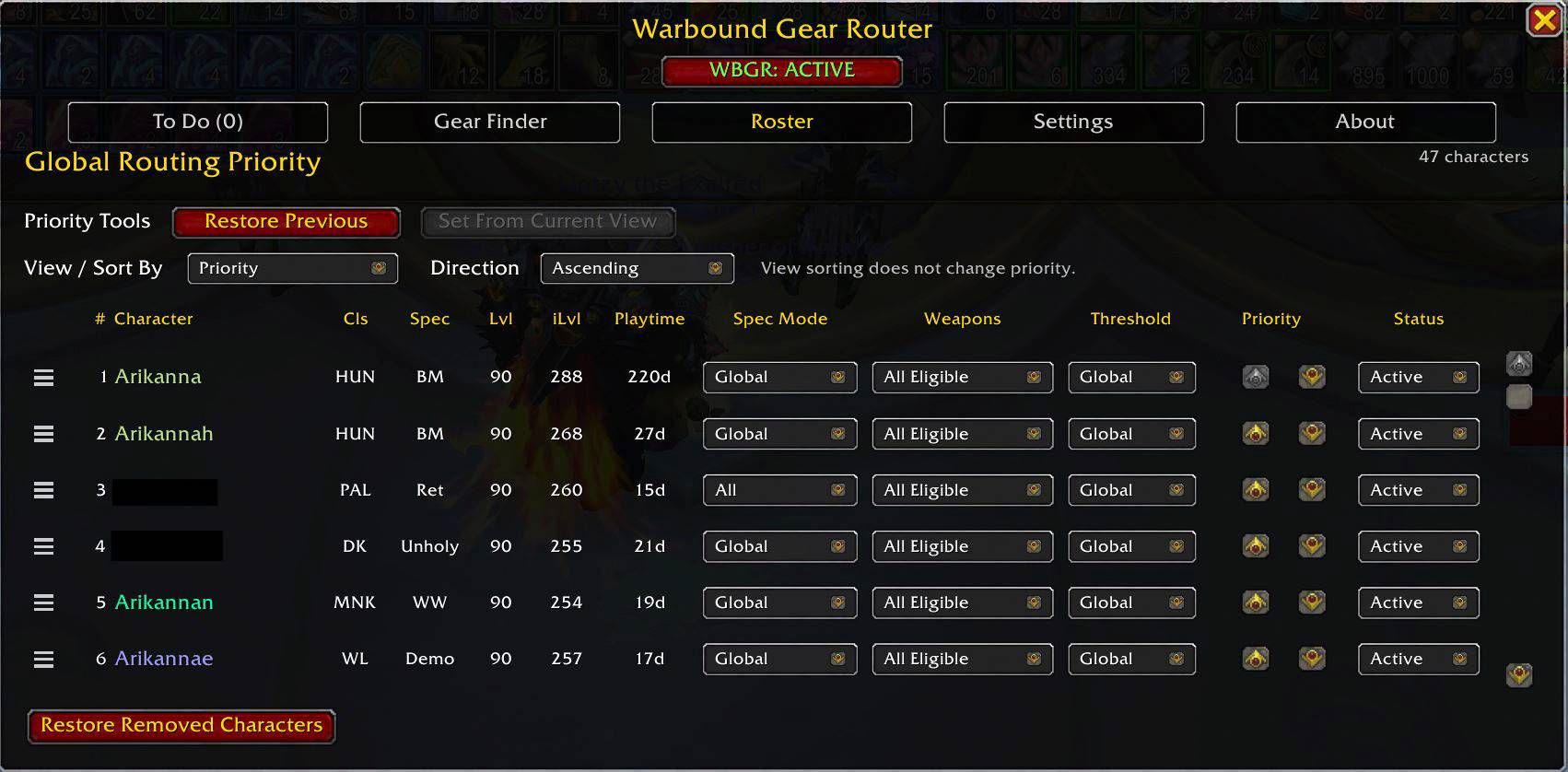
Set your roster’s routing order and control how each character participates in WBGR. Configure priority, routing status, spec mode, weapon eligibility, and upgrade thresholds from one place.
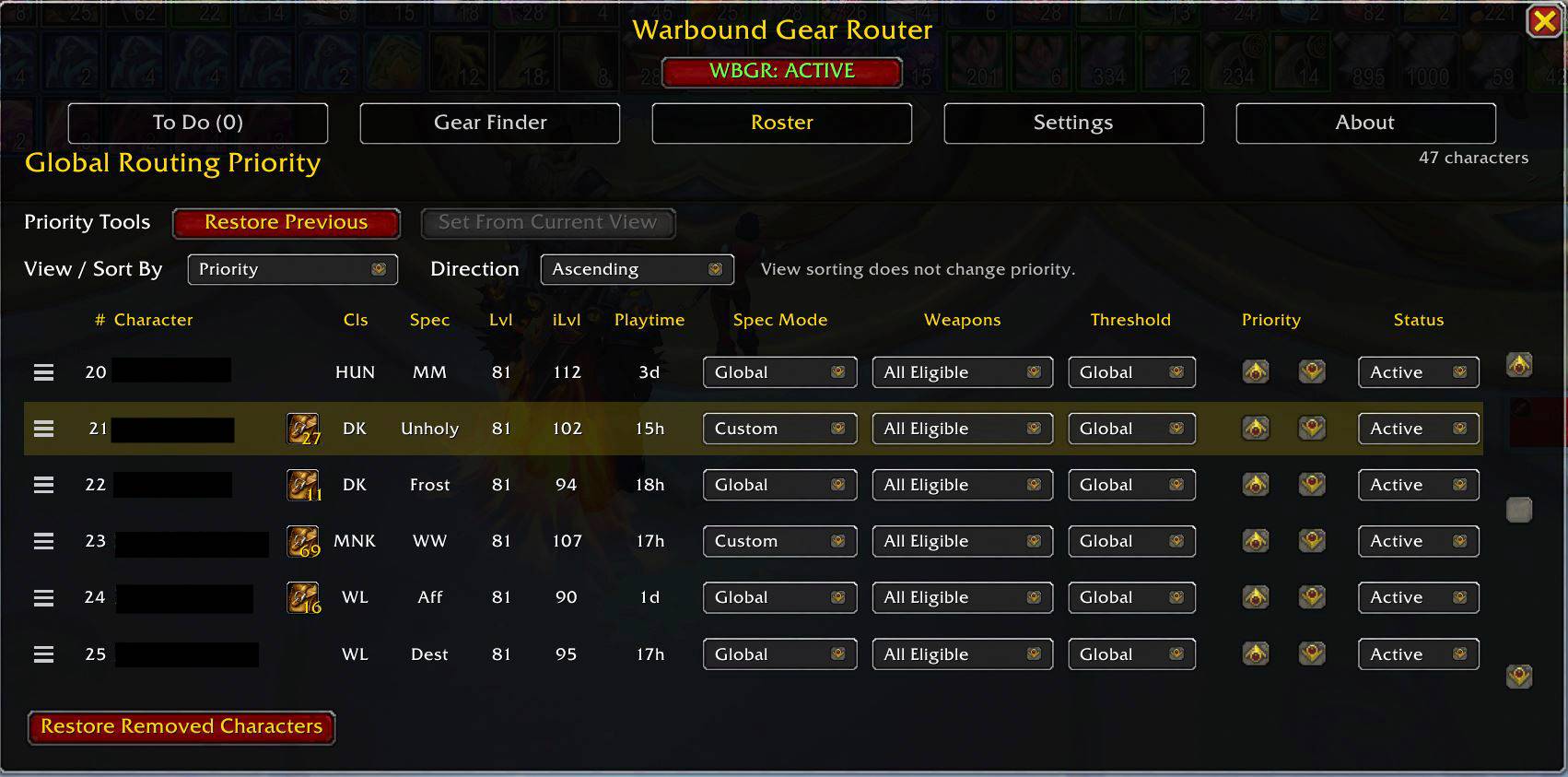
Manage a large alt roster with flexible sorting, tracked gear storage characters, and custom spec selections, making it easier to organize your warband at a glance.
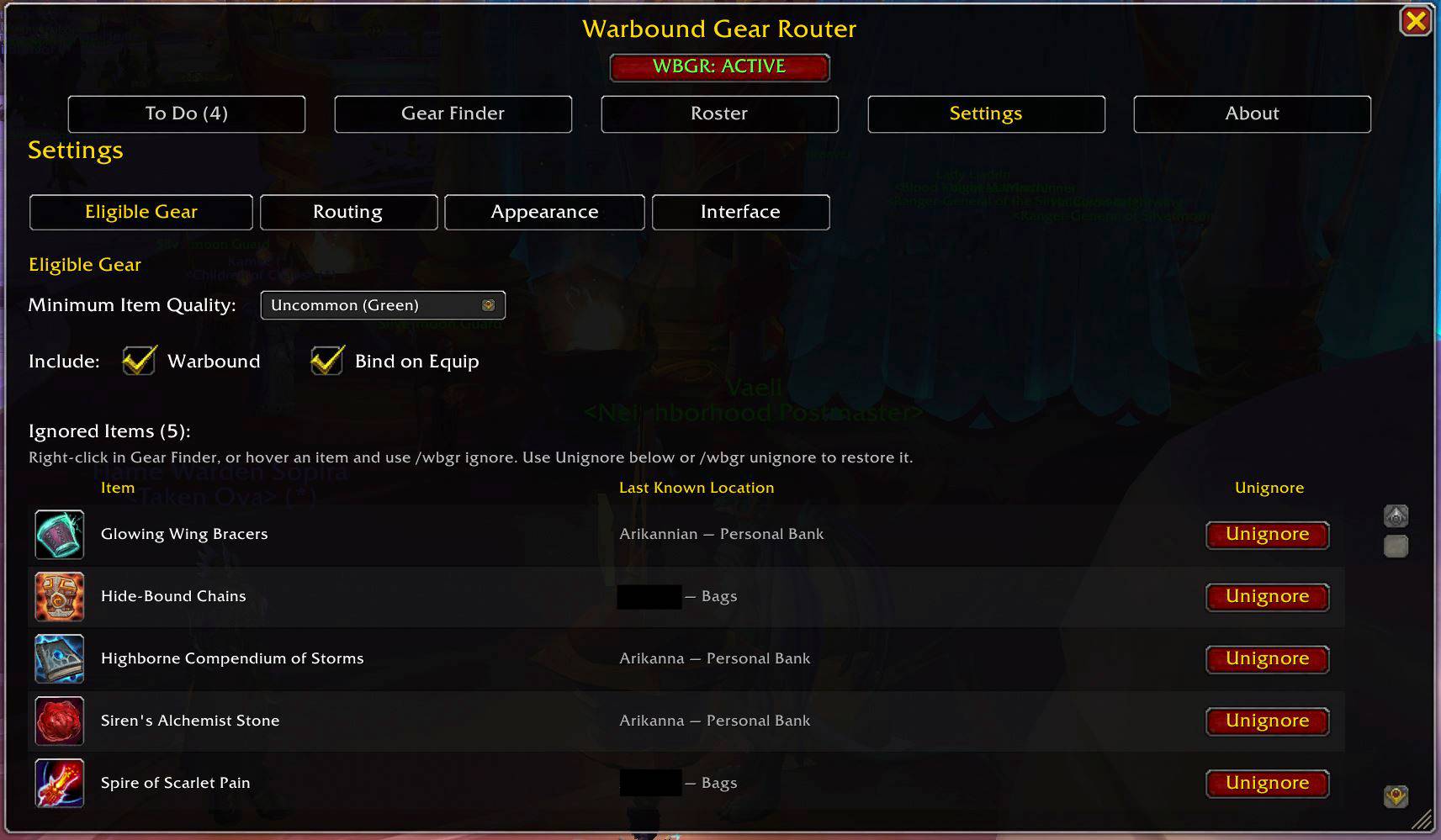
Choose which gear WBGR should track and manage ignored items, including where each ignored item was last seen.
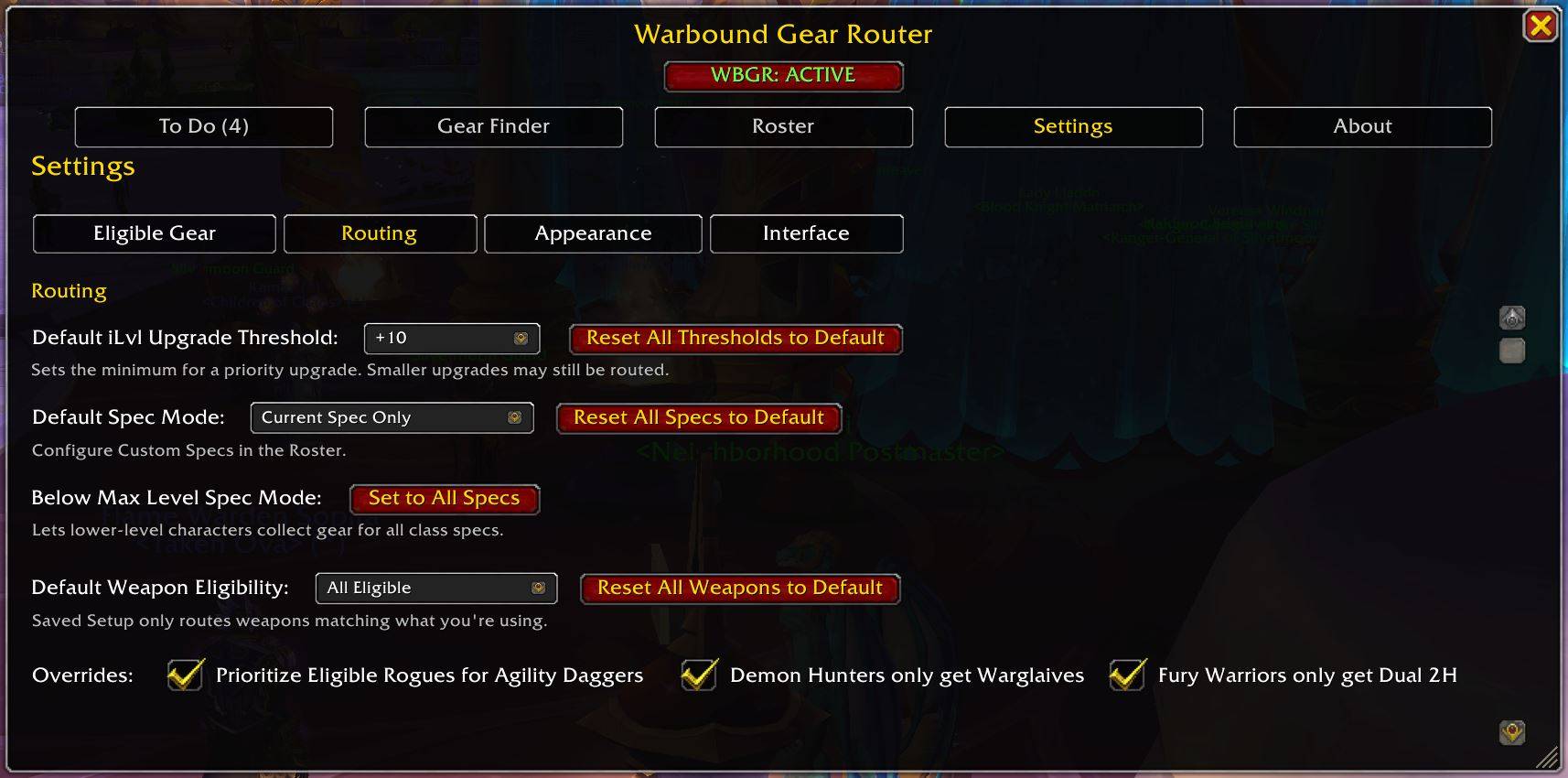
Customize upgrade thresholds, spec behavior, weapon eligibility, and special routing preferences to fit your warband.
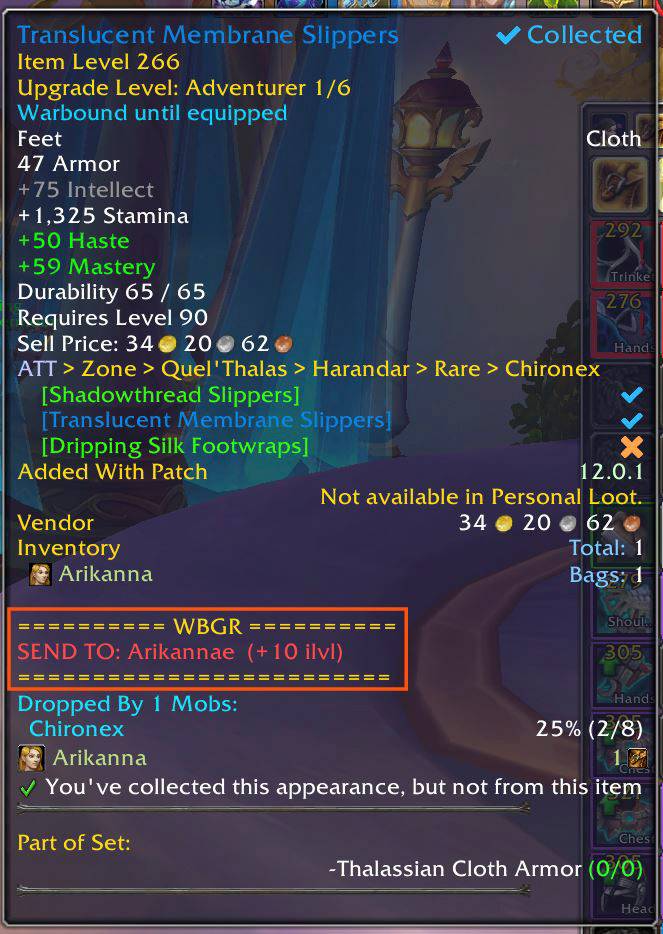
WBGR adds clear routing recommendations directly to item tooltips, showing who should receive the item and the expected item-level upgrade.
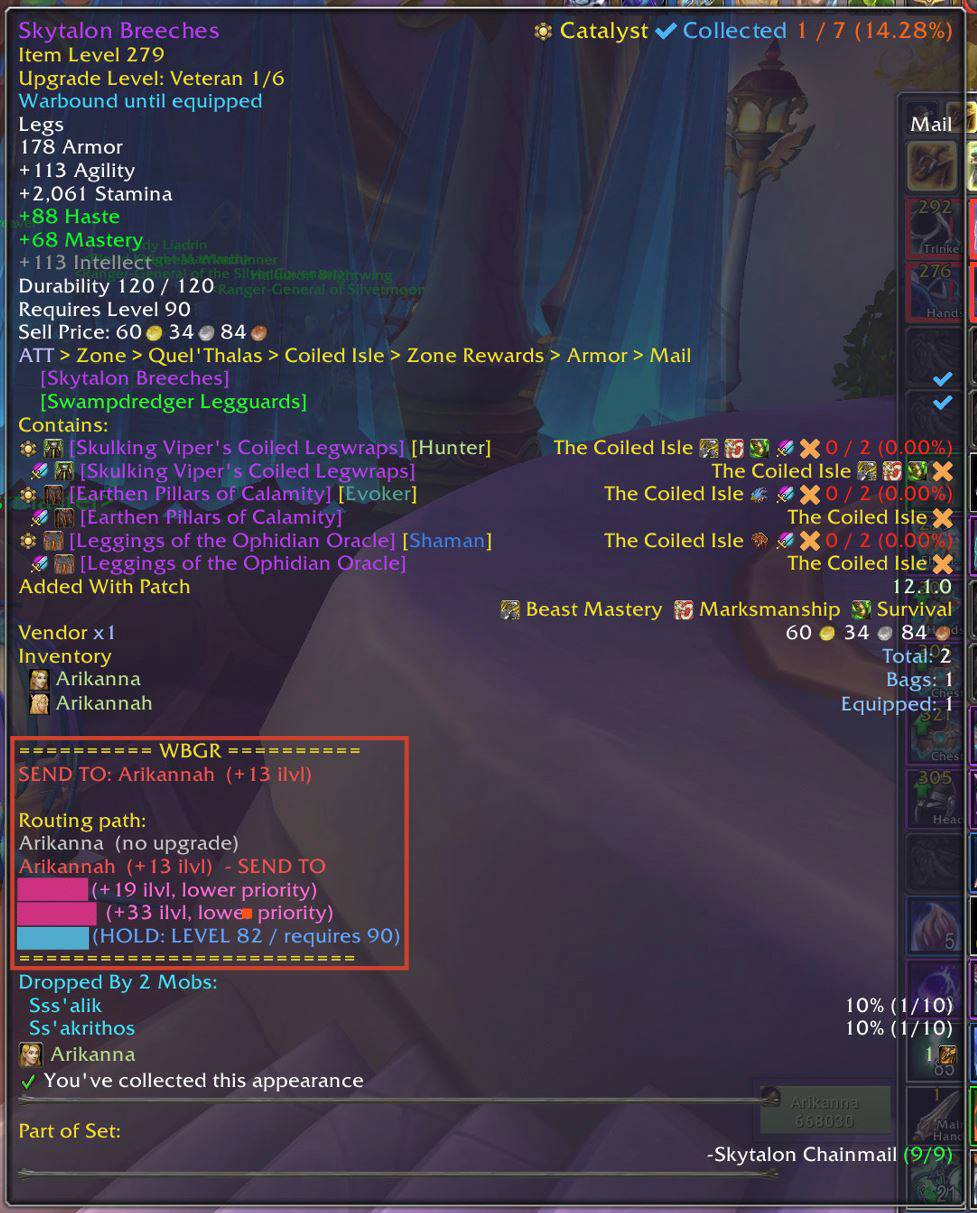
Hold Shift for a detailed routing path showing upgrade values, skipped destinations, and where the item should ultimately go.
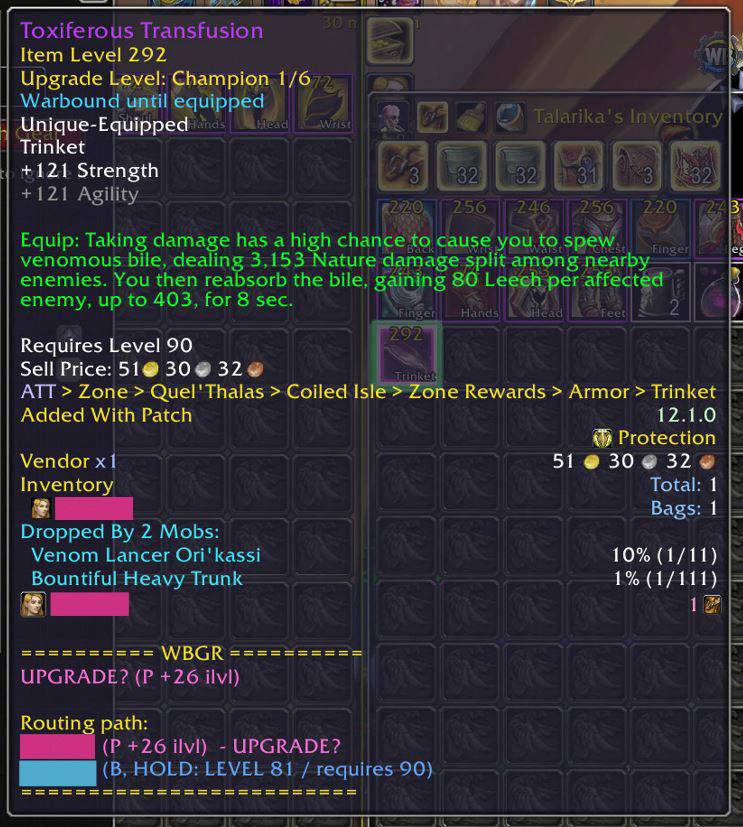
Trinket recommendations can show the relevant spec and compare other possible destinations, including future-use HOLD candidates.