Warbound Gear Router
- By
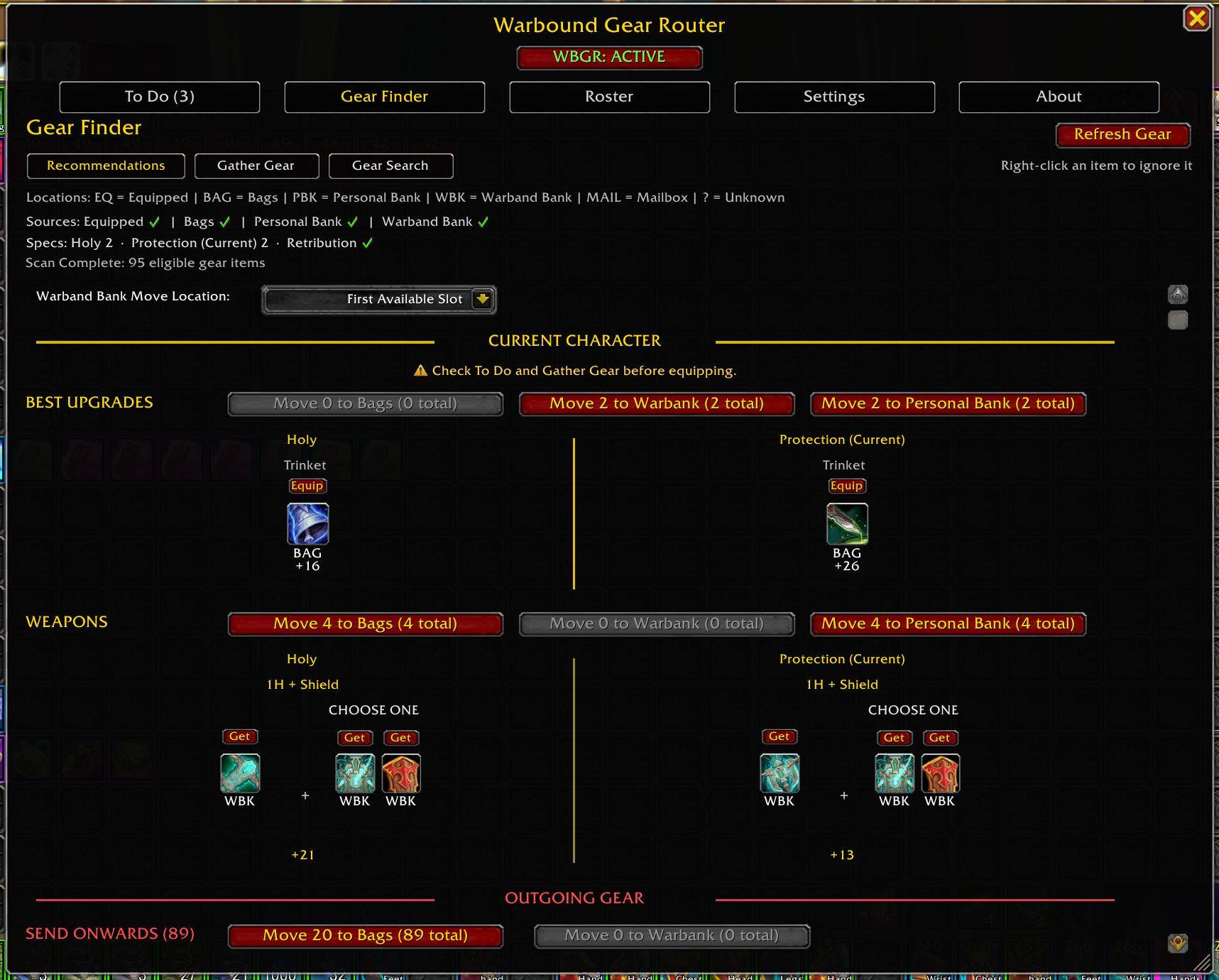
Gear Finder > Recommendations organizes routed gear by action, showing your best upgrades, complete weapon setups, and outgoing gear. Get or equip recommendations, choose between equivalent upgrades, and move the rest where it needs to go.
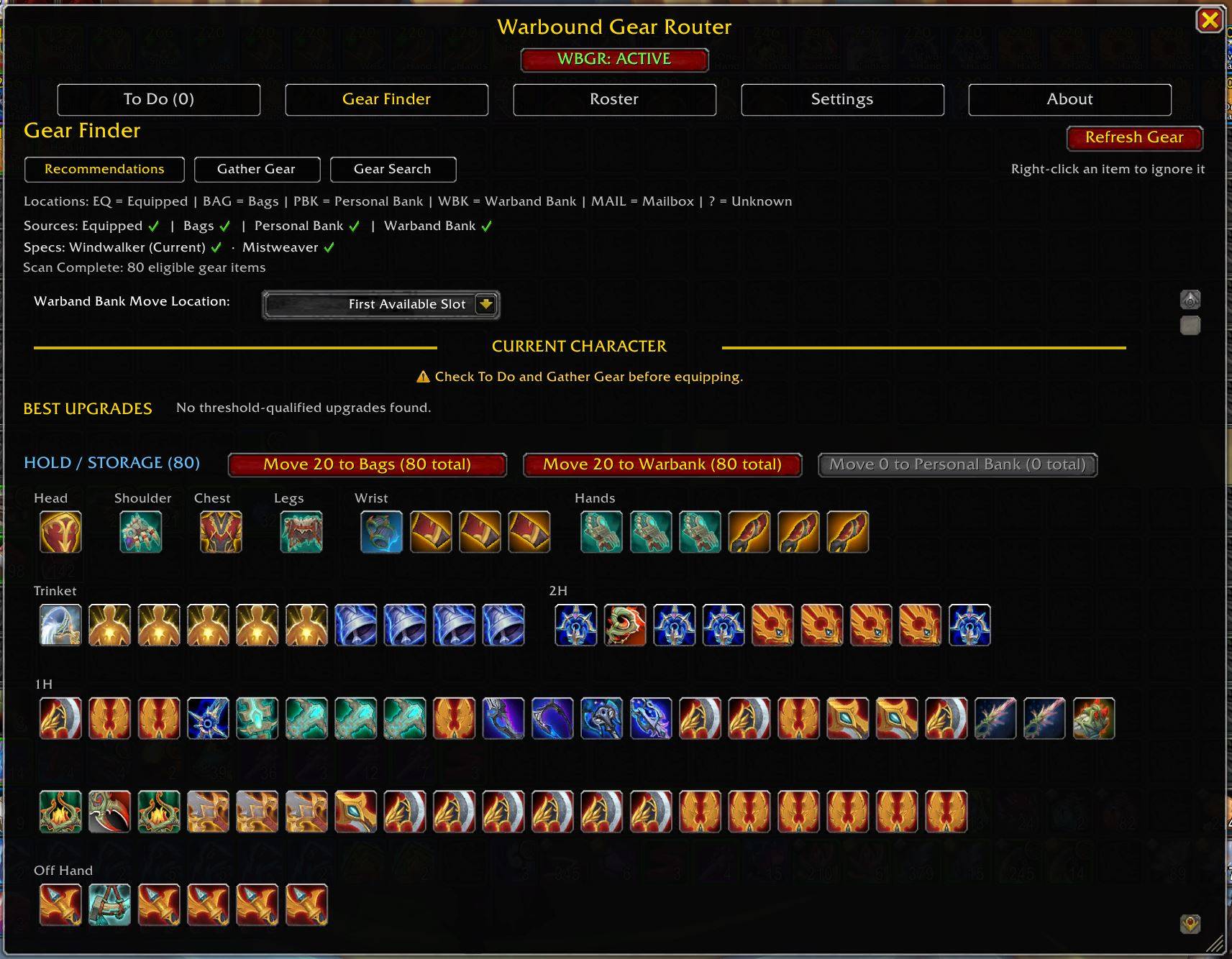
Gear Finder > Recommendations keeps useful Warbound gear organized in HOLD / STORAGE until another character can use it, without treating those items as current upgrades.
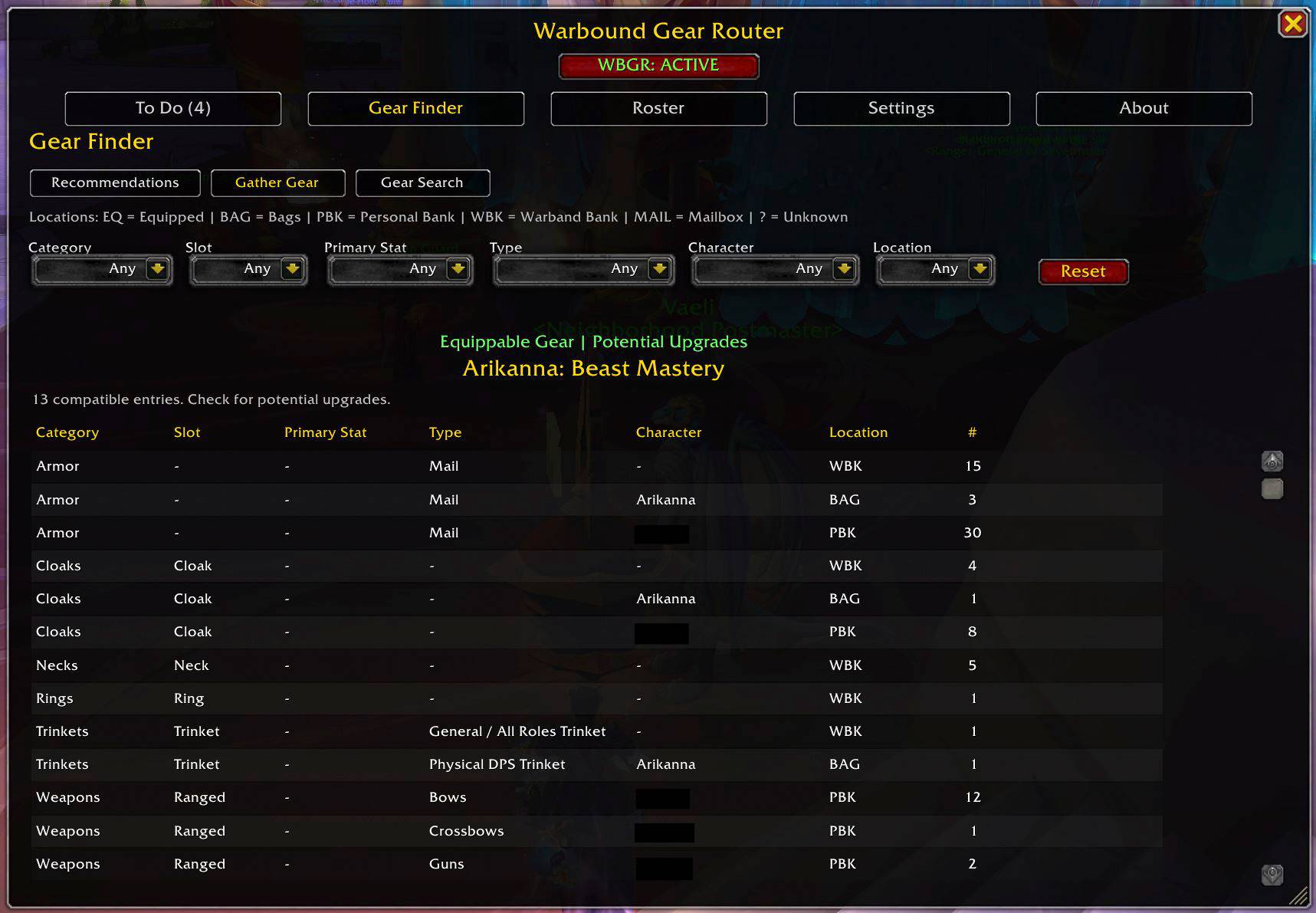
Gather Gear finds compatible gear across your tracked storage that the current character may be able to use, making it easy to spot potential upgrades.
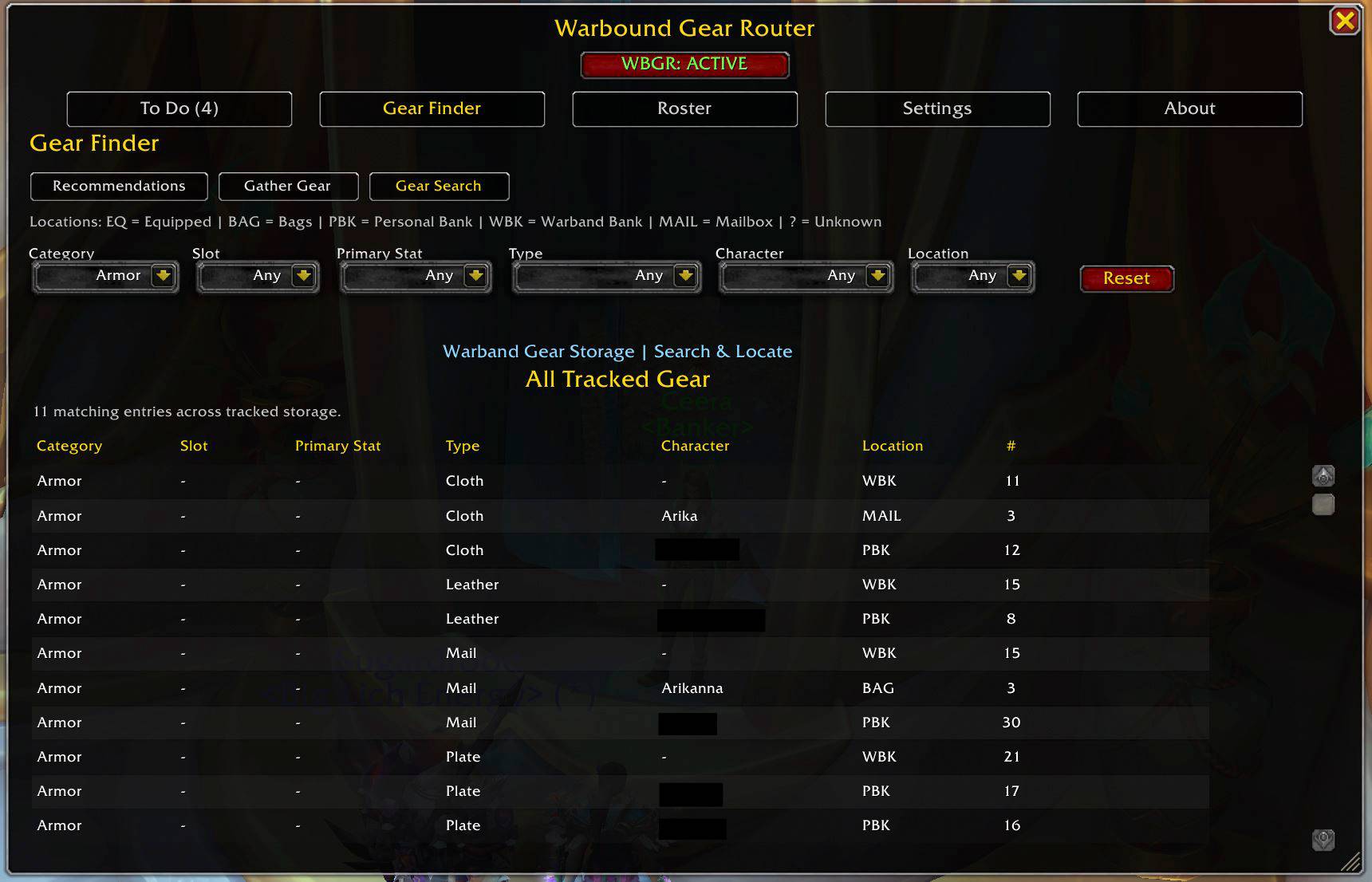
Search tracked gear across your roster and quickly see where it is stored, including Bags, Personal Banks, the Warband Bank, and Mail.
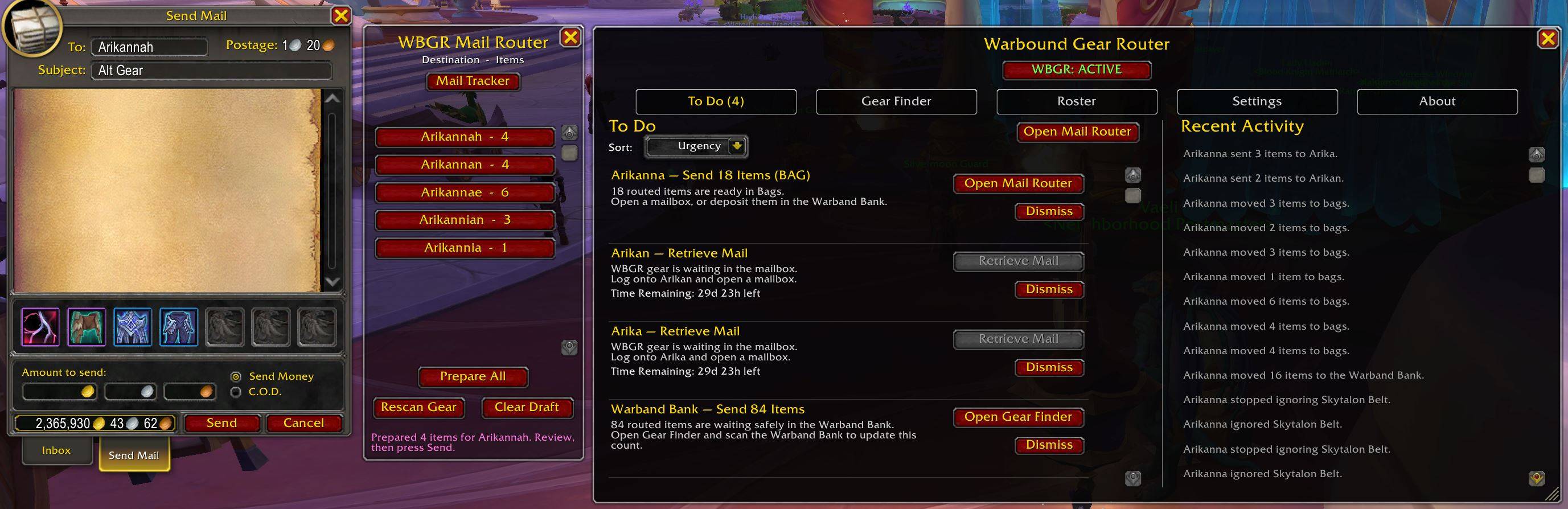
Use To Do and Mail Router to prepare gear transfers at the mailbox, track items waiting to be retrieved, and review recent activity.
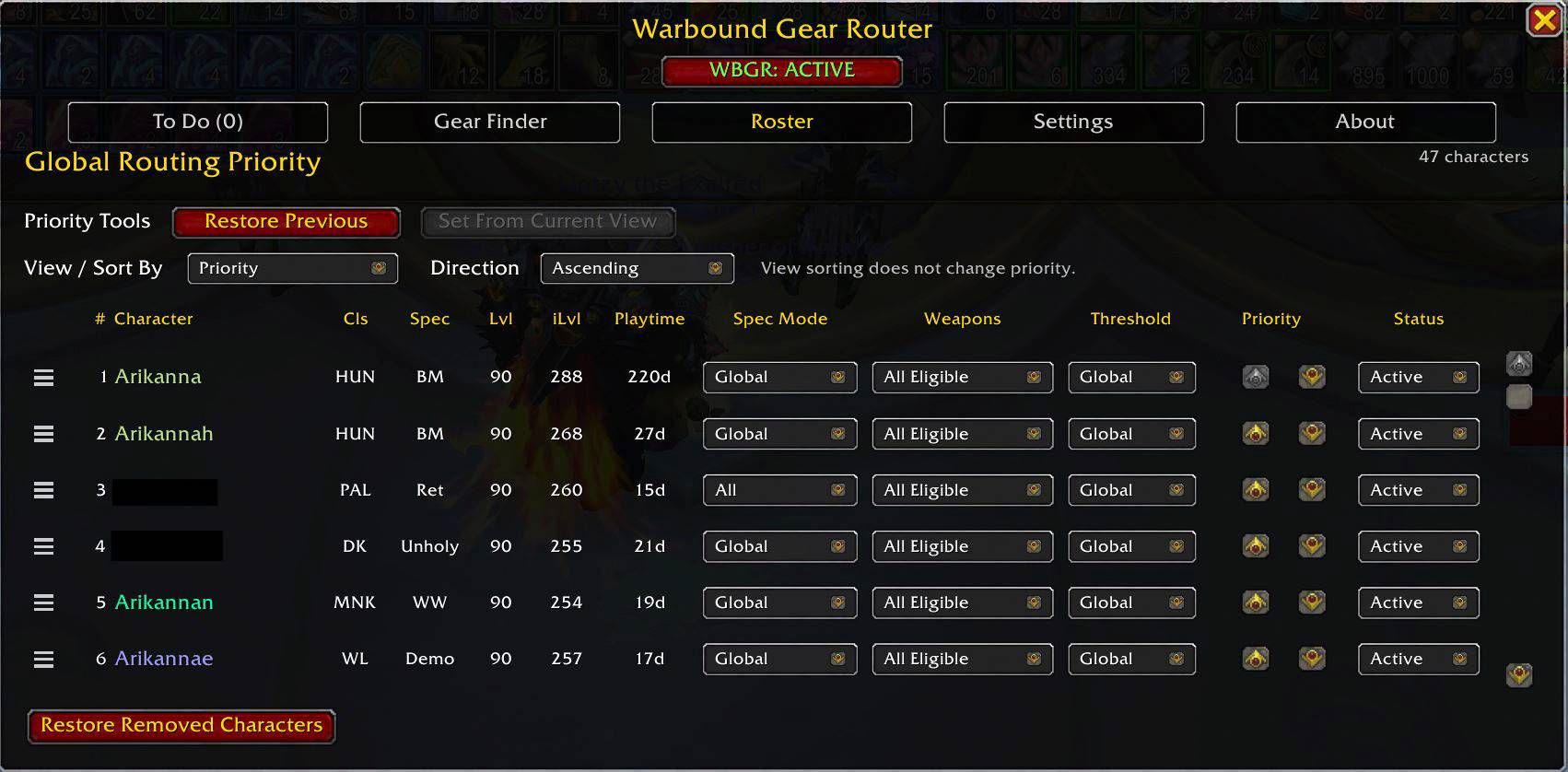
Set your roster’s routing order and control how each character participates in WBGR. Configure priority, routing status, spec mode, weapon eligibility, and upgrade thresholds from one place.
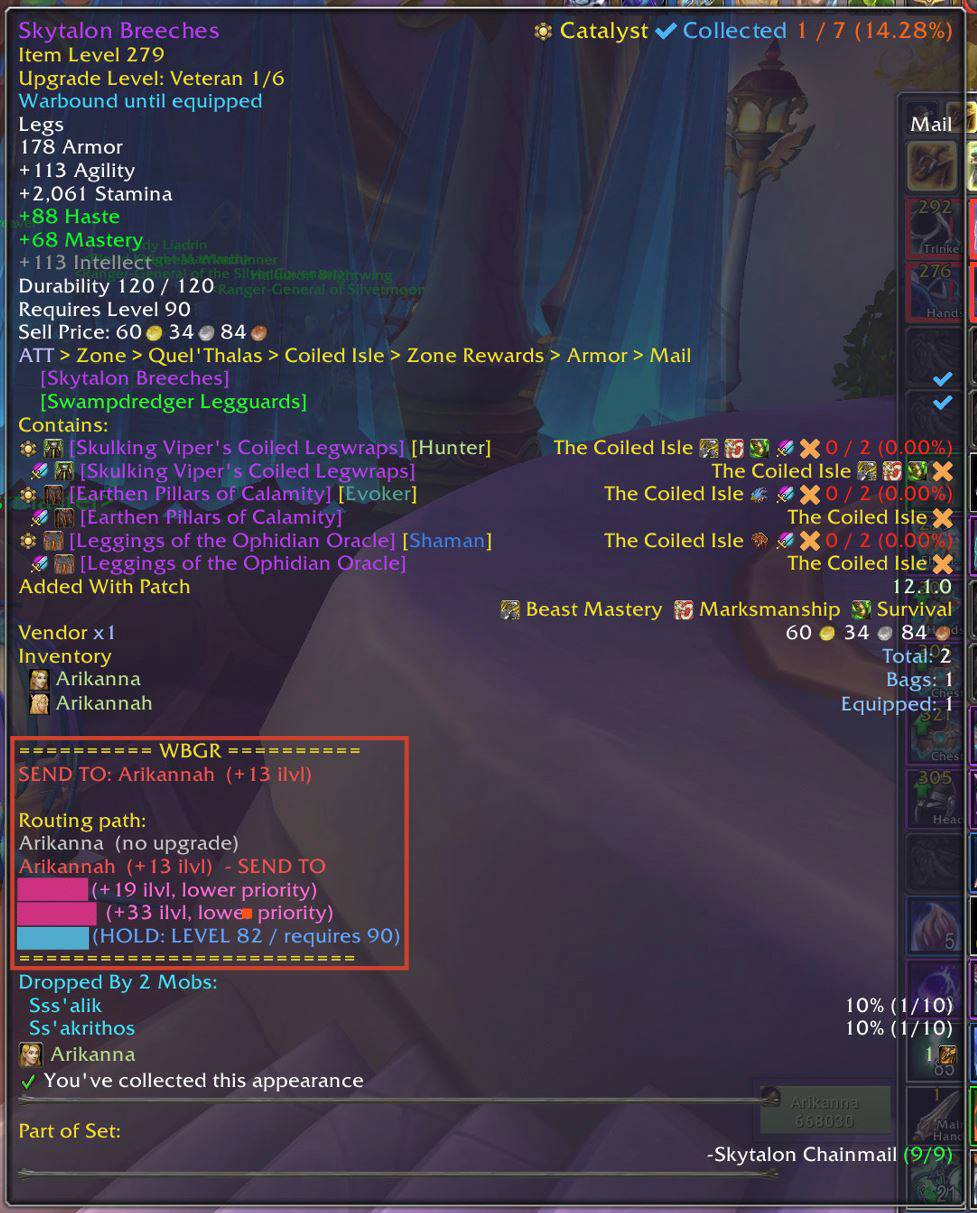
Hold Shift for a detailed routing path showing upgrade values, skipped destinations, and where the item should ultimately go.
Description
Warbound Gear Router (WBGR) helps manage Warbound and Bind-on-Equip (BoE) gear across your characters by recommending where each item is most useful.
WBGR is designed for players with multiple characters who accumulate Warbound gear and want an easier way to decide what to equip, what to send to another character, and what can be stored or disposed of.
Features
- Routes Warbound and Bind-on-Equip (BoE) gear across your roster
- Configurable routing priorities and item-level upgrade thresholds
- Supports Current Spec, All Specs, and Custom Spec routing
- Recommends upgrades by item level, not stat weights or simulations
- Handles armor, jewelry, trinkets, weapons, shields, and off-hands
- Supports 1H + Off-hand, 1H + Shield, Dual 1H, and Fury Dual 2H
- Gear Finder shows your best available upgrades and what to do with the rest
- Gather Gear helps find other gear the current character may be able to use
- Gear Search locates tracked gear in Bags, Personal Banks, the Warband Bank, and Mail
- To Do highlights outgoing gear, mail retrieval, and other items needing attention
- Mail Router helps transfer gear between characters
- Tracks qualifying gear mailed between tracked characters
- Keeps returned and retrieved mail current in Gear Search and To Do
- Ignore or remove characters (like bank/storage alts)
- Ignore individual items (like BoEs you want to sell or trade)
- Pause mode reduces WBGR activity while keeping important tracking up to date
- Configurable tooltip styles, including Detailed Shift + Hover routing information
- Optional Soulbound trinket spec labels
- Built-in Getting Started, How Routing Works, and Help & FAQ
- Includes a Gear Reference and command documentation
- Resizable main window with saved height
- Optional Bagnon overlays and item-location highlighting
Requirements
WBGR uses DataStore to access saved cross-character information such as character details and inventory data. Because DataStore currently depends on AddonFactory, which is distributed with Altoholic, CurseForge will also install Altoholic as a required dependency. Altoholic itself does not need to be enabled for WBGR to work.
Required: Altoholic, DataStore, DataStore_Characters, and DataStore_Inventory
Optional: DataStore_Containers and DataStore_Talents
Getting Started
First-time setup: Log into the characters you want WBGR to track. WBGR can use available DataStore information to help initialize character data, but for the most accurate spec and weapon routing, switch to each spec you want tracked and equip its intended weapon setup at least once.
Open WBGR using the minimap button or /wbgr.
Start with the Roster tab to set character priority, choose which characters participate, and configure spec, weapon, and threshold preferences. Then use Gear Finder → Recommendations to review upgrades, Gather Gear to find other potentially usable gear, and Gear Search to locate tracked gear across your warband. For a more complete walkthrough of setup and workflow, see the built-in About → Getting Started tab.
How Routing Priority Works
WBGR first looks for characters who would gain at least your configured upgrade threshold. If none qualify, it looks for any character who would still gain a positive item-level upgrade. Only after that does it consider lower-level characters who could use the item in the future (HOLD for later use). Within each of those groups, your Roster priority determines who gets the item first.
For the smoothest workflow, work through characters from higher to lower priority when equipping upgrades. As higher-priority characters equip better gear or become fully initialized, extra items may automatically reroute farther down the roster, creating a natural cascade through your characters.
For weapons, WBGR can also consider compatible Soulbound weapon setups the character already owns, including compatible components used by another spec. This helps avoid sending lower-quality weapons to an off-spec when the character already owns a better usable setup.
For trinkets, WBGR can also consider compatible Soulbound trinkets the character physically owns, even if they are equipped, in Bags or the Personal Bank, or usable by more than one spec. Trinket eligibility is evaluated per spec, and WBGR accounts for overlapping multi-spec trinkets and Unique-Equipped restrictions when determining whether another trinket is actually an upgrade.
Soulbound gear is never routed to another character. WBGR may use Soulbound gear a character already owns as part of its comparison baseline, but only transferable Warbound/BoE gear is considered for cross-character routing.
Important
WBGR is primarily designed to help equip undergeared alts and newly leveled characters using Warbound and BoE gear. Characters you play regularly will often outgrow most Warbound gear through normal gearing, so they may naturally receive few or no routing recommendations.
WBGR evaluates upgrades primarily by item level, while also respecting primary-stat compatibility and spec-aware trinket eligibility. Strength, Agility, and Intellect gear is routed only to appropriate characters/specs, and trinkets are evaluated according to the specs Blizzard marks them as usable for. A trinket may therefore be valid for one spec or shared across multiple specs and roles. WBGR does not simulate your character, calculate stat weights, or attempt to determine whether a lower-item-level item is better because of secondary stats, special effects, or encounter-specific considerations.
Because of that, WBGR is best thought of as an inventory and alt-gearing management tool. It helps decide where Warbound and BoE gear is most useful across your roster, but it is not intended to replace class-specific gearing tools or simulations for characters you are actively optimizing.
License
Warbound Gear Router is released under the GNU General Public License v3.0 (GPL-3.0).
Warbound Gear Router Team