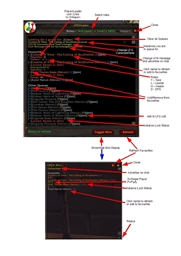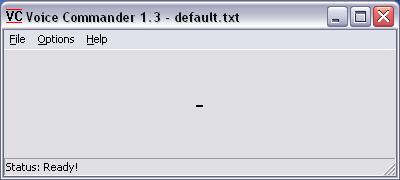
Main Window
Description
20 June 2008:
I've been busy with other projects and have sorely neglected this one. Some development has been done but it's not ready for another release yet. All the same, the current build I'm working on is mostly Vista compatible. So I'll release that one to you even though it's no official release. Visit me here if you have questions or need more info: http://www.lenja.ch
Cheers, Lenja
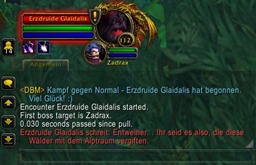
Using Voice Commander 1.3 while playing World of Warcraft
What is it?
It's a program that translates speech into key presses. Ever tried to play with two WoW accounts at the same time? It's damn hard to use two keyboards simultaneously and look at two screens. Why not just play fully with one account and give voice commands to the second. That's much more natural since you're already used to speaking over Teamspeak or Ventrilo while playing the game.
What can I do with this?
See Voice Commander in action! http://www.youtube.com/watch?v=6Dt215PuQew
Imagine the following: You're on your mount with your mage, followed by a priest on his mount. You dismount and say "dismount" which dismounts the priest, too. You run to a mob group and say "stay" to position your priest. You say "shield" and "renew" to get some buffs before the action begins. Then you jump into the mobs with your mage, pulling them together and doing some AoE. You say "heal" a couple of times and the priest heals you continuously. Some mobs are attacking your priest and slow the healing so you say "self shield" and maybe even "fear" to get rid of them. Now all but one of the mobs are down but you're out of mana. Since your priest is looking in the wrong direction, you say "turn". Now he's facing the mob and you say "kill" to make the priest take your target and start casting Mindblast. When it's done you reg and say "regenerate" to make the priest reg too. Then you say "follow" and run to the next mob group. Maybe you even see a player of your faction who is in trouble. You target him and say "target heal" which makes the priest take your target again and heal the guy. You're done here so you mount and say "mount" which mounts the priest and he follows you again.
I'm sure you can think of many more situations where this could come in handy... having a heal pet, bombing with two mages, pulling a lowbie char through quests, killing elite bosses which cannot be done solo.
Is it legal?
Voice Commander has NOTHING to do with WoW whatsoever! It's a VOICE-TO-KEYBOARD interface ONLY! It doesn't send or receive any information from the WoW client. It doesn't even know about WoW at all! It doesn't automate any tasks. You cannot make a loop which does something continuously and walk away from the computer. You need to actually steer the other character but not with an additional keyboard but with your voice! Speech recognition is nothing new, it's even integrated into Windows Vista now. People with disabilities have been using speech recognition for many years.
All the power comes from the player giving the commands and from the ingame macros bound to the keys on your keyboard. Voice Commander only makes the bridge between speaking and pressing keys. True, one command may press many keys, but you can do that with ingame macros too and even Logitech's G15 keyboard (which is directly supported in WoW) allows you to make macros. So that's nothing new either. Since Blizzard frowns upon playing someone else's account, we'll just assume you actually own two accounts.
But doesn’t this give you an unfair advantage over others?
Not really. You’re actually slower if you use your voice instead of your hands. The advantage is that you have two accounts but you’re also paying twice as much per month, aren’t you?
Does it really work as well as you described?
Yes, it works like a charm for me. Sure, I can't play both accounts fully but it's certainly better than just with one char. It's like having a mage who can bomb and heal simultaneously. The speech recognition works extremely well, too, since it only has to understand the few words you define as commands. It takes some time to set it up perfectly but it even works ok if you keep the configuration very simple.
READ the generic "readme.rtf" file that comes with the program. It's all described there!
This is a program which means there is an EXE file you need to start in order to use the program. I guarantee that there is no keylogger, trojan or virus in it. There's a lot of documentation coming with this and it was a lot of work, but if you don't trust it then simply don't use it. I could hardly write a speech recognition program only by using the Lua scripting language.
Voice Commander Team