
VertiCrop
- By

See the 9:16 crop of your vertical video in game: frame, darkened sides and YouTube Shorts, TikTok and Instagram Reels safe zones. Place your UI, record in recording mode, get the crop values for OBS. Retail, Classic and WoW Forever.
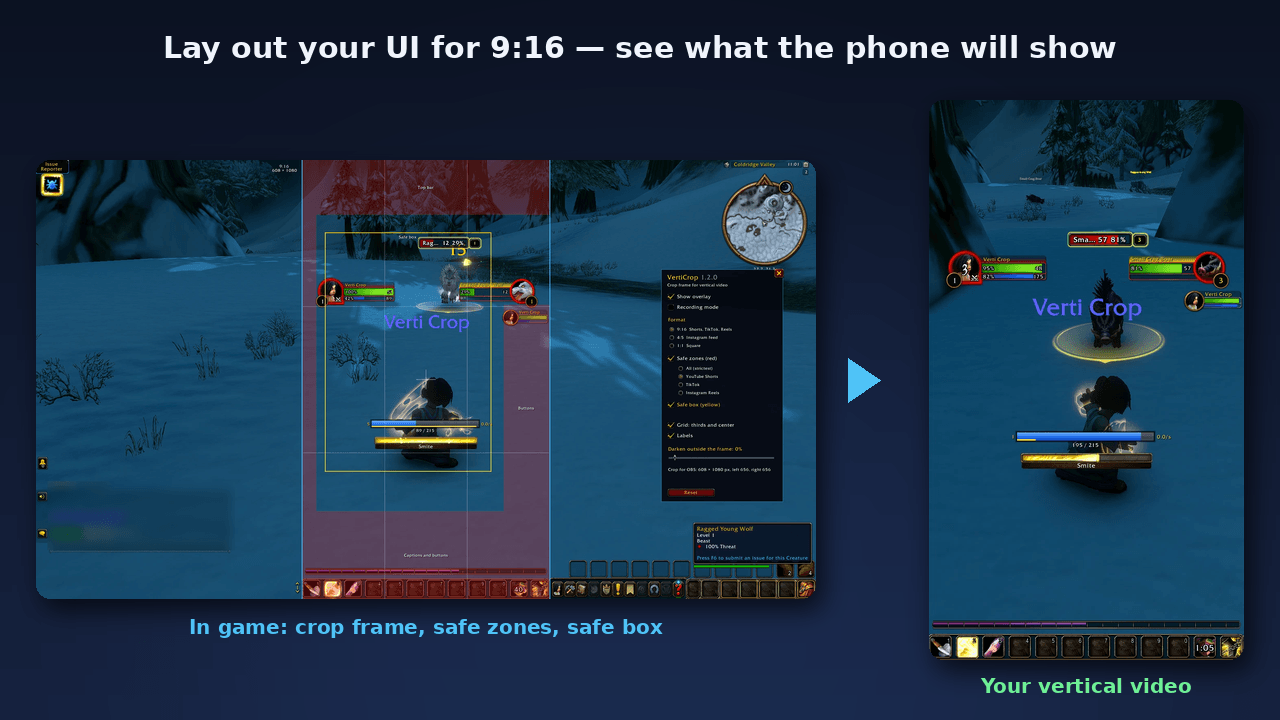
Lay out your UI for 9:16 in game and see what the phone will show: crop frame, YouTube Shorts / TikTok / Reels safe zones and the yellow safe box.
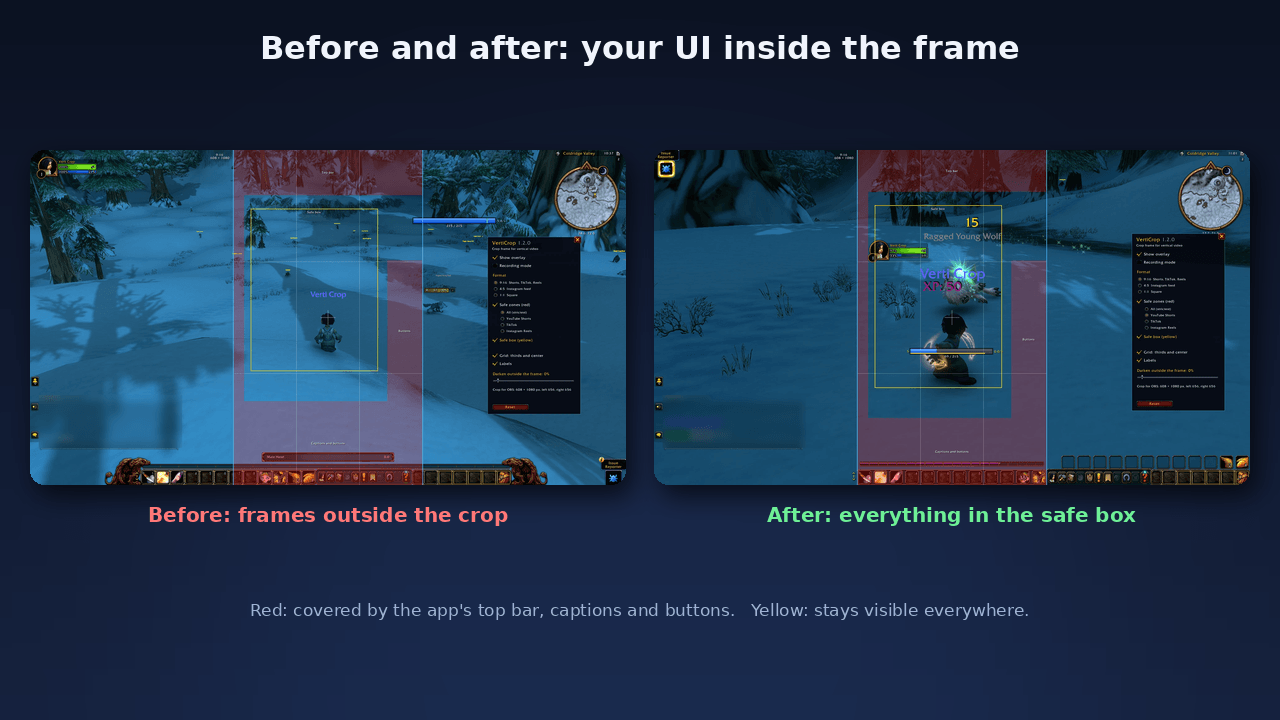
Before: unit frames and mana bar outside the crop. After: everything inside the safe box, nothing under the app's buttons and captions.
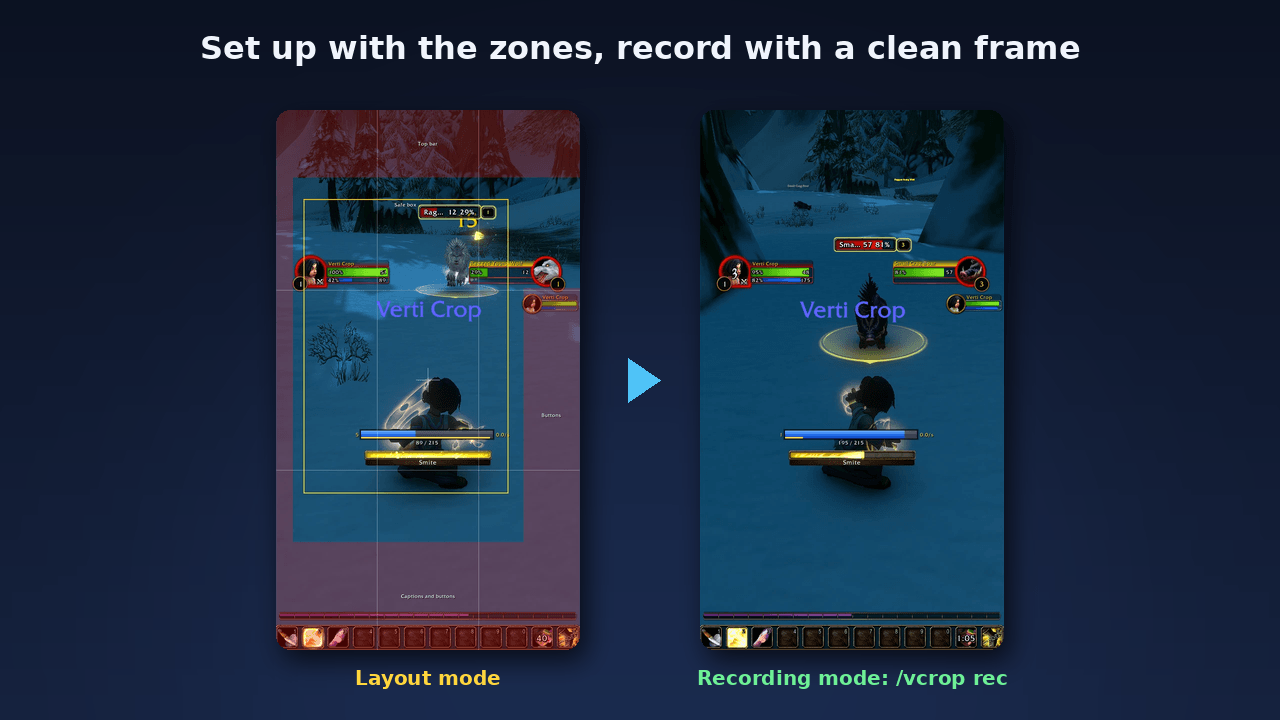
Set up with the zones, then /vcrop rec: nothing inside the frame, the crop cuts the dark sides and the border away.
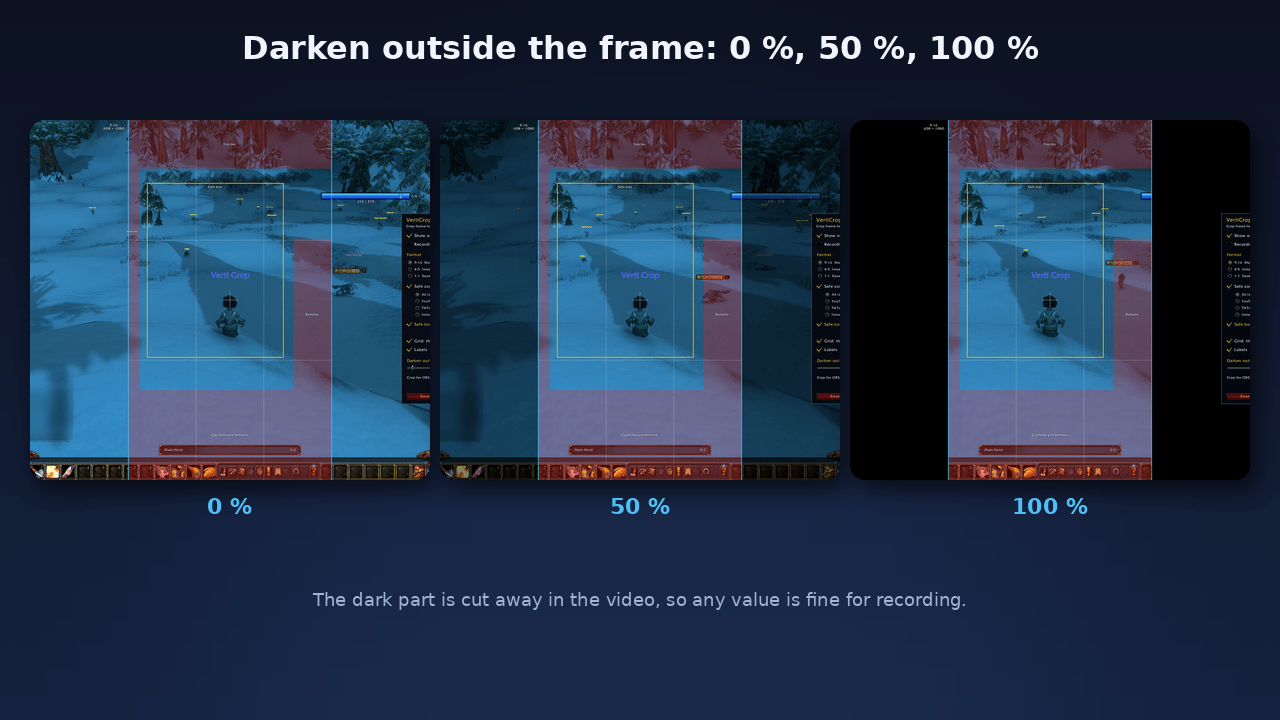
Darken the screen outside the frame from 0 to 100 %. That part is cut away in the video, so any value is fine for recording.
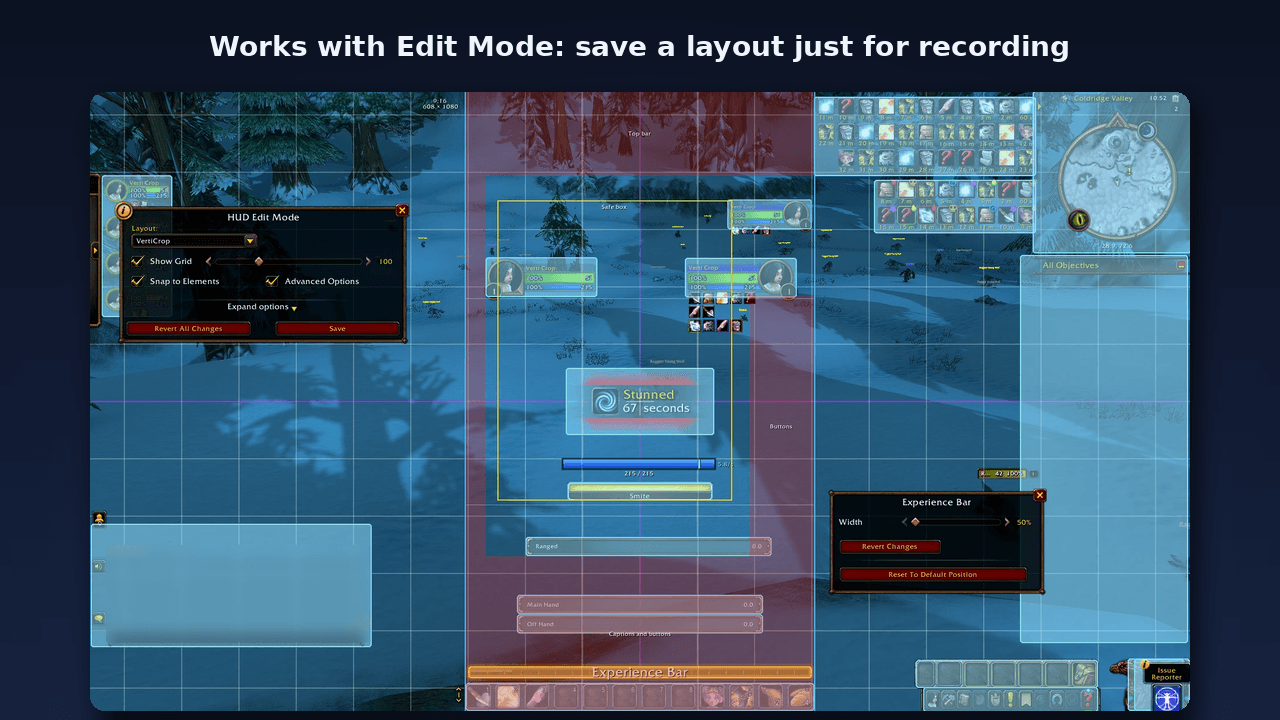
Works with Edit Mode: save a layout just for recording and switch to it before you hit record.
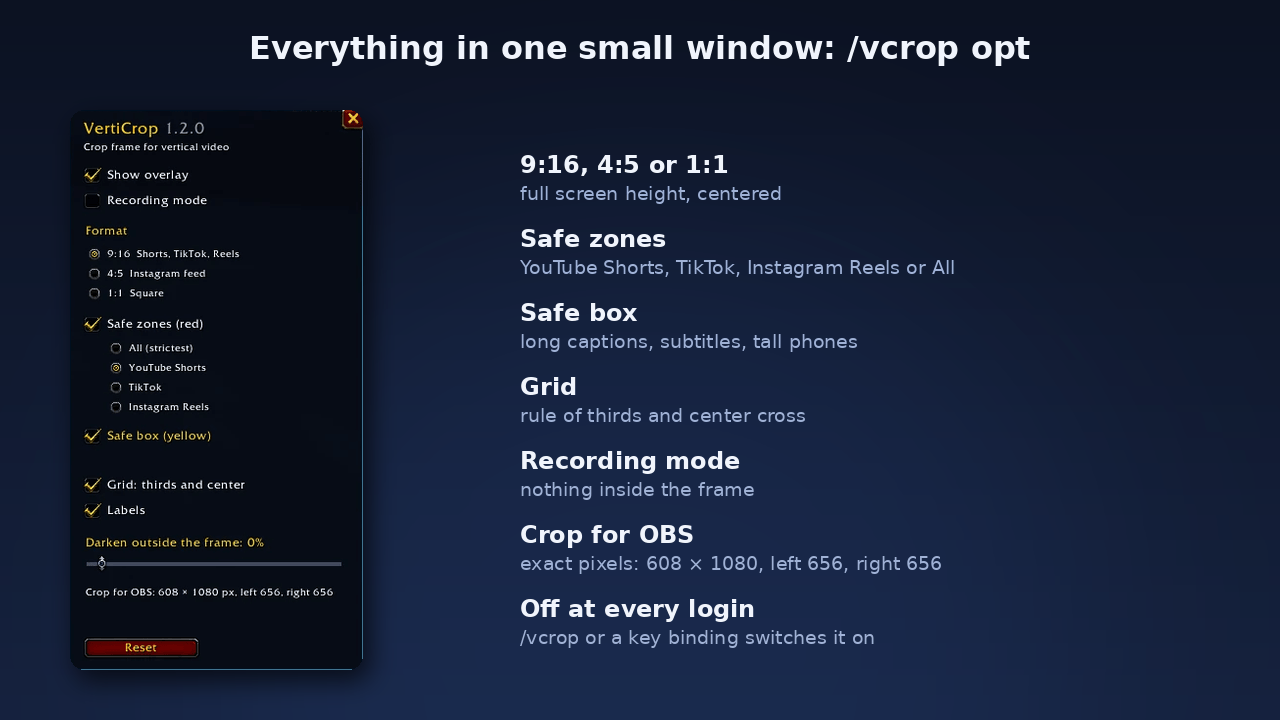
Everything in one small window: format, platform, safe zones, safe box, grid, recording mode and the exact crop values for OBS.