VendorMap - Filterable vendor locations, visible on world and minimap
- By
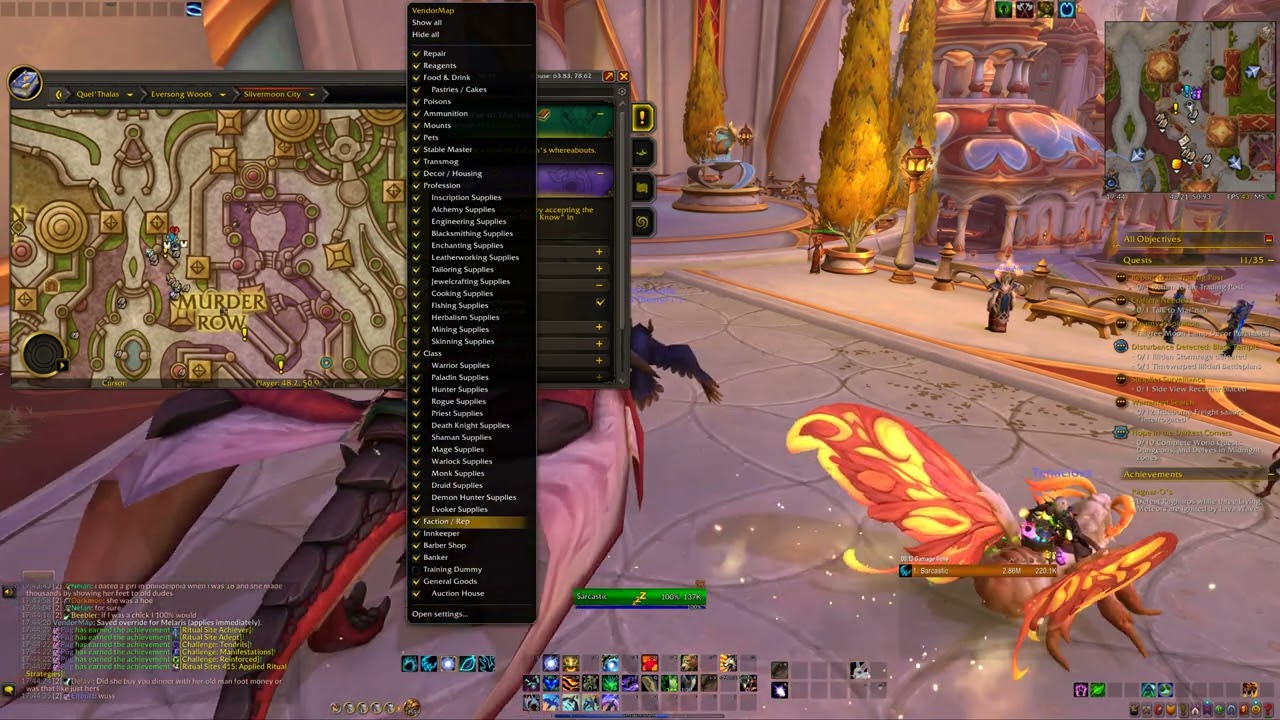
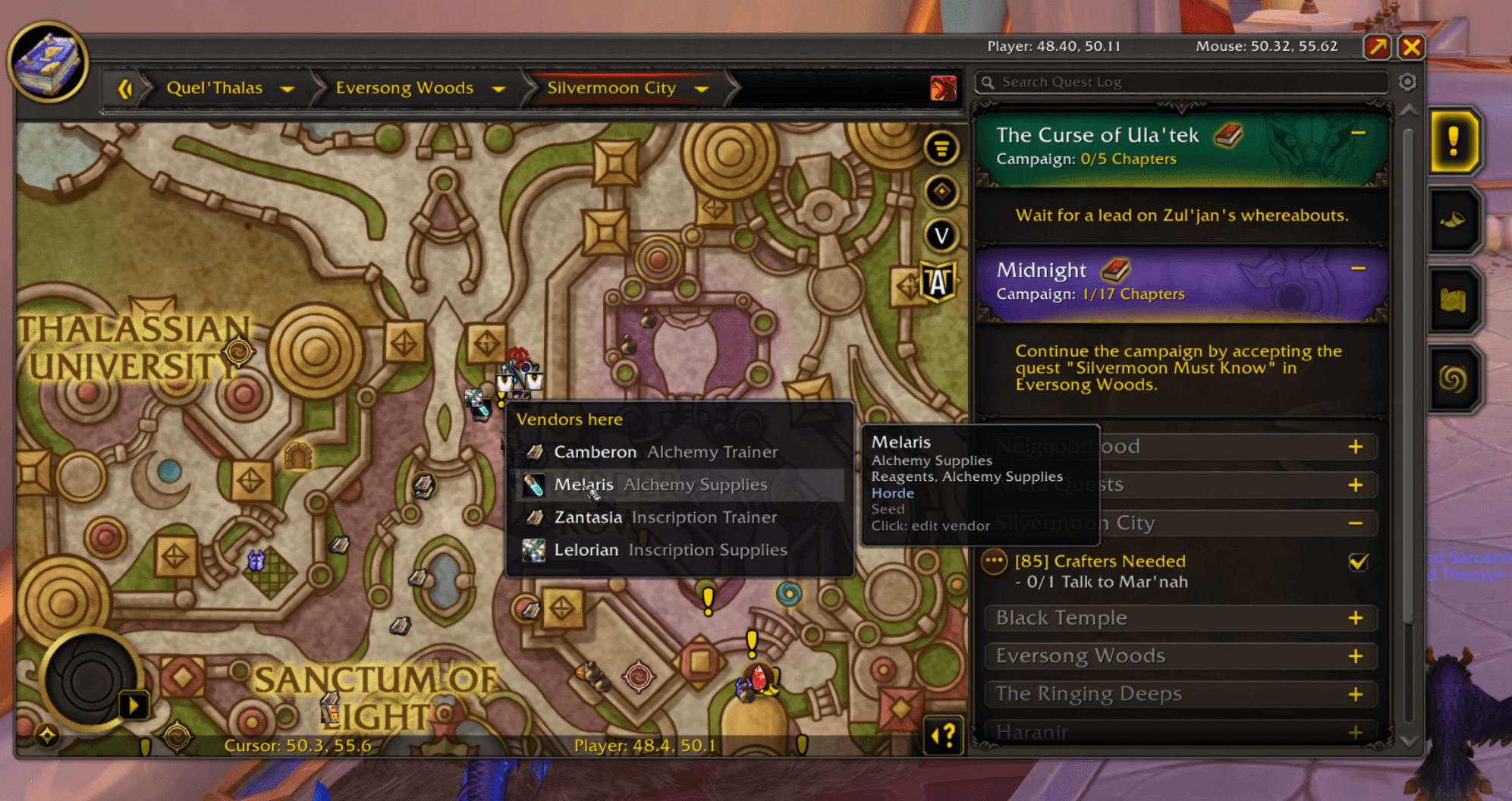
silvermoon-2.png
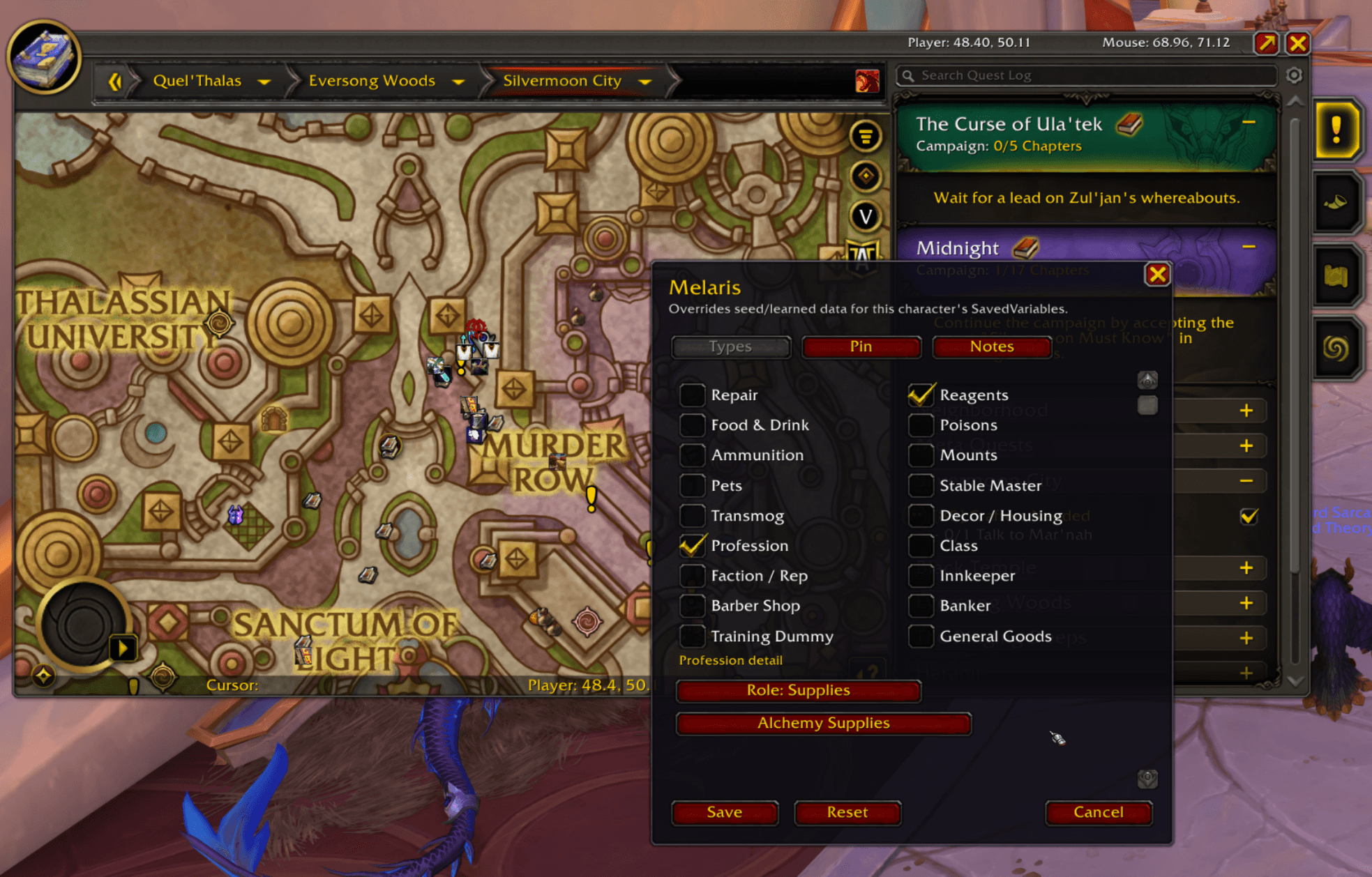
silvermoon-edit.png
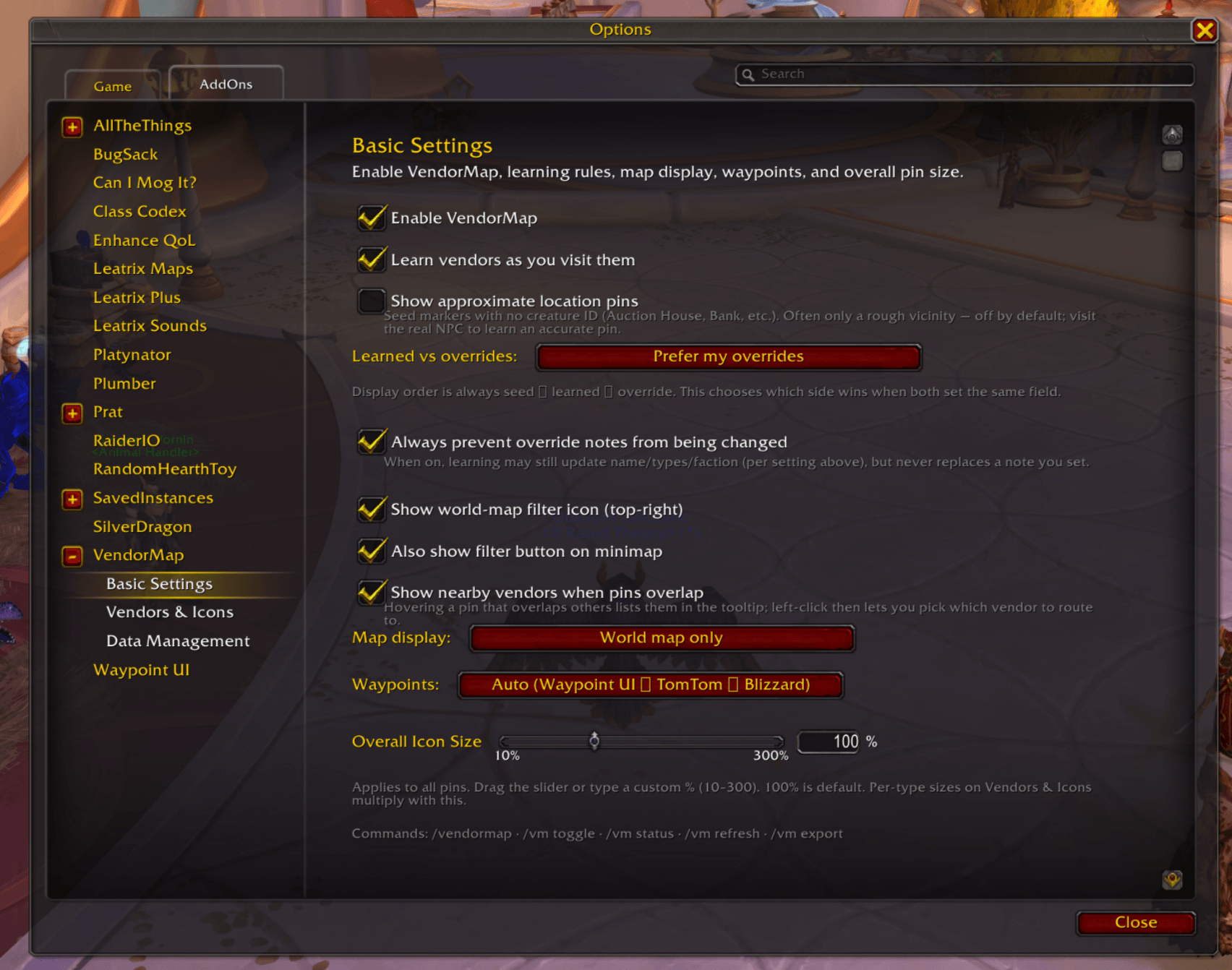
settings-basic.png
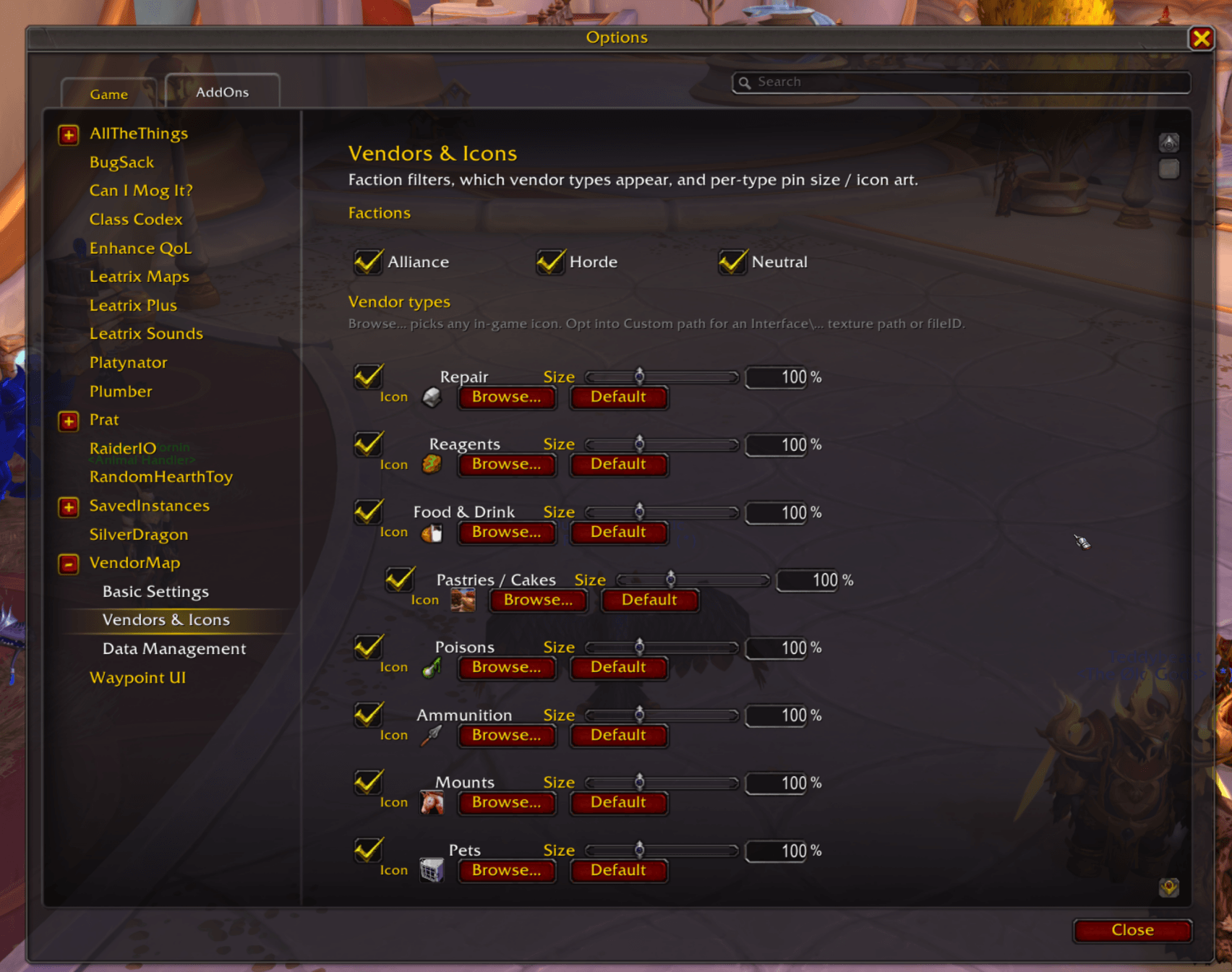
settings-icons.png
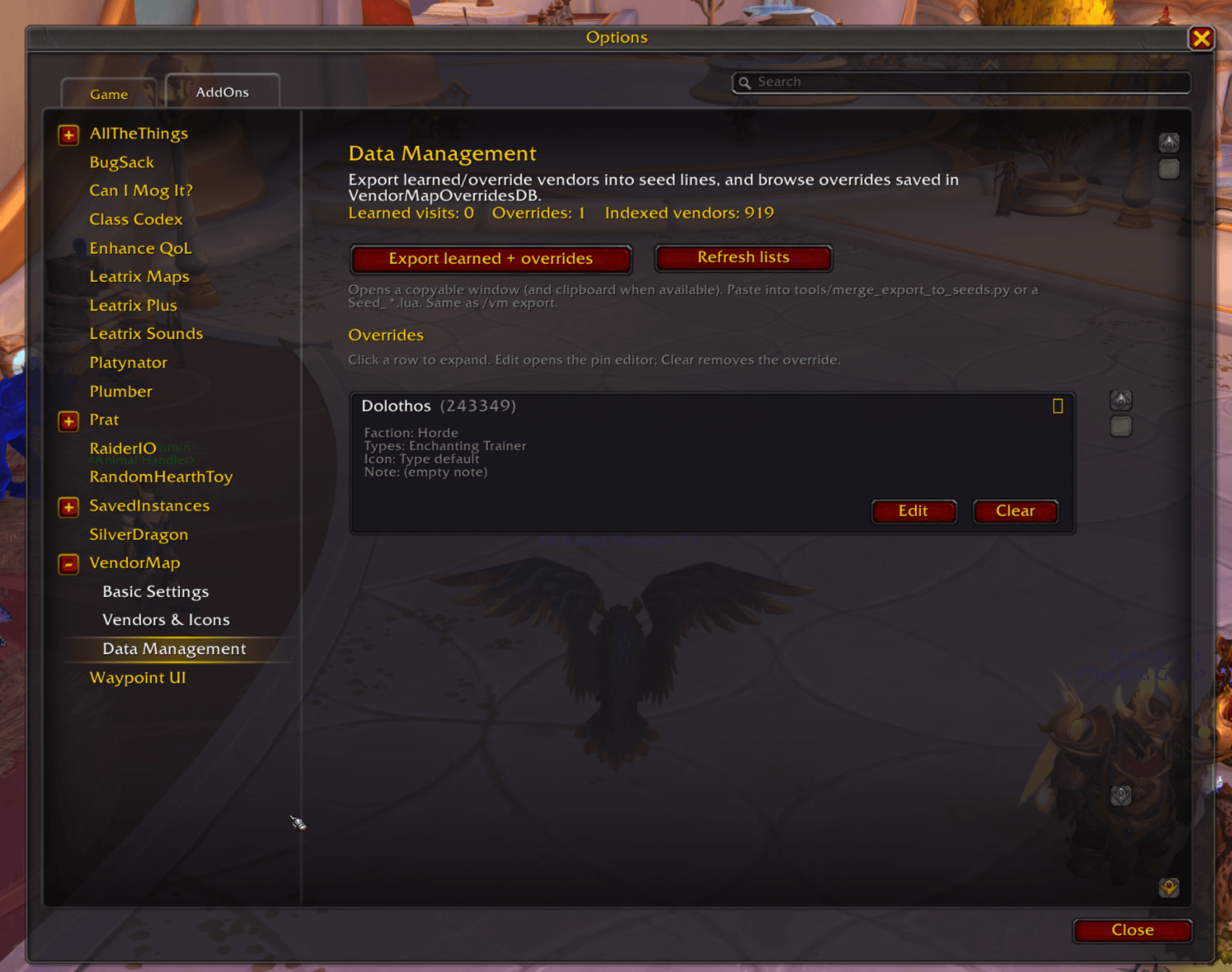
settings-data.png
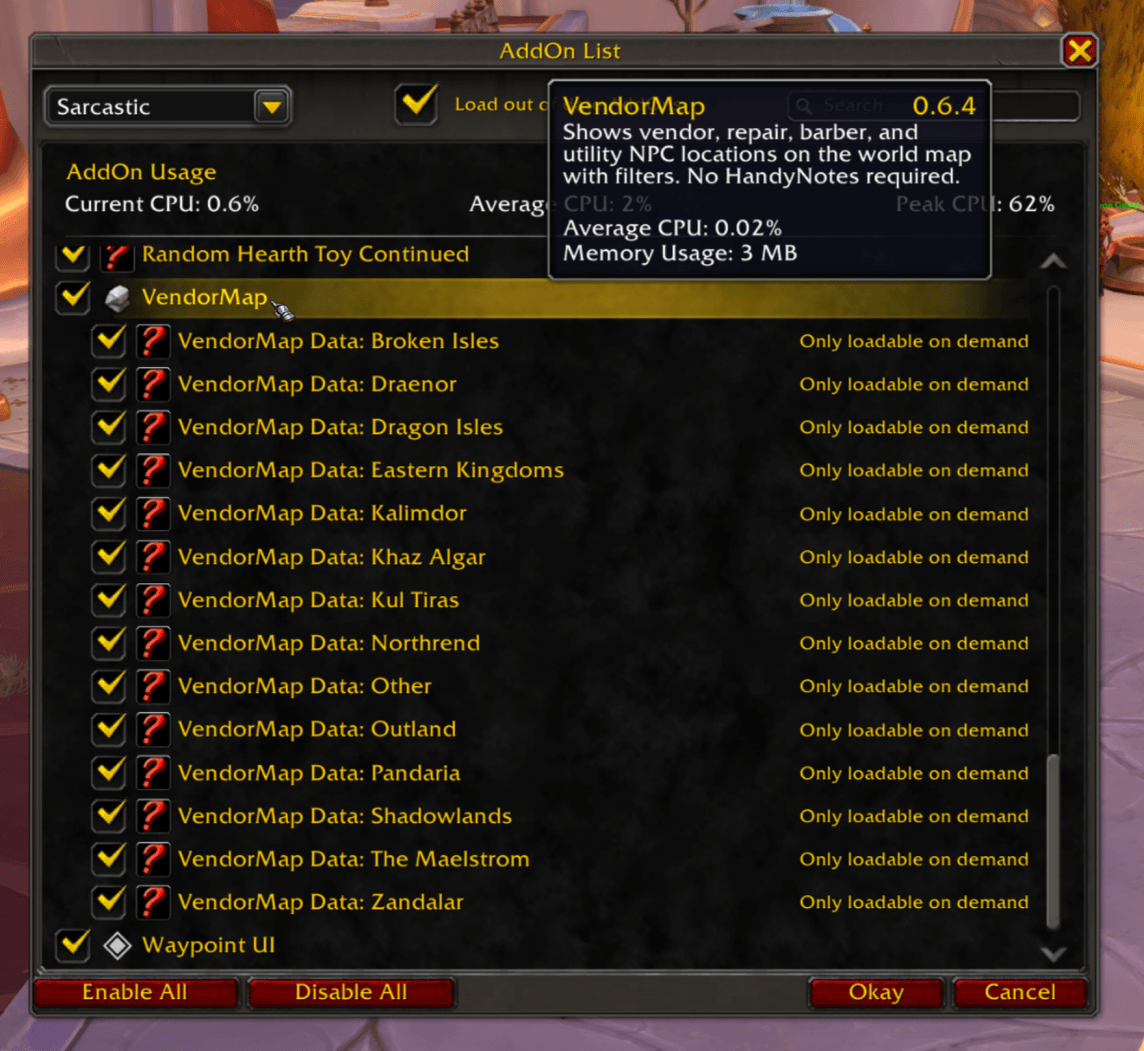
addon-data-load.png
Description
VendorMap
VendorMap shows vendor, repair, barber, and other utility NPC locations directly on the world map and minimap, with per-type filters. It is fully standalone: no HandyNotes or other addons are required. VendorMap also learns from your discoveries: when you interact with a vendor, its category and details are updated to be current (and you can optionally override icons, notes, or other details as desired). Your Learned data can be easily exported to share with others or to submit here to make the addon data better for everyone.
Features
- World map & minimap pins for a wide range of NPC types, each with its own filter and icon: repair, reagents, food & drink, poisons, ammunition, mounts, pets, stable masters, transmog, decor/housing, professions (including craft specialties and trainers), class supplies, faction/reputation, innkeepers, barbers, bankers, training dummies, auction house, and general goods.
- Smart categorization from inventory and NPC titles — e.g. Mount Trainer → Mounts, Pet Vendor / Breeder / Kennel → Pets, profession/class supply subtitles → the matching specialty icon.
- Profession & class specialties: nested filters and icons for craft supplies (Alchemy, Blacksmithing, Cooking, …) and class supply vendors (Druid Supplies, Mage Supplies, …). Profession trainers keep the skillbook icon.
- Learning: merchants, gossip NPCs, profession trainers, stables, barbers, bankers, auctioneers, transmogrifiers, and training dummies are recorded as you meet them (safe under Midnight secret-value rules). Training dummies are off by default — enable them under Vendors & Icons.
- Filters: world-map and optional minimap filter buttons to toggle types and factions; per-type visibility, icon, and size under Vendors & Icons.
- Overrides: right-click any pin to edit types, subtitle, specialty, note, faction, icon, or hide it.
- Overlapping pins: hover shows nearby vendors in the tooltip; left-click lets you pick which one to route to.
- Waypoints via WaypointUI, TomTom, or the built-in Blizzard waypoint (auto or pinned preference).
- Reputation-aware seeds: faction/rep vendors can store required standing so tooltips stay informative.
- Approximate pins (optional): vicinity markers without a creature ID (e.g. Auction House / Bank hubs); off by default until you learn the real NPC.
- Settings: Basic, Vendors & Icons, and Data Management — via Esc → Options → AddOns → VendorMap, the addon compartment, or
/vendormap. - Continent data packs load on demand so memory stays low while you explore.
Current data set has been sourced from a variety of other addons (including ATT) and data my copy of the addon has learned while I've explored the world. I've made it easy to export data your VendorMap learns as you interact with vendors - submit your "learnings" here so we can update the seed data and improve everyone's maps!
Why?
I've only actively played WoW a few months, but my single biggest pain point is the world map: I understand it's nostalgic, but I don't like spending my time having to Google where my nearest X type of vendor is, flying around an entire area, or always going to a major city. I want to be efficient with my time and spend more time doing what I want to do, not searching for the vendor I want.
I've seen some addons made for specific subsets of locations (like decor vendors specifically), and some addons that build on top of HandyNotes. I didn't want to always have to have HandyNotes, and while I use ATT and it has a lot of vendor data, it's focused around completions (achieves, etc), not map utility.
So, VendorMap tries to fill this gap: it's sole purpose is to add vendor locations on the map (and minimap, optionally), while staying as native to WoW's UI as possible. There are intentionally no required dependencies, and I've tried to optimize data loads and memory usage to minimize performance impact (and so far that has seemed to work).
Installation
CurseForge (recommended)
Install "VendorMap" from CurseForge / the CurseForge app. The download includes the core addon and all continent data packs.
Manual
- Download the latest release zip.
- Extract it into
World of Warcraft/_retail_/Interface/AddOns/. You should end up withInterface/AddOns/VendorMap/alongside theInterface/AddOns/VendorMap_Data_*/continent packs. - Restart the game or reload (
/reload).
Optional dependencies
- TomTom for arrow routing (VendorMap falls back to the Blizzard waypoint if not presnet).
- WaypointUI for arrow routing (VendorMap falls back to the Blizzard waypoint if not present).
Usage
- Open the world map and use the VendorMap filter button to choose which vendor types and factions are shown.
- Visit merchants and gossip NPCs normally — VendorMap learns their location automatically.
- Right-click a pin to edit its types, note, faction, or hide it.
- Configure everything from the settings panel (Esc → Options → AddOns → VendorMap, the addon compartment icon, or
/vendormap).
Slash commands
| Command | Action |
|---|---|
/vendormap or /vm |
Open the settings panel |
/vm toggle |
Enable/disable VendorMap |
/vm status |
Print version, vendor/learned counts, and loaded packs |
/vm refresh |
Rebuild the database and refresh pins |
/vm export |
Export your learned vendors + overrides (for contributing) |
/vm debug |
Print diagnostic world-map registration info |
Data packs
Continent vendor data ships as LoadOnDemand sibling addons named VendorMap_Data_<Continent> (Eastern Kingdoms, Kalimdor, Outland, Northrend, Pandaria, Draenor, Broken Isles, Zandalar, Kul Tiras, The Maelstrom, Shadowlands, Dragon Isles, Khaz Algar, and Other). Each pack loads only when you open a map on that continent, so memory stays low. The core addon always ships the capital, hub, and decor seeds.
Like numbers?
2,846 vendors are catalogued in seed data today (and growing each update as I & other contributors explore and catalogue):
| Source | Vendors |
|---|---|
| Capitals, hubs & decor (core) | 333 |
| Eastern Kingdoms | 659 |
| Kalimdor | 527 |
| Outland | 188 |
| Northrend | 200 |
| Pandaria | 98 |
| Draenor | 74 |
| Broken Isles | 164 |
| Zandalar | 62 |
| Kul Tiras | 51 |
| The Maelstrom | 14 |
| Shadowlands | 98 |
| Dragon Isles | 183 |
| Khaz Algar | 159 |
| Other | 36 |
Contributing vendor data
The database grows through player submissions. If VendorMap has learned vendors the shared data is missing, please share them:
- In game, run
/vm export(or use Settings → Data Management → Export). - Your learned vendors and overrides are copied to the clipboard and shown in a window as
A{ ... }seed lines. - Open a vendor submission issue and paste the exported block. That's it — a maintainer will merge it into the right pack.
Prefer to open a PR? See [.github/PULL_REQUEST_TEMPLATE/vendor_data.md](.github/PULL_REQUEST_TEMPLATE/vendor_data.md). Maintainers merge exports into packs with:
python3 tools/merge_export_to_seeds.py path/to/export.lua
# or paste via stdin:
python3 tools/merge_export_to_seeds.py -
Development
The repository is laid out as the core addon plus in-repo data packs:
VendorMap/
  VendorMap.toc          # core addon
  *.lua / *.xml          # core code
  Data/                  # always-loaded capital/hub/decor seeds
  packs/                 # LoD continent packs (VendorMap_Data_*)
  tools/                 # Python data tooling + helpers
  .pkgmeta               # BigWigs packager config (bundles core + packs)
The VendorMap - Filterable vendor locations, visible on world and minimap Team