Veil
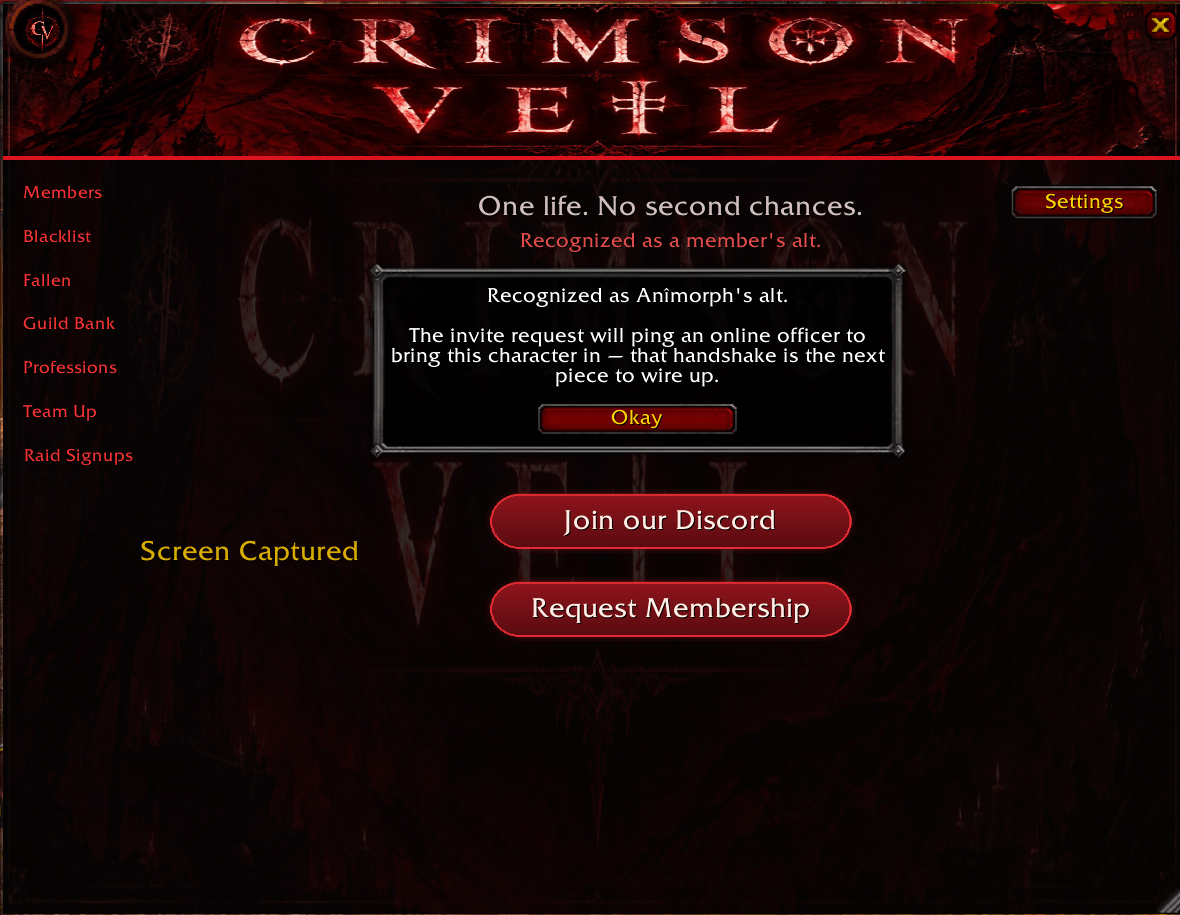
Crimson Veils exclusive guild management addon for Hardcore Classic. Automated alt invites, Blacklist warnings, Guild bank tracking, and guild wide profession synchronization.
Screenshot 2026-06-16 192431.png
Screenshot 2026-06-16 192654.png
Screenshot 2026-06-16 192623.png
Screenshot 2026-06-16 192741.png
Screenshot 2026-06-16 192833.png
Screenshot 2026-06-16 192914.png
Description
Crimson Veil
Crimson Veil is a guild companion addon built for World of Warcraft Classic Era Hardcore. It brings the tools a hardcore guild relies on most into a single, themed interface: a live roster, a shared threat blacklist, a fallen-member memorial, a guild treasury overview, and a profession directory. Every feature is designed around the realities of permadeath play, where knowing who is online, who can craft what, and who to avoid can be the difference between a clean run and a dead character.
Overview
The addon opens from a draggable minimap button or the /cv command into a single resizable window. A row of tabs (which can be placed along the bottom or down the side) gives access to each module. The interface uses a consistent crimson theme and stores its layout, position, and settings between sessions.
Features
Members
A live guild roster with class colors and online-first sorting. Members can be filtered by online status, shared zone, class, and level range. Characters belonging to your own account expand inline to reveal their alts in a clean tree. Right-clicking any name opens a context menu with the standard player actions (whisper, invite, target, add friend, ignore, copy character name) plus an officer submenu for promote, demote, public and officer note editing, and guild removal. Officer actions appear only for ranks that hold the corresponding guild permission.
Blacklist
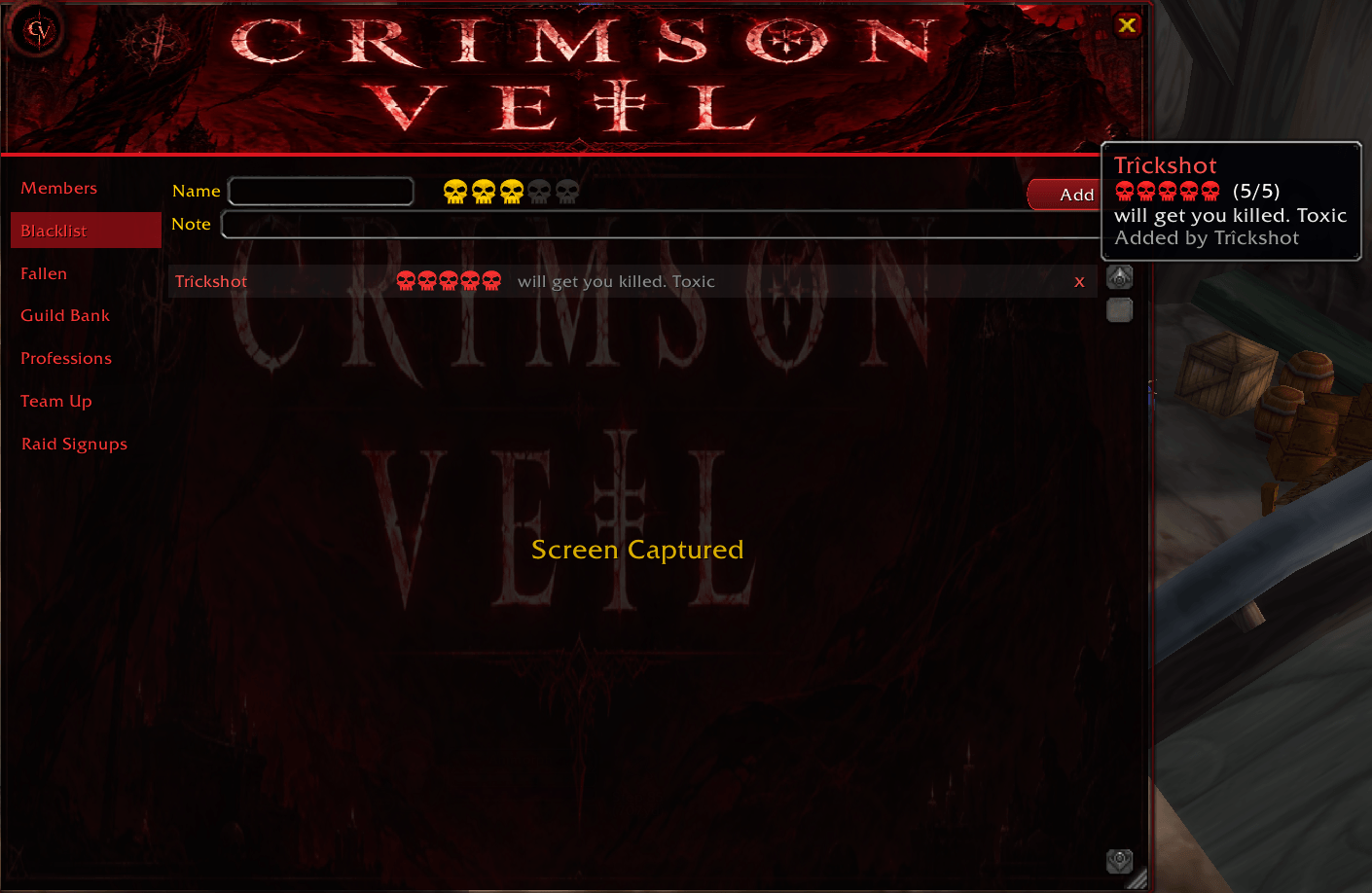
A shared threat list with a five-level skull severity rating and an optional short note for each entry. When you group with anyone on the list, the addon issues an on-screen warning, a chat notice, and an alert sound. An optional approval workflow lets the Guild Master require that new entries be reviewed before they take effect.
Fallen
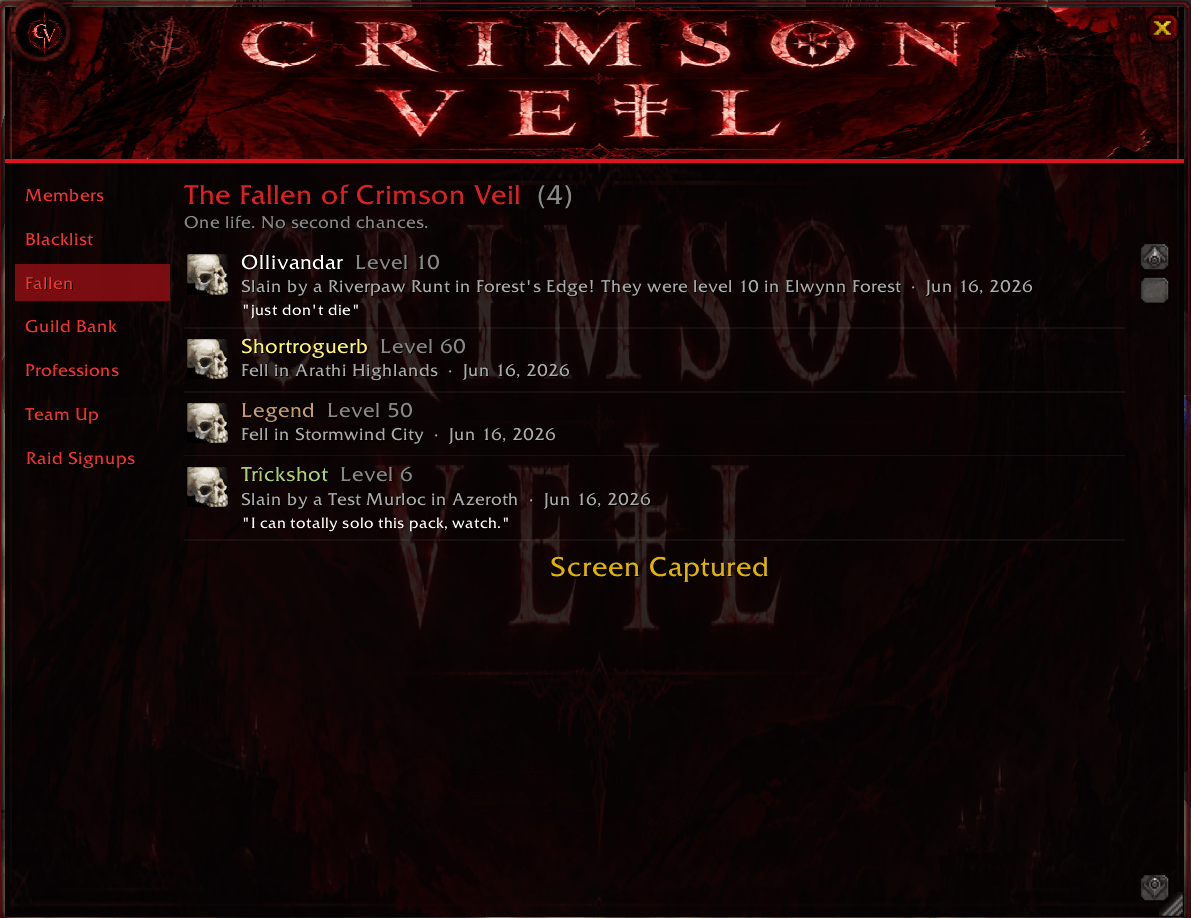
A memorial wall dedicated to guild members who have died. The addon reads the official Hardcore death announcements, filters them to Crimson Veil members only, and records each fall with the character's level, class, location, and cause of death. When a final message was spoken before death, it is preserved as that member's last words, displayed in an italic epitaph beneath the entry.
Guild Bank
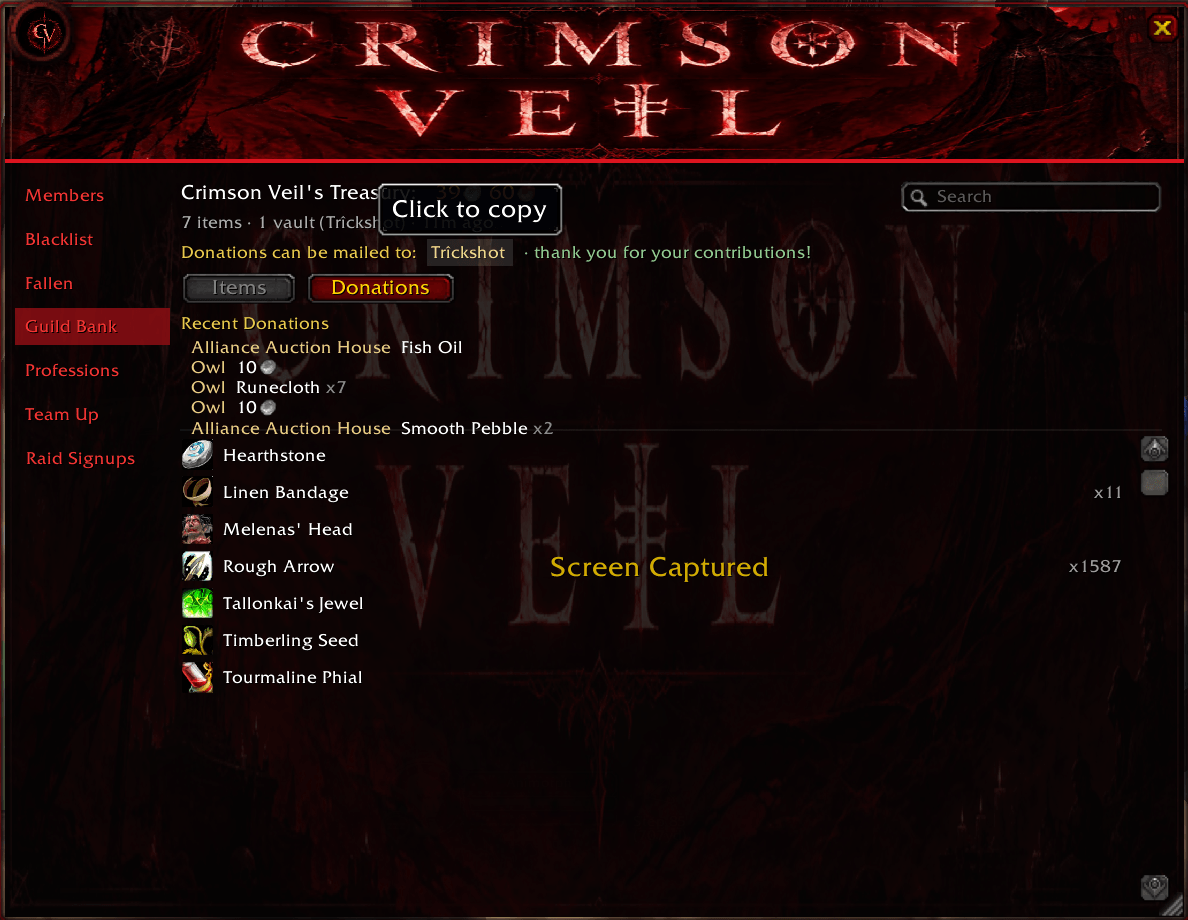
A treasury overview that aggregates one or more designated bank characters. It records their stored items and gold and presents a combined, searchable inventory with quality coloring and item tooltips. Bank characters are configured by the Guild Master in settings.
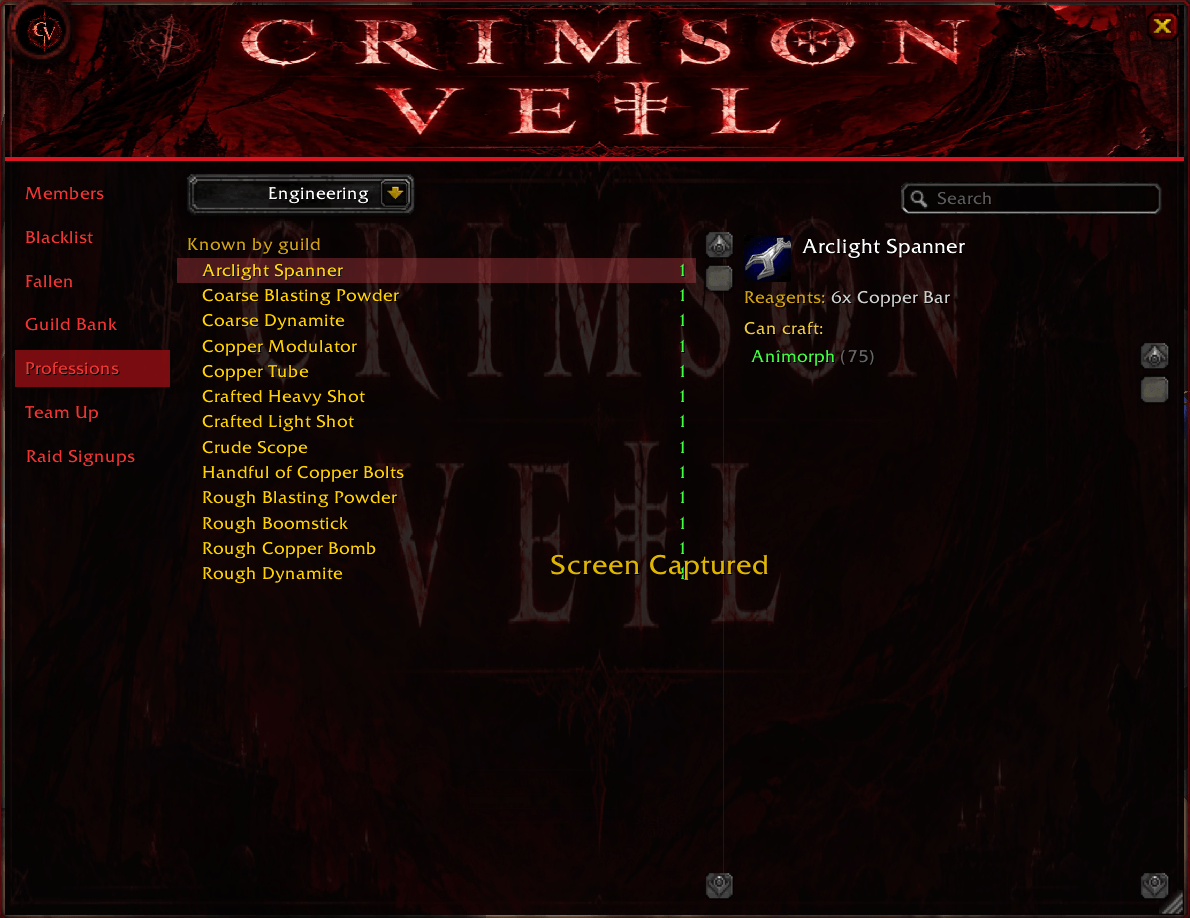
Professions
A profession directory that records the recipes each guild member knows when they open a tradeskill window. Browse the full recipe list for a profession, select any recipe, and see exactly which members can craft it. Members who are currently online are highlighted in green.
Settings and Permissions
A settings panel provides display options for every user, including the choice between bottom and side tab layouts. Guild Master controls allow configuration of the guild Discord link, the bank character list, the blacklist approval requirement, and delegation of specific abilities to officers.
Installation
- Download the latest release.
- Extract the
CrimsonVeilfolder into yourWorld of Warcraft\_classic_era_\Interface\AddOns\directory. The folder name must be exactlyCrimsonVeilwith no additional nesting. - Restart the game client, or reload the interface with
/reload.
Slash Commands
/cvor/crimsonveil— open or close the main window/cvfallentest— add a sample entry to the Fallen list for previewing the layout/cvfallenclear— clear all Fallen entries
Compatibility
Crimson Veil is built for World of Warcraft Classic Era Hardcore (interface 11508 / patch 1.15.x). It is intended for Hardcore realms where the official death announcement channel is available.
Notes
Recorded data is stored per account. Character recognition, recipe capture, bank scanning, and last-words collection populate as the relevant characters log in, open their tradeskill or bank windows, and participate in chat. A guild-wide synchronization layer is planned to share blacklist, bank, profession, and memorial data across all members automatically.
The Veil Team