UpgradeRadar
- By
Flags item-level upgrades, chests to open, housing decor and tracked items in your bags. Pulsing minimap button with badge, tabbed list, click to equip/open/use, per-character ignore list. French UI.
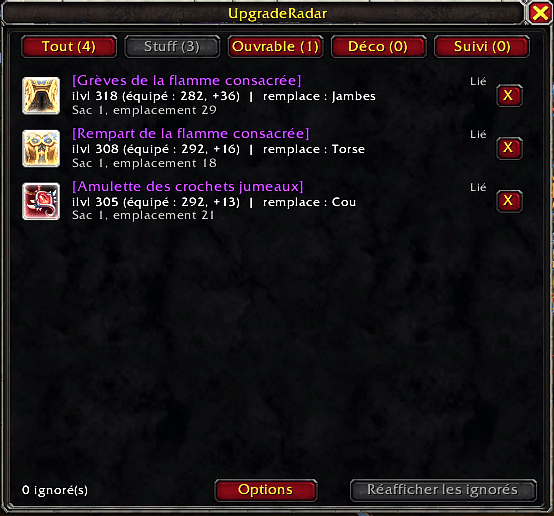
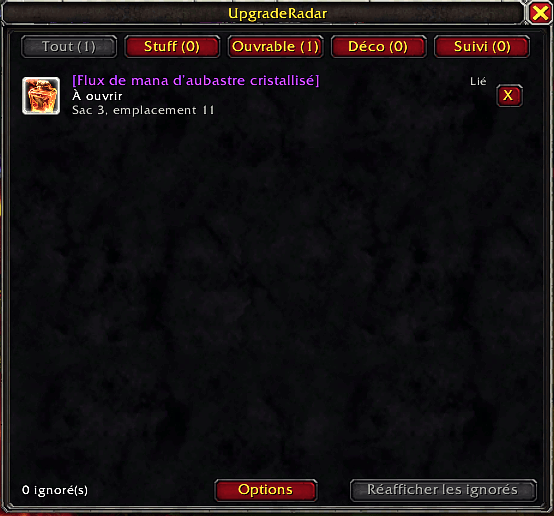
UpgradeRadar_01.png
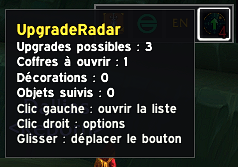
UpgradeRadar_03.png
Description
# UpgradeRadar
Never miss a gear upgrade, an unopened chest or a housing decor item sitting in your bags again.
UpgradeRadar scans your bags and tells you what deserves your attention. A minimap button shows a badge with the number of items waiting and pulses until you deal with them.
## What it flags
- **Gear upgrades**: items with a higher item level than what you wear, with the slot they would replace. For rings, trinkets and one-handed weapons, the weaker equipped item is the one compared.
- **Chests to open**: openable items in your bags, with their exact bag and slot.
- **Housing decor**: decor items that are still in your bags.
- **Tracked items**: a list you control (default: the weekly Delve treasure map).
## The list window
Tabs: **All / Gear / Openable / Decor / Tracked**, each with a live counter.
- **Gear:** click a row to equip the item (out of combat).
- **Openable, Decor and Tracked:** click a row to open or use the item.
- **Ignore:** the **X** button hides an item and stops the flashing. The ignore list is per character.
- **Info on each row:** item level difference, replaced slot, bag location and a small "Bound / Not bound" mention.
## Filters and options
Right-click the minimap button (or `/ur options`) to open the options panel:
- Weapons and shields (off by default) with a specialization filter
- Armor type filter (only your class's armor)
- Minimum item level gap
- Chests, decor, click-to-equip, chat messages
- Optional sound when a new item shows up (off by default)
- Show or hide the minimap button
The list refreshes automatically when your bags, gear, specialization or level change.
## Commands
`/ur` list · `/ur options` · `/ur diff <n>` · `/ur weapons` · `/ur chests` · `/ur decor` · `/ur armor` · `/ur equip` · `/ur sound` · `/ur watch <item link or ID>` · `/ur unwatch <item link or ID>` · `/ur announce` · `/ur minimap` · `/ur reset` · `/ur scan` · `/ur debug`
## Notes
- The interface is currently in **French only**.
- Click-to-equip and the decor detection rely on Blizzard APIs that may change between patches.
- Does not hook or modify Blizzard's bag frames, so it works alongside bag addons.
## Français (extrait)
UpgradeRadar scanne tes sacs et signale les objets à meilleur ilvl que ton équipement, les coffres à ouvrir, les décorations du housing et une liste d'objets suivis. Un bouton sur la minimap affiche un badge et clignote tant qu'il reste quelque chose à traiter. Un clic sur une ligne équipe, ouvre ou utilise l'objet, et le bouton X l'ignore (par personnage).
## License
MIT. Author: Rulianof.
UpgradeRadar Team