Unbuffed
- By
Bouncing reminders for missing and expiring buffs — yours, your party's on you, and yours on your party. No setup needed.
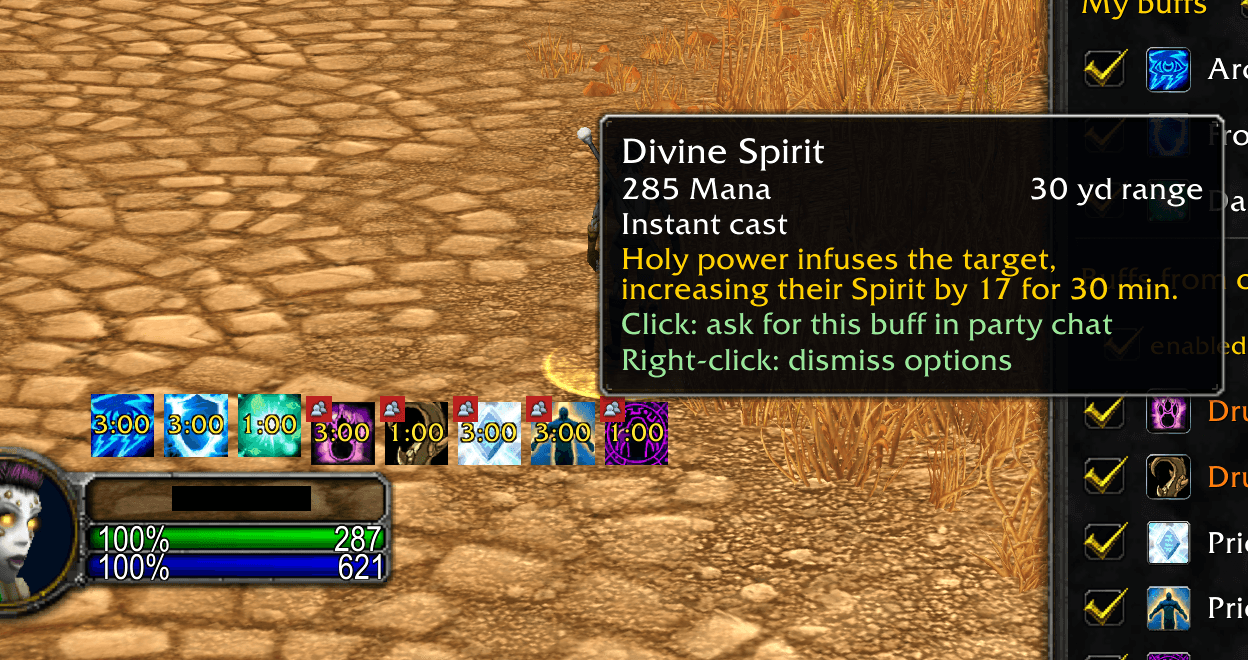
Missing buffs from party members - one click asks for them in group chat. Only shows buffs from classes in your group, aware of their level (talents aren't exposed in Classic). Dismiss buffs from lazy buffers so the icon stops bouncing for that group.
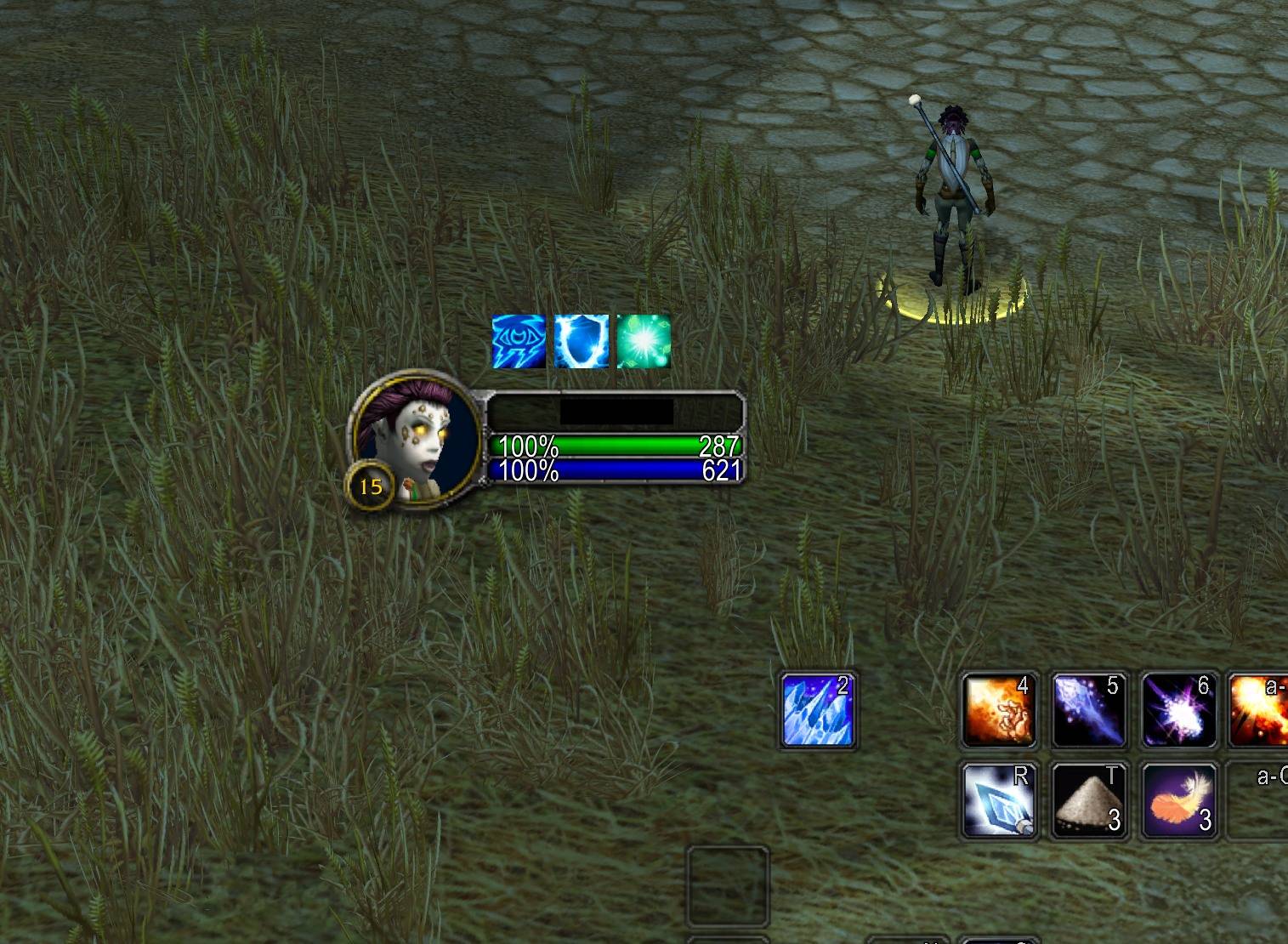
Missing buffs bouncing on top of our character frame. Can be moved and resized on screen.
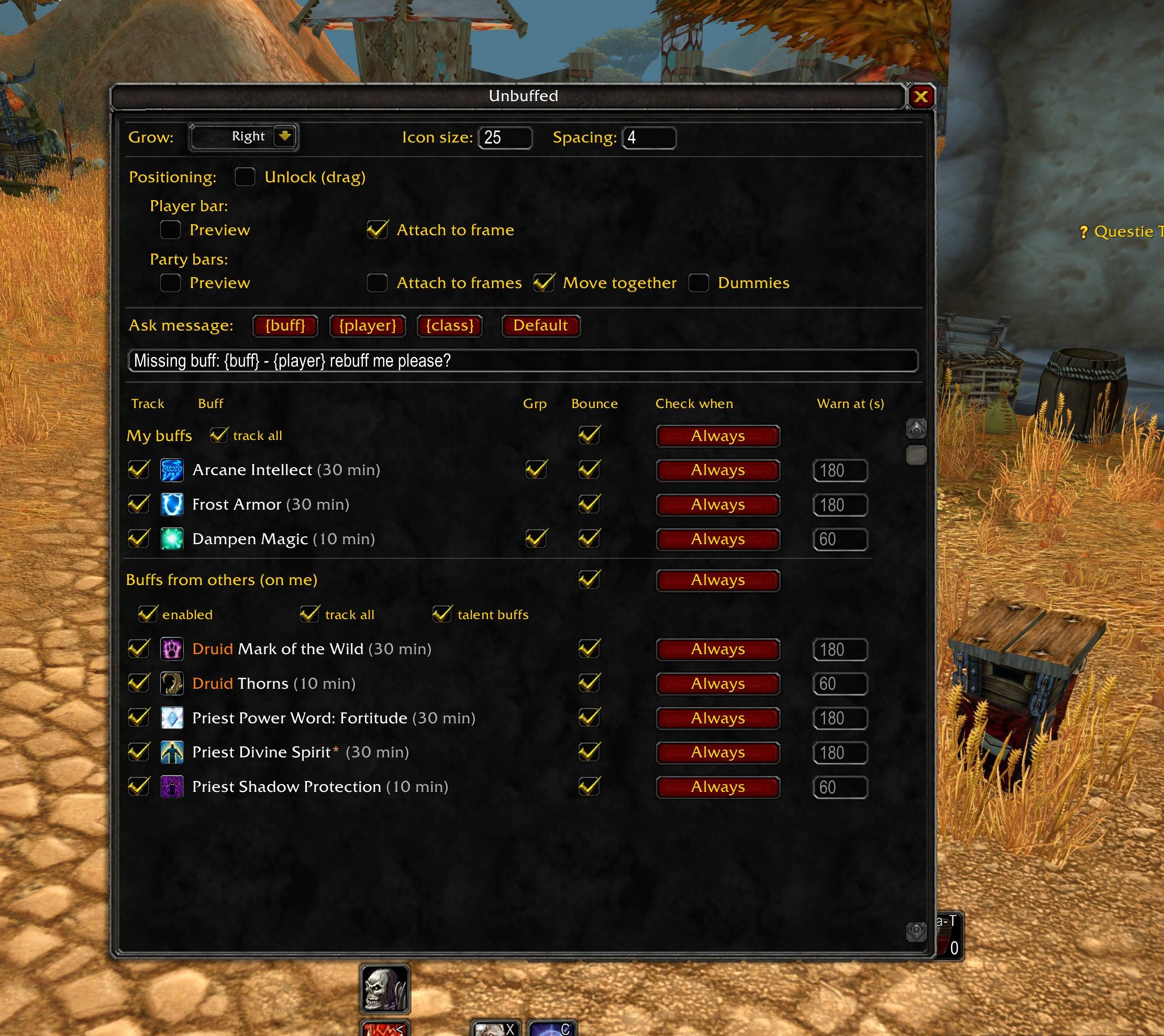
- Adapt size, position, attach to character and party frame or move relative to those frames. - Modify message when requesting missing buffs from a class. - Set up which buffs you want to track from yourself and from party members.
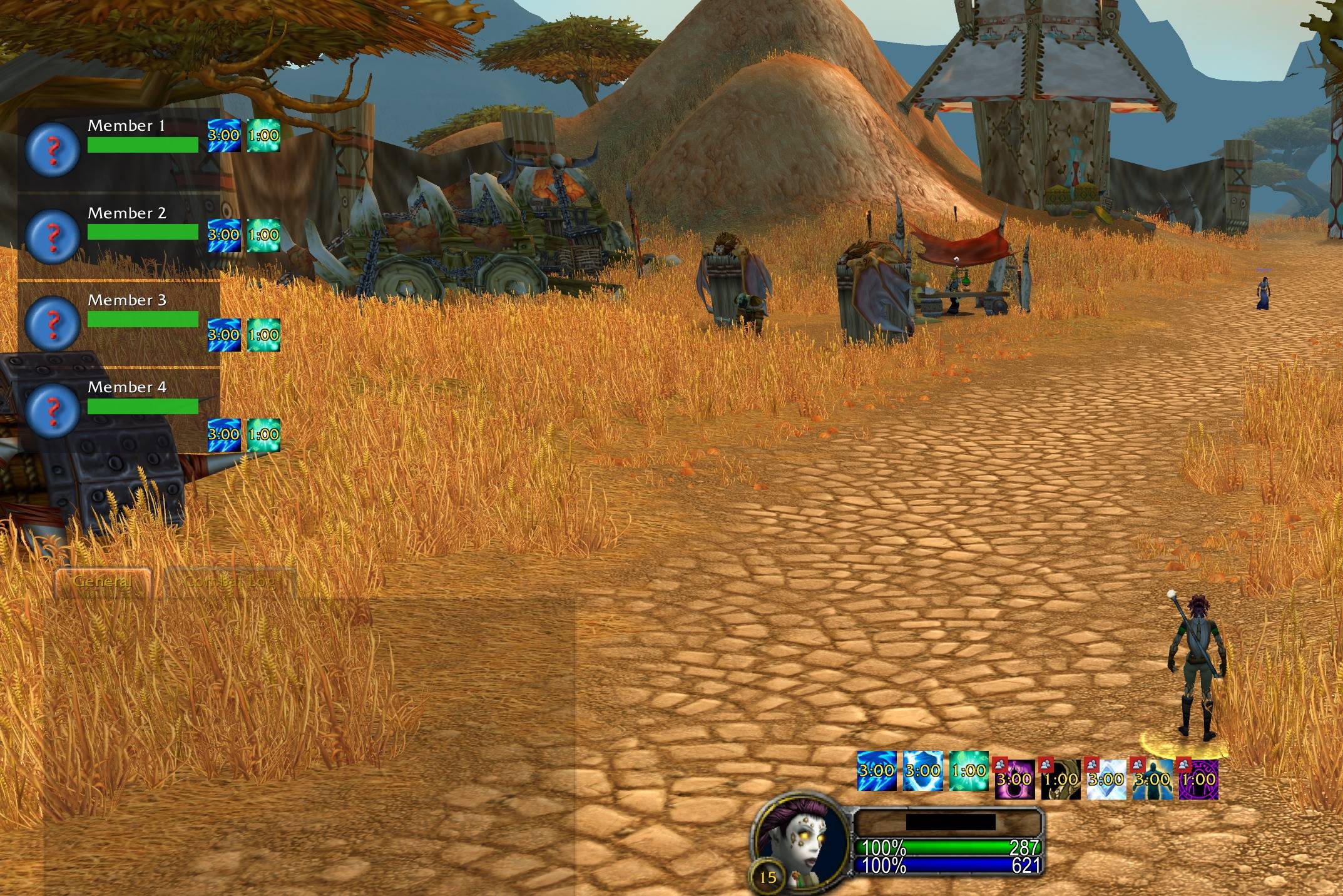
- Create dummy group frames to position your own buffs missing on party members and give a preview of the buffs bar - Preview for showing missing buffs on yourself
Description
Unbuffed
It shows the buffs you don't have — before you notice they're gone.
Unbuffed is a buff reminder for WoW Classic Era / Hardcore and TBC Classic (Anniversary). When a buff is missing or about to run out, an icon appears on your screen — optionally bouncing, because a jumping icon is impossible to miss. Buff up, and it disappears. No WeakAuras, no setup per spell: Unbuffed already knows your class's buffs.
It watches in three directions:
- Your own buffs — Mark of the Wild, armors, aspects, shouts, auras… every trackable buff of your class, auto-discovered from your spellbook. Expiring buffs show the remaining time counting down inside the icon; click an icon to cast the buff on yourself (out of combat).
- Buffs from others (on you) — the Fortitude, Intellect or blessing you should have when the right class is in your party. Left-click the icon to ask in party chat (one click asks for everything that class owes you, with a customizable message: "Missing buff: - rebuff me please?" — the addon even prefers the paladin who has not blessed you yet). Right-click to dismiss a buff, a whole class, or everything for this group — lazy buffers stop hurting.
- Your buffs on party members — one small bar next to each party member showing what they are missing from you. Click to buff exactly that player (out of combat; never miscasts on yourself).
It knows the rules
- Buff pairs count as one: Gift of the Wild satisfies Mark of the Wild, Prayer of Fortitude satisfies Power Word: Fortitude — no false alarms while the group version is running.
- One blessing per paladin: with two paladins in the party you see at most two missing blessings, chosen by your priority order — and a blessing you didn't ask for still counts as that paladin being spent.
- Dampen vs Amplify Magic are exclusive on a target; Unbuffed lets you track exactly one.
- Level-aware: a level-5 paladin is never nagged about Blessing of Kings, and a fresh level-1 group stays silent until people can actually cast things. Talent-granted buffs (Kings, Divine Spirit, Trueshot Aura…) are marked with an orange * and can be muted with one checkbox — the game cannot reveal other players' talents, and Unbuffed is honest about that.
- Per-buff targeting: right-click a buff's group checkbox to choose which classes receive it — Intellect skips warriors and rogues by default (unless you want to level their weapon skill…).
Everything in one window
/unbuffed opens the single configuration window: per buff, choose
tracking, bounce, in-combat/out-of-combat checking, and the warning time
(smart defaults from each buff's duration — a 2-minute shout warns at 10
seconds, a 30-minute buff at 3 minutes). Icons live in movable bars that
grow in the direction you choose — free-floating, or attached to your
player frame and party frames so they follow your layout automatically.
Preview modes and dummy party frames let you position everything
perfectly while solo.
Data & compatibility
- Runs on Classic Era 1.15 (including Hardcore and Anniversary realms) and TBC Classic Anniversary 2.5 from one codebase.
- Fully locale-safe by design: buffs are identified by spell ID and matched via the client's own localized names — identical behavior on every client language.
- In combat everything keeps updating, but casting via icons is disabled — Blizzard restricts secure actions in combat, and Unbuffed never works around that with hacks.
- No libraries, no minimap button.
Limitations & Roadmap
- Party support today; raid support is planned.
- Consumable buffs (Well Fed, flasks) and weapon imbues (shaman/rogue/stones) are on the list.
- Whether another player actually learned a talent buff is not detectable — the orange * marking and the level gate are the honest best the Classic client allows.
Found a buff that misbehaves, a wrong duration or a missing pairing? Please report it with your class and the buff — the data tables are small and easy to fix.
Enjoying Unbuffed? You can support development on PayPal — never expected, always appreciated.
Unbuffed Team