Un-Ninja Bank - Guild Bank Sharing
- By
WoW add-on built for WoW Forever. It lets the whole guild see a guild bank character’s bags, bank and gold, even while that character is offline. Also shares the guild bank if it exists.
bank.png
goals.png
ledger.png
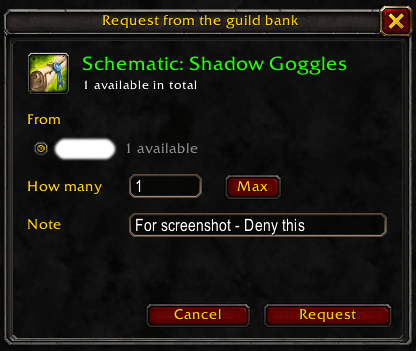
request-dialog.png
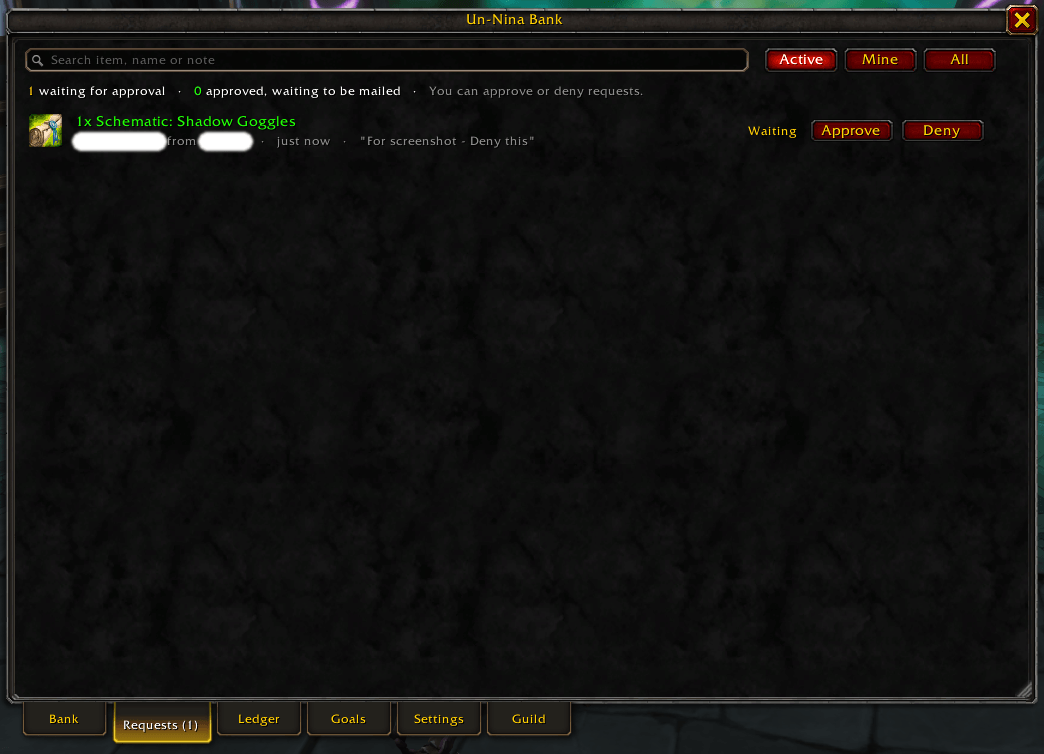
requests.png
Description
Un-Ninja Bank
Your guild bank, open to the whole guild, even when the bank toons are offline.
Un-Ninja Bank puts your guild's bank characters and guild bank in one window that every guildmate can browse. Ask for what you need in a click, donate by mail, and see exactly what came in and went out.
Built for WoW Forever. Also works on Classic Era and Retail.
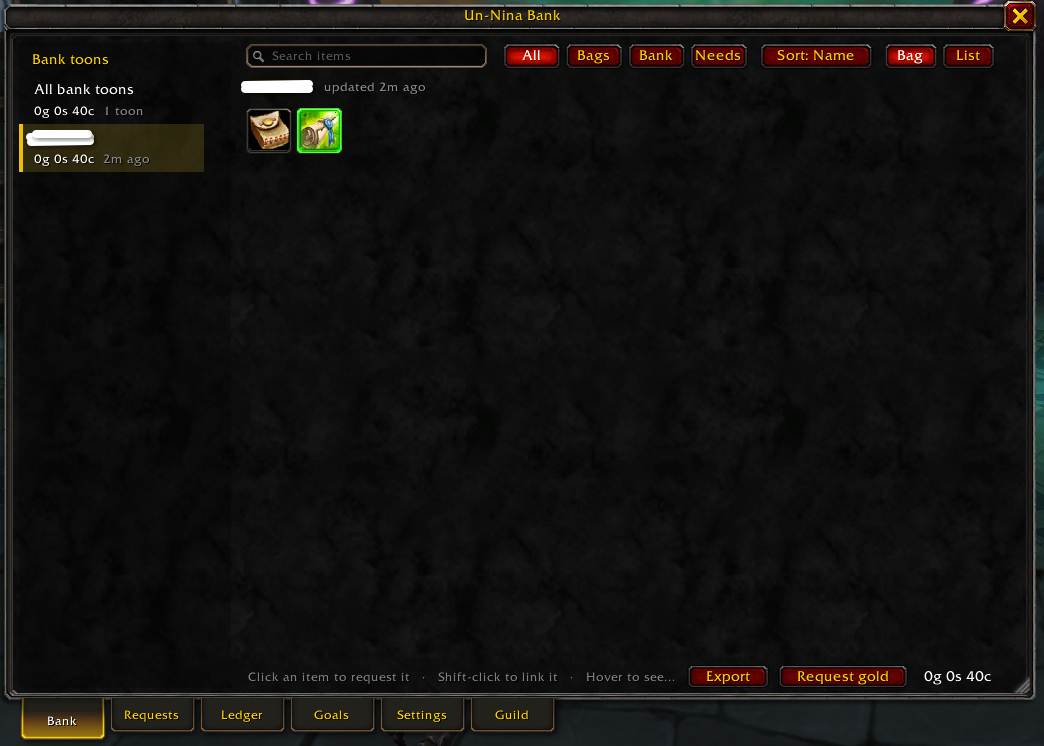
See everything the guild has
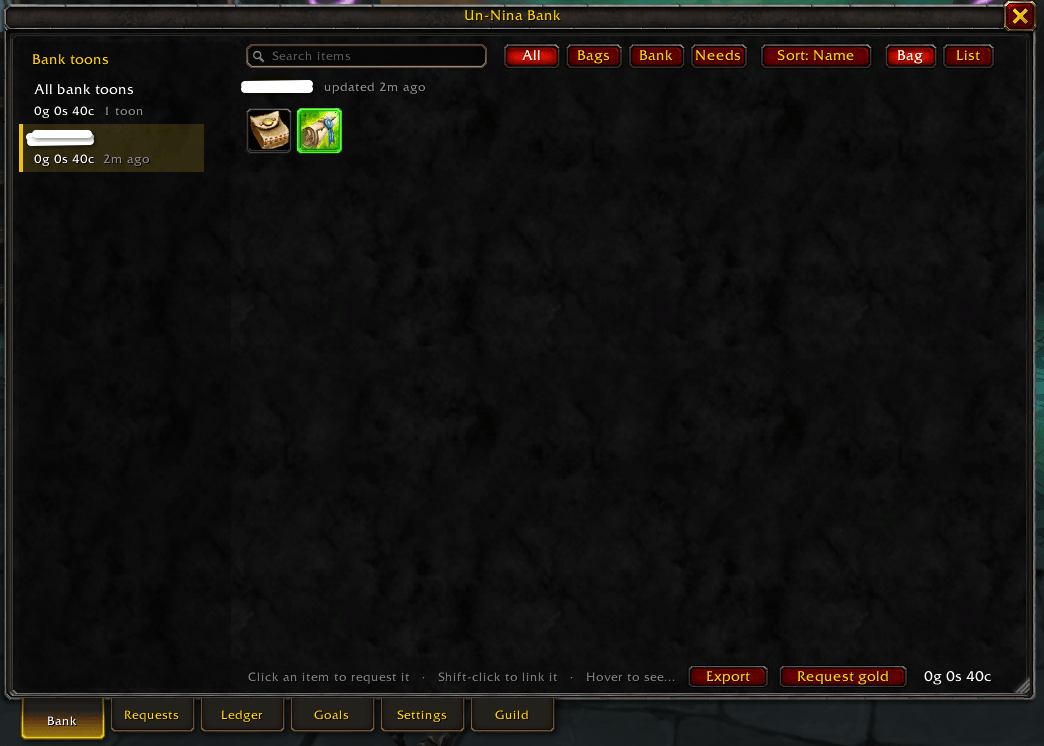
- One window, every bank. Bank toons and the public guild bank tabs down the side, items laid out like a bag with icons, quality borders and counts.
- Totals across toons. 5 Linen Cloth on one toon and 40 on another shows as 45; hover to see who has what.
- Always available. The bank toons share their bags, bank and gold, and guildmates pass it along, so you can browse while they're offline.
- Forever's guild bank too. Tabs the guild chooses to share show up alongside the bank toons. Tabs only higher ranks can see are never shared.
- Tooltips everywhere: hover any item to see how many the guild bank has.
Ask for it in a click
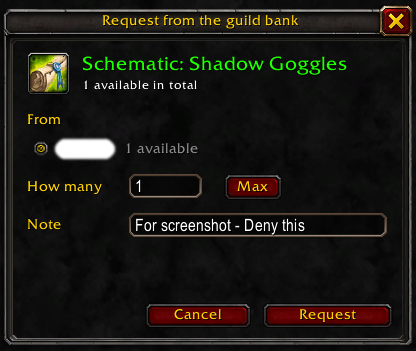
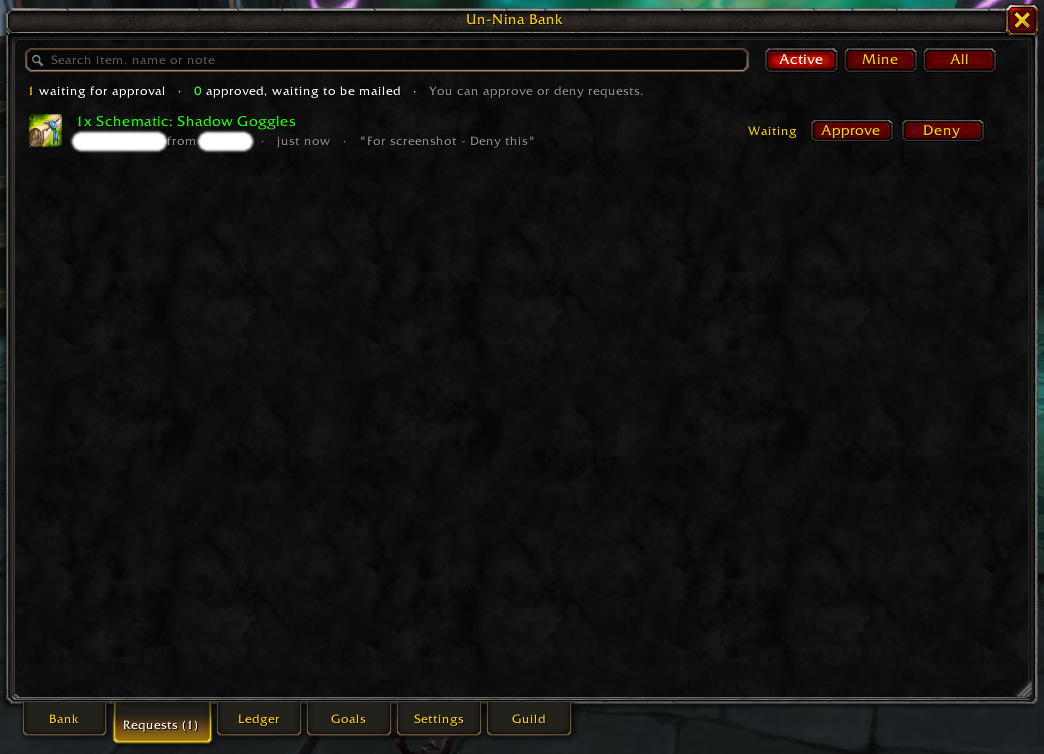
- Click an item, pick the bank toon and how many, add a note. Officers get an alert (or a whisper if they don't have the addon) and approve or deny.
- Approved items are reserved so nobody else is promised the same stack.
- The bank toon's mail helper fills in the mail and attaches exactly the right count. Sending it closes the request.
- Ask for gold, or several items in one mail.
- For guildmates without the addon: officers can put in a request for anyone in the guild (say, someone who asked in Discord). It's approved at once and mailed to them.
- Craft orders: the bank mails the materials straight to a crafter. Works with GuildForge, which adds "Get mats from guild bank" to its recipes.
Donate by mail
- A Donate panel beside the mail window addresses your donation and attaches what the guild needs most with one button.
- The bank toon confirms each donation when it opens its mail, and the donor gets a thank-you.
A ledger of what really moved
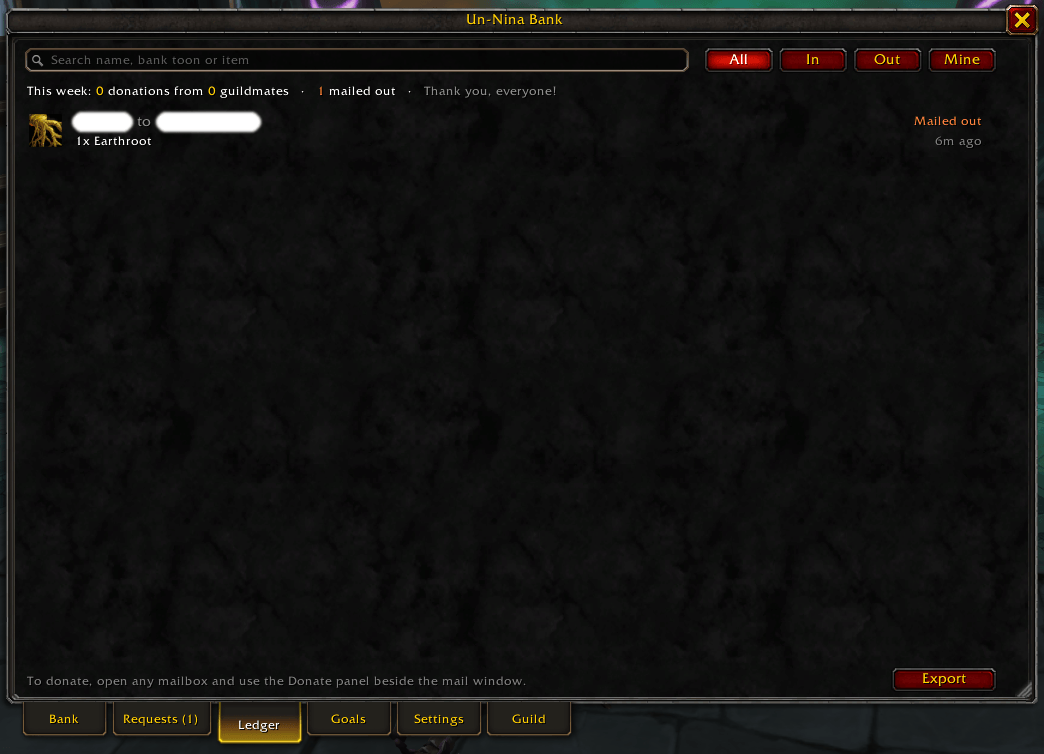
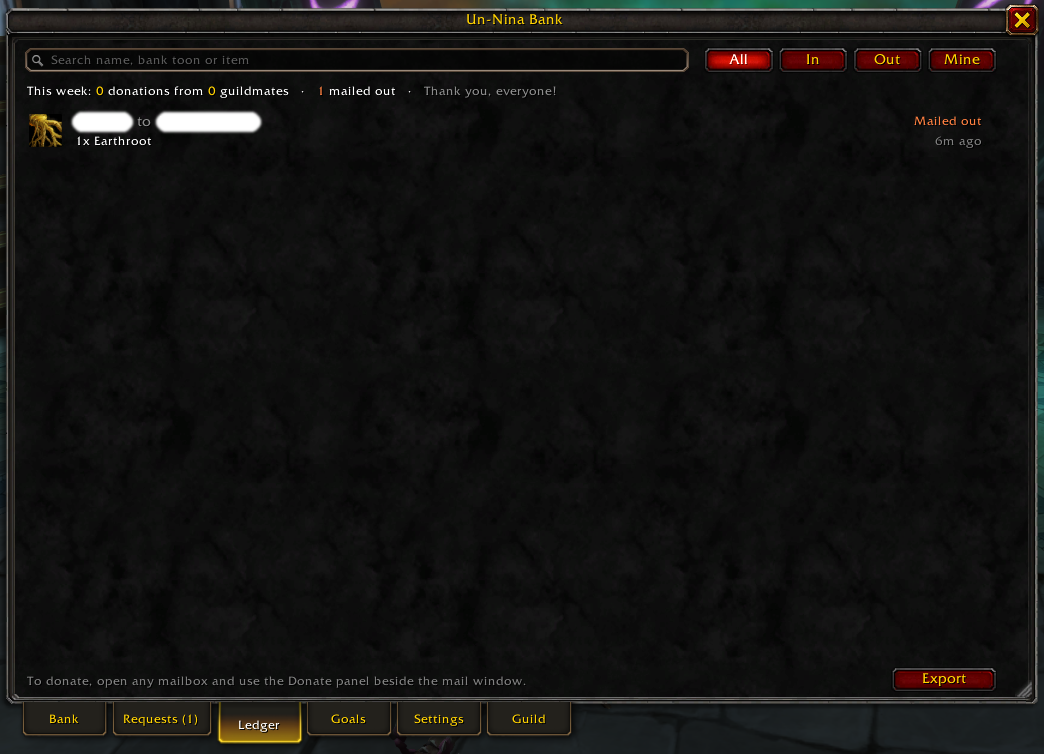
The Ledger shows everything that came in and went out: what bank toons mail and receive, and the deposits and withdrawals (items and gold) from the guild bank's own log, for the tabs the guild shares.
Goals, needs and rules
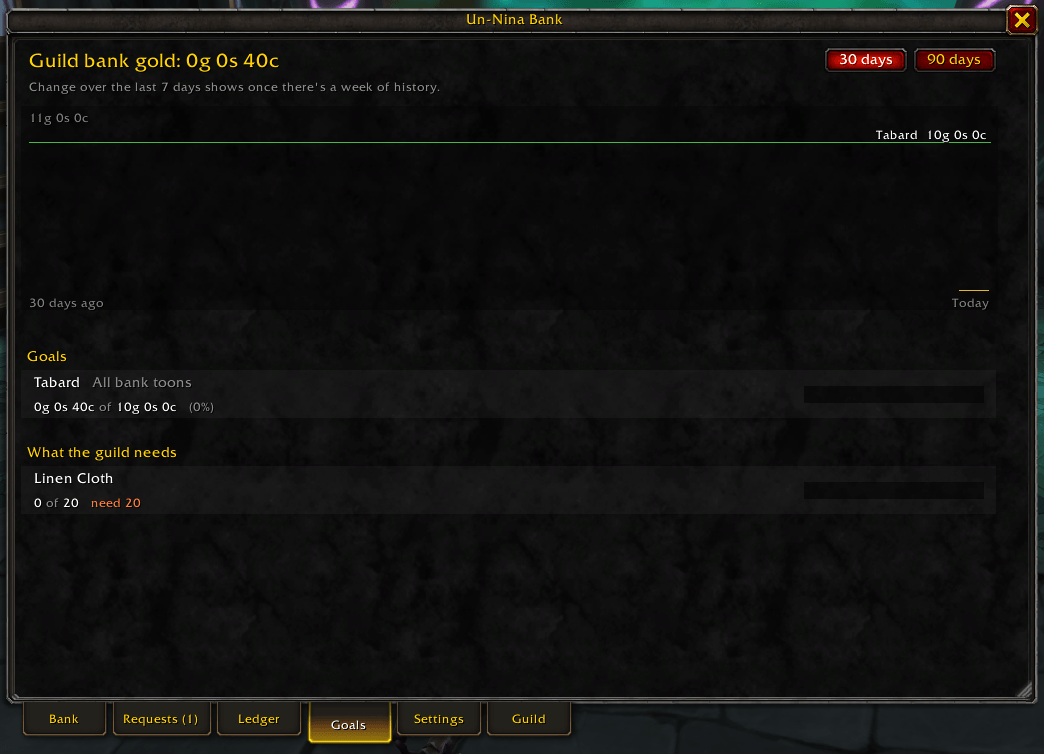
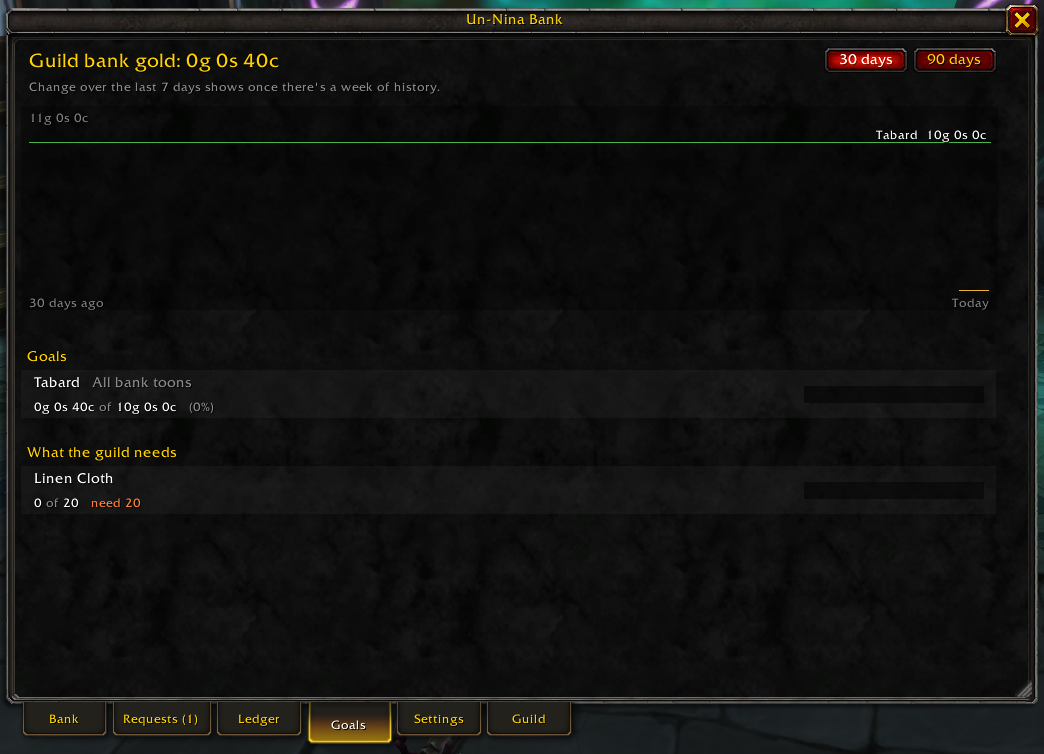
- Gold goals with a chart of the bank's gold over 30 or 90 days.
- Needs: officers set how much of an item the guild wants; members see what's short, and officers get a heads-up when stock runs low.
- Rules: a daily request limit, automatic approval of small requests for chosen ranks, and whether members can ask for gold.
Discord (optional)
A small companion script (setup on GitHub) keeps a Discord message per bank toon up to date, posts requests with optional role pings, thanks donors, and keeps a goals message current. One guildmate runs it on their PC; it's not part of the addon download.
Also in the box
- Export the inventory, ledger or gold history as CSV or text, ready to paste into a spreadsheet.
- Settings for everything in the window, no slash commands needed; the window resizes and scales to fit any screen.
- Minimap button that lines up with your other addons' buttons.
- WoW Forever ready: first names and surnames, alts kept apart, and messages held while the game blocks addon chat.
Getting started
- Install Un-Ninja Bank and log in.
- Guild master or an officer: open the window (minimap button or
/gbt), go to the Guild tab and add your bank toons. - Log in on each bank toon once and visit the banker, so its bank is read.
- Get your guildmates to install it: everyone running it helps keep the bank up to date for everyone else.
| Command | What it does |
|---|---|
/gbt |
Open or close the window |
/gbt settings, /gbt goals, /gbt ledger, /gbt gm |
Open a tab |
/gbt sync |
Ask the guild for the latest contents |
/gbt status |
Show your name, guild, bank toons and sync counters |
Found a bug or have an idea? Open an issue on GitHub.
Un-Ninja Bank - Guild Bank Sharing Team