Guild Forge - Guild Profession Tracker
- By
Shares your guild’s professions, recipes, reagents and cooldowns over hidden addon messages, so you can see who can craft what and whether you have the mats.
GuildForge
Stop asking "can anyone make this?" in guild chat.
GuildForge turns your whole guild into one shared profession book. Every member's skills and known recipes sync quietly in the background, so you can see who can craft what, what it takes, and whether you already have the mats, in one click.
Built for WoW Forever. Also works on Classic Era.
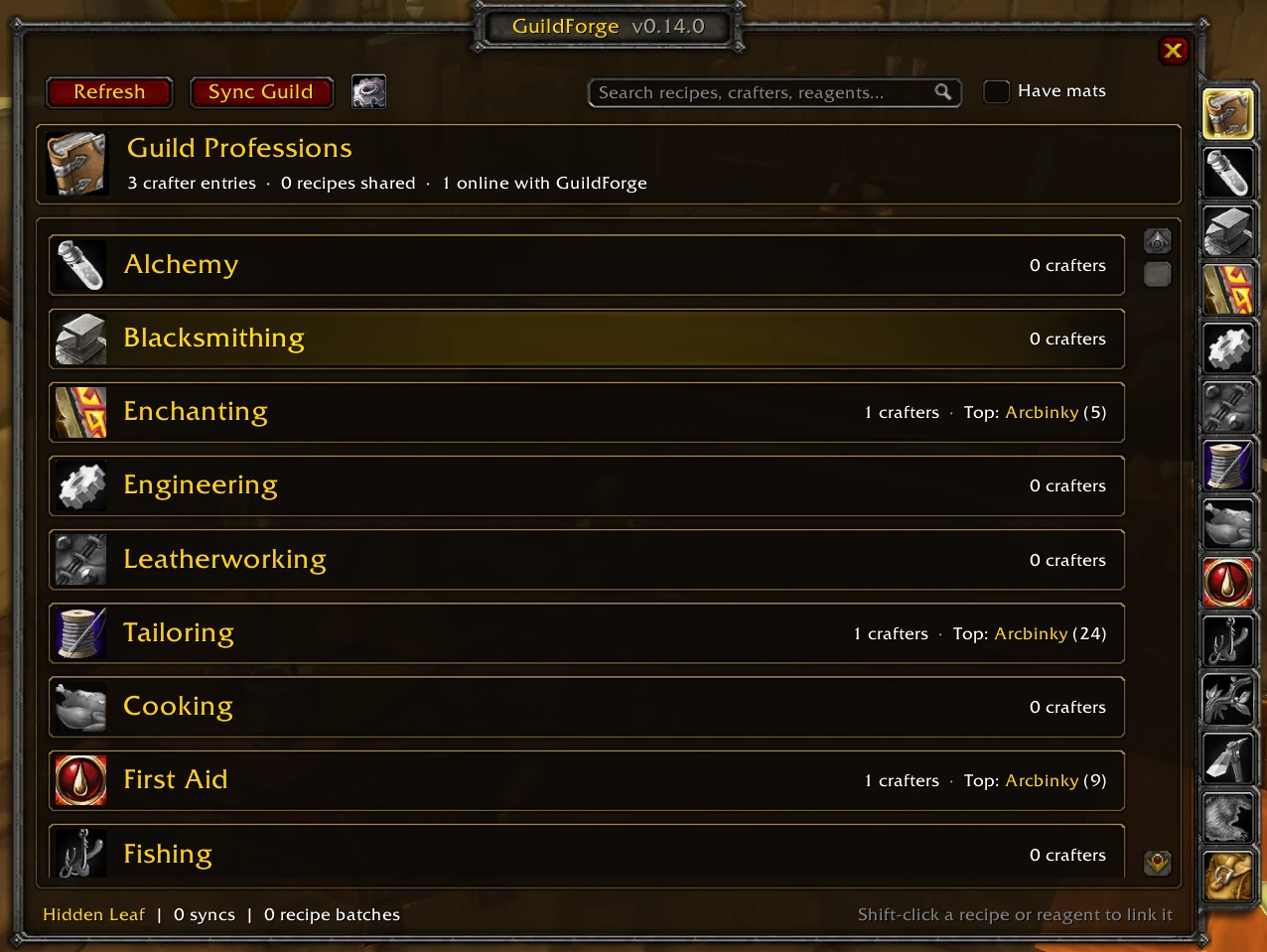
Find a crafter in seconds
Pick a profession from the tabs down the side and see everyone in the guild who has it, ranked by skill. A green dot means they're online right now; offline crafters show when they were last seen. Click a crafter to see just their recipes.
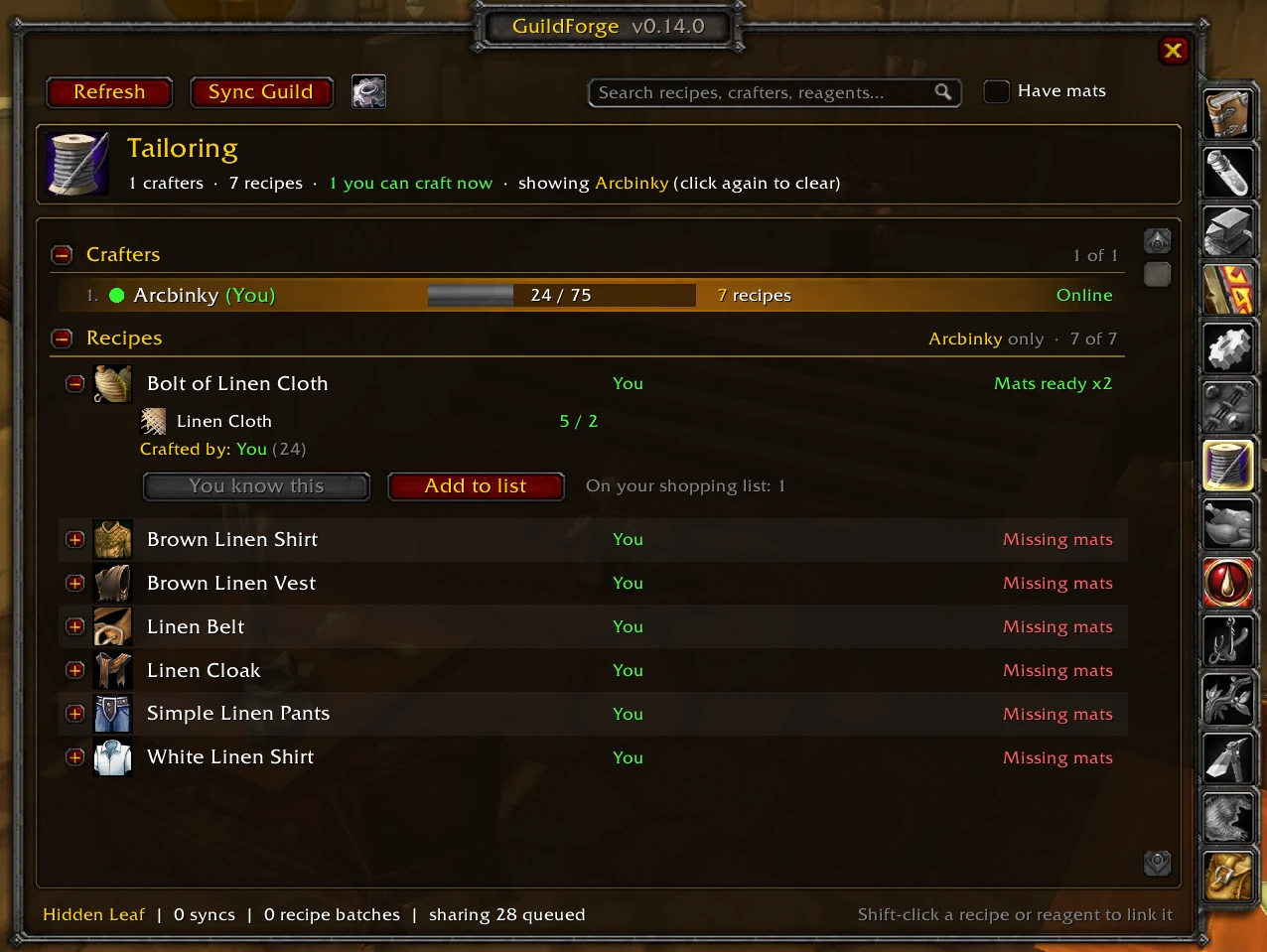
Know exactly what it takes
Every recipe shows its icon, quality, who can make it, and whether you have the mats: Mats ready x2 or Missing mats. Expand a recipe to see each reagent with your bag count (and what's sitting in your bank).
- Ask a crafter: one click whispers the best online crafter with the item link and the mats you already have.
- Add to list: queue it on your shopping list.
- Shift-click any recipe or reagent to link it in chat.

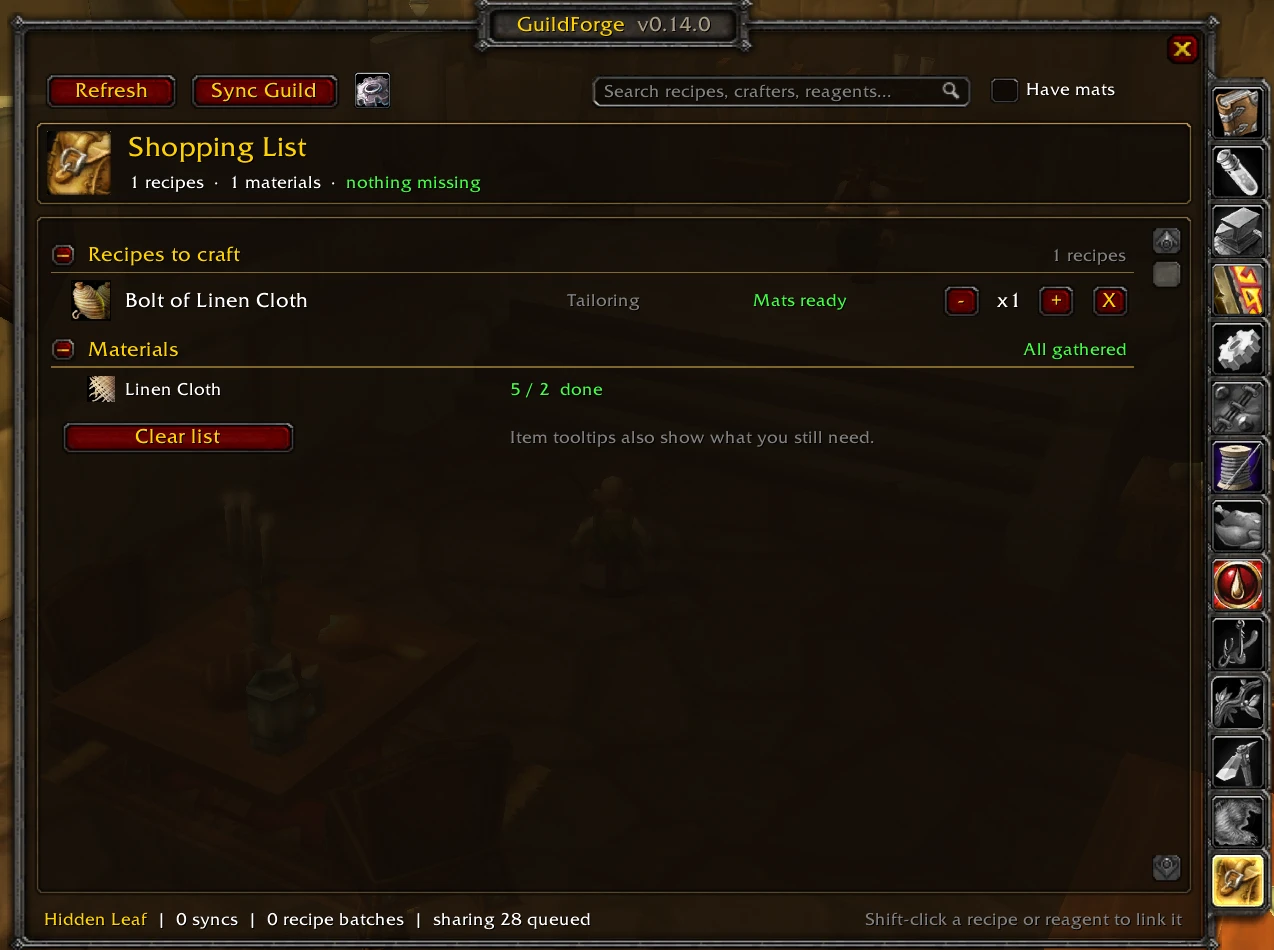
Shop smarter
Add the things you want to make and GuildForge totals up every material you need, how much you've gathered, and what's still missing. The same "need 4 more" note shows on item tooltips everywhere: your bags, vendors and the auction house.
Also in the box
- Item tooltips: hover any item to see which guildmates craft it and which recipes use it.
- Cooldowns: Mooncloth, transmutes and the Salt Shaker are tracked and shared, so the guild knows who's ready.
- Not known in guild: recipes seen at trainers that nobody has learned yet, with the skill they need. Everyone's trainer visits fill it in.
- Search everything: recipes, crafters, professions and reagents ("linen" finds everything that uses Linen Cloth), plus a Have mats filter.
- Minimap button with a badge showing how many guildmates are online with GuildForge.
- WoW Forever ready: works with first and last names, and holds its messages while the game blocks addon chat (like combat in instances).
Getting started
- Install GuildForge and log in.
- Click the GF minimap button or type
/gf. - Open each of your professions once, so GuildForge can share your recipes.
- Visit your trainers to fill in Not known in guild.
Get your guildmates to install it too: the more people running GuildForge, the more complete your guild's book gets.
| Command | What it does |
|---|---|
/gf |
Open or close GuildForge |
/gf sync |
Ask the guild for anything that changed |
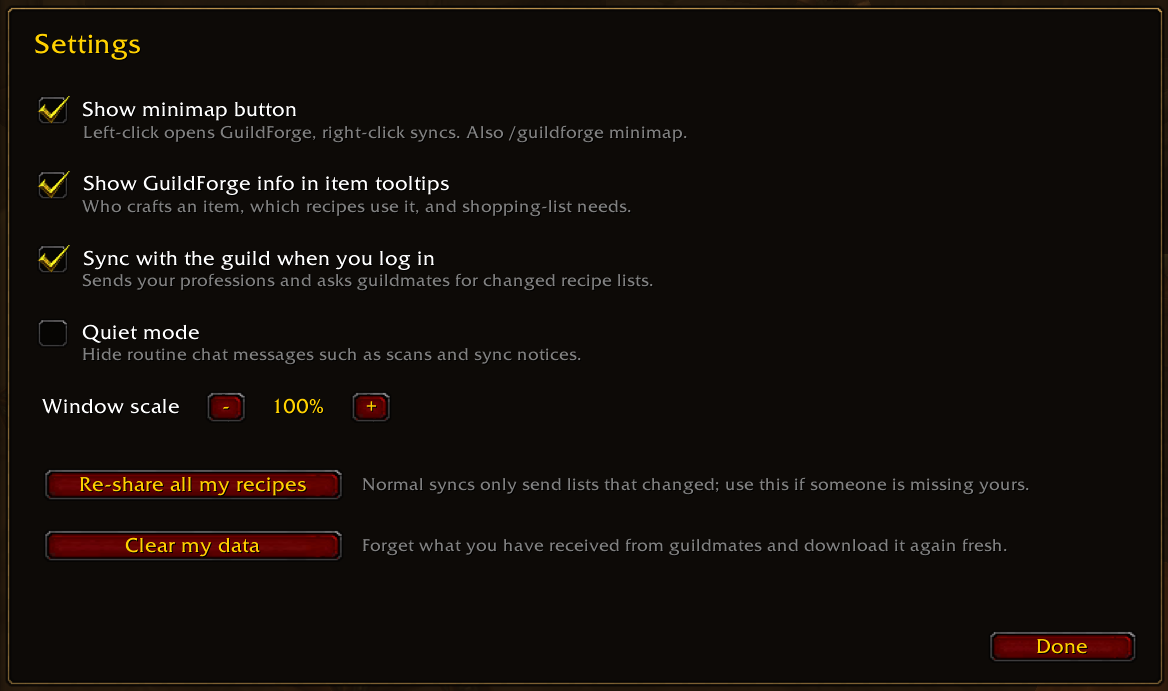
/gf settings |
Open the settings |
/gf who |
List guildmates online with GuildForge and their versions |
/gf clear |
Forget received data and download it fresh |
/guildforge and /gforge work too.
FAQ
Will it spam guild chat? No. GuildForge uses hidden addon messages that never show up in chat. When you log in, each guildmate answers with one short summary, and only the data that actually changed gets sent. It's built to stay light even in large guilds.
Does everyone in the guild need it? Only people who want to appear in the list or see it. Anyone without GuildForge simply isn't listed.
What gets shared? Your profession skill levels, the recipes you know, your profession cooldowns and trainer recipes you've seen, with your own guild only. Nothing leaves the game.
Does it work across my alts? Yes. Data is kept separately for each guild, so alts in different guilds never mix.
Something looks wrong. Open Settings and click Clear my data. GuildForge forgets what it received and downloads everything fresh, keeping your own professions.
Feedback
Found a bug or have an idea? Open an issue on GitHub.
Guild Forge - Guild Profession Tracker Team