UltraCoolDown
- By
Master your Monk with UltraCoolDown! A lightweight WoW addon tracking core abilities, procs, stagger, and resources. Features full drag-and-drop movement, custom borders, charge counters, and typography. Easy UI perfection.
UltraCooldownsMONK3.png
UltraCooldownsMONK.png
UltraCooldownsMONK1.png
UltraCooldownsMONK2.png
Description
Welcome to UltraCoolDown (UCD)—a modern, high-performance visual tracker tailored specifically for Monk specializations (Windwalker, Brewmaster, and Mistweaver). Designed to reduce clutter while keeping track of high-priority abilities, buff procs, and vital resources.
Key Features
-
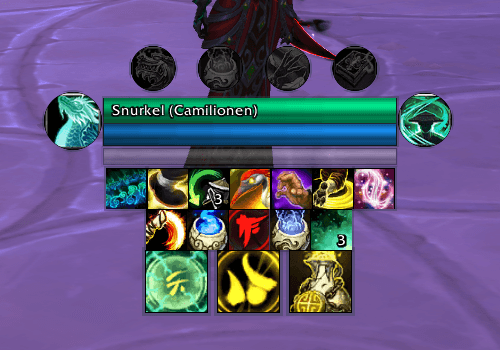
Modular Category Frames: Independent tracking grids for Abilities, Defensives, Utilities, and Procs.
-
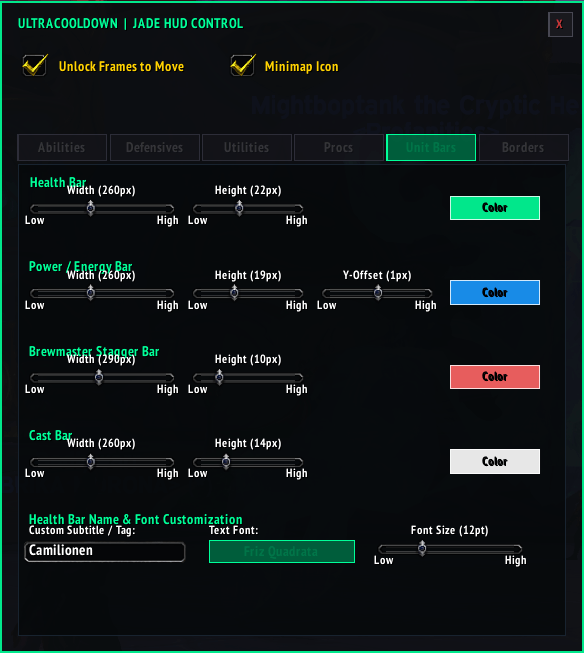
Brewmaster Stagger & Resource Tracking: Real-time health, energy/mana, stagger thresholds, and an integrated cast bar.
-
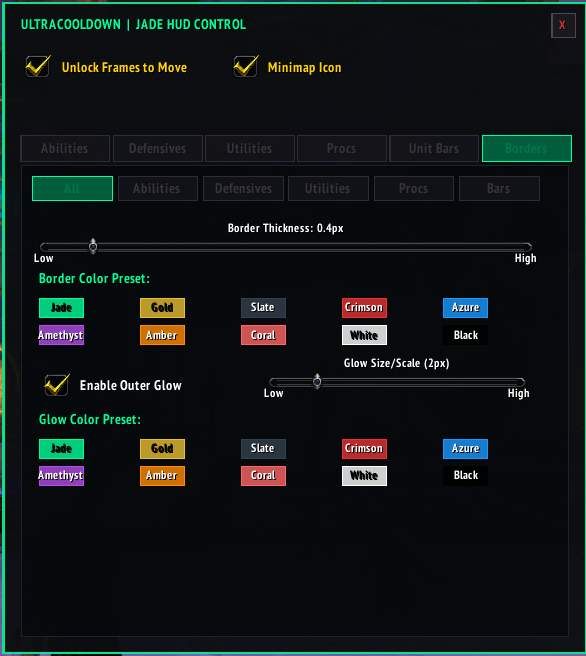
Custom Styling: Choose between Square or Circle icon masks, adjust outer border thickness, scale glow effects, and select from custom color/font presets.
-
Full Position Control: Move whole category grids together or detach individual spell icons to position them anywhere on your screen.
How to Use
1. Opening the Control Panel
-
Type
/ucdin your chat window or click the green M icon on your Minimap to toggle the options menu.
2. Moving Frames & Icons Around Your Screen
-
Open the
/ucdmenu and check the Unlock Frames to Move box at the top. -
To Move a Category: Click and drag directly on any icon inside a group (e.g., Abilities or Defensives) to reposition the entire grid.
-
To Move an Individual Icon: Open
/ucd, find the spell under its category tab, and check Detach. You can now click and drag that specific icon anywhere on your UI independently. -
Uncheck Unlock Frames to Move when you are done adjusting your layout.
3. Customizing Tracked Spells
-
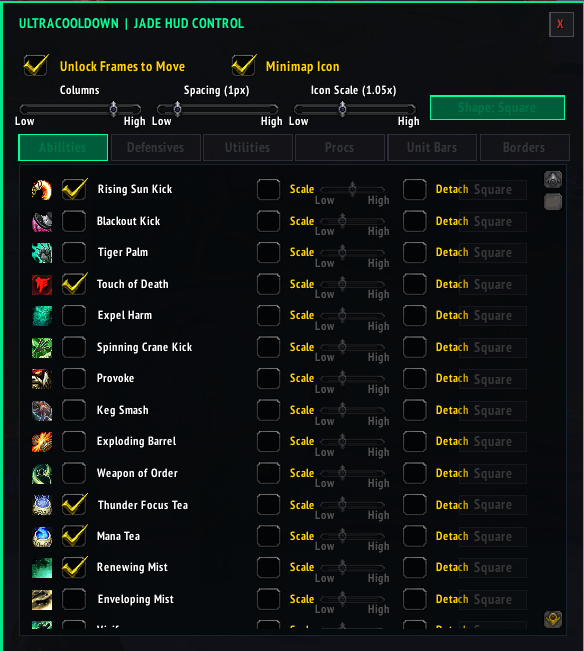
Click through the category tabs (Abilities, Defensives, Utilities, Procs) in the configuration panel.
-
Check or uncheck spells in the list to toggle their visibility on your HUD.
-
Adjust grid layout parameters like Columns, Spacing, and Icon Scale per category.
4. Adjusting Bars & Visual Aesthetics
-
Unit Bars Tab: Fine-tune the width, height, y-offset, color, and font settings for your Health, Power, Stagger, and Cast bars.
-
Borders Tab: Customize outer border thickness, colors, glow scales, and soft outer glow effects for individual categories or all bars globally.
UltraCoolDown Team