Ultimate To-Do List – Tasks, Notes & Trackers
- By
Keep your goals, weekly objectives, and character progress organised with custom pages and movable on-screen trackers.
A customisable to-do list and notepad for keeping your goals, weekly objectives, and character progress organised. Create your own pages, share lists with friends, and keep movable trackers visible while you play.
I originally made this addon for me and a friend, so we could plan our play sessions, keep our tasks in sync, and work through our goals together. It’s since grown to include personal notes, weekly objectives, and automatic progress trackers—but shared lists are still a big part of it.
Features
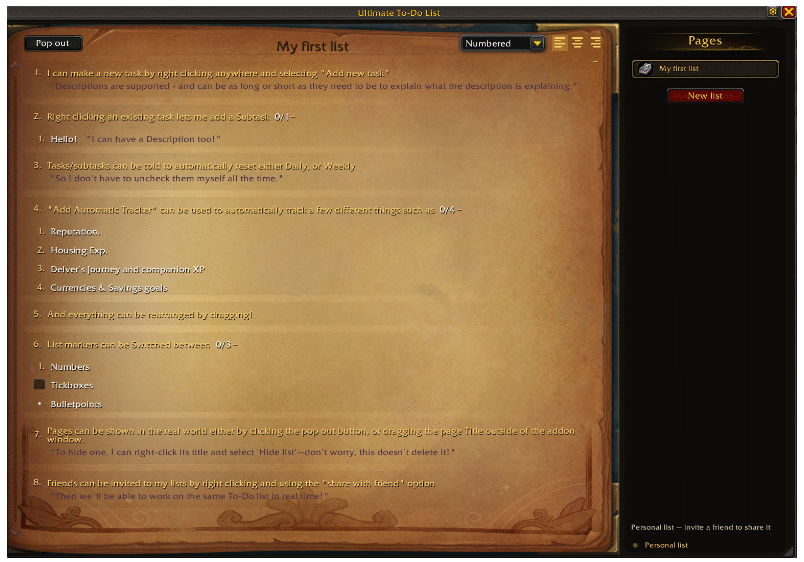
- Custom Pages & Notes - Create separate lists for your goals, with tasks, subtasks, and descriptions for extra details.
- Movable Popout Lists - Keep selected pages on your screen while the main window is closed. Move them wherever they fit your UI.
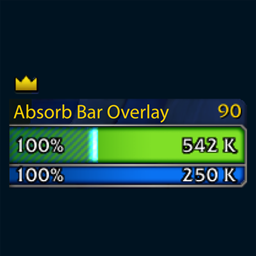
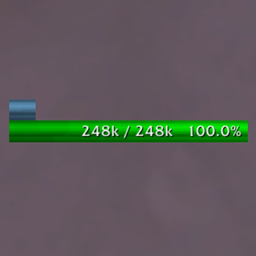
- Automatic Progress Tracking - Track Great Vault rewards, Delves, companion XP, reputation, Renown, character XP, and housing XP.
- Gold & Currency Goals - Save towards a chosen amount, or enter 0 to track your balance without a goal.
- Text or Progress Bars - Choose how automatic trackers display their progress.
- Daily & Weekly Resets - Set tasks to reset automatically with the game’s regional reset.
- Shared Lists - Invite friends to a list so you can edit goals and complete tasks together, with changes synced between you.
- Drag to Rearrange - Pick up tasks, subtasks, and pages to change their order.
- List Markers & Alignment - Choose tickboxes, bullet points, or numbers, with left, centre, and right alignment.
- Appearance Options - Keep completion markers glowing, lock popout positions, or fade selected windows while your character moves.
Setup & Configuration
Open the addon using the minimap button or by typing /todo.
Right-click a page or the task area to add your first task, create an automatic tracker, or access list options. A starter page is included to show you around.
Click Pop out to display a page in a separate window, or drag its title outside the addon panel. Open the settings using the cog in the top-right corner.
Retail WoW only for now, Forever support is planned. Shared lists require both players to have the addon installed. Changes are kept locally while friends are offline or the game restricts addon communication, and sync resumes when available.
Ultimate To-Do List – Tasks, Notes & Trackers Team