Typing Life - Typing Speed Game
- By
A fun typing game and typing test for WoW: typing speed tests (WPM) on flight paths and in queues, with XP, levels, and achievements.
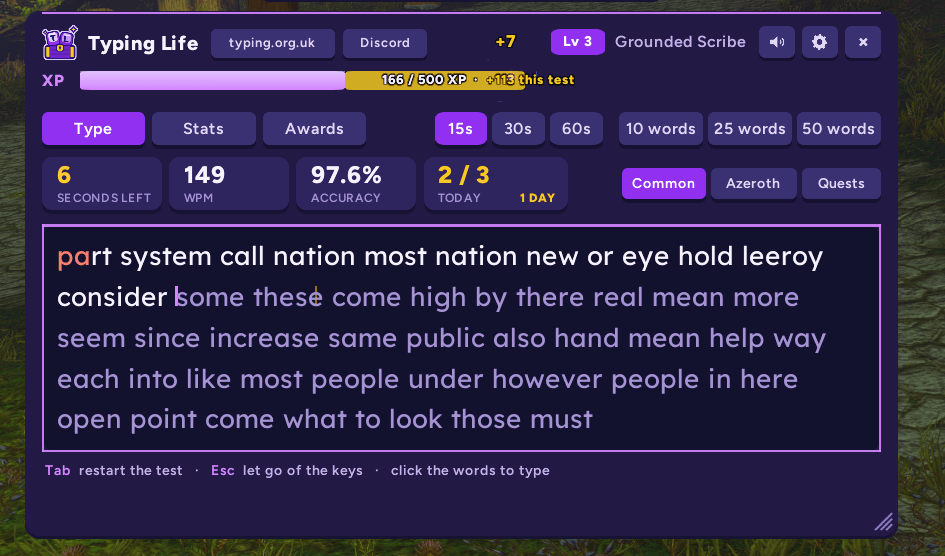
A typing test mid-way: type the words and watch the XP fly into your bar.
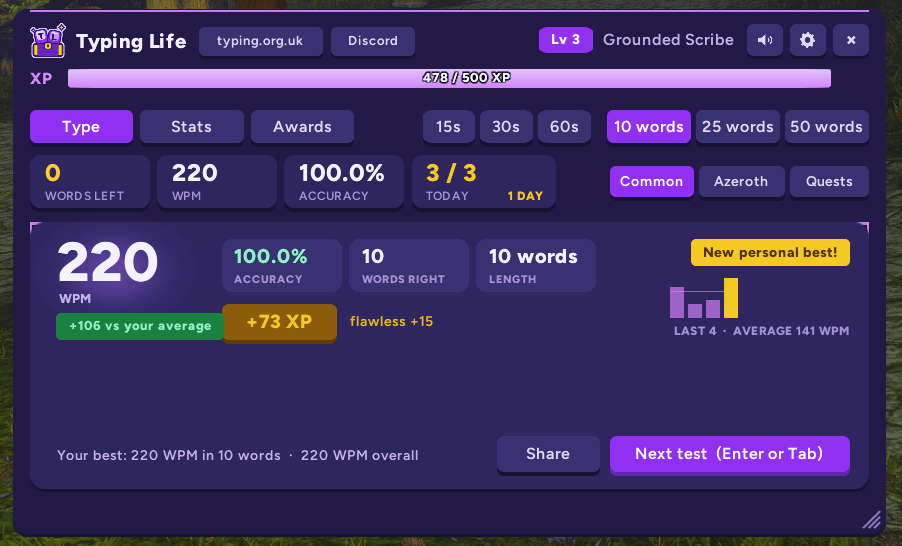
Your speed against your average, your accuracy, the XP you earned, and your last 10 tests.
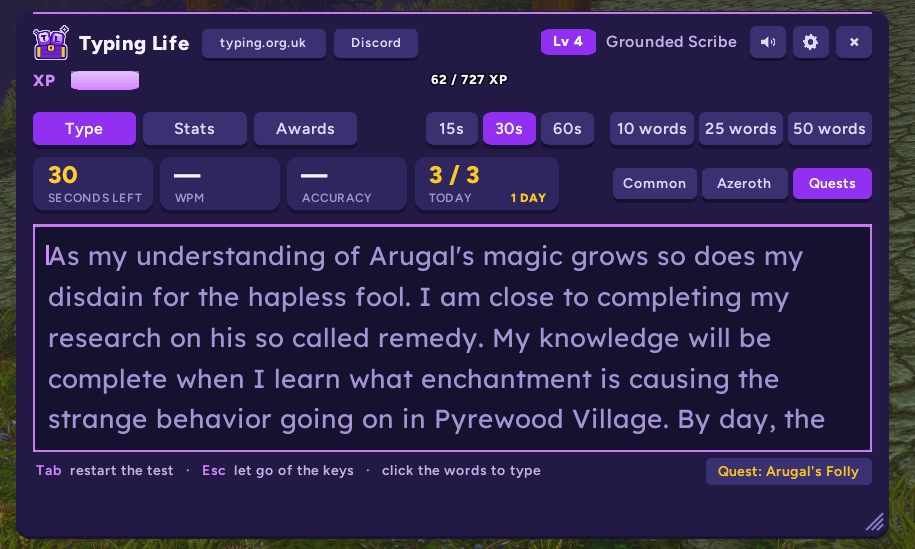
Type the text of the quests in your log, or Azeroth words like stormwind and murloc.
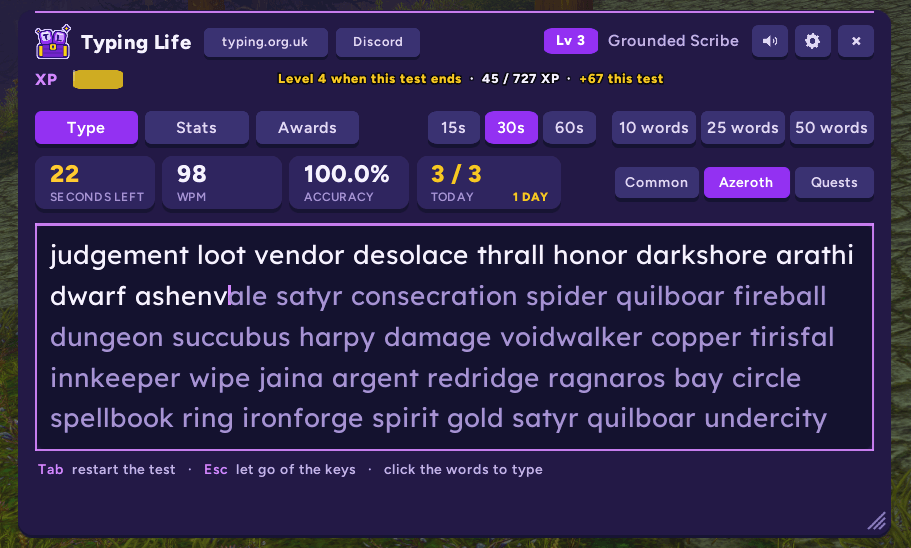
Type Azeroth-related words instead of common or quests.

82 awards to earn, 31 of them secret.
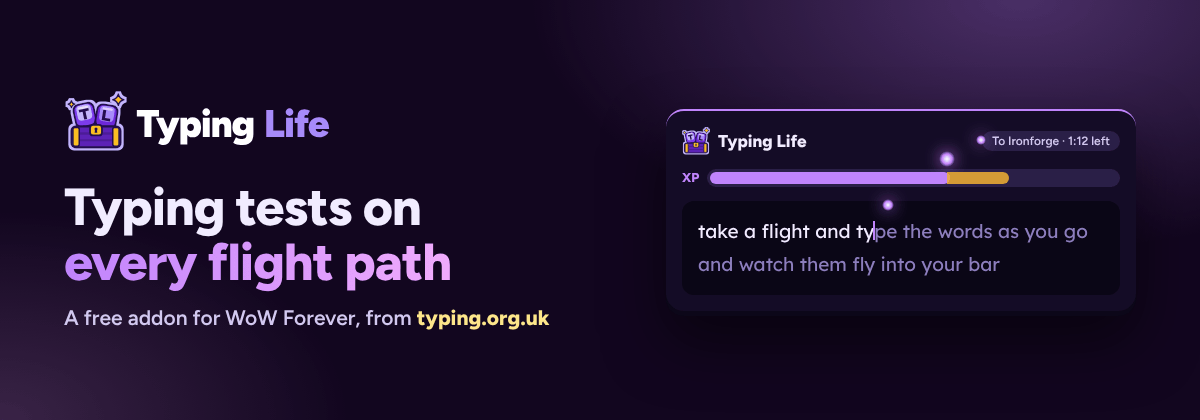
Typing tests on every flight path: a free addon for WoW Forever from typing.org.uk.
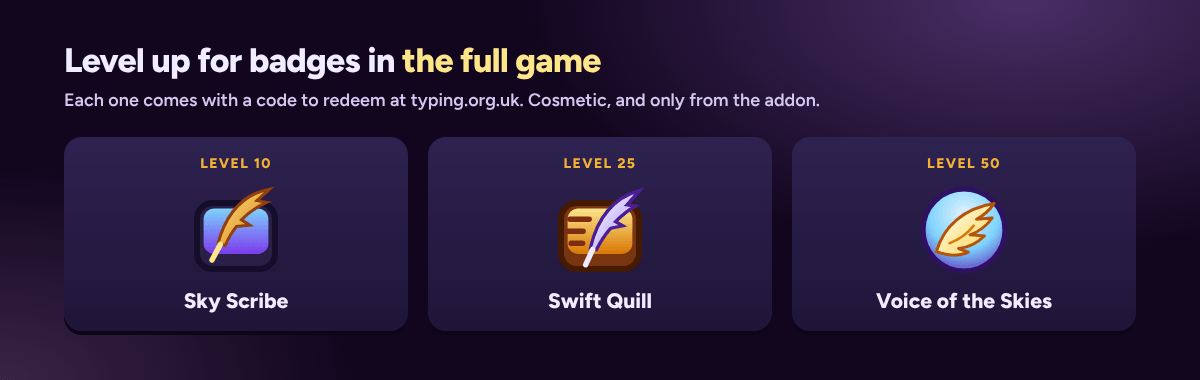
Reach levels 10, 25, and 50 for codes that unlock badges at typing.org.uk.
Description
A fun typing game and typing test inside World of Warcraft. Take a flight path and a typing test opens by itself. Type the words, watch your XP fly into the bar, and level up between quests. Check your typing speed (WPM) and accuracy, practise touch typing, and turn flights, queues, and corpse runs into something fun to do.
From Typing Life, the free typing game where every word you type pays. ▶ Play the full game free at typing.org.uk · Join the Discord
Great for
- Something to do on long flights: flight paths stop being dead time.
- Waiting in a dungeon, raid, or battleground queue, or waiting for a res.
- Getting faster at typing: better WPM means quicker chat, group calls, and macros.
- Anyone who likes typing tests, speed tests, or keyboard games like Monkeytype or TypeRacer, and wants one in WoW.
- Achievement hunters: 82 awards, 31 of them secret.
- Lore fans: type Azeroth words (Stormwind, murloc, hearthstone, polymorph) or the text of your own quests.
What it does
- Tests on flight paths: take a flight and a test opens. On a route you've flown before, it shows the time left and fits each test to the flight.
- Choose your words:
- Common words (the default), in English, German, French, or Spanish
- Azeroth words: zones, races, classes, creatures, items, and spells
- Quests: the text of the quests in your log, one quest a test
- XP that flies: every word you type right throws XP orbs into your bar. Flights pay ×1.5, your first test each day pays ×2, and accurate tests earn a bonus.
- A daily goal and a streak: reach your goal (3 tests a day by default) for bonus XP, and type each day to build your streak.
- Race your ghost: a faint gold caret moves at your best speed for the length you're typing.
- Problem keys: a keyboard on the Stats page shows the letters you miss most (QWERTY, QWERTZ, or AZERTY), and Practise problem keys leans your tests towards them.
- Share and compare: share a result, or your best speed and averages, in party, guild, or say chat. See where you rank on your guild board against guildmates who have Typing Life.
- More moments: while you wait in a queue or for a res, a pop-up offers a test. It gets out of the way when the queue pops.
- 60 levels, 10 titles, and 82 awards, 31 of them secret. Keep your eyes open, and don't be afraid to click things.
Badges for the full game
Reach these levels for a code to redeem at typing.org.uk in Settings › Help & extras:
- Level 10: Sky Scribe
- Level 25: Swift Quill
- Level 50: Voice of the Skies
They're cosmetic, and you can only get them from the addon.
How to use it
- To open it: take a flight path, or use any of these:
- the keycap on the minimap
- the floating icon (drag it anywhere)
- the minimap's AddOns list
- a key you set in Esc › Options › Keybindings › AddOns › Typing Life
- To type: click the words to start, so W, A, S, and D still move you when you're not typing. On a flight it takes your keys straight away.
- Tab restarts the test, and Enter starts the next one. Esc lets go of the keys, and a second Esc closes the window.
- The window: drag it from anywhere to move it, and drag its corner to resize it. A bigger window shows more lines of words.
- In combat: it closes by itself if you enter combat on the ground, so your keys go back to your abilities.
| Command | What it does |
|---|---|
/tl or /typinglife |
Open or close the window |
/tl azeroth |
Switch between common words and Azeroth words |
/tl quest |
Switch between common words and quest text |
/tl share |
Share your last result in chat |
/tl sharestats |
Share your best speed and averages |
/tl stats |
Your level, best speed, and averages in chat |
/tl options |
Open the settings |
/tl icon, /tl minimap |
Show or hide the floating icon or the minimap button |
/tl mute, /tl unmute |
Sounds off or on |
Questions
Is it a typing test or a game? Both. Every test is a proper typing speed test (WPM and accuracy, in 15, 30, or 60 seconds or 10, 25, or 50 words), wrapped in a small game of XP, levels, titles, streaks, and achievements.
Will it get in the way? No. It only types once you click the words, it closes in combat, and Esc gives your keys back.
Does it work for beginners? Yes. The Problem keys page shows the letters you miss most, and tests can lean towards them for touch typing practice.
Is it free? Yes, and so is the full typing game at typing.org.uk.
Settings
Six groups, with a search box: Typing, Flights, Look, Sound, Sharing, and Window.
- Look: six colours, three carets, four fonts, three word sizes, the window size, and how see-through it is.
- Sound and effects: soft chimes at three volumes, an optional tick for each word, flying XP, XP numbers, and pop-ups (and how long they stay).
- Window: locks for the window, the minimap button, and the floating icon.
Progress is saved for your whole account, so it carries across every character.
The full game
Typing Life started as a free typing game in your browser at typing.org.uk:
- a proper typing test
- crates and 1,224 cards to collect
- Guardians to beat
- farming, fishing, mining, and careers, all played by typing
- leaderboards, daily challenges, and lessons for beginners
No download, and no sign-up to start.
▶ Play Typing Life · Join the Discord · The addon's page
By Tony Perez. Fonts: Figtree and Lexend Deca, both under the SIL Open Font License. World of Warcraft is a trademark of Blizzard Entertainment, Inc. Typing Life isn't made, endorsed, or supported by Blizzard.
Typing Life - Typing Speed Game Team