Tnny's Mob Loot
- By
Hold a key and click any mob to see everything it can drop, with rarity, icons, and drop chances.
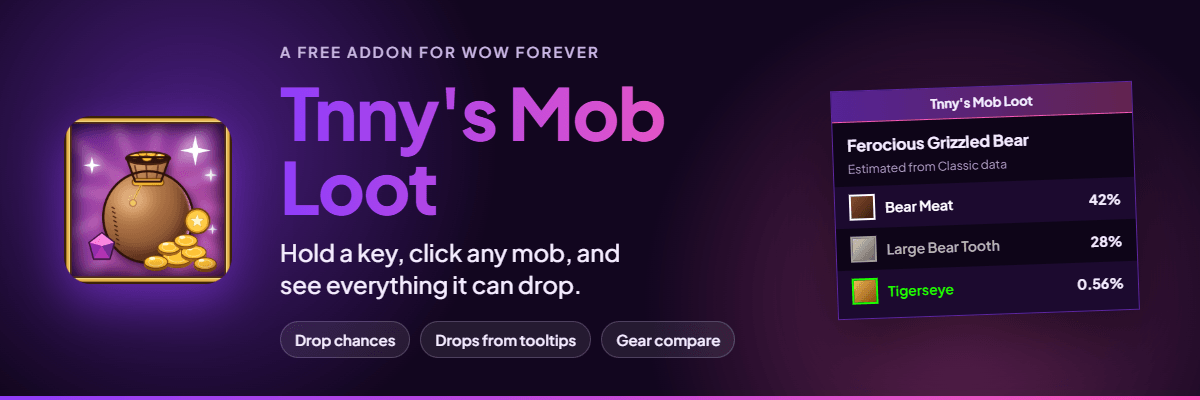
See everything a mob can drop in WoW Forever, with one click.
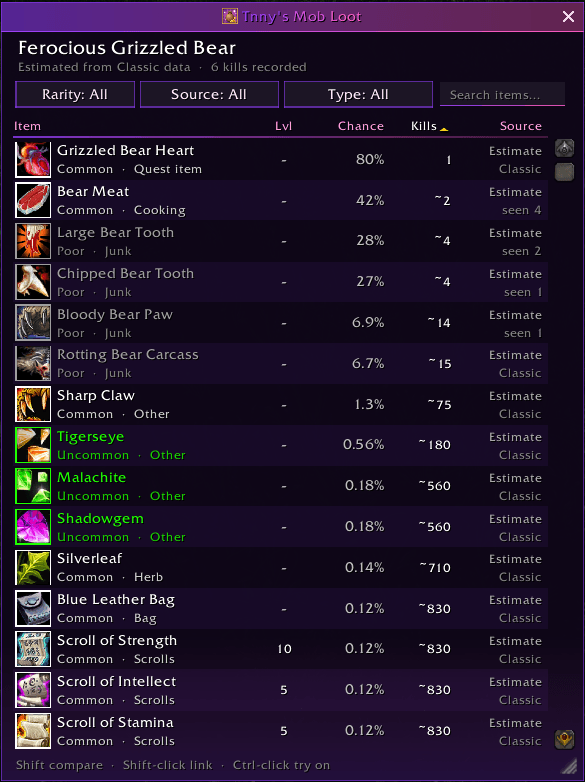
Hold Alt (or your own specified modifier key) and click any mob to see everything it can drop, with drop chances, kills needed, and value.
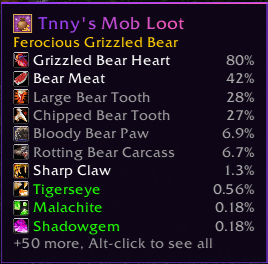
Hold your key over a mob to see its top drops without clicking.
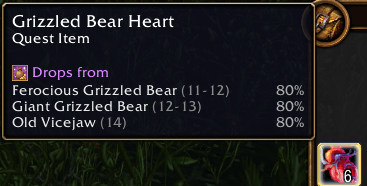
Hover any item to see which mobs drop it, how often, and at what level.
Description
See everything a mob can drop, with one click
Tnny's Mob Loot shows you what any mob in WoW Forever can drop before you fight it. Hold Alt and click a mob to open a clean, sortable table of every possible drop, with item icons, rarity, drop chances, how many kills it takes on average, and what each item is worth.
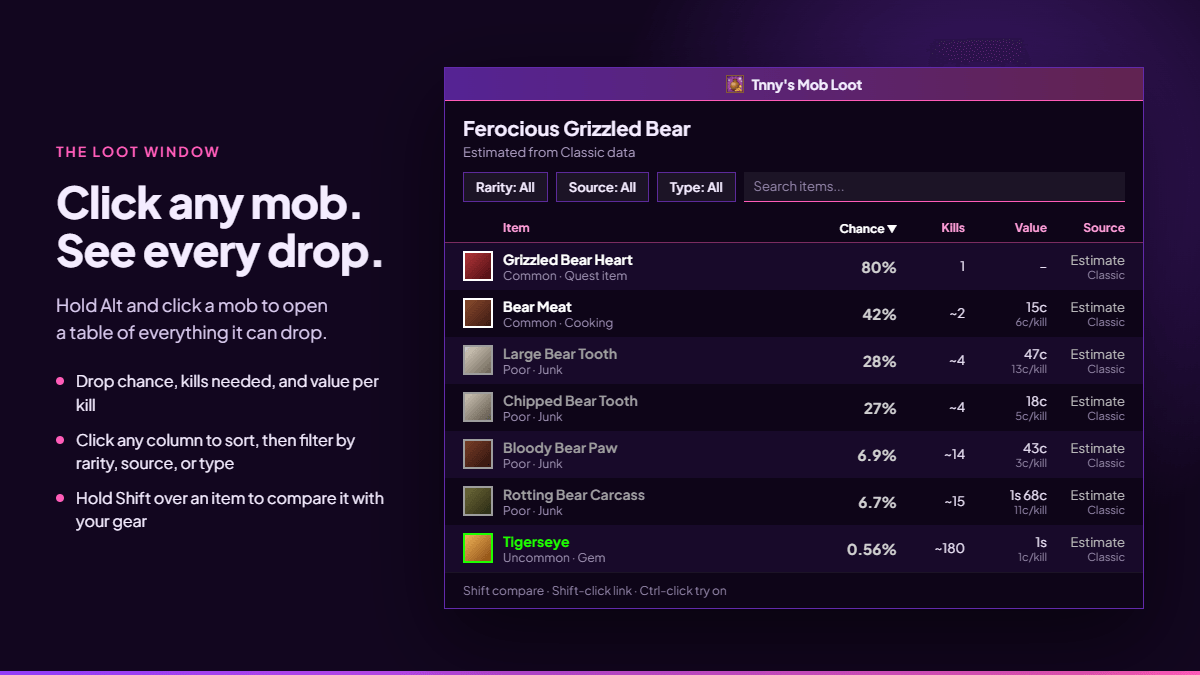
Every drop in one table
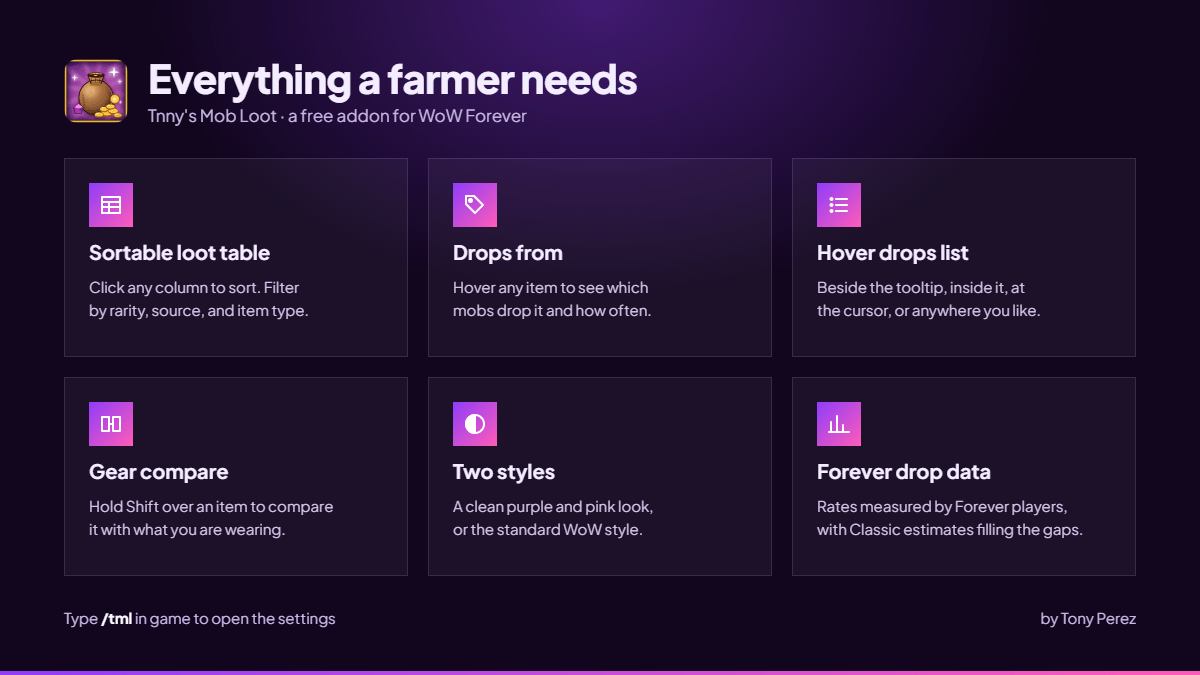
- See it all at once: rarity, level, drop chance, kills needed, vendor value, and value per kill
- Click any column to sort, and click again to reverse it
- Filter by rarity, by source, or by item type, or search by name
- Hold Shift over an item to compare it with your gear, Shift-click to link it, or Ctrl-click to try it on
- Resize and move it anywhere. It remembers where you left it
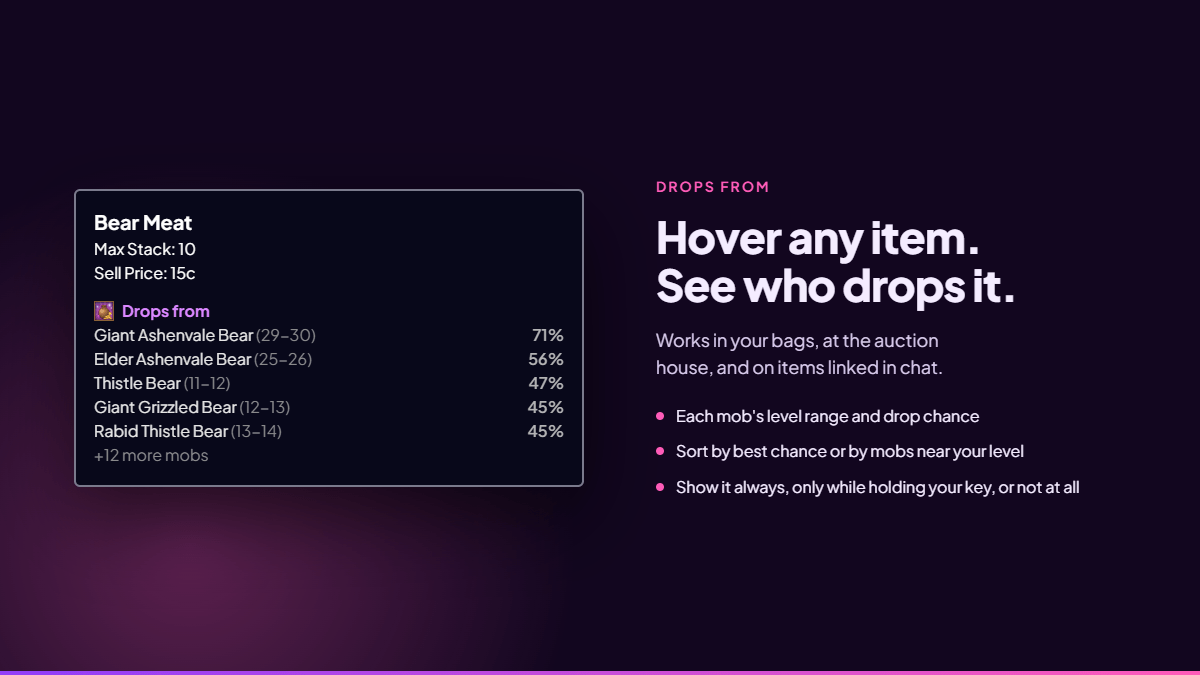
Find where any item drops
Hover any item, in your bags, at the auction house, or in a chat link, to see which mobs drop it, how often, and at what level. Sort by best chance or by mobs near your level, set a minimum chance, and choose whether it shows always or only while you hold your key.
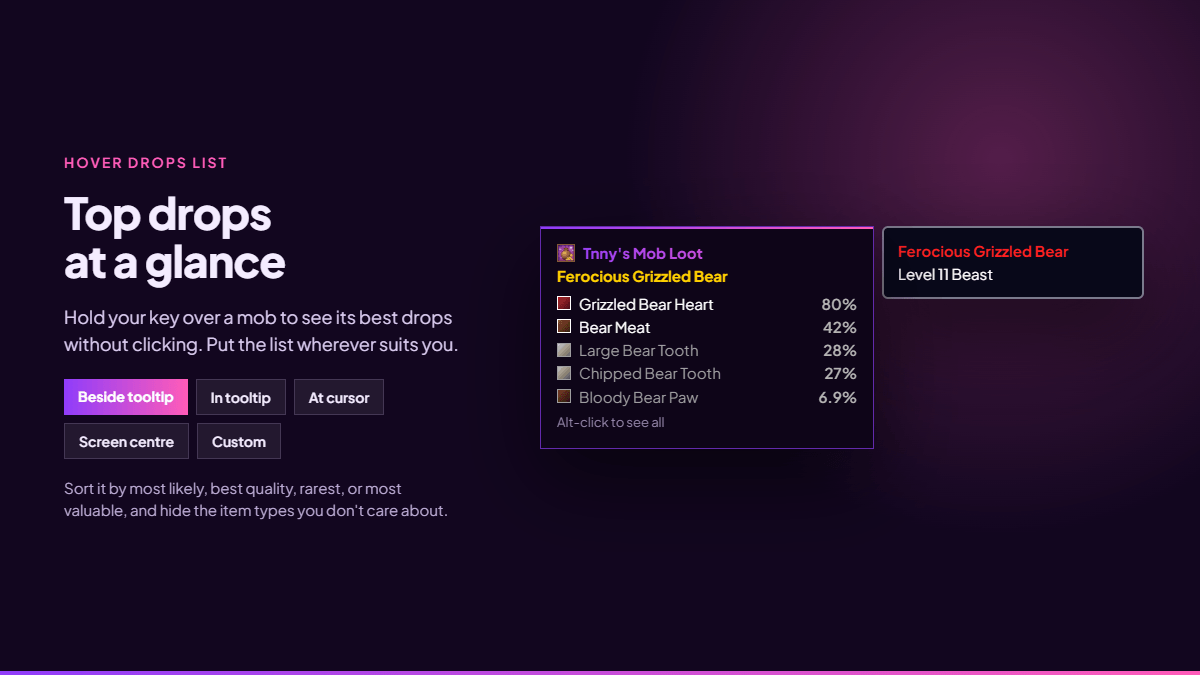
Top drops at a glance
Hold your key over a mob to see its best drops without clicking. Put the list beside the tooltip, inside it, at your cursor, in the middle of the screen, or anywhere you like. Sort it by most likely, best quality, rarest, or most valuable, and hide the item types you don't need.
Make it yours
Type /tml to choose your key, pick the clean Tnny style in purple and pink or the standard WoW look, place the hover list, and fine-tune every option.
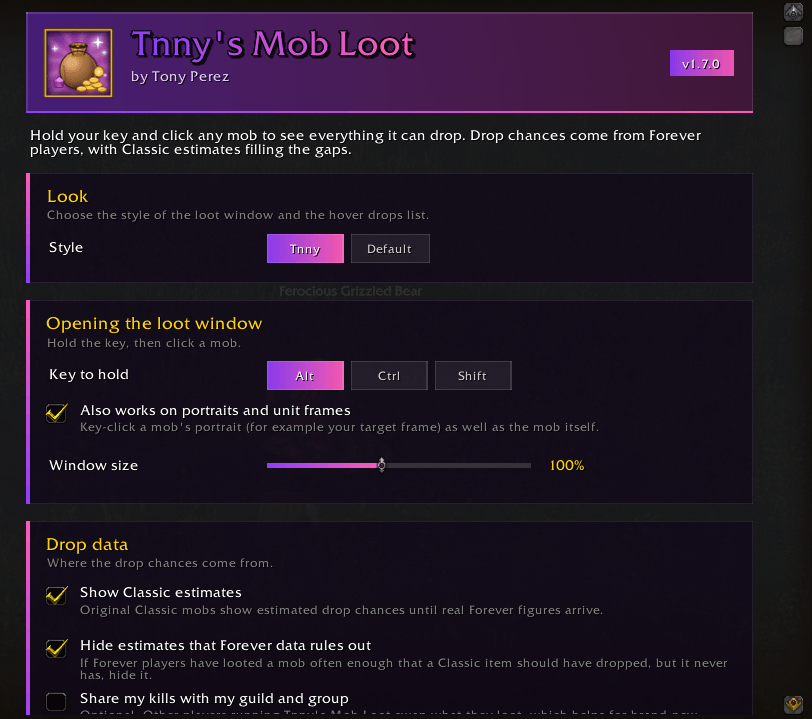
Where the drop chances come from
The addon uses the best figures available for each mob, and hides Classic estimates that Forever data rules out:
- Forever drop rates, measured by Forever players through Everloot and updated regularly
- Classic estimates for original mobs not yet measured on Forever, clearly marked as estimates
- Your own kills, recorded as you loot, so brand-new mobs fill in too
Getting started
- Install the addon and log in
- Hold Alt and click any mob
- Type /tml to open the settings
Credits
- Forever drop rates: Everloot contributors (everloot.app), licensed under CC BY-SA 4.0
- Classic estimates: the CMaNGOS classic-db project, GPL-3.0
- Licence: Tnny's Mob Loot is released under GPL-3.0
A fan project, not affiliated with or endorsed by Blizzard Entertainment.
Created by Tony Perez
Tnny's Mob Loot Team