微信å¾ç_20260409204903_23207_2.png
微信å¾ç_20260409204822_23206_2.png
微信å¾ç_20260409204734_23205_2.png
微信å¾ç_20260409204915_23208_2.png
微信å¾ç_20260409204955_23209_2.png
Description
**One-click Transmog Recipe Stealer Plugin**
Often on platforms like Douyin or NGA, people ask for transmog recipes in comments. So I thought, why not make a plugin that lets you steal recipes with one click?
WoW itself has a feature to share transmog outfit links. However, after testing, it’s no longer possible to directly copy that string in patch 12.0 to recreate the outfit in-game.
So I started exploring a similar method to WoW’s native transmog link sharing. The first few weeks of 12.0 were busy with leveling and running Mythic+ for weekly vaults. Now that I finally have some free time (and Timewalking weeks are ending soon), I picked this project back up.
Here’s what I’ve made so far (a semi-finished product):
**Features:**
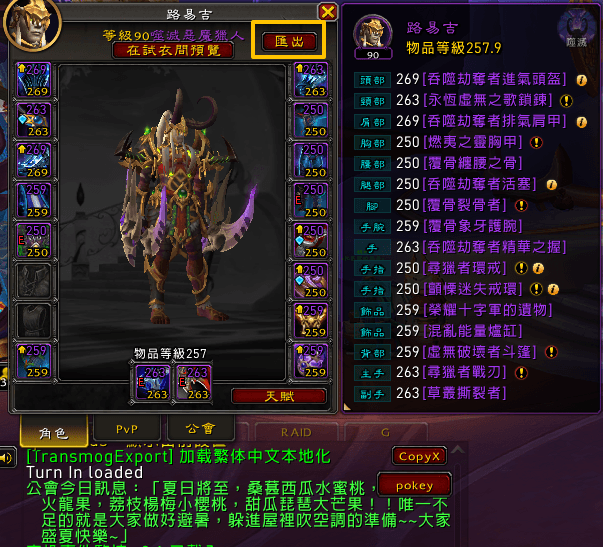
- Open the inspection window of another player. In the top-right corner, there’s an “Export” button. Click it to copy their transmog outfit.
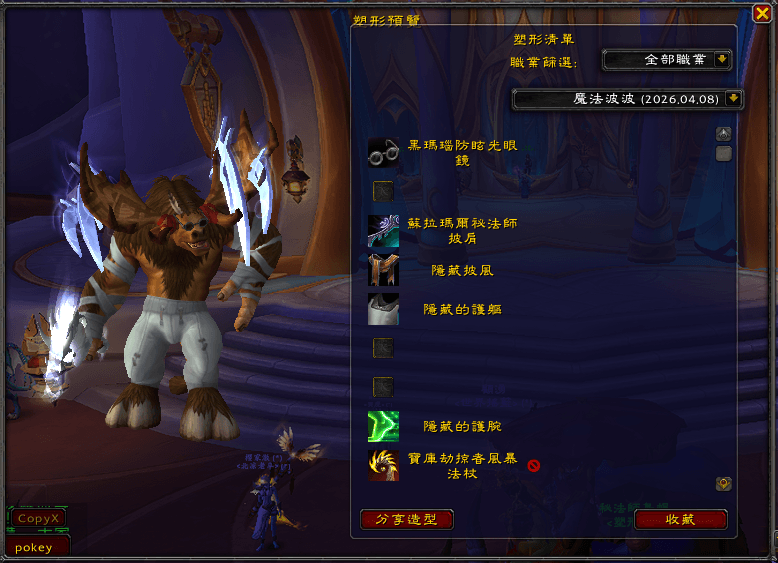
- Then call up our plugin’s main interface. It’s split into two parts: left side is a preview area, right side is a list of other players’ outfits you’ve collected, named by Player Name + Collection Time. You can filter by class.
- Select any player’s outfit from the list; the left side immediately shows their transmog. The list includes all item names and links (useful for finding sources with addons like ATT). A red “X” next to an item means you haven’t collected that appearance yet.
- The plugin can share outfits, but not via Blizzard’s native system. Instead, it uses its own sharing method. If both players have the plugin installed, clicking a shared link instantly shows a preview. You can also save it.
1. Export function – OK
2. Save/collect function – OK
3. Share function – OK
4. One-click transmog function – OK
---
**Currently supports versions 12.01 and 12.05**
It’s mostly working now. Let me explain the proper usage:
**Step 1:** Select any player, click their portrait, and choose “Inspect.” In the top-right corner of their inspection window, there’s an “Export” button. Click it to save their transmog.
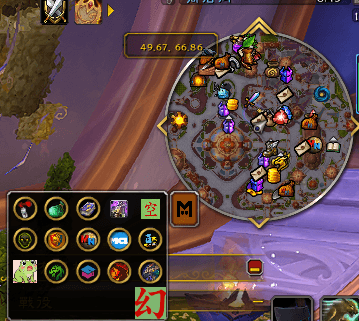
**Step 2:** Click the minimap icon (the big “Transmog” character) to open the main interface.
The main interface has two parts: left side shows the transmog preview; right side lists saved player outfits (filterable by class).
Each entry is named “Player Name + Collection Time.”
Select any saved outfit. Below, you’ll see links for each item. If you haven’t collected that appearance, a red “X” appears next to it.
**Step 3:** In the bottom-left corner, there’s a “Share” button. Clicking it defaults to sending to the `/S` channel to avoid spam.
Others see a string of characters. Players with the plugin installed see: “TE: Class Player Name” and can click it to open the main interface and preview the transmog. They can also save outfits shared by others, or Shift+click to re-share the link in other channels.
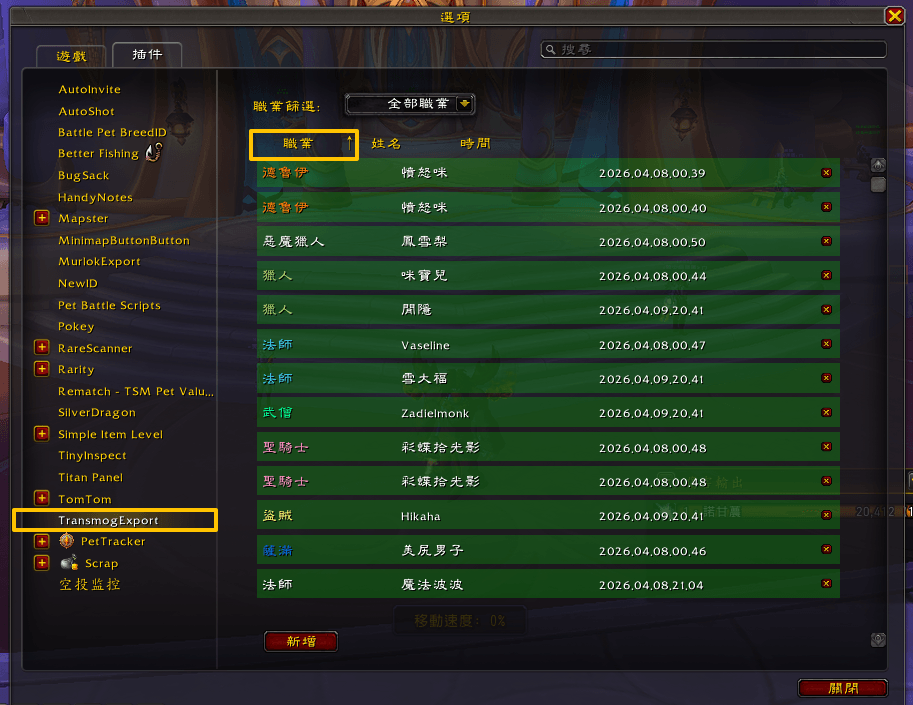
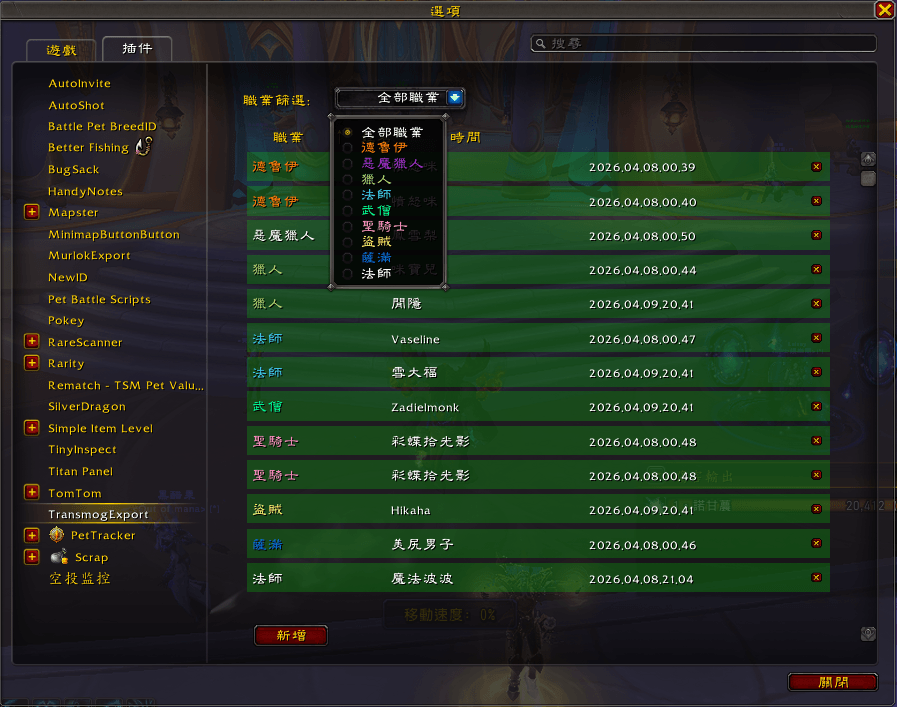
**Step 4:** In-game ESC → Options → Addons → find this plugin.
Here you can delete saved outfits by clicking the “X” next to them. You can also sort by name, class, or time.
**Step 5:** Regarding transmog application – follow the numbered steps in the image:
1. Click the slot you want to transmog (e.g., helmet).
2. Click the search box on the right to ensure the cursor is inside.
3. On the left, find the appropriate class → character name outfit list, then click the “Search” button next to the helmet slot.
4. The item name will automatically appear in the search box in the top-right corner.
5. The search results will show that transmog.
The rest is up to the player to confirm.
The TransmogExport Team