Tradeskill Goblin
- By
An in-game trade-skill levelling guide for WoW Forever with material checklists, training and crafting steps; install Auction Goblin for auction-based cost estimates and linked buying.
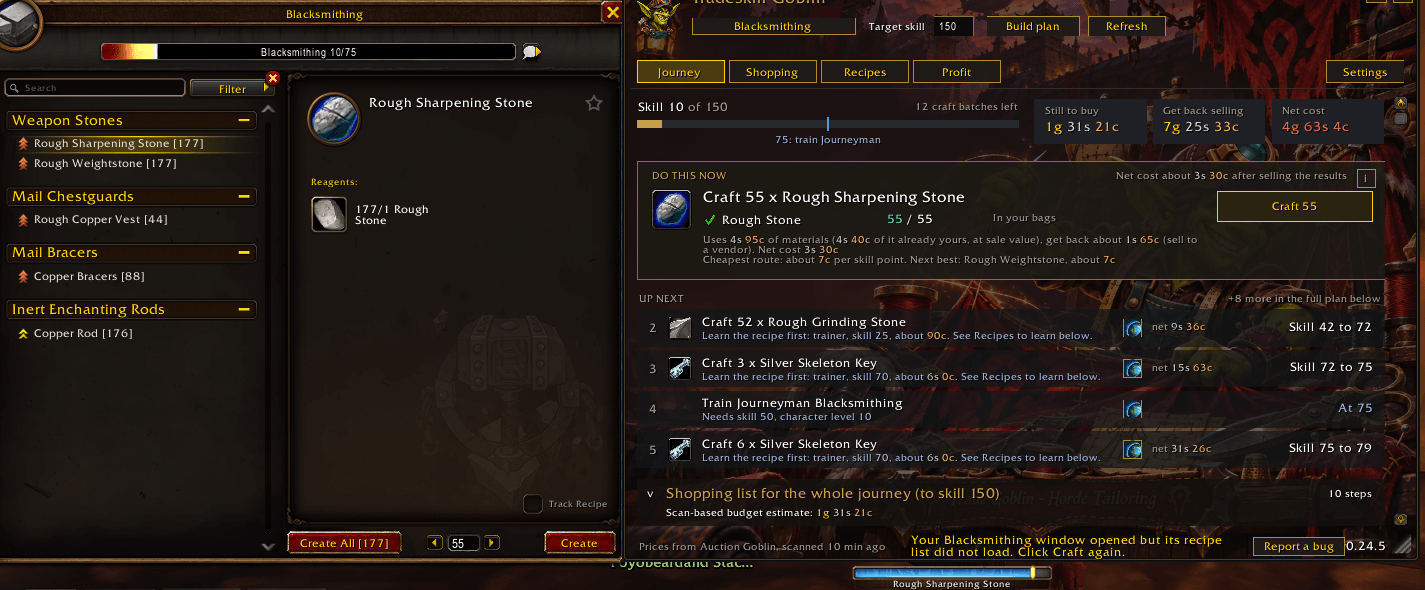
Auto Craft 1.png
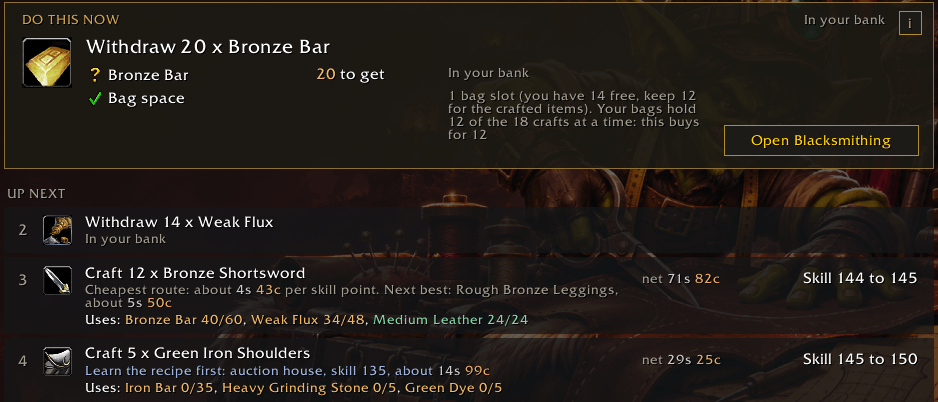
Bank and Bag management 1.png
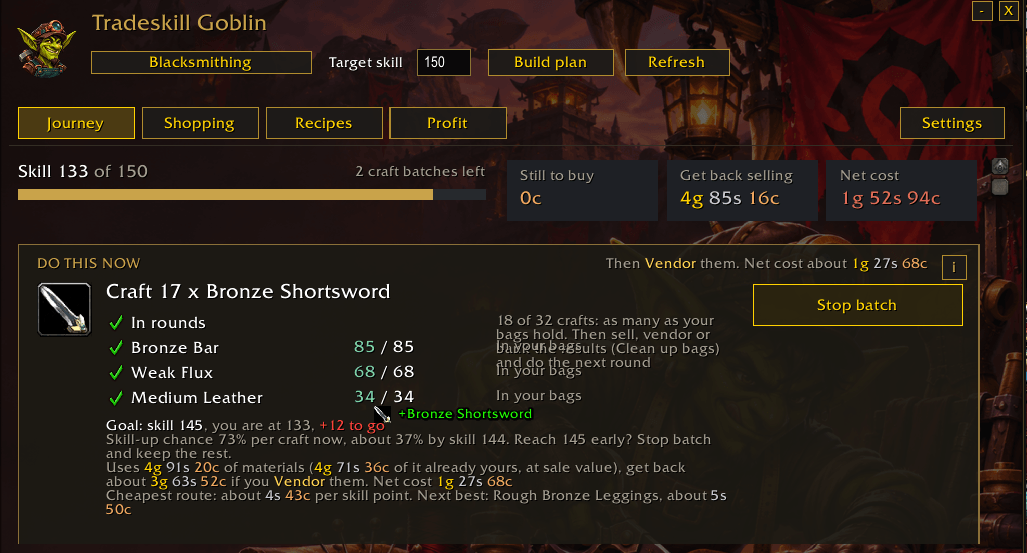
Crafting1.png
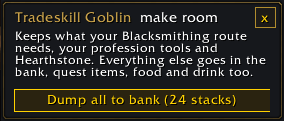
Dump all 1.png
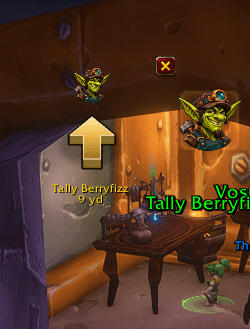
Icon and Direction Arrow.png
Description
Tradeskill Goblin
Set your profession goal. Know what to buy, where to go and what to craft next.
Tradeskill Goblin is an in-game trade-skill levelling guide for WoW Forever. Choose your profession and target skill, and follow a journey through gathering supplies, learning recipes, training ranks and crafting batches.
Tradeskill Goblin provides the guide. Auction Goblin provides the auction data, market cost estimates and linked buying.
Follow your profession goal
- Build a journey from your current skill to your chosen target.
- See what to craft, how many attempts are planned and which materials you need.
- Find the recipes, books and profession ranks required to keep progressing.
- Get named trainer and vendor destinations, with maps and goblin guidance where locations are recorded.
- Identify missing tools and required crafting stations.
- Follow progress as supplies arrive, recipes are learned and crafts complete.
Crafting journeys cover Alchemy, Blacksmithing, Enchanting, Engineering, Leatherworking, Tailoring, Cooking and First Aid.
Use what you already own
- Check your bags, bank, pending mail and recorded stock on your other characters.
- See who has the materials and what needs transferring.
- Convert useful existing stock into ingredients for later crafts.
- Keep your saved crafting batches and prerequisite chain after purchasing supplies.
Less vendor shopping and bag juggling
- Buy the vendor supplies your plan needs with one click while the vendor is open.
- Purchase the listed quantities across multiple stacks.
- Withdraw materials for your next crafting batch while at the bank.
- Use Dump all to keep the current batch’s required supplies, recognised profession tools and Hearthstone, and deposit other bag contents into available bank space.
- Check bag space and prepare manageable crafting rounds with room for the results.
Connect Auction Goblin for prices and buying
With Auction Goblin enabled and auction scans available:
- Estimate the market cost of missing materials for your goal.
- Compare supported direct purchases and leather conversions.
- See conversion quantities, estimated costs, savings and scan age.
- Limit conversion suggestions to profitable quantities supported by the recorded supply.
- Send material and recipe shortages directly into Auction Goblin’s browser or live buying quotes.
- Review the live price, confirm your purchase, collect your mail and continue crafting.
Live auction buying requires an open Auction House and your confirmation.
What works without Auction Goblin?
- Profession guides and recipe knowledge.
- Native inventory counts and material checklists.
- Trainer and vendor guidance.
- Tradeskill Goblin’s vendor purchasing and bank tools.
Auction-based cost estimates, market comparisons and linked auction buying require Auction Goblin. Known vendor prices may still appear without it, but they are not a complete journey cost.
Missing or disabled installations show a Get Auction Goblin button with download or enable guidance.
Download Auction Goblin:
https://www.curseforge.com/wow/addons/auction-goblin
Find recipes and repeat your favourite crafts
- Search by recipe name or ingredient, including Shift-clicking bag items.
- Filter by profession, equipment slot, rarity, source and learning skill
- Browse ordinary recipes and Merchant’s Favor/token recipes together.
- Save individual recipes or several recipes as production presets.
- Set quantities, check shortages and start another run when you need more supplies.
Make it yours
- Move, resize, minimise and restore the windows.
- Choose from twenty bundled backgrounds.
- Use the compact profession helper.
- Toggle crafting and goal-notification audio on or off.
Getting started
1. Install Tradeskill Goblin and open it using the TG minimap icon or /tg.
2. Choose your profession and target skill.
3. Open your profession window and click Build plan.
4. Visit your bank and mailbox to refresh those records.
5. Follow Journey for supplies, training and crafting.
6. Install Auction Goblin and scan the Auction House for market estimates and linked buying.
Optional QuestieDB adds further NPC, farming and crafting-station locations.
Good to know
- Skill-up counts, market costs and sale returns are estimates.
- Auction scans show recorded listings, not guaranteed current availability.
- Bank and alt records need refreshing by visiting those characters.
- Enchanting uses manual casting.
- Loading profession data can require another craft click.
- Automatic feedback email is not connected; reports can currently be copied.
Tradeskill Goblin Team