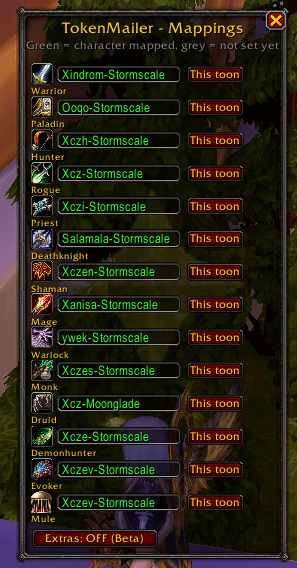
Token_Core_Config.png
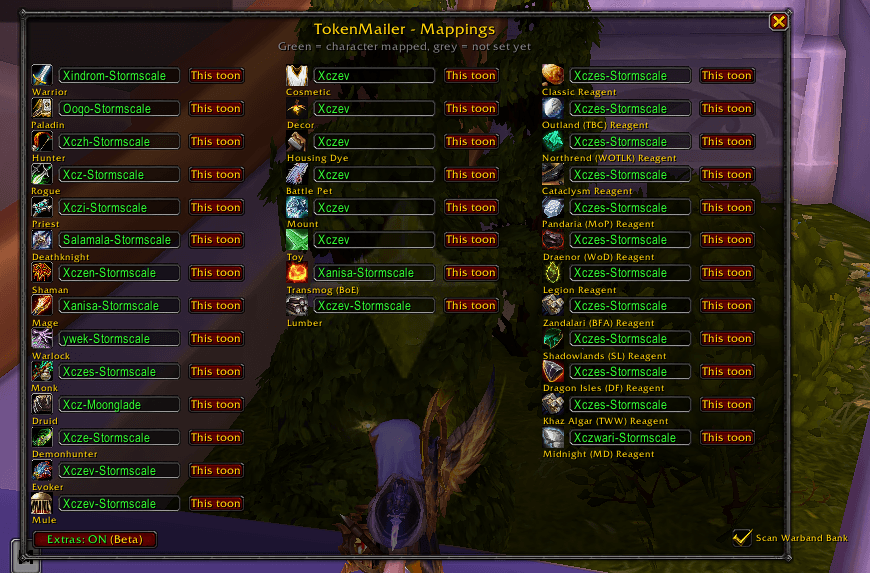
Token_Extra_Config.png
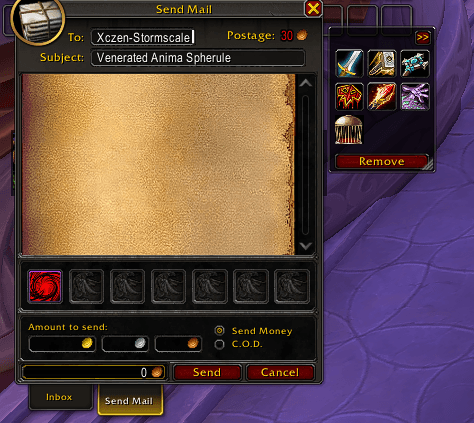
Token_Core_Mailbox.png
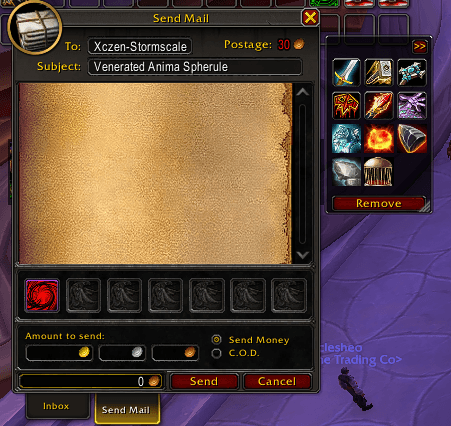
Token_Extra_Mailbox.png
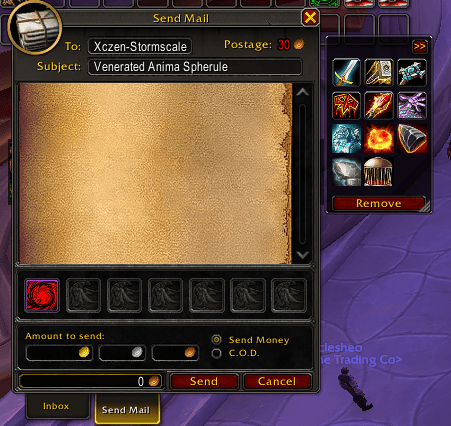
Token_Extra_Mailbox.png
Description
TokenMailer
TokenMailer is a World of Warcraft (Retail) addon that automates organizing, banking, and mailing class armor tokens, expansion crafting reagents, mounts, pets, toys, transmog, housing items, and lumber to specific characters across your account.
Features
- Mailbox Integration: Attaches a clean, collapsible control panel directly to the WoW Mailbox. Displays quick-send buttons for categories currently in your bags.
- Bank Integration: Attaches a deposit/withdraw panel to the default Bank Frame as well as popular bag addons (Bagnon, ElvUI, BetterBags, AdiBags, ArkInventory).
- Core vs. Extras (Beta) Modes:
- Core Mode: Keeps the UI minimal, focusing strictly on the 13 WoW classes and a designated Mule character.
- Extras (Beta): Optional toggle to expand support to Cosmetics, Housing, Mounts, Toys, Pets, Transmog, Lumber, and 12 expansion crafting reagent categories.
- Warband Bank Control: Toggle whether Warband bank tabs (bags 13–17) are scanned during deposit and withdraw operations.
- Smart Tooltip Scanning: Automatically detects class restrictions directly from item tooltips (no hardcoded item IDs that break when new patches release).
- Expansion Reagent Sorting: Automatically categorizes crafting reagents by expansion from Classic through Midnight.
- Visual Status in Bank: Bank category icons desaturate and dim when no matching items exist in your bank.
- Soulbound Protection: Character-bound items are excluded from mailing to prevent stuck attachments. Warband/Account-bound items remain fully supported.
In-Game Commands (/tokenmailer or /tm)
| Command | Description |
|---|---|
/tm config |
Opens the configuration window to map recipient characters |
/tm deposit |
Deposits all matching items from your bags into the active bank |
/tm withdraw (or /tm getall) |
Withdraws all matching items from the active bank into your bags |
/tm extras |
Toggles Extra categories (Cosmetics, Housing, Collections, Reagents) on/off |
/tm warband |
Toggles scanning of Warband bank tabs on or off |
/tm override <itemID> <CLASSES> |
Manually overrides category classification for a specific item ID |
/tm reset |
Resets all panel positions and window sizes to default |
/tm scan |
Debug command to list detected items and categories in chat |
Configuration (/tm config)
- Core Mode: A compact single-column window for mapping your 13 Class recipients and Mule character.
- Extras (Beta): Click the "Extras: OFF (Beta)" button to expand the window into 3 columns:
- Column 1: 13 Classes + Mule
- Column 2: Cosmetics, Decor, Housing Dyes, Battle Pets, Mounts, Toys, Transmog (BoE), Lumber
- Column 3: Expansion Crafting Reagents (Classic, TBC, WOTLK, Cataclysm, MoP, WoD, Legion, BFA, Shadowlands, Dragonflight, The War Within, Midnight)
- Warband Checkbox: Enable or disable Warband bank tab scanning.
- "This toon" Button: Instantly assigns the category row to the character you are currently playing.
- Cross-realm recipient formats are supported (
CharacterName-RealmName).
Supported Categories
- Classes (13): Warrior, Paladin, Hunter, Rogue, Priest, Death Knight, Shaman, Mage, Warlock, Monk, Druid, Demon Hunter, Evoker
- Mule: Sends or deposits all matched items across enabled categories
- Cosmetics & Transmog: Cosmetic items and BoE armor/weapons (Uncommon+)
- Housing & Decor: Decor items, Housing Dyes
- Collections: Mounts, Toys, Battle Pets
- Tradeskill & Reagents: Lumber & Expansion-specific Crafting Reagents (Classic → Midnight)
The core functionality works, anything under "Extras" is still under review and small bugs may appear
Professions patterns tbd
You need other addon to track your set collection - e.g
https://www.curseforge.com/wow/addons/all-the-things https://www.curseforge.com/wow/addons/tokentransmogtooltips https://www.curseforge.com/wow/addons/can-i-mog-it
Installation
- Place the
TokenMailerfolder into:
World of Warcraft\_retail_\Interface\AddOns\TokenMailer\ - Restart World of Warcraft or run
/reloadin chat.
The Token Mailer Team