Toban's Volume
- By
Full one-click control for game volume and settings, compatible with any LibDataBroker compatible display.
Screenshot 2026-11-13 171948.jpg
Screenshot 2026-11-13 172136.jpg
Description
For WoW Retail and WoW Forever.
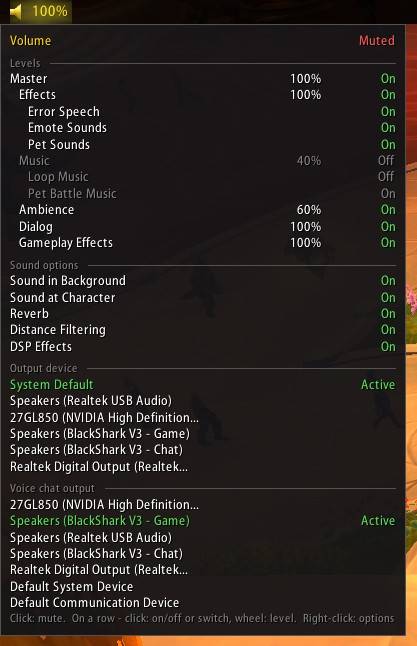
Toban's Volume puts your master volume on your LibDataBroker bar and every sound setting the game has in its tooltip. Click to mute, scroll to change the volume, and switch your output device without opening a menu.
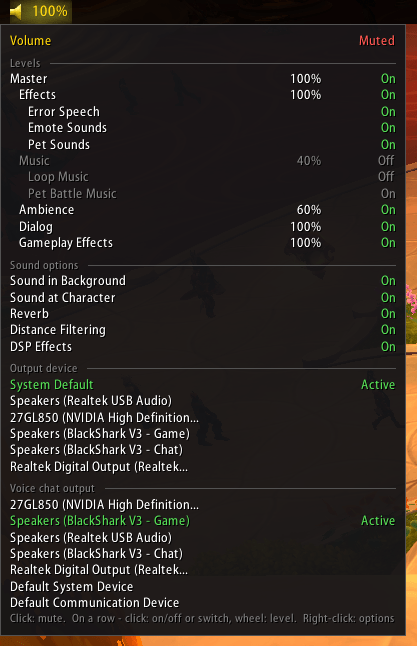
On your bar
- Master volume, or Muted with a muted speaker.
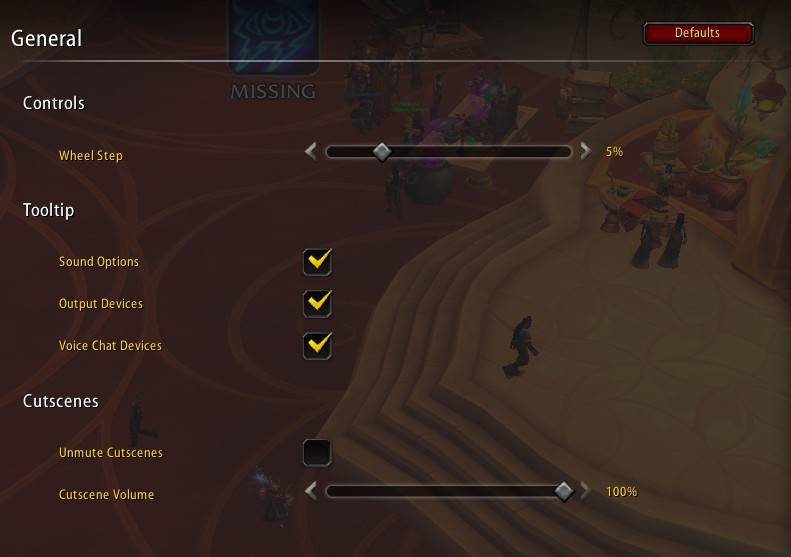
- Click to mute or unmute everything; scroll to change the master volume, in steps you choose.
In the tooltip
- Every channel (master, effects, music, ambience, dialog and gameplay effects) with its level: click one to switch it on or off, scroll over it to set its level.
- Sound options such as sound in background, reverb and distance filtering, one click each.
- Your output and voice chat devices: click one to switch to it.
Never miss a cutscene
- Play muted, and still hear cutscenes and movies at a level you set; the sound goes off again afterwards.
Getting started
- Needs a LibDataBroker display, such as Bazooka, ChocolateBar or Titan Panel: add Toban's Volume to your bar there.
- Right-click it for the options.
Toban's Volume Team