Toban's Wallet
- By
Shows your gold comes from and where it goes, across every character with full graphing at various resolutions. Integration with any LibDataBroker compatible display.
181042.png
181210.png
181242.png
181307.png
181338.png
Description
For WoW Retail and WoW Forever.
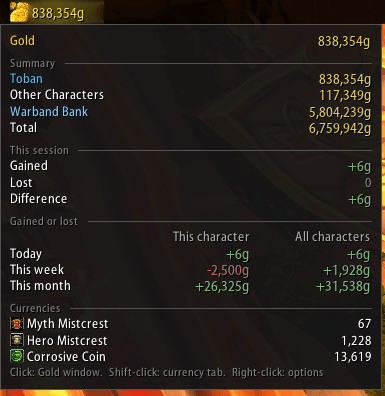
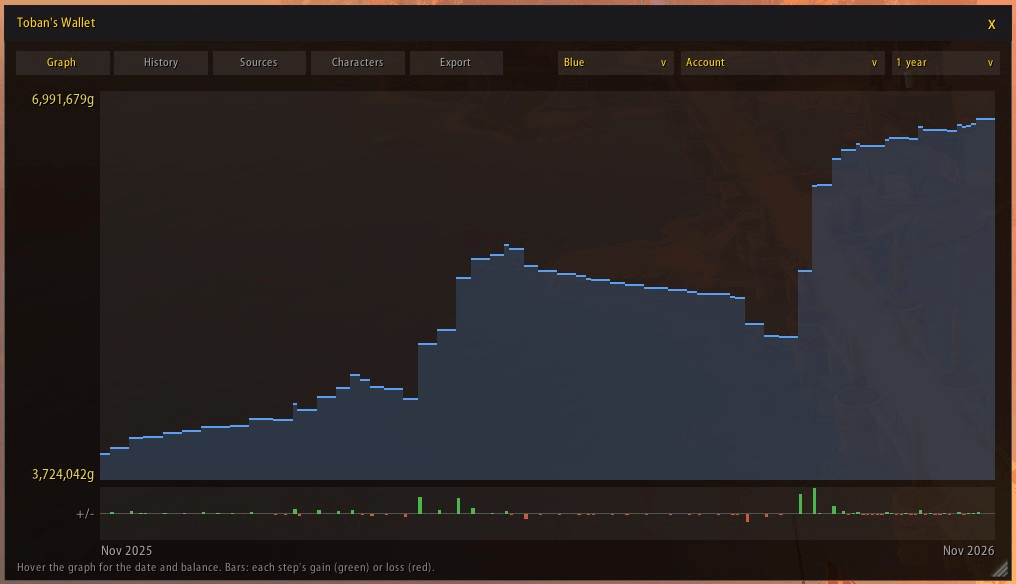
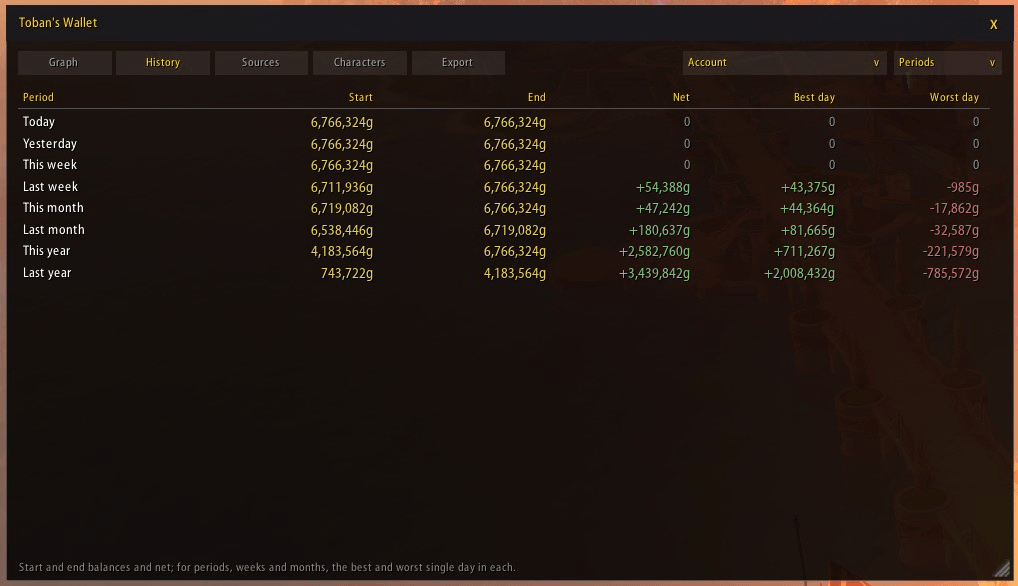
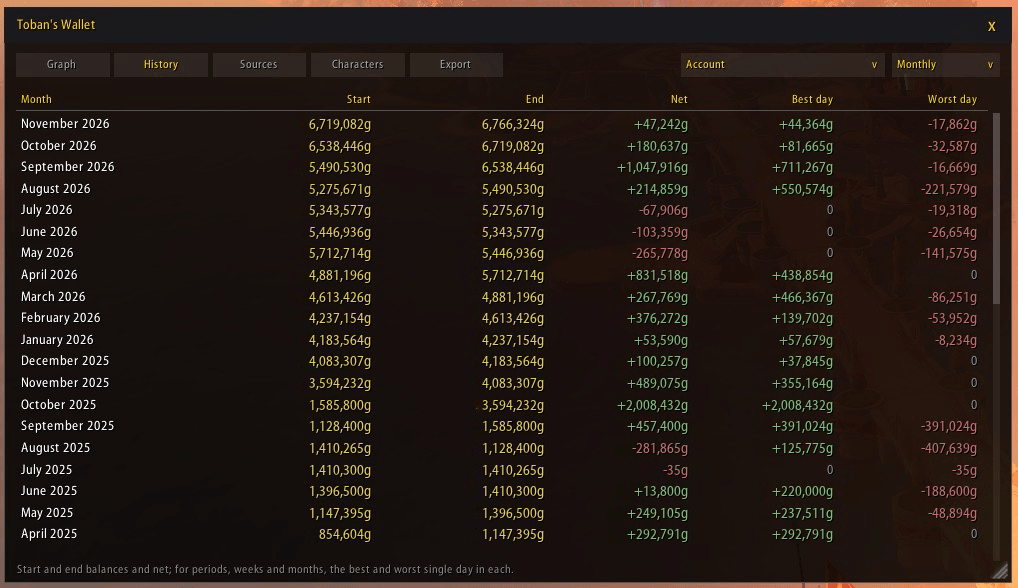
Toban's Wallet shows your gold on your LibDataBroker bar and keeps the record behind it: every character, your warband bank, what you gained and lost today, this week and this month, and a gold window with a graph, history and a breakdown of where the money came from.
On your bar
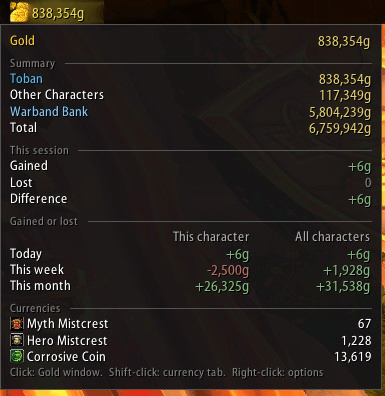
- Gold in a text you write: this character, your other characters, the total, the warband bank, this session, today, this week or this month, and any currency.
- Shown in full, gold and silver, or gold only.
The tooltip
- This character, other characters, the warband bank and the total, or every character listed.
- Gained and lost this session, and today, this week and this month, for this character and for all of them.
The gold window
- A graph of the account, the warband bank, one realm or one character (picked from a menu by realm), over a day up to all time, in the colour you choose or green where your gold rose and red where it fell.
- History: start, end, net, and best and worst day for each period, or every day, week or month back to your first record.
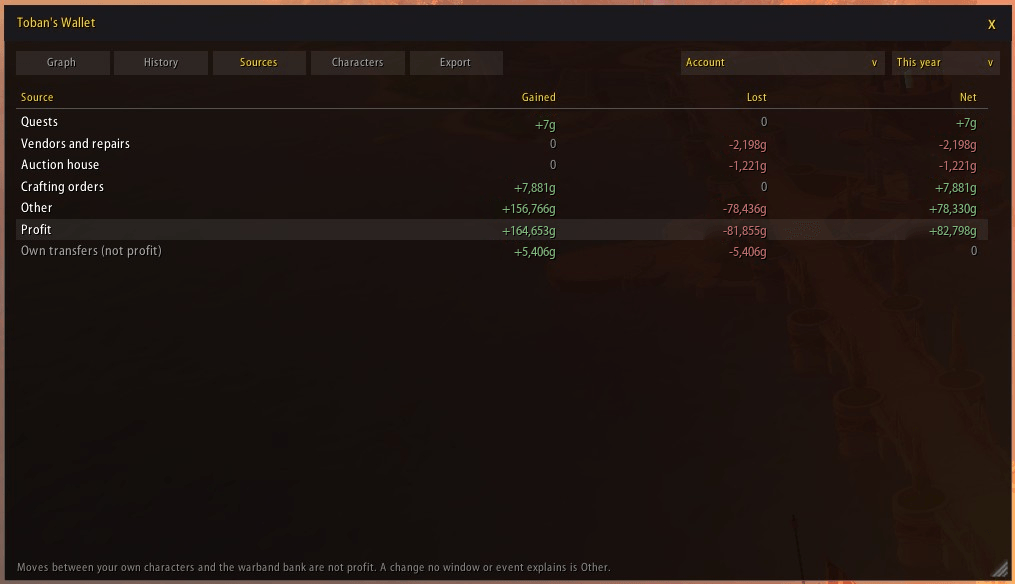
- Sources: loot, quests, vendors and repairs, the auction house, mail, trade, crafting orders, flight paths and more.
- Characters by realm with realm totals, and an export to paste into a spreadsheet.
Currencies
- Any currency in the tooltip, in your bar text, or on a button of its own.
Bring your history
- Gold history from TradeSkillMaster and Gold Coffer imported once, so your graph starts full.
Getting started
- Needs a LibDataBroker display, such as Bazooka, ChocolateBar or Titan Panel: add Toban's Wallet to your bar there.
- Click it for the gold window, Shift-click for the currency tab, right-click for the options.
/twalletopens the gold window too,/twallet optionsthe options, and/twallet helplists the commands. Forever has no warband bank, so it is left out there.
Toban's Wallet Team