Toban's Social
- By
Show your friends and guild mates easily in LibDataBroker compatible display.
01-social-guild.png
02-social-friends.png
Description
For WoW Retail and WoW Forever.
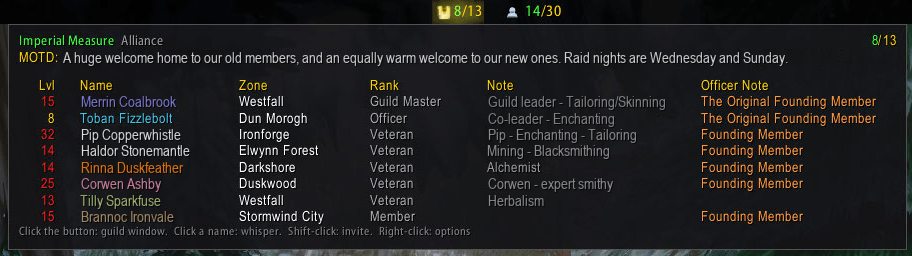
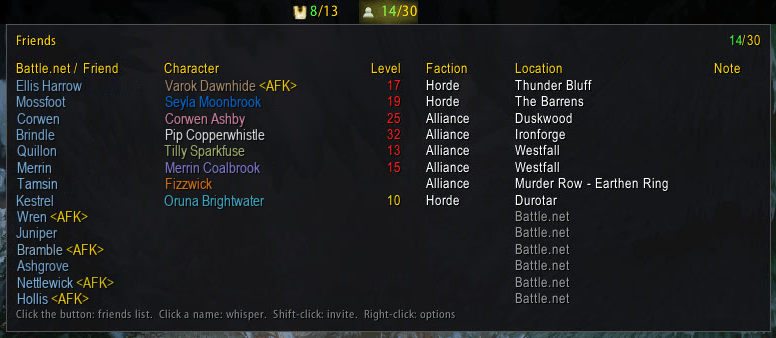
Toban's Social adds two buttons to your LibDataBroker bar: friends online and guild members online. Hover either for a clean table of who is on, where they are and what they are doing, then click a name to whisper or Shift-click to invite.
Friends
- Online, or online out of total; Battle.net friends counted if you want them, or only those in WoW.
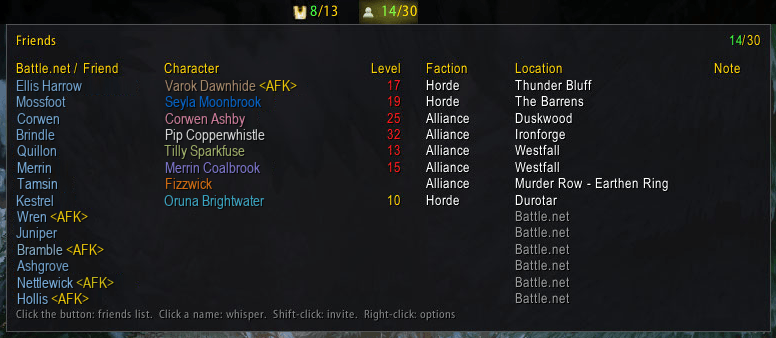
- One table: Battle.net name, character in class colour with AFK and DND tags, level, faction, location and note.
- Battle.net friends in the app or another game listed too, if you like. Hover one for their BattleTag and message.
Guild
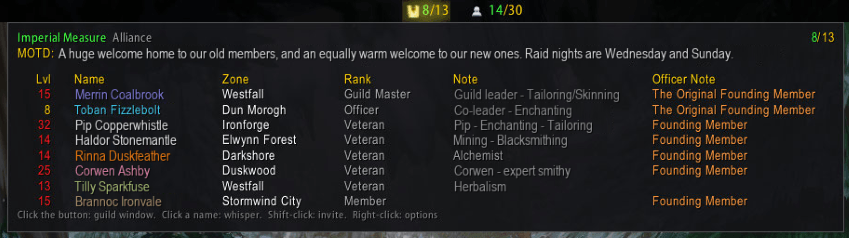
- Online, or online out of total, then the guild name and the message of the day.
- Level, name in class colour, zone, rank, note and officer note (when your rank can read them), sorted by rank, name, level or zone.
- In dungeons, raids and PvP, where the game holds the roster back, the last list read is shown with its time.
One click away
- Click a name to whisper, Shift-click to invite.
- Click a button for the friends list or the guild window.
Getting started
- Needs a LibDataBroker display, such as Bazooka, ChocolateBar or Titan Panel: add Toban's Friends and Toban's Guild to your bar there.
- Right-click either for the options.
Toban's Social Team