Toban's FPS Profiler & Optimiser
- By
Optimise your settings and find the reason behind every in-game stutter. Complete with a LibDataBroker compatible FPS and latency display.
Screenshot 2026-11-13 174811.jpg

Screenshot 2026-11-13 174633.jpg
Screenshot 2026-11-13 174449.jpg
Screenshot 2026-11-13 174920.jpg
Screenshot 2026-11-13 174936.jpg
Description
For WoW Retail and WoW Forever.
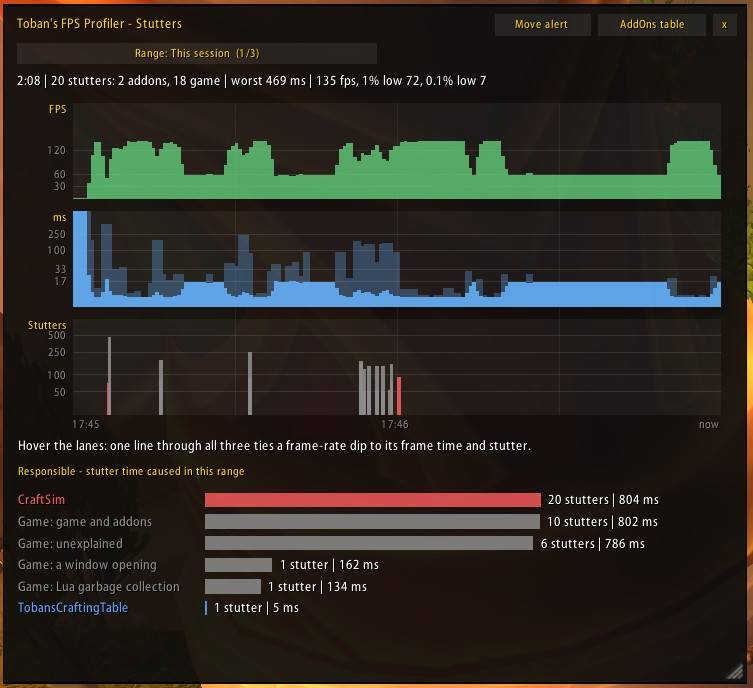
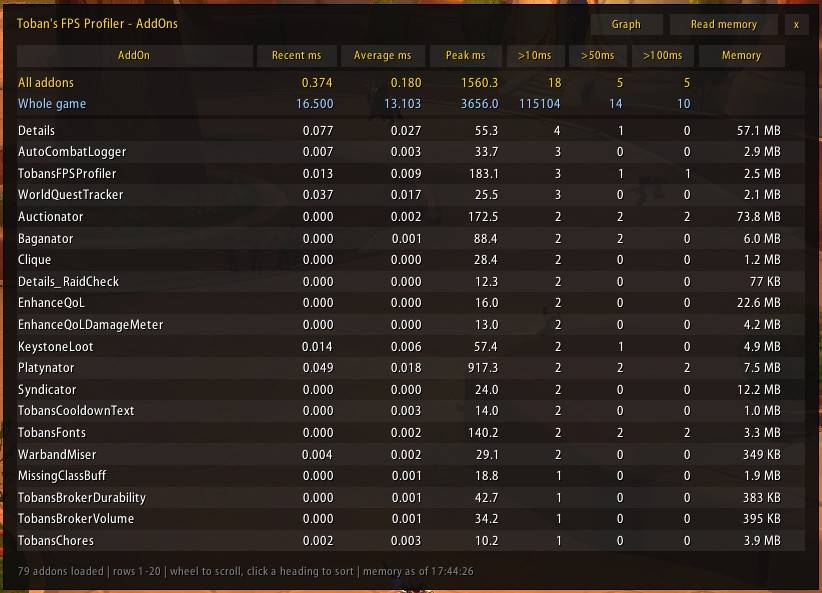
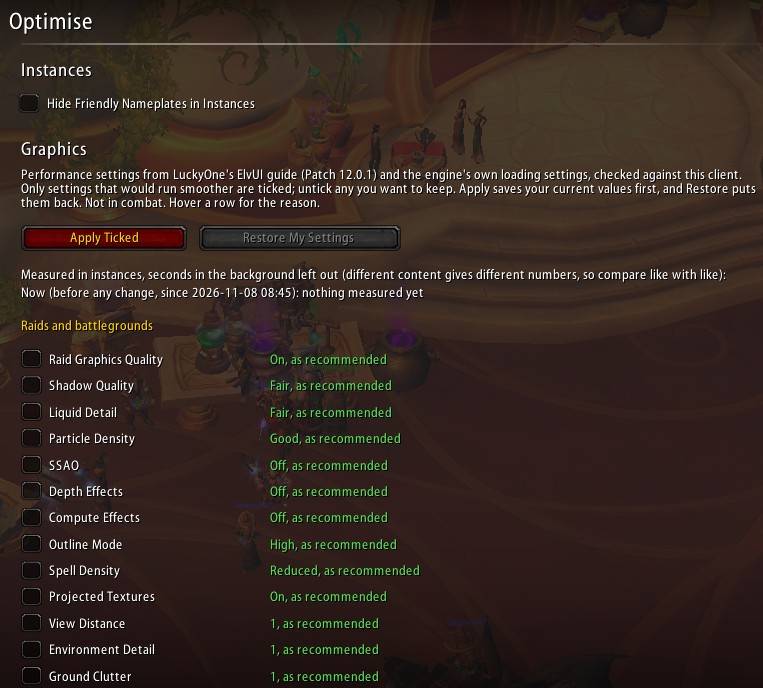
Toban's FPS watches every frame, and when one stutters it tells you who did it: an addon, by name, or the game itself, with a likely cause. A stutter graph, a per-addon performance table and recaps after fights, bosses and keys turn "my game hitches" into something you can fix. Additionally, it has a one-button optimised performance feature, deploying recommended community fixes and optimisations.
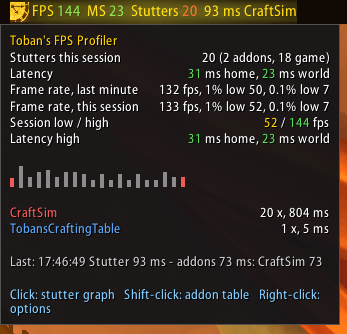
Catch the culprit
- Stutters measured against your recent frame times and blamed on an addon or on the game; game stutters come with context and a likely cause.
- A short alert naming the culprit, coloured by how bad it was. Alt-tab hitches can be ignored.
The stutter graph
- Frame rate, frame time and stutters on one timeline, with one crosshair through all three.
- Addons ranked by the stutter time they caused: this session, the last 10 minutes, the last hour, or any saved recap.
The addon table
- Every addon's recent, average and peak time, how often it went over 10, 50 and 100 ms, and its memory when you ask.
Recaps
- After fights, boss encounters and Mythic+ keys, printed to chat or saved for the graph.
Optimise
- A checklist of graphics and performance settings for raids, battlegrounds and everyday play. It ticks only what would run smoother, keeps your old values to restore at any time, and measures the difference.
On your bar
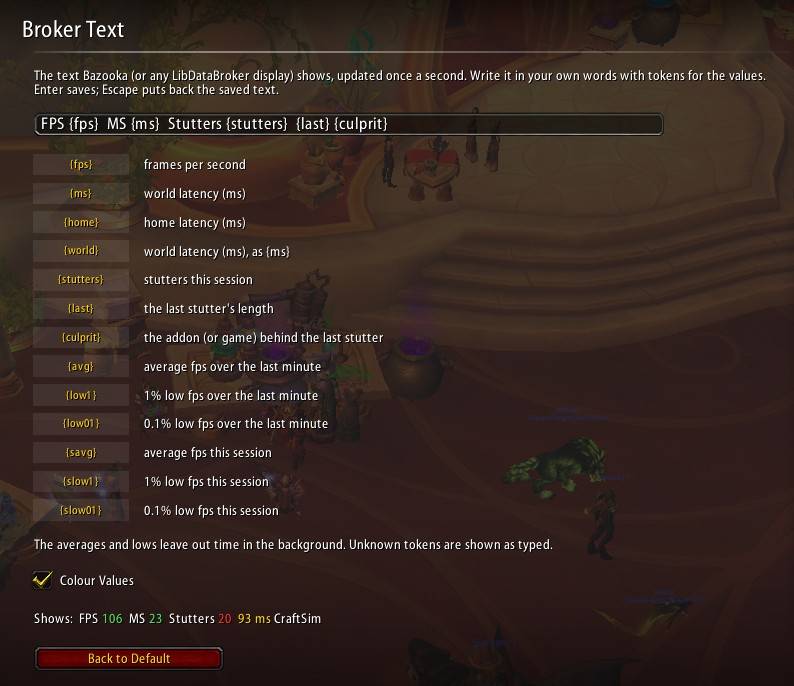
- Frame rate, latency, stutters and the last culprit, in a text you write yourself, with 1% and 0.1% lows on offer.
Getting started
- Type
/tfpsfor the graph, or/tfps helpfor every command (the addon table, recap, spikes, optimise and more). Click its button on a LibDataBroker display for the graph, Shift-click for the addon table, right-click for the options; the display is optional. No libraries needed.
Toban's FPS Profiler & Optimiser Team