Titan Command History
- By
Persistent chat command history, arrow-key recall and reusable favorites for WoW Forever, with a searchable window and optional Titan Panel integration.
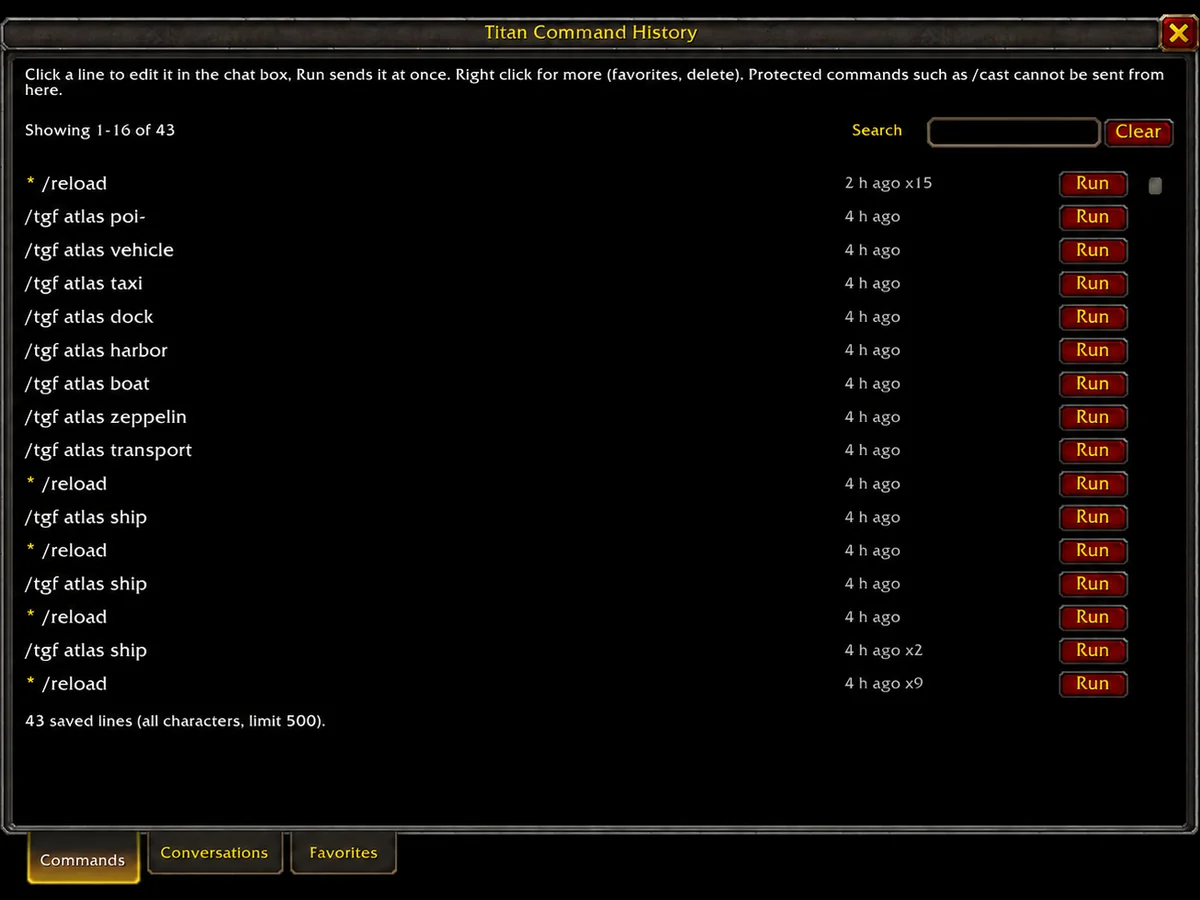
command-history-v132.webp
Description
Titan Command History
Summary
Persistent chat command history, arrow-key recall and reusable favorites for WoW Forever, with a searchable window and optional Titan Panel integration.
Description
Keep a persistent history of the commands and chat lines you submit in WoW Forever. Recall earlier input with the arrow keys, search your saved history and keep frequently used entries in an ordered favorites list.
Features
- Command and conversation history that survives reloads and game sessions.
- Up/Down arrow recall in the chat edit box.
- Searchable Commands, Conversations and Favorites tabs.
- Reusable favorites with manual ordering.
- Shared or per-character history settings.
- A minimap launcher and optional Titan Panel integration.
- Configurable recording, including a best-effort filter for unsuccessful input.
Requirements and installation
Requires WoW Forever 1.60.1. Install TitanCommandHistory in Interface/AddOns/ and restart the client. Titan Panel is optional; the minimap launcher and history window work independently.
Getting started
Use the chat box normally, then press Up or Down to recall earlier submitted lines. Left-click the minimap launcher to open the history window and right-click it for the menu. In the window, click a saved line to edit it, or right-click it for favorite and deletion actions.
Favorites have their own order and are retained when ordinary history is cleared. Use the settings menu to choose whether conversation lines are recorded and whether history is shared between characters.
Notes and limitations
The client controls which commands an addon can send. Protected commands such as /cast and /use may be placed in the chat box for you to submit manually. Chat input is limited by the client's maximum line length.
Unsuccessful-input filtering uses observable client feedback and timing, so it is best effort. Incoming chat messages are not added as submitted-input history. Saved conversation history can contain personal text; review it before sharing saved files.
Reporting issues
Include the addon version, client build, active chat-box addons and a short reproduction. For arrow-key issues, describe which edit box had focus. For missing or unexpected history, provide a sanitized example rather than a full private conversation log.
Titan Command History Team

Owner