Target Ranger
- By
A Hunter-focused range indicator for WoW Forever, showing estimated distance brackets and in-range, too-close or too-far alerts on targets and nameplates.
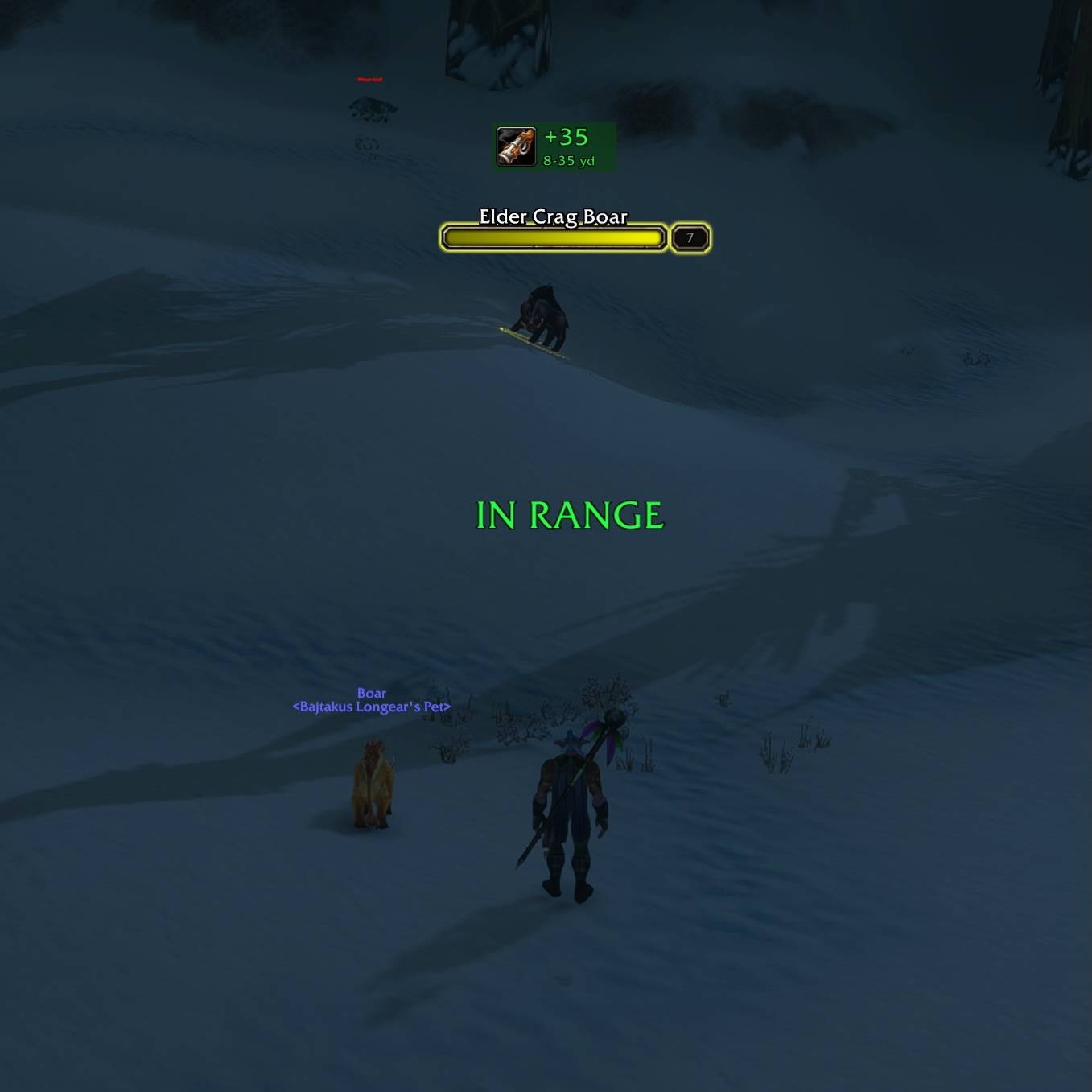
CleanShot 2026-11-16 at 22.37.01@2x - Edited.jpg
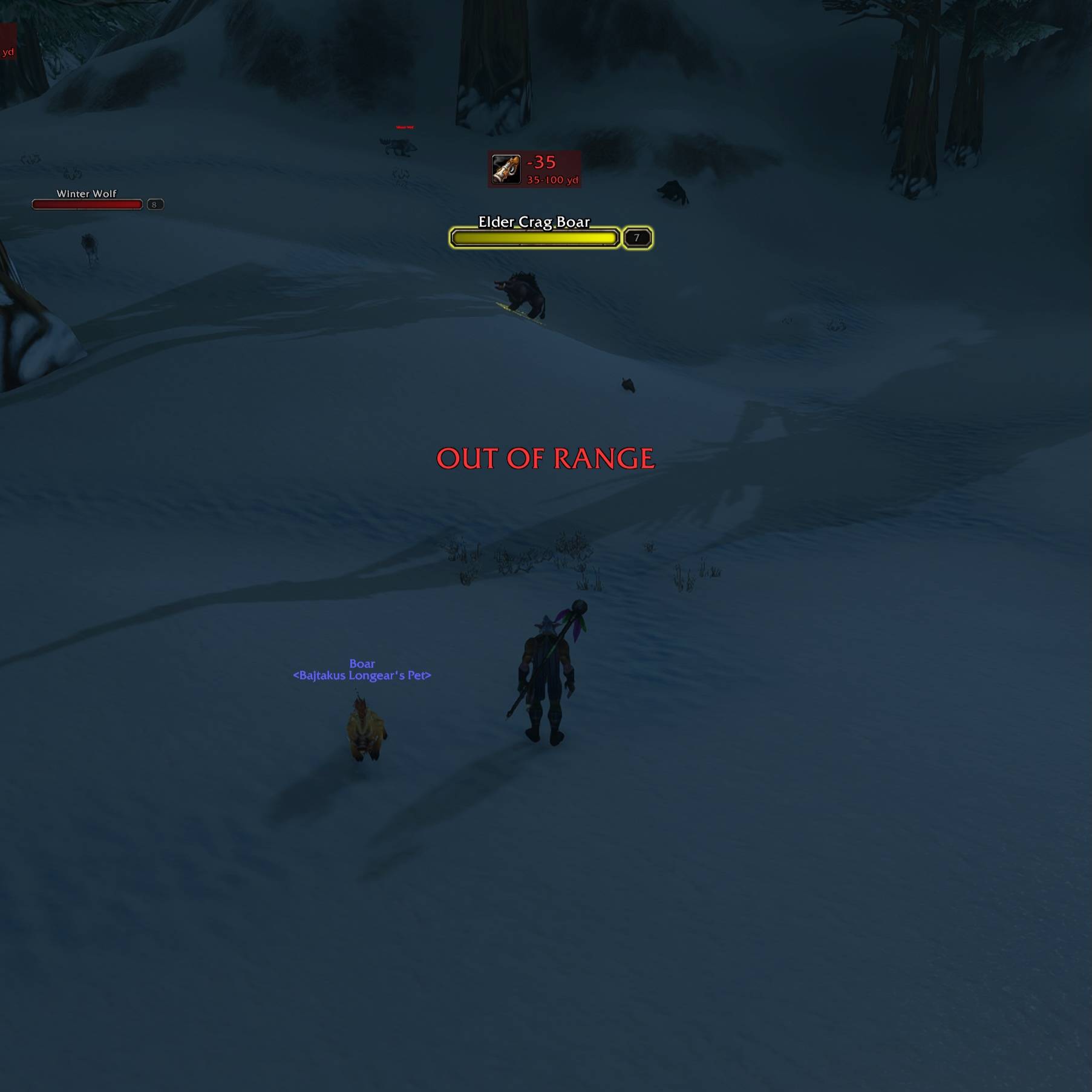
CleanShot 2026-11-16 at 22.37.15@2x - Edited.jpg
Description
Target Ranger
Summary
A Hunter-focused range indicator for WoW Forever, showing estimated distance brackets and in-range, too-close or too-far alerts on targets and nameplates.
Description
A compact, Hunter-focused range indicator for WoW Forever. Target Ranger combines available spell-range checks and interaction-distance checks to show an estimated distance bracket and whether your ranged attack is in range, too close or too far away.
Features
- A range badge on the target frame, target nameplate or movable screen position.
- Green in-range feedback, red too-far feedback and orange too-close feedback.
- An estimated distance window beneath the main number.
- Optional floating messages when the range state changes.
- Configurable display scale, target filters and battleground behavior.
Requirements and installation
Requires WoW Forever 1.60.1. Install TargetRanger in Interface/AddOns/ and restart the client. Enable target nameplates in the game options if you want a nameplate badge. No Titan Panel dependency is required.
Getting started
/tr test: preview a demonstration sequence./tr anchor target|nameplate|both|screen: choose the display location./tr unlockand/tr lock: position and lock the screen badge./tr scale N: adjust the display scale./tr text on|off: control floating messages./tr npc on|off: control NPC target tracking./tr on|off: enable or disable the addon.
The /ranger alias is also available. NPC targets are ignored by default, so enable NPC tracking if you want to use the indicator on them.
Target Ranger Team

Owner