TimeLogger
- By
TimeLogger is a lightweight Retail addon that records when you log in and out of World of Warcraft.
tlog-main-screen.png
tlog-export-screen.png
Description
TimeLogger
TimeLogger is a Retail WoW addon that records character logins and logouts, derives playable sessions, and provides an in-game table for browsing, filtering, and exporting that history.
Features
- Records
PLAYER_LOGINandPLAYER_LOGOUTevents automatically. - Recovers sessions after a crash or force quit by writing configurable heartbeat snapshots.
- Stores events in an indexed SavedVariables database and derives cached sessions from them.
- Shows a virtualized, spreadsheet-style sessions table with per-column filters.
- Exports the current session list, or only the rows matching active filters, as CSV or JSON.
- Captures patch, expansion, location, weekday, and local date/time with events.
- Shows current-session duration and playtime totals for the current character and all characters.
- Provides optional, draggable minimap access.
- Prunes old events with a pre-prune backup and can restore that backup later.
Open the window with any of these commands:
| Command | Action |
|---|---|
/timelogger |
Open the TimeLogger window |
/tlog |
Open the TimeLogger window |
/tl |
Open the TimeLogger window |
The optional minimap button toggles the window. It is enabled by default and can be disabled with the Minimap button checkbox.
Main window
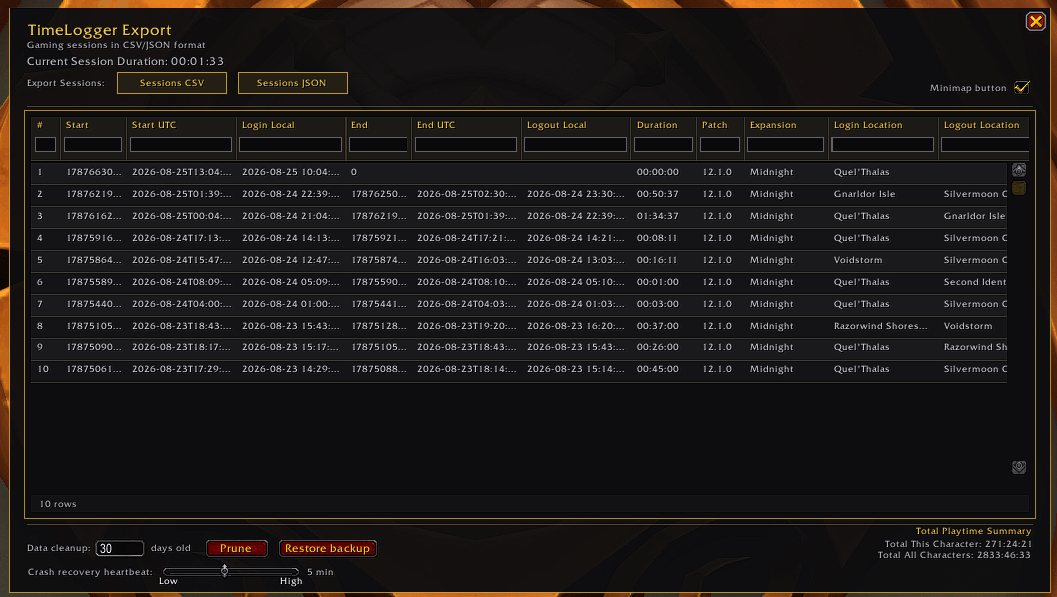
The window displays derived sessions rather than raw login/logout events. Its main controls are:
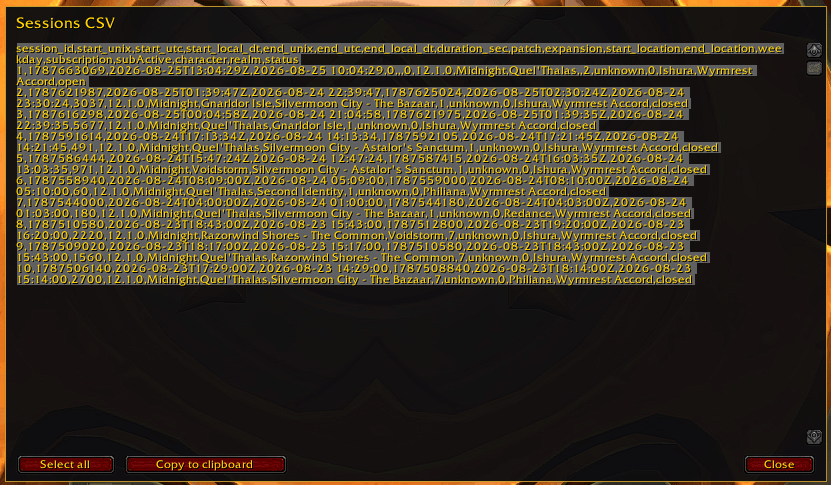
- Sessions CSV and Sessions JSON — open a selectable export popup.
- Minimap button — show or hide the launcher.
- Prune — remove events older than a selected number of days after confirmation.
- Restore backup — replace the current event list with the available
events_backupafter confirmation. - Crash recovery heartbeat — choose an interval from 1 to 10 minutes, in one-minute steps. The default is 5 minutes, and changing it restarts the active ticker immediately.
The table has filter boxes below its headers. Filters combine with AND logic. If filters are active when an export button is used, only the matching visible sessions are exported.
Crash recovery
After login, TimeLogger maintains a last-known-alive snapshot immediately and updates it at the configured heartbeat interval. If the previous saved event is a login without a matching logout, the next login creates a synthetic logout from that snapshot and marks it with recovery = true.
Recovery depends on the latest heartbeat having been written to SavedVariables. WoW normally persists SavedVariables on logout or /reload, so a crash before that save can prevent recovery. A recovered logout can also be as old as the selected heartbeat interval. On a clean logout, the ticker stops and the temporary snapshot is cleared.
Sessions
Sessions are built chronologically per character from the event log and cached until events change.
| Status | Meaning |
|---|---|
closed |
Normal login followed by logout |
no_logout |
Another login occurred before a logout was recorded |
open |
Login has no logout yet |
recovered |
Closed by a synthetic crash-recovery logout |
The table shows session start/end times, duration, patch, expansion, login/logout locations, weekday, character, realm, and status. Subscription status is still retained in event data and exports, but is not shown as a table column in the current release.
Storage, pruning, and restore
Data is stored locally in the WoW SavedVariables file:
WTF\Account<account>\SavedVariables\TimeLogger.lua
When pruning, TimeLogger copies the complete current event list to events_backup first. The backup is refreshed when it is missing or more than one hour old. The Restore backup button replaces the current event list with that snapshot, rebuilds indexes and sessions, and refreshes the table.
Minimap button
- Left-click — toggle the TimeLogger window.
- Drag — reposition the button around the minimap; the angle is saved per account.
- Ctrl + right-click — reload the UI.
Localization
Supported locales are deDE, enUS/enGB, esES, esMX, frFR, itIT, koKR, ptBR, ruRU, zhCN, and zhTW.
TimeLogger Team