TextBox
- By
Create customizable information bars for stats, currencies, coordinates, and system info. Features interactive tooltips and click-actions.
UI.jpg

Fun.png
Cords.png

eks.jpg
Description
TextBox
Clean, Custom, and Clickable Information Bars
Keep your UI clean and your essential information exactly where you need it. TextBox allows you to create highly customizable, minimalist data bars that track your character stats, system performance, collections, and daily utilities.
Built with a sleek, modern, ElvUI-inspired flat design, TextBox dynamically adapts to your class colors and gives you total control over what you see and how you see it.
Key Features
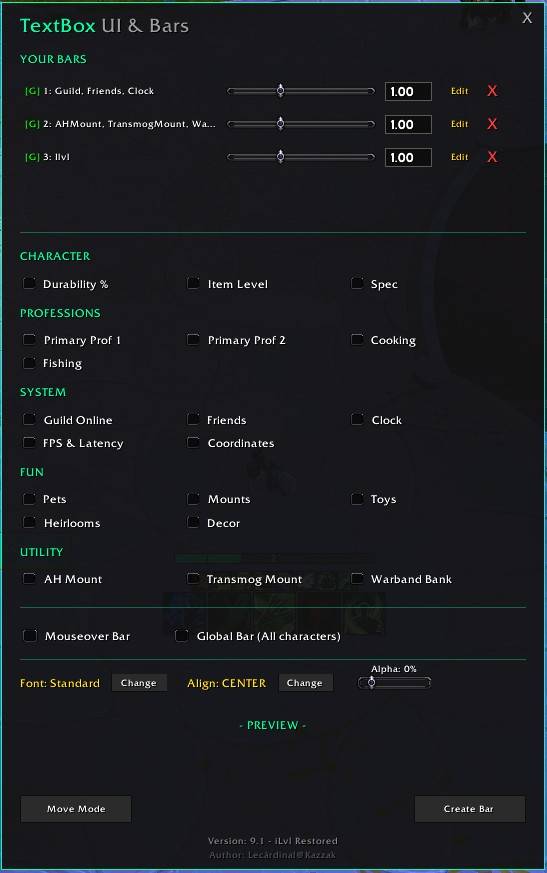
Modern Flat UI: A beautiful, dark-mode configuration window (/tb) accented by your current class color.
Full Edit Mode: Need to make a change? Click "Edit" on any of your active bars to easily add modules, adjust opacity, or change fonts without ever having to delete and recreate them.
Smart Selection Order: Your bar, your rules. Modules will appear on your screen in the exact order you click them in the menu.
Global & Profile Support: Create specific bars for your current character, or check the "Global" box to share a layout across your entire account.
Mouseover Mode: Keep your screen perfectly clutter-free. Set any bar to remain invisible until you hover your cursor over it.
Precision Scaling: Effortlessly adjust the exact size of every individual bar using a fine-tuned slider or manual text input.
Available Modules
Mix and match from a wide variety of trackers to build your perfect setup:
Character: Item Level (Shows both Equipped and Overall iLvl), Durability %, and Current Specialization.
Professions (Clickable): Tracks your Primary Professions, Cooking, and Fishing. Clicking the text directly opens that specific crafting window!
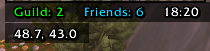
System: FPS & Latency, Player Coordinates, Local Time, Friends Online, and Guildmates Online.
Collections: Track your total Mounts, Pets, Toys, Heirlooms, and Decor.
Utility (Clickable): One-click access to your most important tools! Summon your AH Mount (automatically detects and summons either the Trader's Gilded Brutosaur or Mighty Caravan Brutosaur), your Transmog Mount (Grand Expedition Yak), or instantly cast your Warband Bank Distance Inhibitor.
How to use
Simply type /tb in your chat to open the configuration window.
Check the modules you want, adjust your font and size, check out the live preview, and click Create Bar.
Click Move Mode at any time to drag your bars exactly where you want them on your screen!
TextBox Team