Teleport-A-Palooza
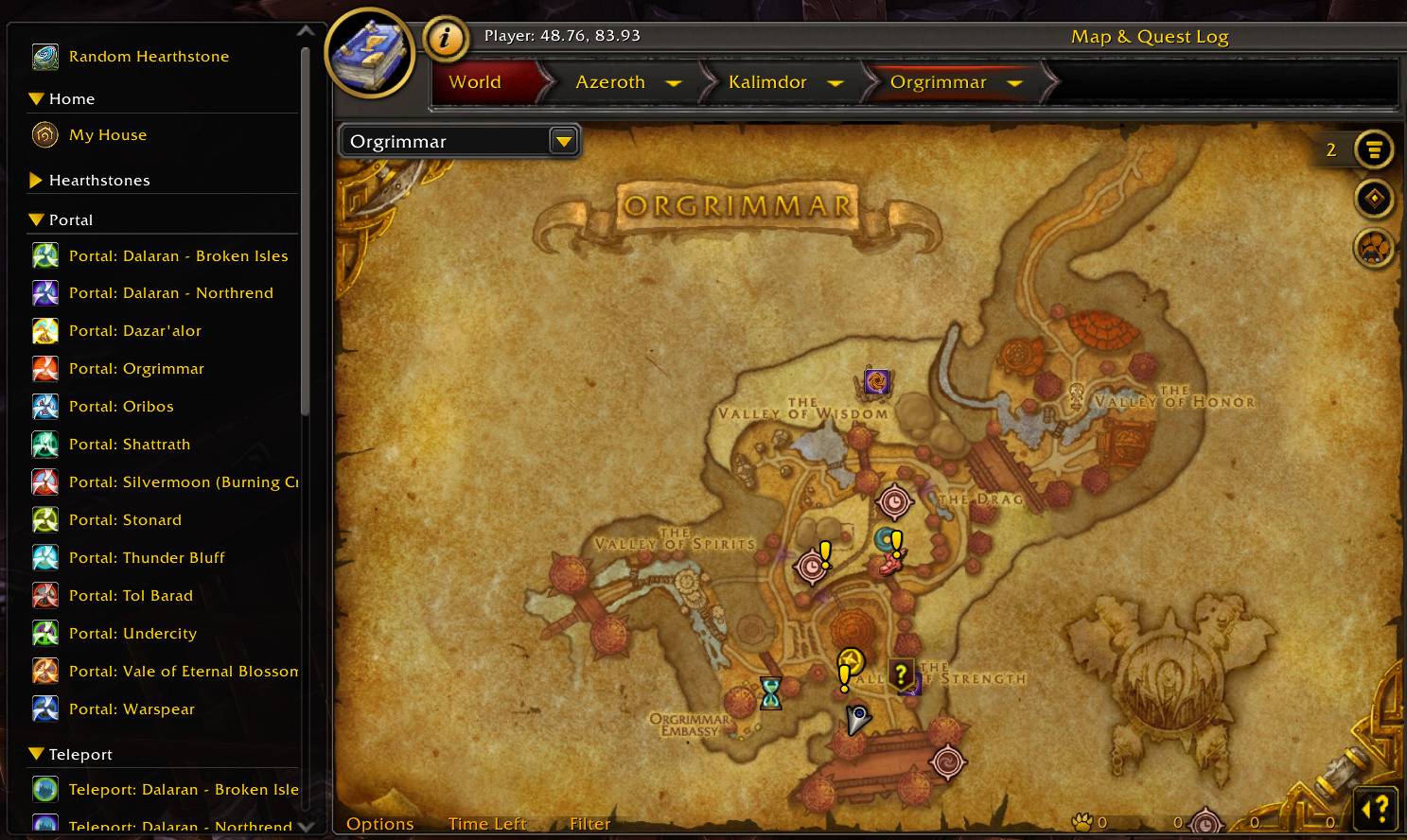
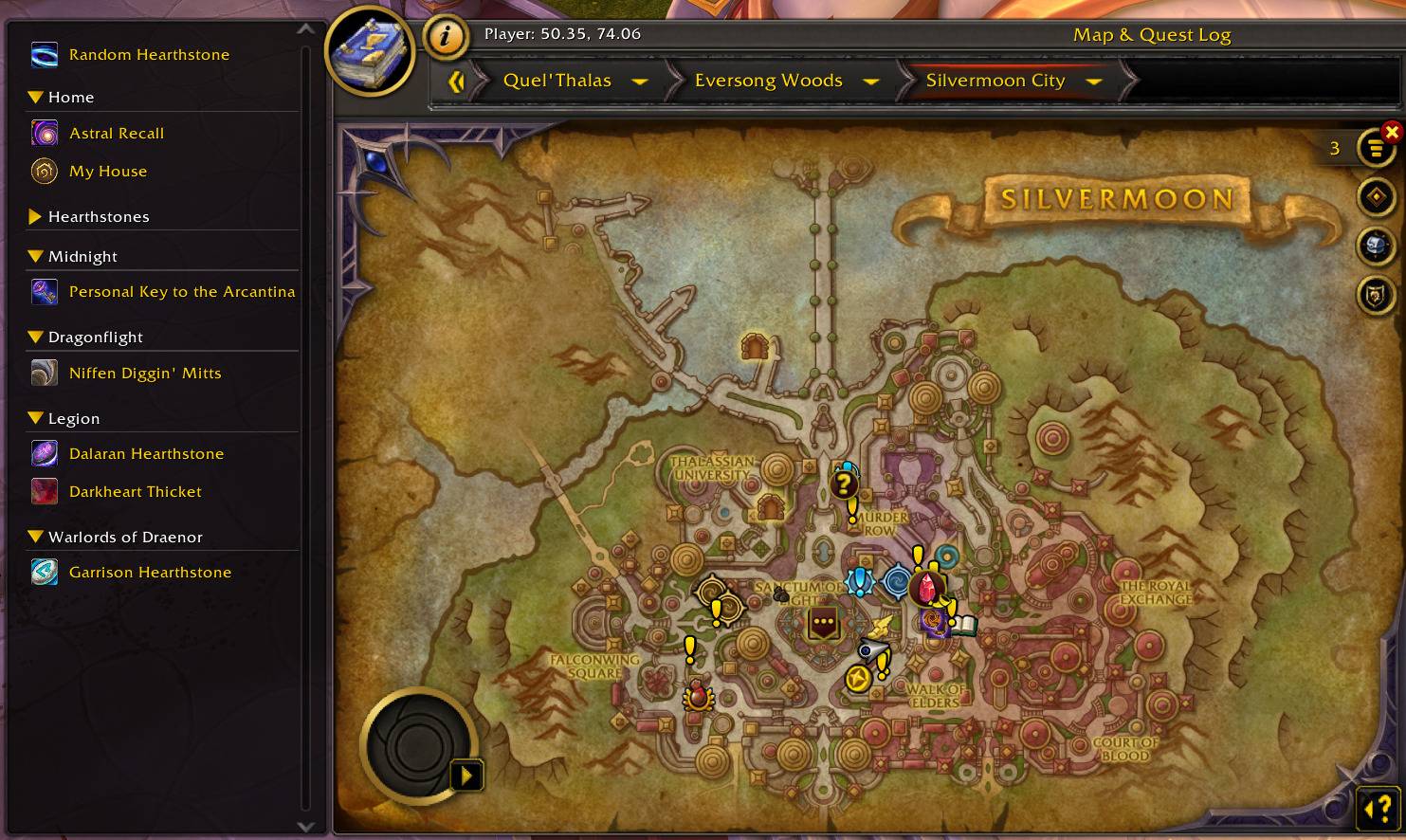
Every teleport your character has, in a panel on the left of the World Map. Click to go, right-click to see where it lands.
orgrimmar.jpg
silvermoon.jpg
Description
Teleport-A-Palooza: CurseForge page
Summary
Every teleport your character has, in a panel on the left of the World Map. Click one and you're on your way.
Description
Open the map and a panel appears on its left with every way your character can get somewhere fast: class portals, dungeon teleports, hearthstone toys, engineering wormholes, teleport rings and cloaks, and your housing plot. Click a row and you're on your way.
What's in the panel
Teleports are grouped by expansion, newest at the top, with your home (your house and your class teleports) and your hearthstones in their own sections. Click a section's header to fold it away; the addon remembers which ones you've folded.
Each row shows its cooldown on the icon. Teleports you don't have yet are greyed out, so you can see what's out there to collect. If you'd rather not see them, type /tap hidemissing.
Shift+right-click a row to pin it to a Favorites section at the top. Do it again to unpin it.
Rings, cloaks and other gear
Some teleports live on an item you have to wear, like the Kirin Tor rings or a guild cloak. Click one of those and Teleport-A-Palooza puts it on. The game gives a freshly equipped item a short cooldown before you can use it, which shows on the icon; click again when it's done. Once you've arrived, your usual ring or cloak goes back on by itself.
Random Hearthstone
The first row picks one of your hearthstone toys at random each time. Right-click it to roll again, or Shift+drag it onto an action bar to get the same random pick there. It rolls a new toy as soon as you start casting, so the next one is ready.
You don't have to tell it which toys you own. It looks through your toy box for every toy that sends you to your home inn, so a hearthstone you pick up next patch joins the rotation on its own.
In combat
The panel stays visible but stops taking clicks while you're in combat, and comes back as soon as you're out.
Commands
/tapopens the map (and the panel with it)./tap hidemissinghides or shows the teleports you don't have./tap tooltipturns the row tooltips off or on./tap disableand/tap enableturn the panel off and back on.
Teleport-A-Palooza Team