Questwise
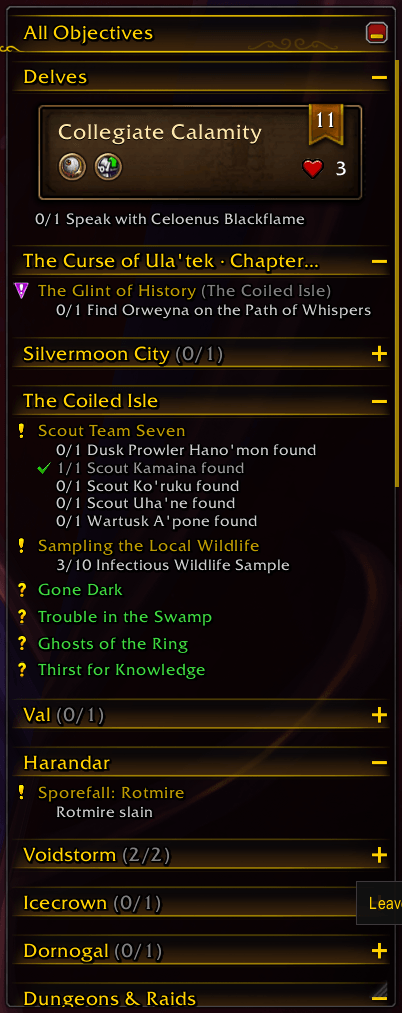
Replaces the objective tracker with one sorted by distance: quests in your current zone come first, nearest at the top. Also tracks recipes, achievements and the Traveler's Log.
WoWScrnShot_103026_170255.png
options-1.png
options-2.png
options-4.png
Description
Questwise replaces Blizzard's objective tracker with one that sorts your quests the way you actually do them: by where they are. The zone you're standing in comes first, and inside each zone the nearest quest sits at the top. Walk across the map and the list keeps up without jumping around under your mouse.
What you get
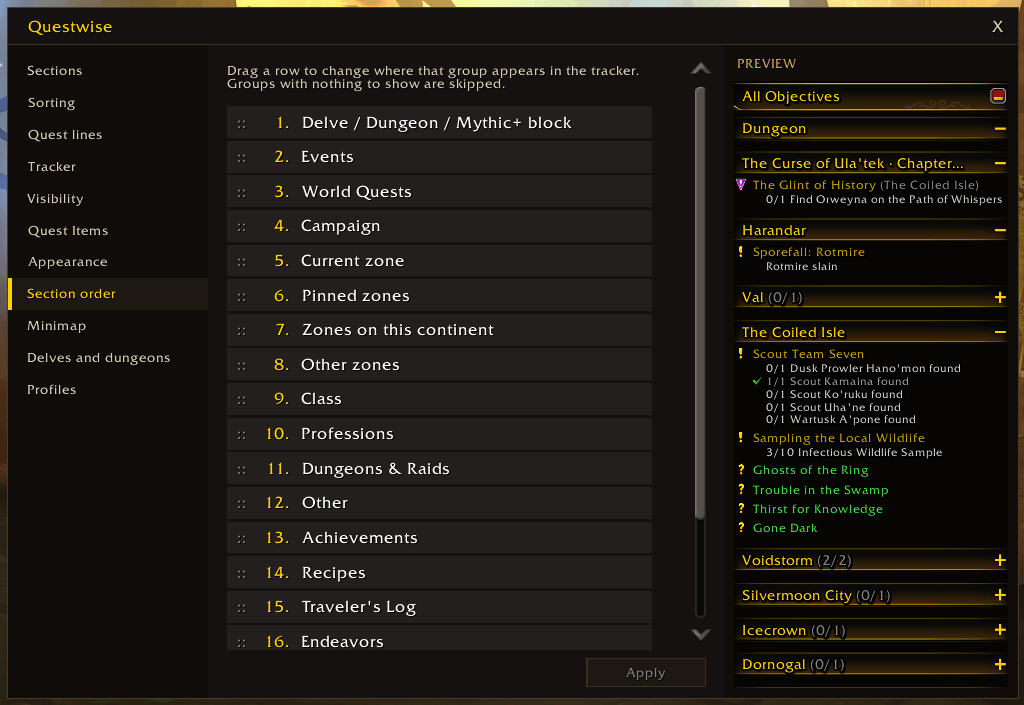
Quests are split into sections: your campaign, the current zone, zones you've pinned, the rest of the continent, everything farther away, world quests, and categories like class or profession quests. Drag the sections into any order on the options page, collapse the ones you don't need, and pin a zone to keep it on top while you work through it.
It also takes over the rest of the tracker. Recipes you track show each reagent as have/need, so 5/3 Herb gets a tick once you've gathered enough. Achievements list their unfinished criteria with progress bars, Traveler's Log activities and housing endeavors show what's left, and a click opens the right window. Appearances and mounts you track from the collections window show where they drop, and zone events that put a bar in the tracker get their own section. Blizzard's tracker doesn't show up at all, so nothing appears twice.
Delves and dungeons get a block of their own, with the stage, the bosses left and the delve's tier and lives. Turn on the Mythic+ timer and it adds the +2/+3 thresholds and your deaths.
Hover a quest to see its objectives, rewards, time left and which party members are on it. Quests with a usable item get a button next to them, and the "Use nearest quest item" key binding fires whichever one is closest. If you use TomTom, right-click a quest and pick "Set waypoint" to get its arrow.
Out of the way when you want it
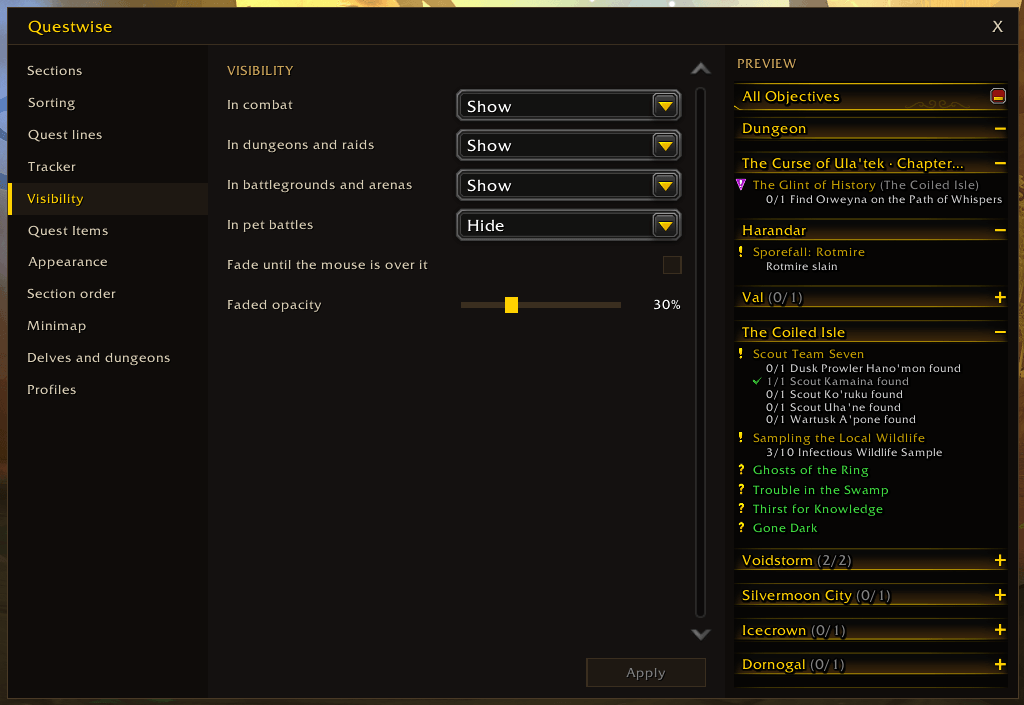
You can fade or hide the tracker in combat, in dungeons and raids, in battlegrounds and arenas, or during pet battles. Or keep it faded all the time and let it come back while your mouse is over it.
Customizable
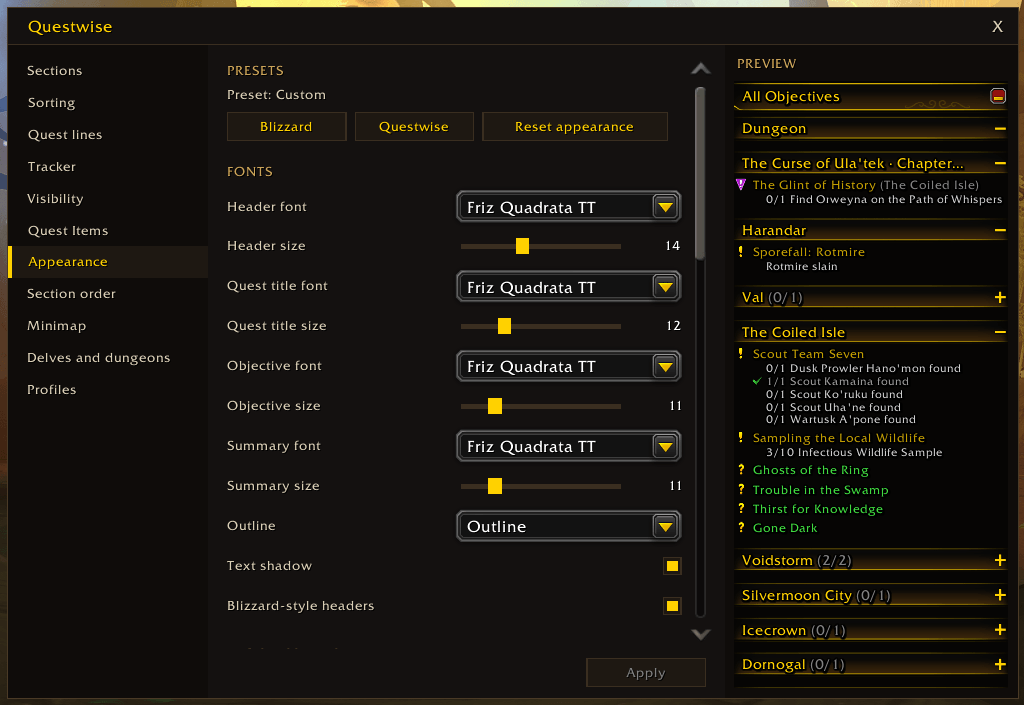
The options window shows a live preview of your own quest log, and nothing changes on screen until you press Apply. Fonts, bar textures, backgrounds and borders come from LibSharedMedia, so whatever your UI uses is there. Save a setup as a profile, or export it as a string and paste it into a friend's game.
Questwise fits in with the UI you already run. Masque can skin the quest item buttons. With EllesmereUI, the tracker gets a mover in Ellesmere's unlock mode, the options window picks up your Ellesmere theme, and an EllesmereUI preset copies your font, accent and panel color (and keeps following them until you change something yourself).
Commands
/qwopens the options (or/questwise)/qw locklocks the tracker in place, or unlocks it if it's locked/qw resetputs it back where it started
The options are also a click away from the minimap button or the addon list under the minimap. You can turn the minimap button off if you'd rather not have it.
Questwise supports English, French, German and Spanish. The translations were done without native speakers, so if a line reads oddly in your language, say so in the comments and I'll fix it.
Questwise Team