


TargetNote
- By
TargetNote is a lightweight World of Warcraft addon that lets you attach custom notes to players and NPCs by right-clicking their unit frame and displays those notes directly in their tooltip.
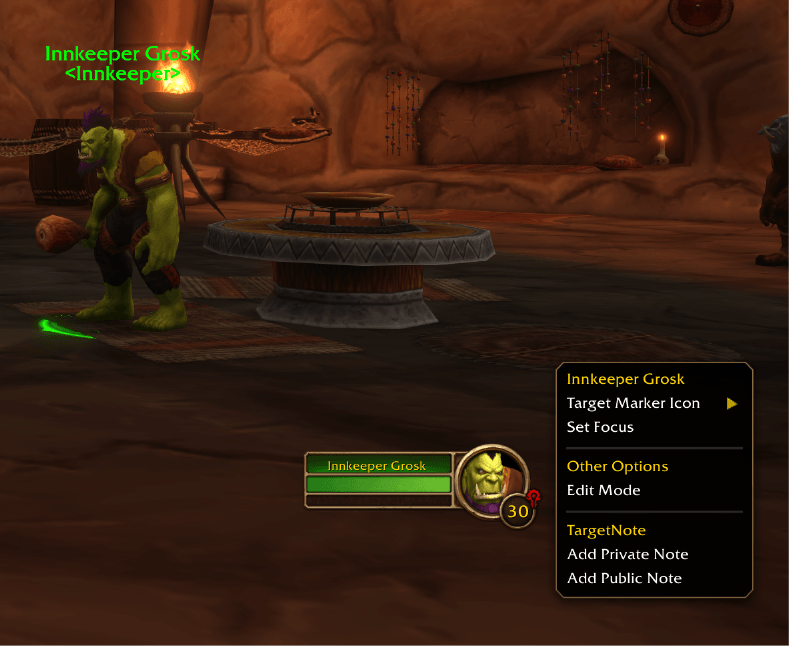
TargetNote Screenshot 1.png
Description
TargetNote is a lightweight World of Warcraft addon that lets you attach custom notes to players and NPCs by right-clicking their unit frame and displays those notes directly in their tooltip.
- ID-Based Persistence:
- Players: Notes are tied to the player's unique character GUID (
Player-serverID-playerUID), so they stay linked to that exact character. - NPCs: Notes are tied to the creature's NPC ID (
npc:<npcID>), so every spawn of that NPC shares the same note.
- Players: Notes are tied to the player's unique character GUID (
- Private & Public Notes:
- Private Notes: Stored locally on your machine only (
Note (Private)in tooltips). - Public Notes: Stored locally and automatically shared with other TargetNote users in your Guild, Party, Raid, or Instance group (
Note (Public - Author)in tooltips).
- Private Notes: Stored locally on your machine only (
- Right-Click Context Menu:
- Right-click any Target, Player, Party, Raid, or Focus unit frame to quickly add, edit, or delete a Private or Public note.
- Automatic Tooltip Display:
- Notes appear automatically at the bottom of the unit tooltip when hovering over a character or NPC.
You can use either /targetnote or /note:
/note— Open the note dialog for your current target (choose Save Private or Save Public)./note private <text>— Directly save a private note for your current target./note public <text>— Directly save and share a public note for your current target./note clear— Remove your private and public notes for your current target./note list— List all saved private and public notes in chat./note sync— Manually sync public notes with guild and group members.
TargetNote Team
