
01-at-a-glance.png
02-full-breakdown.png
03-settings.png

04-one-column.png
05-target-indicator.png
Description
TankCaps
Two questions, answered live: am I crit immune, and am I uncrushable?
For the WoW Classic Anniversary realms running The Burning Crusade (2.5.6).
Everything else — miss, dodge, parry, block, resistances — is what ExtendedCharacterStats is for, and it does that job well. TankCaps only answers the pass/fail questions it doesn't.
Display
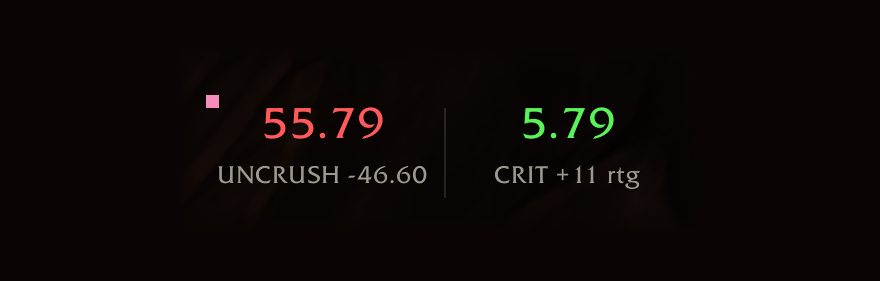
One column per question. The number is your current value; the colour is the answer.
   52.80            3.60          red   - short
 UNCRUSH -49.60   CRIT -120 rtg

  103.76            5.96          green - capped
 UNCRUSH +1.36    CRIT +21 rtg
The sub line always answers a distance question. Short, it's how much more you need. Capped, it's how much you can afford to lose.
The crit figure is in defense rating, the same unit written on your gear, so you
can hold it against an item without equipping anything. +21 rtg means you have
twenty-one defense rating to spare — swap in a piece that costs you thirty and you're
crittable again.
Numbers never round up. If it shows 5.59 against a 5.6 bar you are short, however close it looks.
The dot
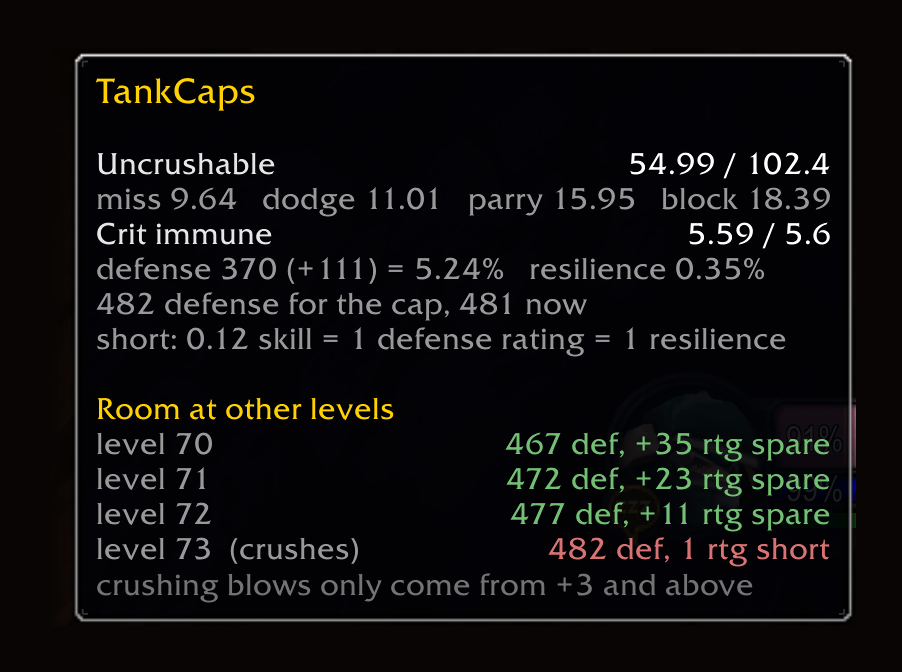
A small square in your class colour sits in a corner of the frame. Hover it for the full breakdown — everything the two columns can't fit, including the requirement at every content level. No mode to turn on, and it works whether the frame is locked or not.
It never takes clicks, so a locked frame stays click-through. /tc dot topleft,
bottomleft or bottomright moves it if the default corner clashes with your
layout, and /tc dot hides it — at the cost of losing the breakdown until you turn
it back on.
Settings
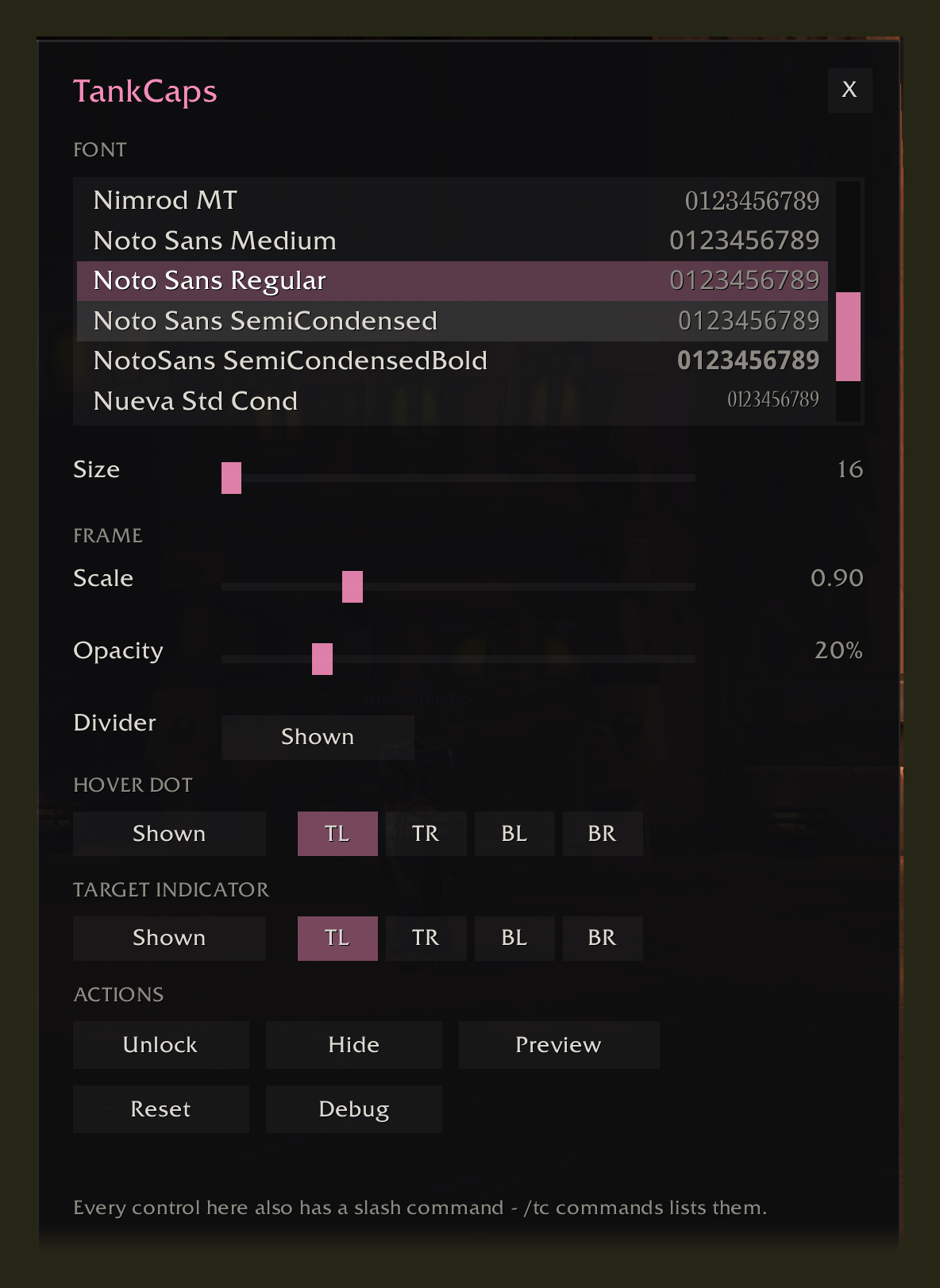
/tc config opens a panel for the lot: font, size, scale, background opacity, the
divider between the columns, where each marker sits, and buttons for lock, show,
preview, reset and debug. Changes apply as you make them.
The frame has no background by default — just the numbers, floating. The opacity slider runs from that up to solid black if you'd rather it were a panel. Unlocking always shows enough backing to grab hold of, whatever the setting.
Custom fonts need LibSharedMedia-3.0, which TankCaps does not bundle — most large addons already ship it. Each font in the list is drawn in its own face, so you can see what you're picking.
Without the library you get a line telling you where the list comes from instead of an empty box. Everything else in the panel works unchanged, size included: it adjusts the game font perfectly well.
Every control in the panel also has a slash command, because /tc lock mid-pull
beats opening a window.
Settings are per character, so your bear and your paladin can sit in different places — a bear's frame is half the width. A character you haven't set up yet starts from your most recent layout rather than dead centre.
Tank specs only
TankCaps shows up for a Protection warrior, a Protection paladin, or a Feral druid — the tank tree has to be the one holding the most points. On anything else the frame stays hidden and the addon sits idle. Respec and it appears or disappears on its own.
| Class | Uncrushable | Crit immune |
|---|---|---|
| Warrior (Protection) | 102.4 | 5.6% |
| Paladin (Protection) | 102.4 | 5.6% |
| Druid (Feral) | — | 2.6% with Survival of the Fittest, else 5.6% |
A warrior's uncrushable column spends most of its time red and turns green while Shield Block is up — that is the readout working, not a gearing failure. Passive avoidance does not reach 102.4 in TBC; Shield Block is what gets you there, so treat the column as a window indicator rather than a target.
Bears get the crit column on its own. They can't block or parry, so 102.4 is unreachable by design and a crushing blow is simply taken — a column that could only ever read red would be worse than no column. Survival of the Fittest covers 3% of the crit requirement, so the bar drops to 2.6% (415 defense at 70) when you have it.
Resilience counts toward the same requirement, so it lowers the defense you need rather than adding on top. The rating figures already account for it.
Easier content asks for less
The frame always answers the raid question, because that's the one worth being wrong about. But a mob's crit chance on you is 5% plus 0.2% for every level it has on you, so anything below a raid boss needs less defense — and crushing blows only happen from three levels up, so below that the uncrushable question doesn't arise.
The dot's hover lists all of it at once, so heroic and normal-dungeon headroom is a look away rather than a setting you have to remember you changed:
Room at other levels
level 70              466 def, +45 rtg spare
level 71              471 def, +33 rtg spare
level 72              476 def, +21 rtg spare
level 73  (crushes)   481 def,  +9 rtg spare
The target indicator
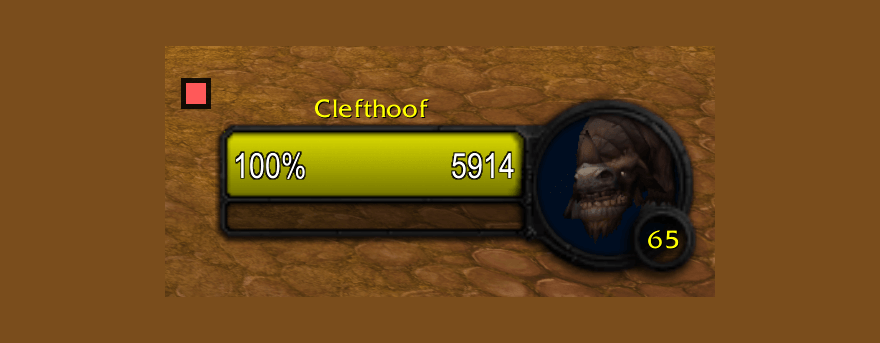
Optional, off until you ask for it with /tc target. A small green or red square on
the target frame answering the same crit question against whatever you have
selected, which often differs from the raid answer — the character above is clear
against anything up to level 72 and short against a boss.
Green means that target can't crit you. Red means it can. ?? counts as a boss, and
it stays hidden for friendly, dead and player targets.
/tc takes it off screen along with the frame, and remembers it was on — bring
TankCaps back and the indicator comes back with it.
Only crit, not uncrushable: crushing blows are survivable, and a warrior's
uncrushable state flips with every Shield Block, so a marker for it would blink
rather than tell you anything. /tc target topleft and the other corners move it if
it lands somewhere awkward.
Everything shown is live
The bar is always 102.4, and the number against it is whatever you have at that moment. Cast Holy Shield or Shield Block, pop a trinket, take a Redoubt proc — the number rises while it's up and drops back when it falls off. Nothing is estimated or assumed on your behalf.
So a paladin standing at the bank with Holy Shield down reads red. That's correct — it's what you have right then. Cast the buff to see your raid number.
When a buff comes or goes the display can take a moment to catch up. That's the game recalculating your stats, and it settles on its own.
Commands
| Command | Effect |
|---|---|
/tc |
show / hide everything, indicator included |
/tc config |
open the settings panel (also /tc options, /tc settings) |
/tc commands |
list every command |
/tc lock, /tc unlock |
lock in place, or unlock to drag |
/tc scale 0.5 – 2.0 |
resize |
/tc opacity 0 – 100 |
background from transparent to solid black |
/tc font |
list fonts, /tc font <n> to pick one |
/tc fontsize 16 – 24 |
adjust text size |
/tc divider |
show / hide the line between the columns |
/tc dot |
show / hide the hover dot |
/tc dot topleft … bottomright |
move it to another corner |
/tc target |
show / hide the target frame indicator |
/tc target topleft … bottomright |
move it to another corner |
/tc simulate |
preview the capped state (blue border, auto-off) |
/tc debug |
add the internals to the hover |
/tc reset |
back to defaults: position, scale, opacity, font, and both markers |
Every command also works as /tankcaps, in case another addon has already taken
/tc — /tankcaps lock, /tankcaps scale 1.2, and so on.
/tc debug adds spec detection, block value and the rating conversion rates to the
bottom of the hover, for when a number looks wrong.
Version history in CHANGELOG.md. This file is also the CurseForge
project description — keep the two identical so there is only one thing to edit.
Notes on how any of it actually works live in the comments in TankCaps.lua.
TankCaps Team
