Tallymaster
- By
Live on-screen tracker for items, currencies and collectibles, grouped by category.
tracker.png
known-items.png
add-window.png
options.png
Description
Tallymaster
Tallymaster is a lightweight, always-on tracker for the stuff you actually care about hoarding — items, currencies, and collectibles — shown on screen, grouped by category, and tallied across your entire account.
Crafting reagents, weekly currencies, that one rare drop you're farming, mounts and pets you're chasing — pin them to a tidy on-screen list and always know how many you have, on every character, at a glance.
Features
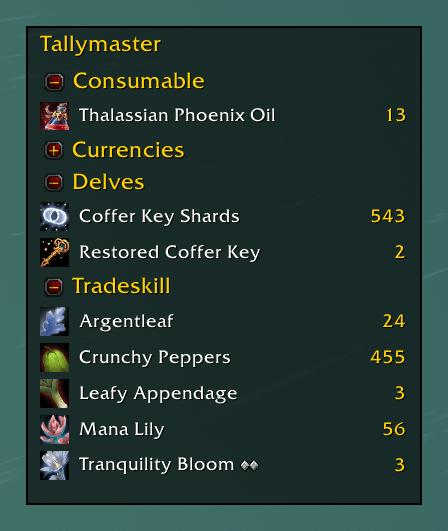
- Always-on tracker — a compact, movable on-screen list of everything you're tracking. It remembers where you put it and only grows downward as you expand groups.
- Track almost anything — items, currencies, mounts, battle pets, and transmog appearances, each counted with the right source (bags, bank, equipped, mail, collection state, and more).
- Account-wide counts — see the combined total across all your characters, or switch to per-character. Hover any entry for a per-character breakdown grouped by realm.
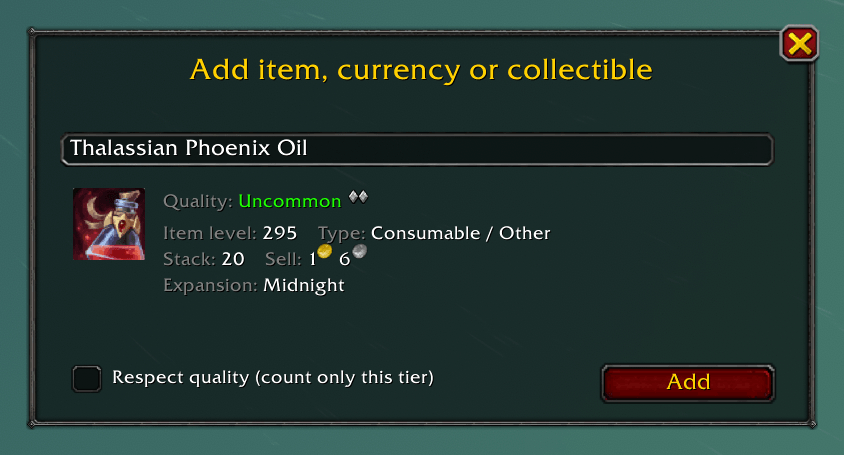
- Add it in seconds — type a name or ID, or just Shift-click an item or currency straight into the add box. A live details panel shows the icon, quality, crafting tier, item level, type, stack size, sell price, expansion, and bind type before you commit.
- Crafting-quality aware — for items with a crafting quality (Tier 1–3), choose whether an entry counts only that tier or every quality of the item.
- Category grouping — entries are auto-grouped by category with collapsible headers, or flatten it into a single list. Sort alphabetically or by count.
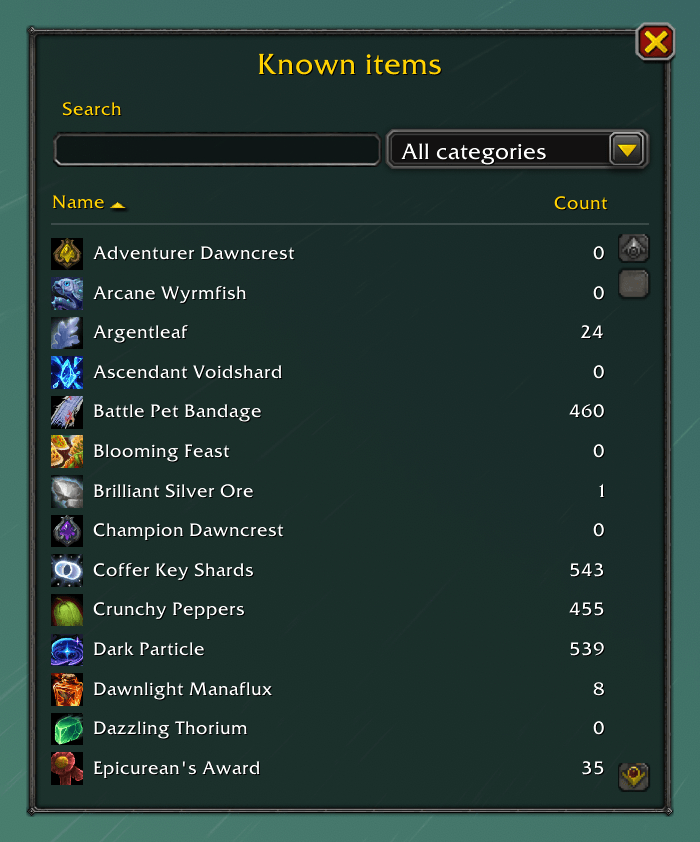
- Known items browser — a searchable, category-filterable window of everything you've ever added, with sortable Name / Count columns.
- ElvUI support — skins cleanly when ElvUI is installed; no-op otherwise.
Getting started
- Open the Add window — click the minimap button, press your keybind, or type
/tally. - Type an item/currency name or ID, or Shift-click one from your bags. Press Add.
- It appears on the tracker. Drag the tracker wherever you like.
Tip: Set your count scope to Account-wide in the settings to see totals across all your characters. Each character contributes its counts the first time you log into it.
Access it your way
Minimap button
- Click — open the Add window
- Shift-Click — show/hide the tracker
- Ctrl-Click — open Known items
- Right-Click — options
Keybindings (Key Bindings → Tallymaster): Open Add window, Toggle tracker, Toggle known items.
Slash commands
/tally— open the Add window/tally tracker— show/hide the tracker/tally known— open the Known items browser/tally config— open the options
Options
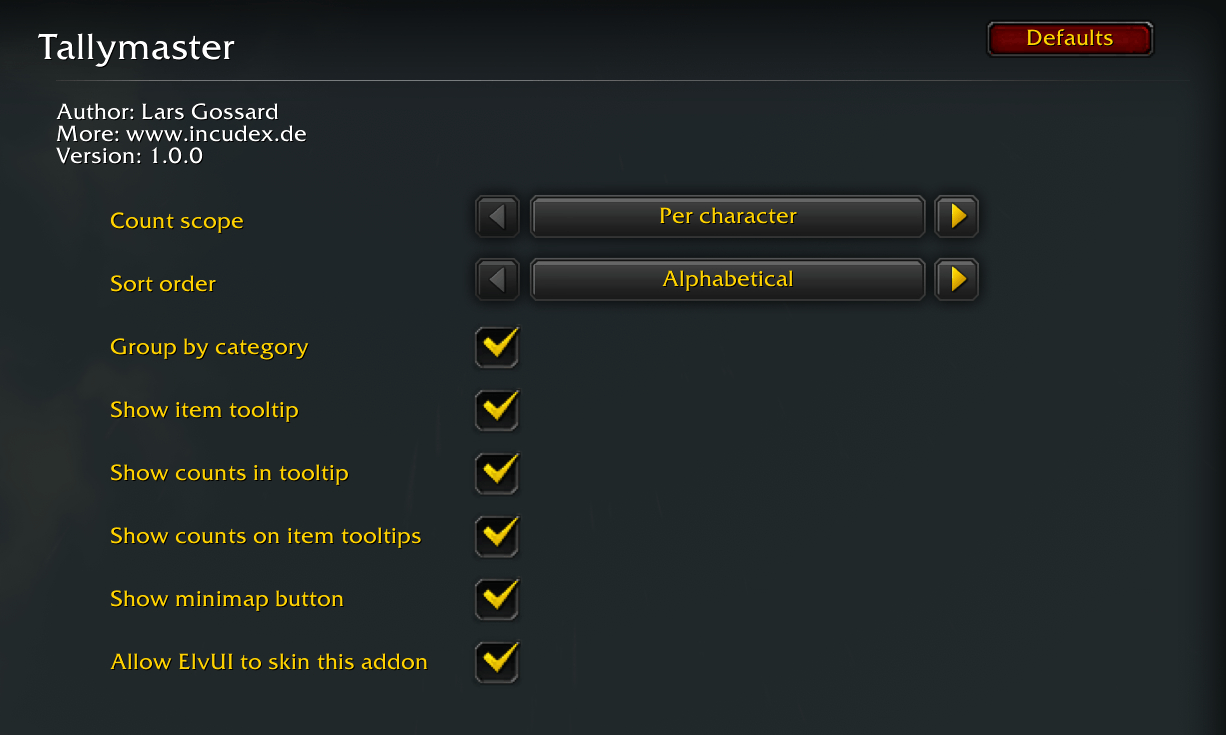
Count scope (per-character / account-wide), sort order, group-by-category, on-screen tooltip and per-character count breakdown, minimap button, and ElvUI skinning — all in the addon's settings panel.
Notes & feedback
Got a bug, an idea, or just want to say hi? Email me at lars@lasse-tech.de.
The Tallymaster Team