Description
Tallents
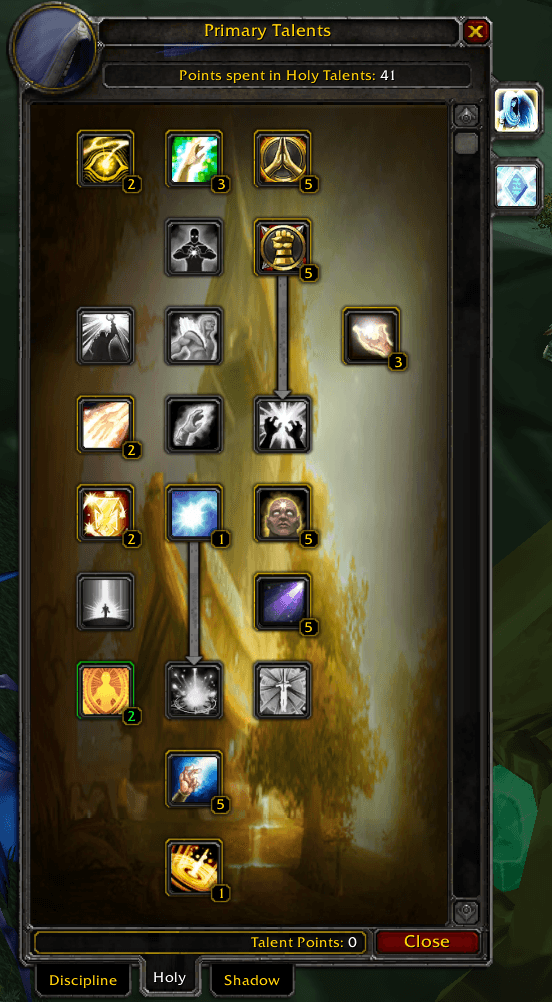
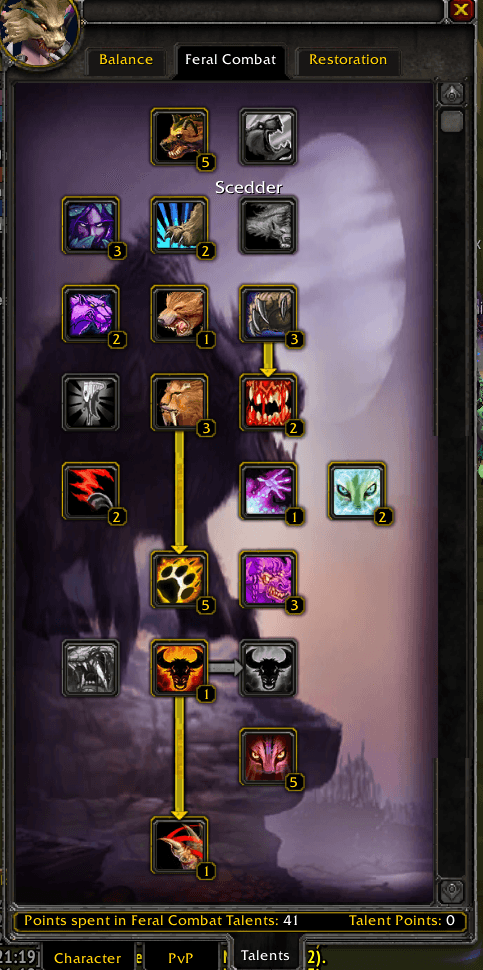
The talent window is too short. Every class scrolls to reach the bottom of a tree, so you can never see a whole build at once.
Tallents makes it taller. Not by a number you have to guess at, but by exactly the amount your class actually needs.
Auto-fit
Most resizing addons hand you a slider and let you sort it out. Tallents measures instead.
On first open it reads the row spacing straight off the live talent buttons and finds the deepest tier across all three of your trees, then grows the window by precisely that much. The scrollbar goes away and nothing is left over.
That measurement is the same for every tab, so the window holds one stable height whether you're looking at Arcane, Fire or Frost. It never resizes under your cursor as you click between trees.
It also double-checks itself. After every redraw it asks the scroll frame whether anything is still hidden, and if so it grows to cover it. So even on an unusual tree it settles correctly on first sight rather than needing you to notice and fix it.
The result is saved, so it's right from the moment you log in next time.
The inspect window too
Inspecting someone is where you scroll most, and it gets the same treatment.
The inspect window only grows while the Talents tab is actually up. Switch to Character or PvP and it snaps back to its normal size, so you don't get a tall window full of empty space around a paper doll.
Features
- Measures, doesn't guess - derives the layout from the live UI, so it's correct for all nine classes with no per-class configuration.
- One stable height across all three talent tabs.
- Self-correcting - if anything is still hidden after a redraw, the window grows to cover it.
- Inspect window support, scoped to the Talents tab only.
- Art that keeps up - the tree parchment, the frame border and the scrollbar trough are all extended to match the new height, so there are no torn seams or floating buttons.
- Height only - Tallents never moves your talent window, so it won't fight whatever you use to position your frames.
- Manual override if you'd rather set the number yourself.
- Screen-aware - never grows the window taller than your screen can show.
- Remembers its fit between sessions.
Usage
| Command | What it does |
|---|---|
/tallents |
Report the current fit |
/tallents <0-300> |
Set a manual extra height in pixels |
/tallents auto |
Back to auto-fit, re-measuring from scratch |
/tallents reset |
Back to the Blizzard default, no resizing |
/tall works as an alias for all of the above.
Auto-fit is the default. You shouldn't need any of these unless you want something other than a perfect fit.