SUIFontOverride - v1.0
- By
An extension skin for SUI that repaints the default UI text and quest art with a pink / night-elf-purple palette.
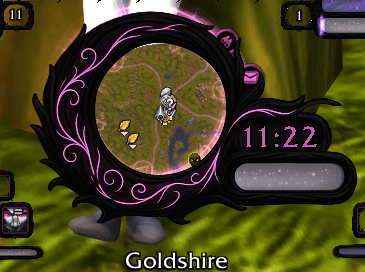
Sexymap compatibility.png
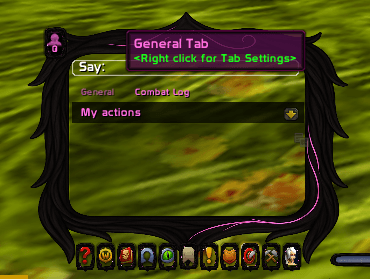
Tooptip & Chat options.png
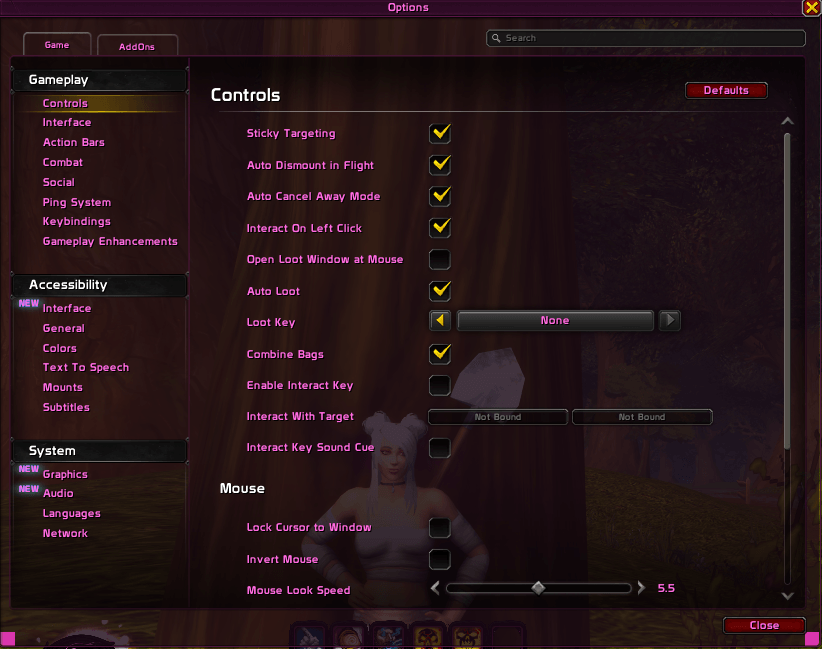
options.png
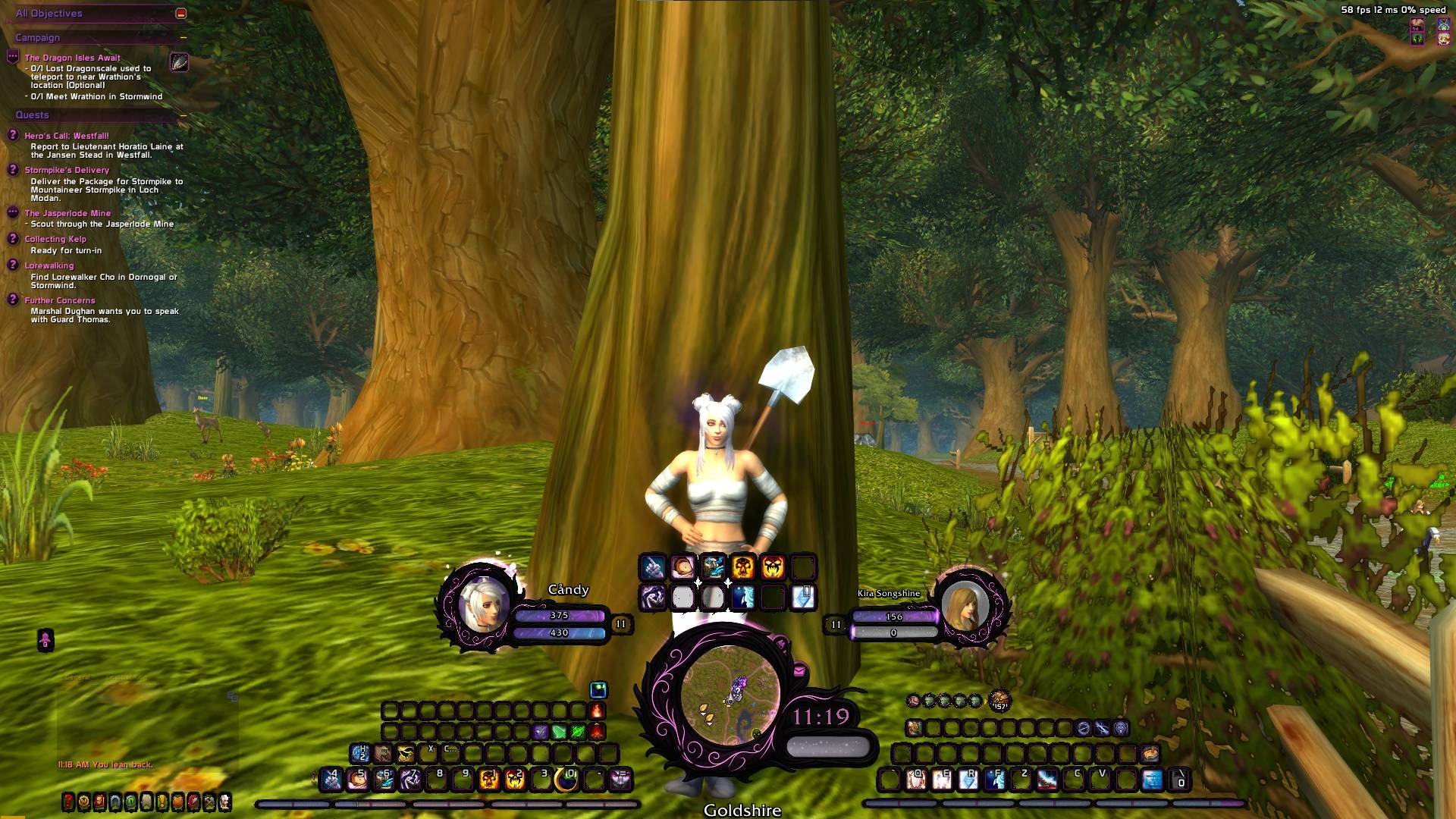
Font changed via addon- Frame by SUI - Custom UI made up with SUI and WA
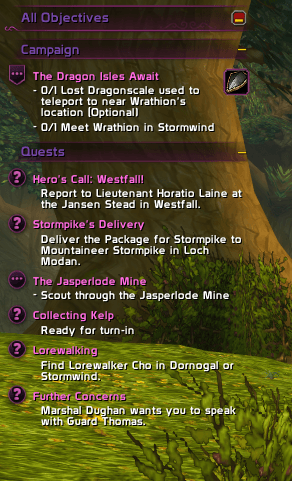
Font changed - Frame by SUI
Description
SUIFontOverride
An extension skin for SUI that repaints the default UI text and quest art with a pink / night-elf-purple palette.
Drop it in your Interface/AddOns folder, log in, and the colors will pop. No textures to install, no profiles to import—just ✨vibes✨.
What it does
-
Objective Tracker:
• Quest titles → pink
• Objective text/counters → white
• Quest-discovery callouts (the “new quest!” box) → text forced white; the “!” is tinted pink -
Headers: Module headers + Game Menu header are locked to purple (matching SUI’s frame theme).
-
Tooltips & Alerts: Tooltip header text pink; achievement/alert titles pink.
-
Chat pop-channels: System/emote/raid-warning style channels nudged to pink.
-
Tracker & POI art (atlases): Rings, shines, quest icons, etc. recolored to pink while keeping glow/add blend.
-
Social & Minimap bits: Quick Join “person” icon and common minimap indicators (mail, tracking, borders) pinkified.
-
HelpTips: the tutorial popup’s yellow arrow + glow → pink, border → purple.
All changes are runtime tints (no BLP replacement), so it plays nice with SUI and most UI mods.
The Palette (super easy to tweak)
At the top of the Lua file you’ll see:
local PINK   = { r = 1.00, g = 0.42, b = 0.88 }  -- accents, titles, POI rings, “!” etc.
local PURPLE = { r = 0.45, g = 0.28, b = 0.65 }  -- headers (module & game menu)
local WHITE  = { r = 1.00, g = 1.00, b = 1.00 }  -- info/body text in tracker
Want a different aesthetic later? Change those r/g/b floats (0–1), then type /suifont (or /reload) in game.
Why some things magically follow your swatches (Blizzard repaint nerd notes)
Blizzard UI uses shared color tables (e.g., NORMAL_FONT_COLOR, HIGHLIGHT_FONT_COLOR, YELLOW_FONT_COLOR, GOLD_FONT_COLOR) and an OBJECTIVE_TRACKER_COLOR table for the tracker.
This addon safely overrides those tables to your palette and hooks FontStrings so later SetText calls can’t sneak the yellow back in (it also strips WoW’s |c...|r inline color codes).
For icons/borders/rings that come from texture atlases, the addon hooks SetAtlas/SetTexture and reapplies a tint—so even when Blizzard swaps art on the fly, your pink stays put.
Commands
-
/suifont (alias /suipaint) – instant refresh.
Use this after UI scale changes, when another addon reskins a frame, or when a new Blizzard module loads and you want your theme reapplied right now. -
/suifont reload – hard /reload if you like smashing the big button.
Install
-
Requires/assumes SUI (it’s built to blend with SUI’s panels):
https://www.curseforge.com/wow/addons/sui -
Extract SUIFontOverride to
Interface/AddOns/. -
Log in (or /reload). That’s it.
Config toggles (optional)
Near the top of the Lua:
local TINT_HEADER_TEXTURES   = false  -- purple shine bars on headers (off by default)
local PINKIFY_ONLY_YELLOWISH = false  -- true = only recolor text that was gold-ish
local TINT_TRACKER_ATLASES   = true   -- rings/POIs/quest icons to pink
local TINT_SOCIAL_MINIMAP    = true   -- Quick Join + minimap indicators
Flip these if you want more (or less) pink.
Compatibility & Performance
-
Purely cosmetic; no gameplay changes, no taint.
-
Very light: lazy hooks + tiny color ops when frames show or atlases swap.
-
Plays well with most skinning addons. If another skin wins a race and re-yellows something, /suifont reasserts your colors.
Troubleshooting
-
Something stayed yellow? Type /suifont to repaint live elements.
-
A specific icon still gold? Hover it and grab its atlas name with a frame-stack tool and I’ll add the matcher in the next update.
paint the world pink, bestie. 💖
Why did I make these addons? for my own personal usage but sharing them incase they help others with creativity too :)
Check out my WoW Challenge : https://candyblk95.github.io/-TOKEN-OR-TOMB-ASHES-OF-TELDRASSIL-/
SUIFontOverride - v1.0 Team