
Stinkie UI
- By
WoWScrnShot_110426_124850.jpg
WoWScrnShot_110426_124904.jpg
WoWScrnShot_110426_124920.jpg
WoWScrnShot_110426_125018.jpg
WoWScrnShot_110426_124959.jpg
WoWScrnShot_110426_125050.jpg
Description
Stinkie UI
A clean, flat, all-in-one UI built from modules. Use the whole thing, or turn on only the parts you want: unit, party, raid, boss, arena and battleground frames, nameplates, castbars, cooldowns, chat, quests, the character sheet, match history and a set of quality-of-life tools. No library dependencies.
A module that's off doesn't load at all: no frames, no events, no changes to your game settings. Turn one off later and the game settings it changed go back at your next login.
Built by Stinkie, a Rank 1 Warlock, for arena, Solo Shuffle and Blitz. Just as good for leveling, questing, dungeons, raids and WoW Forever.
What's new: see the changelog on the Files / Versions tab.
Getting started
- First install: a setup screen asks whether you want Stinkie's Full UI (everything on, his own layout) or pick your modules. Open it again any time with
/stinkie setup. - Change modules any time:
/stinkie modulesor the Modules button in the options window, then Apply & Reload. Modules that need another one turn it on with them. Modules another addon already covers (chat, action bars, arena frames, window mover, error catching) switch off while that addon is loaded. - Options:
/stinkie,/stor/sui. Every setting is searchable from the box at the top of the menu. Pages for modules that are off still show, with a button to turn the module on. - Profiles: per character or per spec (for example one for Destruction, one for Affliction), copy, and export / import as a string.
Install
- Retail (Midnight) and WoW Forever from the same download. Forever has no arena, so the arena features stay off there.
- The download has two folders,
StinkieUIandStinkieUI_History(Match History, which only loads when you open it). Both go inInterface/AddOns/, each with its .toc directly inside. - After an update, fully restart WoW if something looks missing. WoW only loads new art and font files on a restart, not on /reload.
Commands
/stinkie,/st,/sui: options/stinkie modules//stinkie setup: choose modules / setup screen/stinkie unlock//stinkie lock: move frames. Drag them, or click and use the arrow keys (Shift = 10 px). Every element also has exact anchor and X/Y fields./mh: Match History/st errors(or/st e): Error Catcher window/stinkie report: a support report to paste on Discord (version, client, modules, other addons, recent errors; no character names)/stinkie cpu: measure what Stinkie UI uses for 30 seconds/rl: reload/stinkie reset: restore defaults and reload
Modules
Unit Frames
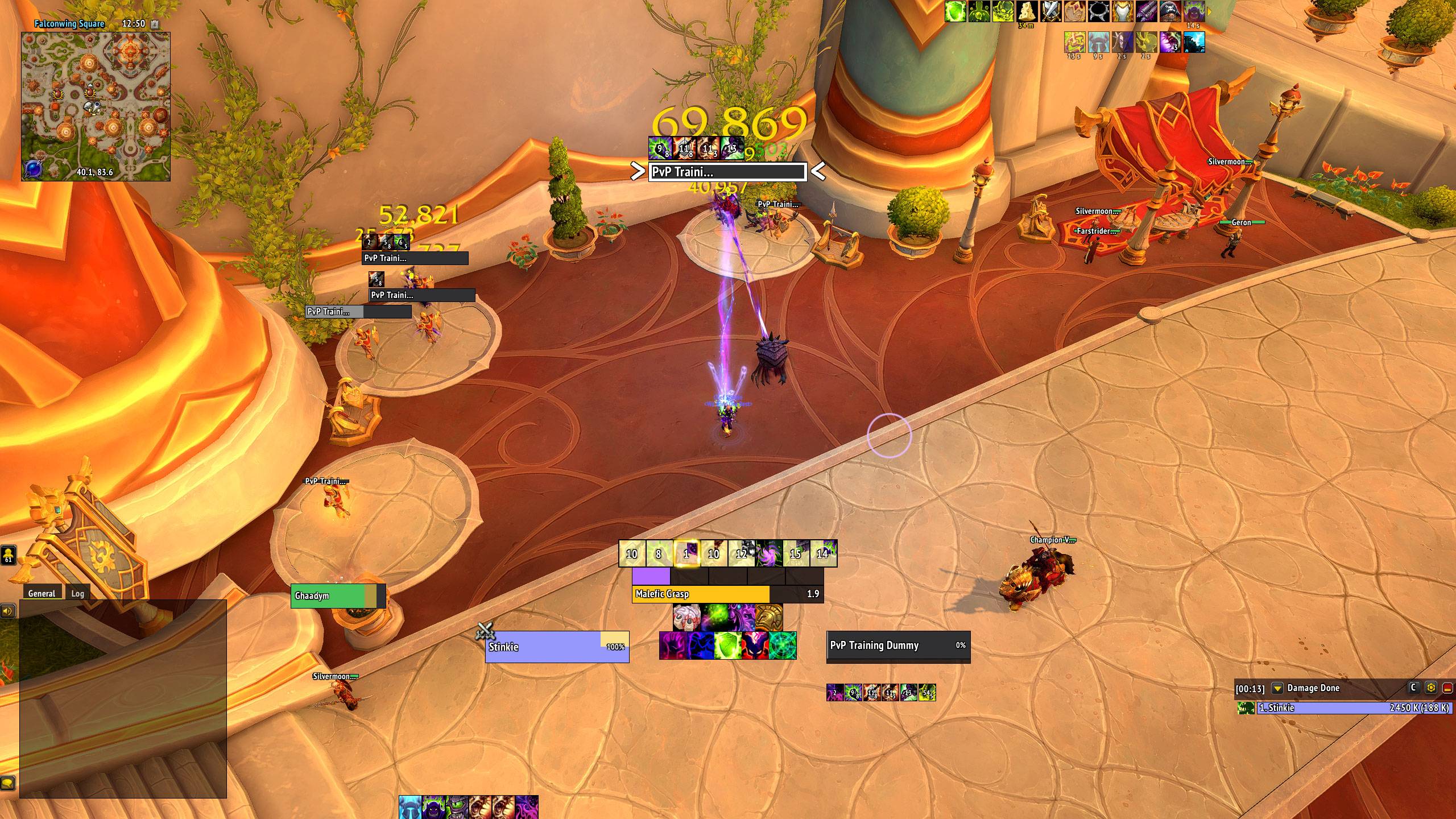
- Player, target, target of target, focus and pet: flat class-colored health, optional power bar, and a clear absorb / overshield display. Target and focus show your debuffs, CC, major defensives, an optional buff row and one big crowd-control icon. First / last / full names, level, leader icon, target markers and elite star.
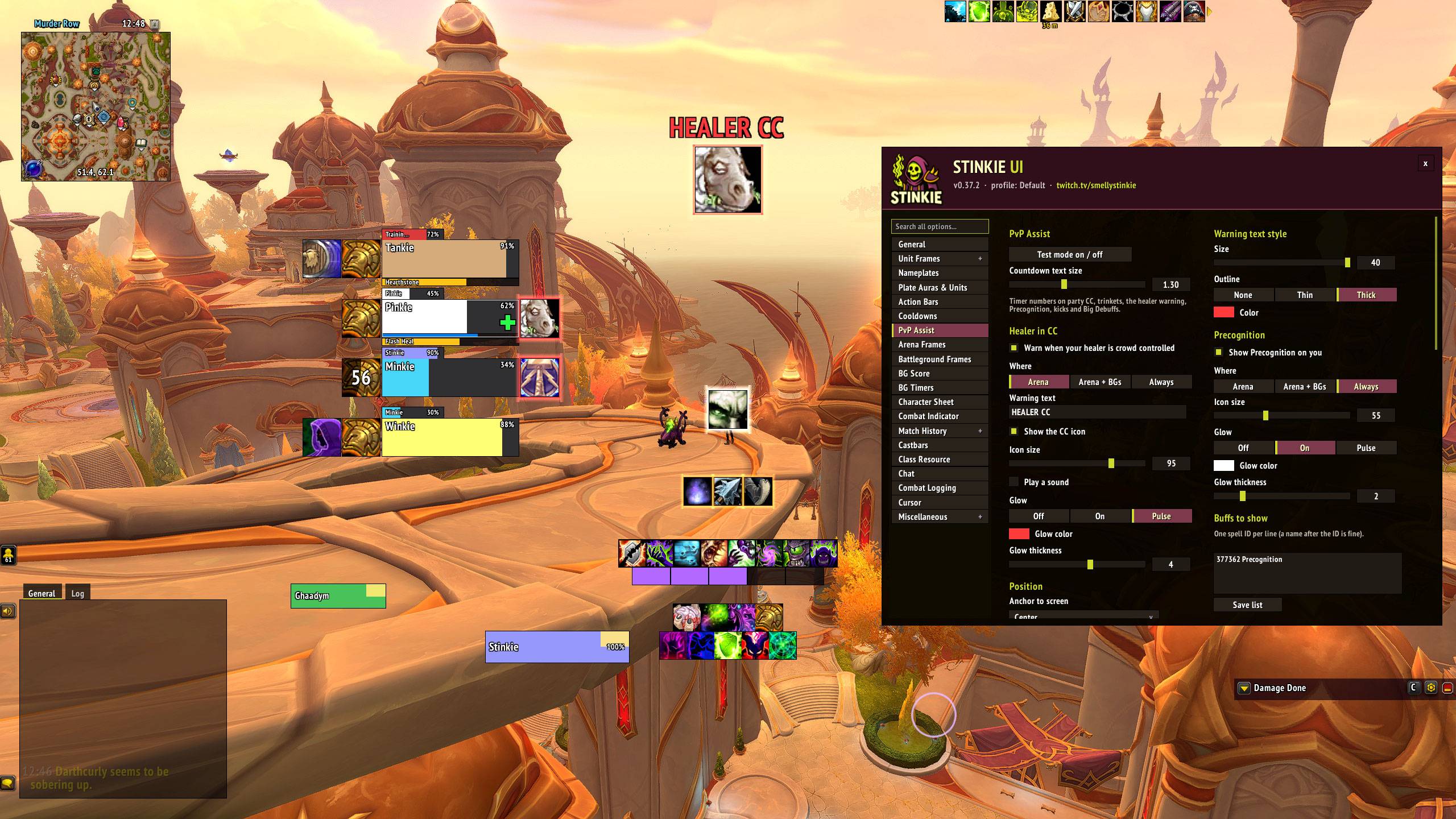
- Party frames in arena-frame style: PvP trinket and defensives on one side, crowd control on the other, dispellable debuffs (below, beside or on the health bar), optional buffs, tank shield, healer cross, range fade and target outline. Hidden in battlegrounds and raids by default.
- Party Targets: a small frame for each party member's target.
- Raid Frames (new, off by default): flat replacements for Blizzard's raid frames. Groups as columns or rows, or one list sorted by group, role or name. Heal prediction, shields, role icons, ready checks, aggro and target outlines, range fading, debuffs (all or only dispellable), your buffs, big defensives, boss debuffs, pets and main tanks, plus a test mode.
- Boss Frames: up to five bosses with health, power, castbars and target outline.
- Castbars float or attach to their frame, with interruptible / not-interruptible / interrupted colors and Evoker empower marks. Flat swing timers on WoW Forever.
- Class resource bar: soul shards (partial shards for Destruction), combo points, holy power, chi, arcane charges, essence.
Nameplates
- Enemies: health, level, name, castbar, threat % on your target, your debuffs, CC and big defensives, with all / important-only / whitelist modes and a blacklist.
- Friendlies with their own settings: small and clean, healer crosses, optional spec icons above players, flag and orb carrier icons, name-length cap.
- Target highlight with optional > < arrows. Important totems and Psyfiend in pink, larger, drawn on top, with a bigger click area. Elite / boss star.
- Toggles for enemy pets, guardians, totems and minor units, and for nameplate stacking.
PvP
- Arena frames: health, healer power, castbar, spec icon, healer cross, trinket, DRs (pick the categories), teammate-targeting squares, target border, DEAD and FEIGN markers, configurable right-click. They turn themselves off if sArena or Gladius is loaded.
- PvP Assist: a big "Healer in CC!" warning (optional sound), blue glow on dispellable Magic CC, Precognition or any buffs you list shown large and glowing, big CC / defensive / offensive icons on enemy nameplates, and an interrupt tracker showing who kicked you or a teammate, with a cooldown timer.
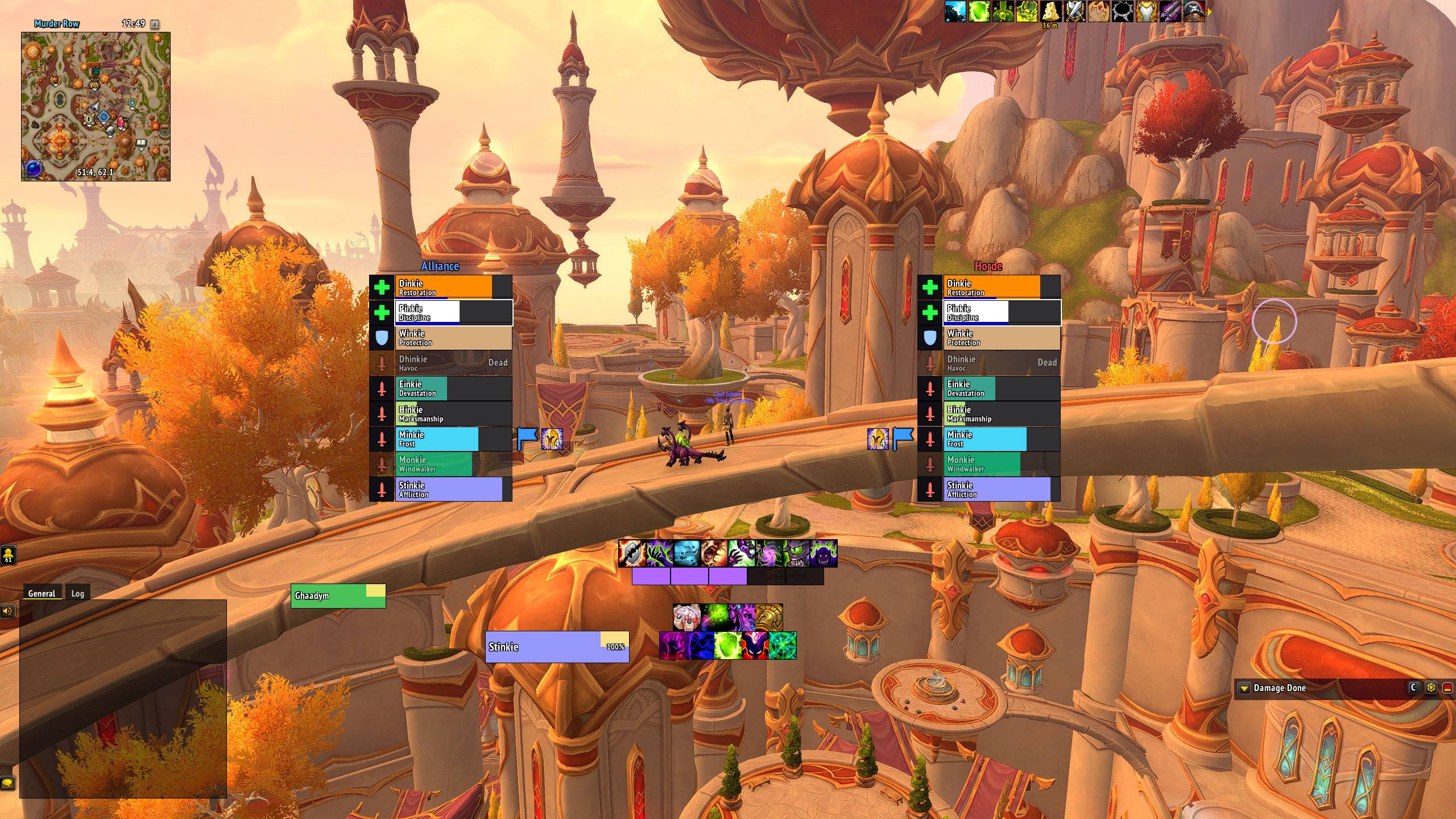
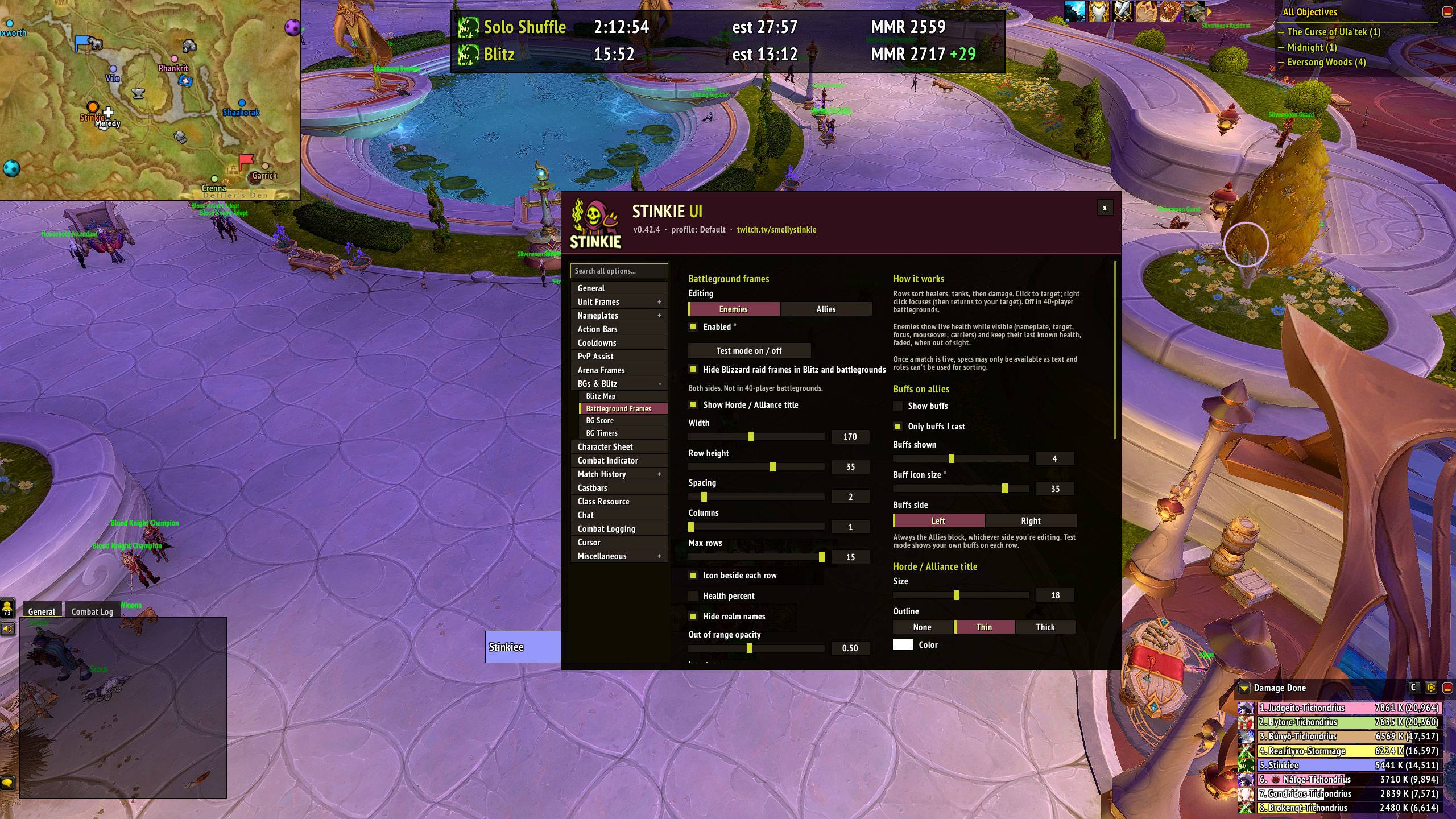
- Battleground frames for Blitz and 10–15 player battlegrounds: enemy and ally blocks sorted healers, tanks, then damage. Role or spec icons, flag and orb carriers with stack counts, live health and range for players you can see, click-to-target, optional healer mana and ally buffs.
- Blitz Map: each Blitz map with class-colored teammates, healers as a plus, flags, orbs, carts and bases. Zoom and drag; each map remembers its zoom.
- Flag Cap Indicator: on Warsong Gulch and Twin Peaks, each carried flag sits under the score of the team carrying it, with the carrier, yards to the cap point and ON CAP / NOT ON CAP.
- BG Timers: base capture timers (including the Blitz base cycle), predicted winner and resurrection waves.
- BG Score widgets: move, resize and restyle the score, capture / cart progress, arena and Shuffle round info, and the Return to Graveyard button.
- Queue Time & MMR: time in queue, estimate, the spec you queued as, and your MMR and its last change per bracket. Custom queue pop sound and volume, and options for the queue eye.
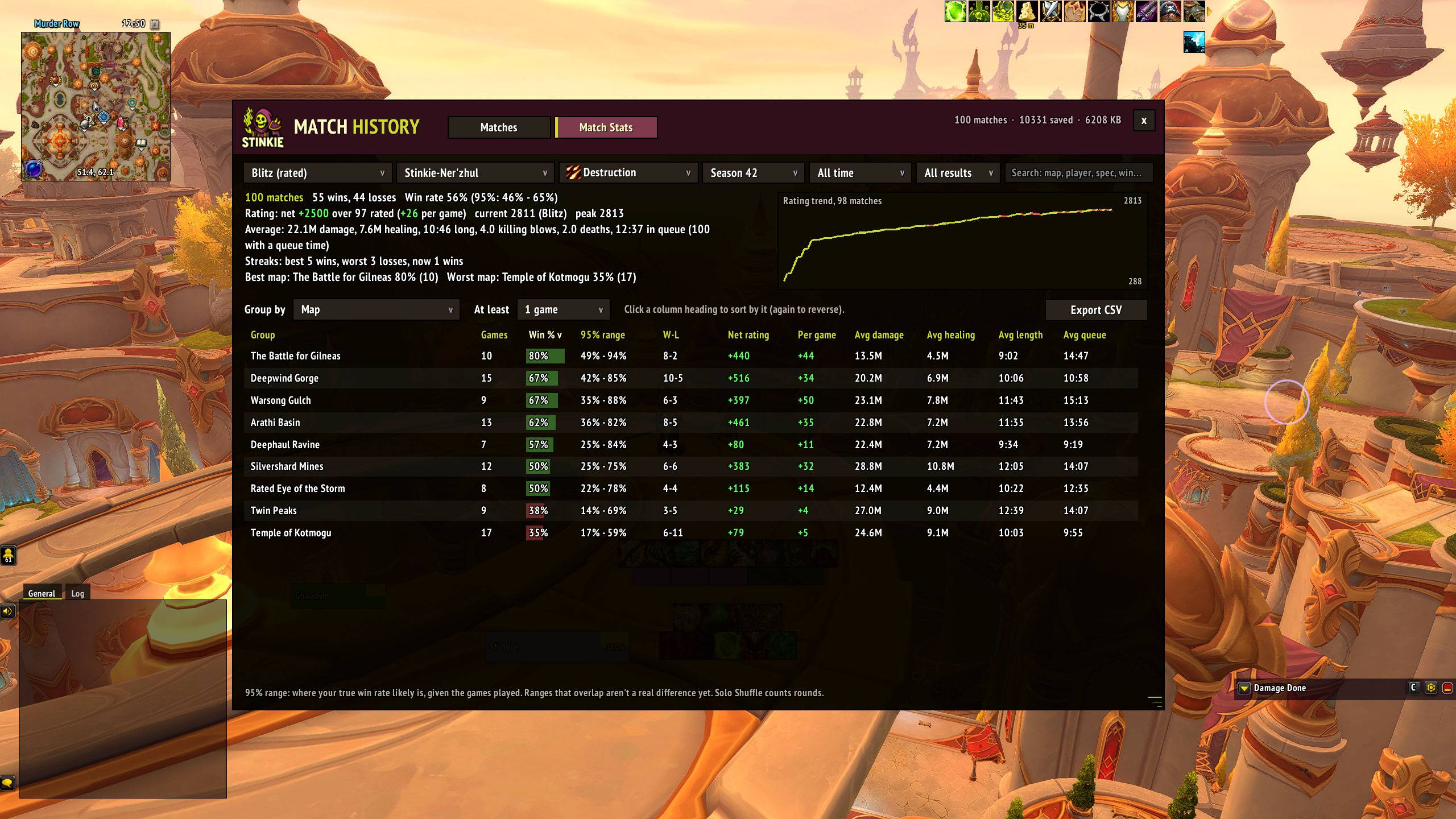
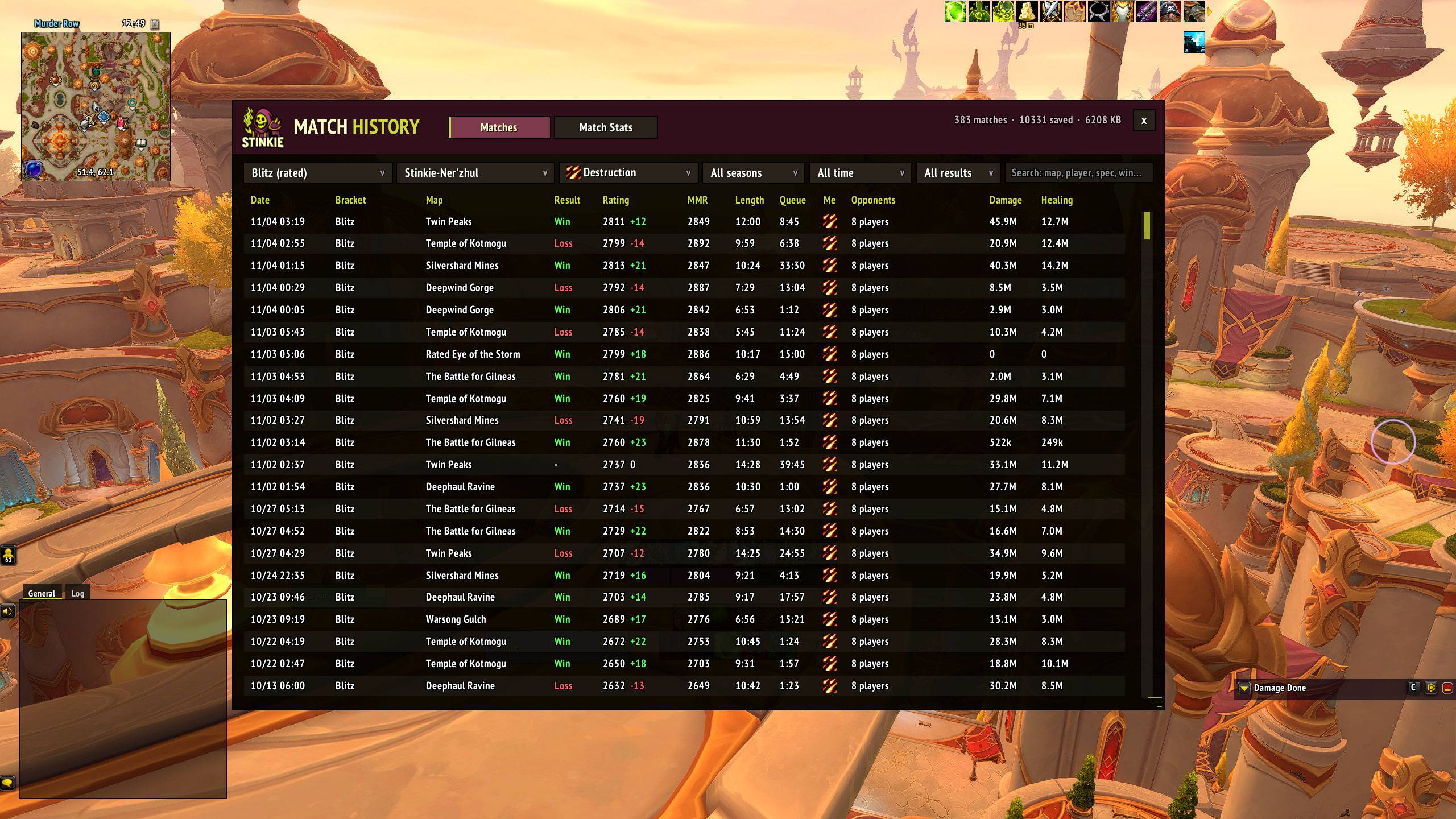
- Match History (
/mh): every rated match saved with map, comps, specs, scoreboard, rating and MMR changes, queue time and final BG score. Search by player, spec, map or result. Match Stats groups win rates by map, comp, spec, teammate, opponent, faction, time of day and more, with sortable columns and CSV export. One-click import of your Rated Tracker history. - Automatic combat logging for arena, Shuffle, Blitz and battlegrounds, plus optional Mythic+, dungeons and raids. It can log a whole session to one file.
Interface
- One font everywhere, including Blizzard's own UI (PT Sans Narrow Bold by default). Every text element has its own size, outline and color. Damage numbers can use it too, with size, height and scatter settings.
- Cooldowns: a square, flat skin for Blizzard's Cooldown Manager, plus two custom bars for any spell, item, trinket, racial or Healthstone. Drag to reorder, ping any icon, gray out what you can't use, and show proc-upgraded spells only while the proc is up. Spells you don't have are left off.
- Action bars: Blizzard's bars restyled with no bar art, macro text and keybinds on or off, cooldown numbers, lock buttons and per-bar mouseover. Layout stays in Edit Mode. Off automatically with Bartender, Dominos or ElvUI.
- Chat: timestamps, colors, transparency, mouseover-only, a copy button, short channel names, whisper tabs that don't lose messages, and history kept across a reload. Off automatically with Chattynator, Prat, ElvUI or Glass.
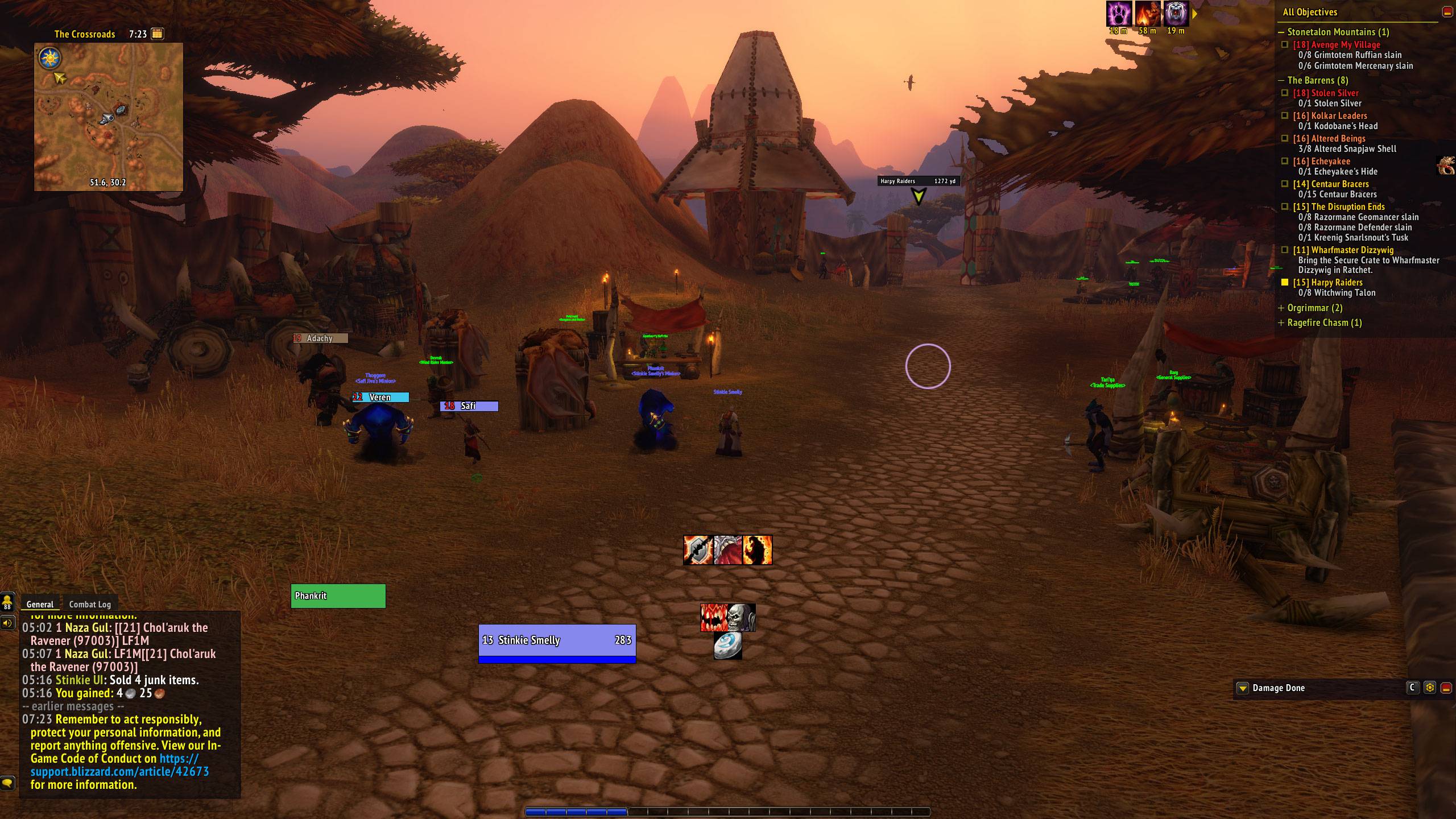
- Objectives: flat quest tracker, optional grouping by zone with fold buttons, click to focus a quest, movable quest progress text, auto-hide in arenas, battlegrounds and raids.
- Quest marker: a small in-world marker on your tracked quest with its name and distance, which turns into an arrow at the screen edge. It also points to your corpse while you're dead.
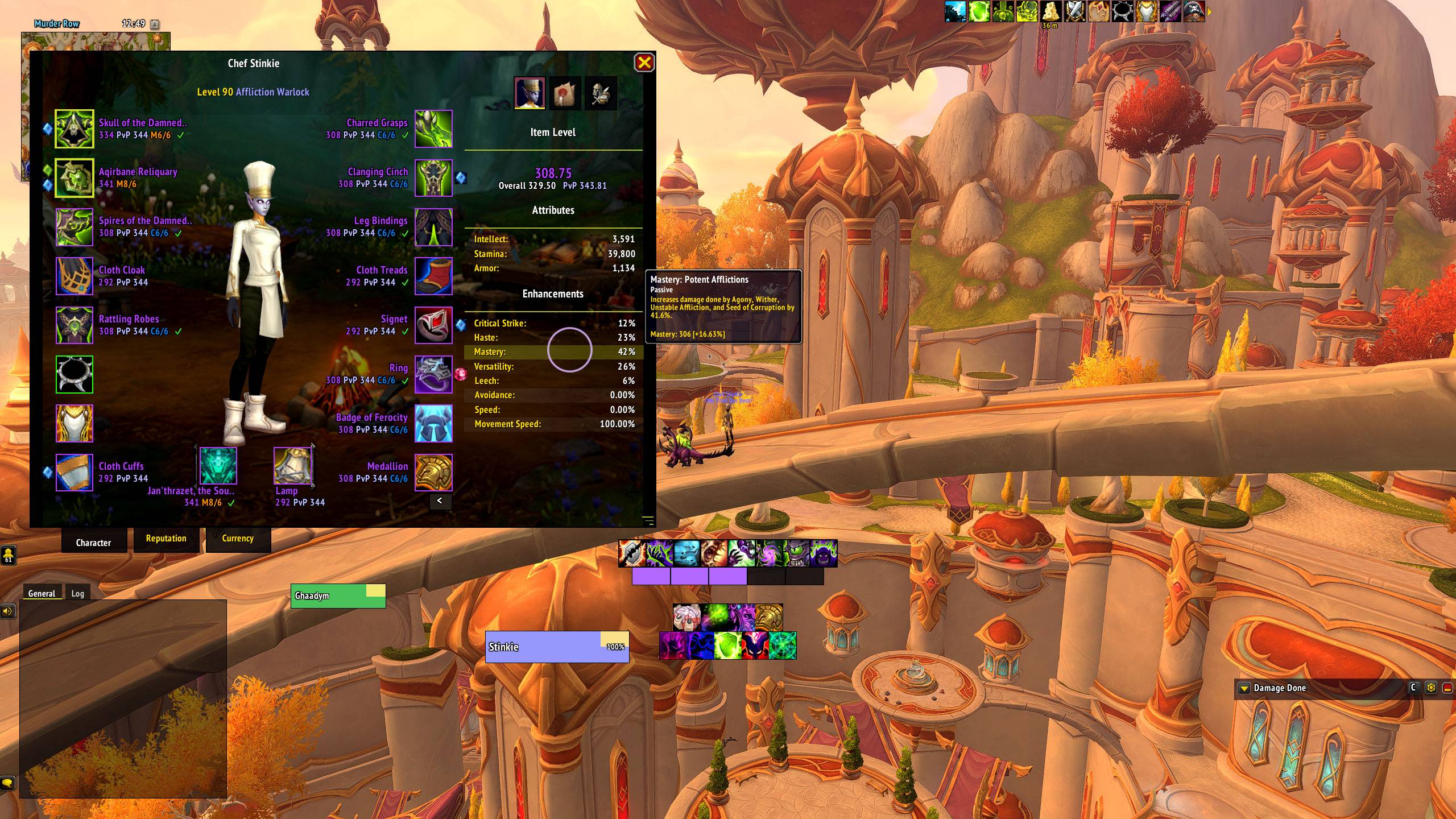
- Character Sheet: larger, flat and resizable, with warband backgrounds, item level to two decimals, PvP item level, upgrade track, gems, enchant checks, durability lines and stat highlighting. The same look when inspecting.
- Tooltip: at the mouse or a fixed spot, size, combat hiding, the unit's target, guild rank, class colors, optional spell and item IDs.
- Buff Frame: flat, zoomed buffs and debuffs with auto-hide in PvP, dungeons or raids.
- Window Skins: the flat look on Friends, Group Finder and PvP, Adventure Guide, Collections, Achievements, Communities, Professions, Housing and the Game Menu.
- Minimap: round or square, fonts, coordinates, button hiding, auto-hide in arena, battlegrounds, Mythic+ and raids.
- Damage meter: Blizzard's built-in meter restyled to match.
- Cursor ring and a combat indicator with "Entering / Leaving Combat" text.
Quality of Life
- Error Catcher: Lua errors from any addon are kept quietly instead of popping up, with a window to read and copy them by session. Stays off while BugGrabber is loaded.
- Quick Buy: Shift + right click a vendor item to buy any amount (Stack, Max or a number), with the total shown.
- Window Mover: move and scale Blizzard windows and have them remembered. Off while BlizzMove is loaded.
- Automation (all off by default): accept and turn in quests, repair, sell junk, release in battlegrounds, auto-confirm housing decor purchases, hide red error messages. Hold Shift at an NPC to do it yourself; quests with reward choices or costs stay with you.
- GCD History and an APM counter.
Test modes for party, raid, boss, arena, PvP Assist, battleground frames, Blitz Map and widgets let you set everything up outside a match.
Blizzard limits (not bugs)
Midnight restricts what addons can see in combat and PvP. Stinkie UI works within those rules:
- Health, power, casts and auras are "secret values" in combat and PvP. Addons can display them but can't do math on them.
- Battlegrounds: addons get no DR data and no trinkets. Enemy health and range exist only for enemies you can currently see; out-of-sight enemies keep their last known health, faded.
- Arena: trinkets and DRs come from Blizzard's own widgets, which Stinkie UI moves and restyles. DR category filtering only works when Blizzard reveals the category.
- Rated PvP hides unit names and NPC IDs, so important totems there are marked by an aura icon instead of recolored.
- Blitz Map: when the game won't give a teammate's position, the game draws the dot itself; hover it for the name.
- Target of target and party targets are blank inside arenas and battlegrounds.
- Teammates' cooldowns (other than the PvP trinket) aren't available. Their defensives show while active.
- Enemy healer crosses appear only where the game reveals roles.
- Chat inside instances and PvP matches can only be lightly restyled.
- Friendly nameplates in dungeons and raids are locked to Blizzard's defaults.
- Death Knight runes and aura-based resources aren't on the class resource bar yet.
Community
- Questions, bugs and ideas: #stinkie-ui on Discord (https://discord.gg/abb8n4T3rc). Paste
/stinkie reportwith bug reports. - Live: twitch.tv/smellystinkie
- Videos: youtube.com/@SmellyStinkie
- Donate: https://ko-fi.com/smellystinkie
License and credits
MIT, © 2026 Stinkie (twitch.tv/smellystinkie). PT Sans Narrow © ParaType, SIL Open Font License 1.1.
Stinkie UI Team
