Sticky Notes – Notes, Checklists & Reminders
- By
Sticky notes on your screen: unlimited notes in 8 colors, checklists to tick off and zone reminders that pop up when you arrive.
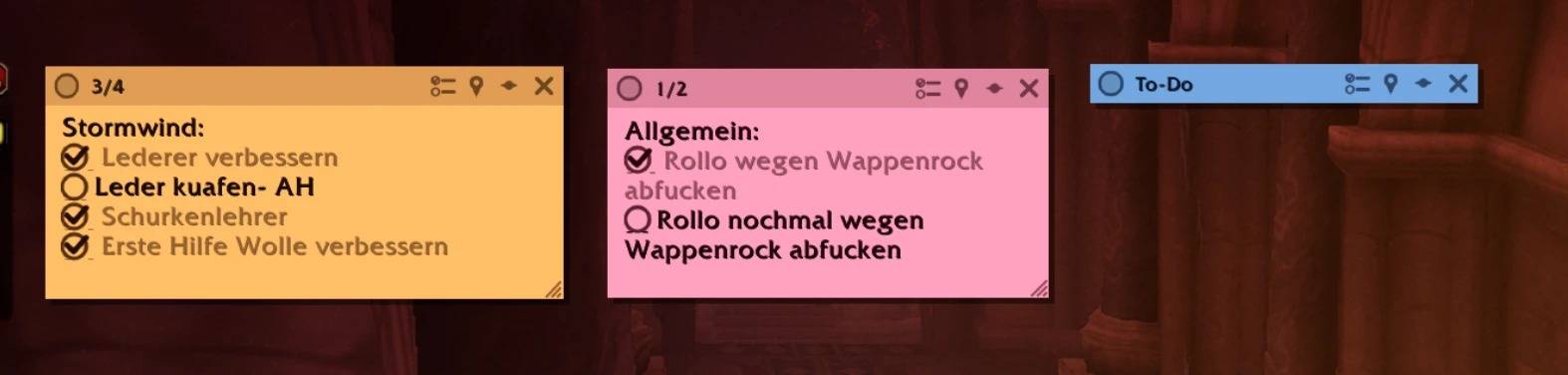
01_notes_closeup.jpg
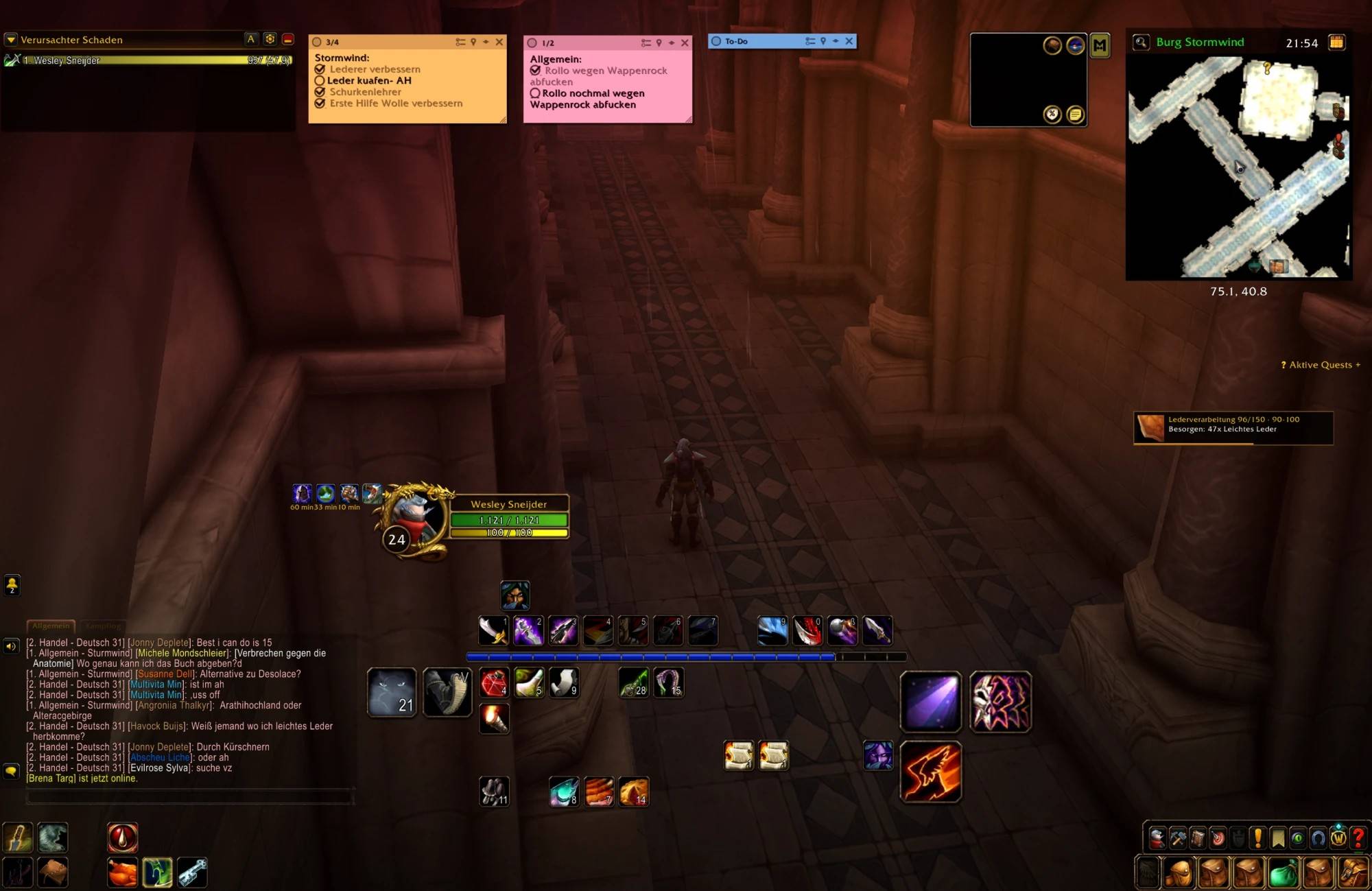
02_ingame_stormwind.jpg
Description

Sticky Notes
Notes, Checklists & Reminders right on your screen

Free forever. A small tip keeps new features coming.
You finally travel to Stormwind and... what did you want to do there again?
Sticky Notes puts little paper notes on your screen, as many as you like.
Write a to-do list, tick it off, and let your notes remind you when you arrive in the right zone.
✦ What Sticky Notes does
📝 As many notes as you likeClick, type, done. Drag a note by its top bar, resize it at the corner, double-click the bar to fold it down to a slim title. Notes stay exactly where you put them, across all your characters. |
☑️ Checklists to tick offPress Shift+Enter (or the list button) and a new line starts with a little circle. Click it and a check mark appears. Done items fade out, a small X removes them, and the top bar shows your progress like 3/4. Finish the list and you hear the quest-complete sound. |
📍 Zone, dungeon & raid remindersPin a note to any zone, dungeon or raid: press Enter for the place you are in, or start typing and pick from the suggestions. Everywhere else the note folds down to its slim top bar (double-click it to edit anyway). The moment you arrive, it opens up and glows, with a sound and a short list in chat. Perfect for "bank, trainer, auction house" in your capital. |
🎨 8 colors, one clickYellow, orange, pink, purple, blue, green, grey or a dark note for the night. Click the color dot on the note and pick a new one. Use colors to sort your notes: professions, quests, guild, gold. |
👁️ Hide one or hide allThe eye on a note hides just that note. One click on the minimap button hides or shows all notes. Hidden notes wait in the list until you want them back. |
⚔️ Out of the way in combatNotes fade out automatically when a fight starts and come back afterwards (you can turn this off). Clicking into the game world stops typing, so WASD works right away. |
✦ In the game
Small, light and readable. The notes sit wherever you want them, next to your other frames.
✦ How to use
- Left-click the note icon at the minimap: show or hide all notes.
- Shift+left-click: new note. Right-click: the list with all notes and the options.
- Enter starts a normal new line, Shift+Enter a new checkbox.
- While typing in a note, shift-click an item, spell, recipe or quest to link it right into the note.
- Ctrl+mouse wheel inside a note changes the font size.
- Ctrl+Z / Ctrl+Y (Mac: Cmd+Z / Cmd+Shift+Z) undo and redo your changes.
- Chat commands: /sn (list), /sn new Bank; Trainer; AH (new note, ; starts a new line), /sn reset (bring all notes back to the center).
- Own keys under Key Bindings → AddOns → Sticky Notes: show/hide all, new note, list.
✦ Good to know
- Speaks English and Deutsch. It follows your game language automatically, and you can switch it in the list window.
- The list window also lets you change opacity, hide the minimap button, turn combat hiding on or off and switch off the help tooltips once you know your way around.
- Notes are saved per account, so every character sees the same notes.
- Empty notes are cleaned up automatically when you log in.
- No libraries, no dependencies, one small file. Works with minimap button collectors.
☕ Enjoying Sticky Notes?
Sticky Notes is free and always will be. If it saved you a trip back to town,
you can buy me a coffee. It keeps new features coming.
Ideas or bugs? Leave a comment. I read every one.
Sticky Notes – Notes, Checklists & Reminders Team