


Speak (proximity voice)
- By
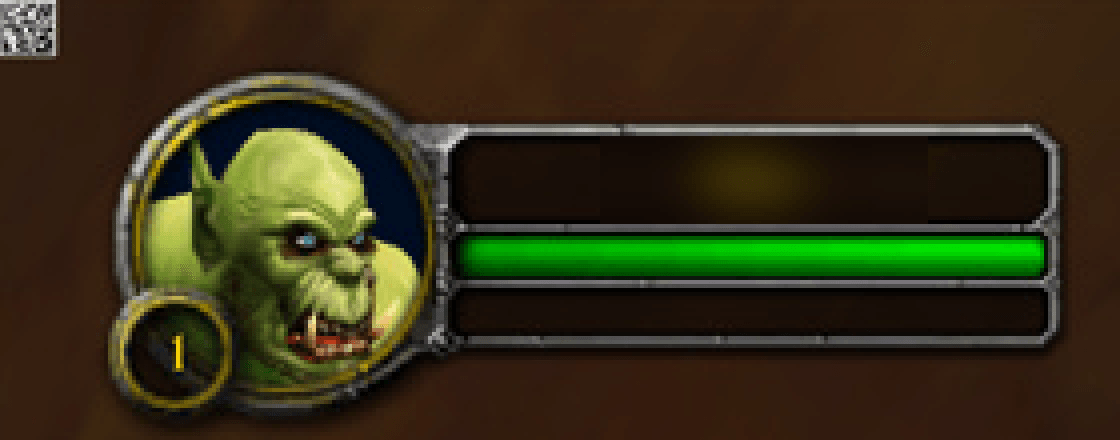
The small square next to your unit frame is how the addon talks to the companion. Keep it visible.
Description
Walk up to another player and talk. Speak gives WoW Classic and Forever proximity voice chat: you hear other Speak players near you, from where they stand. A voice to your left is in your left ear, a voice behind you sounds behind you, and voices fade as people walk away, just like in real life. There is no channel to join, no party to form and no code to share.
Important: Speak needs the free Speak companion app for Windows, which runs next to the game and carries the voice. Addon sites do not allow programs inside addons, so the companion is a separate download from the Speak website, with install steps: https://speak.brinkbyte.com/download/
Features
- Automatic: players near each other are connected without any set-up.
- Positional voice: direction and distance, full volume within 10 yards, fading out by 60.
- Layer-safe: you only hear players your game has actually shown you, so other layers stay apart.
- Your faction only: Horde players only ever find and hear Horde players, and Alliance players only Alliance. Speak never reveals where an enemy player is.
- Voice goes directly between players' PCs, encrypted. No voice server.
- Crowd aware: in cities and at world bosses Speak narrows the range so the nearest players stay clear.
- Voice activation or push-to-talk, per-player volume and mute, and a panic Mute all.
- Tells you loudly when your microphone is muted or sending silence.
How to install
- Install this addon.
- Download and run the Speak companion for Windows from https://speak.brinkbyte.com/download/
- Log in. A small square appears in a corner of your screen: that is how the addon talks to the companion. Keep it visible.
/speak optionsmoves or resizes it.
What the square is
WoW addons cannot talk to other programs, so the addon draws a small barcode in a corner of your screen, 20 times a second, and the companion reads it from the WoW window. It holds only your position, facing and zone, and which nearby Speak players your game has shown you (with their names as your game shows them). It holds no chat, no account and not your own character name, and the companion reads only the WoW window, never the rest of your screen.
Requirements
- Windows 10 (2004 or later) or Windows 11, 64-bit.
- The Speak companion app (separate, free download).
- A microphone; headphones are strongly recommended.
Privacy
- Voice travels directly between players' PCs and never through a Speak server.
- So other Speak players can find you, the addon sends a short message over a hidden chat channel for your zone (on clients that block that, an addon message to players nearby). It carries your position, a random Speak ID and your character's ID, and the game itself attaches your character name to every addon message. Speak players in your zone can therefore see you by name and where you are, and, like any chat channel, anyone who joins that channel can read it. It never shares your account name, and it reads no chat beyond what is needed to see that a player is near.
- A small Speak directory records which player hosts voice where. It never sees voice or character names.
- Fair play: the addon uses only Blizzard's official addon API and automates nothing. The companion never touches the game: it only reads the addon's square through Windows screen capture.
- The player hosting a voice room can see the IP addresses of the players in it, as with any peer-to-peer voice chat.
Beta
Speak is in beta. To report a bug, press Report a bug in the companion (it copies the diagnostics and opens the Discord) and include /speak output; /speak bug prints the steps in game.
Community and support
Join the Speak Discord for help, news and bug reports: https://discord.gg/Ft4vezNydr
Speak is free. If you enjoy it, you can support it on Ko-fi: https://ko-fi.com/speakbybrinkbyte
Speak is an independent project and is not affiliated with or endorsed by Blizzard Entertainment.
Speak (proximity voice) Team
