
Soul Shards Forever (SSF)
- By
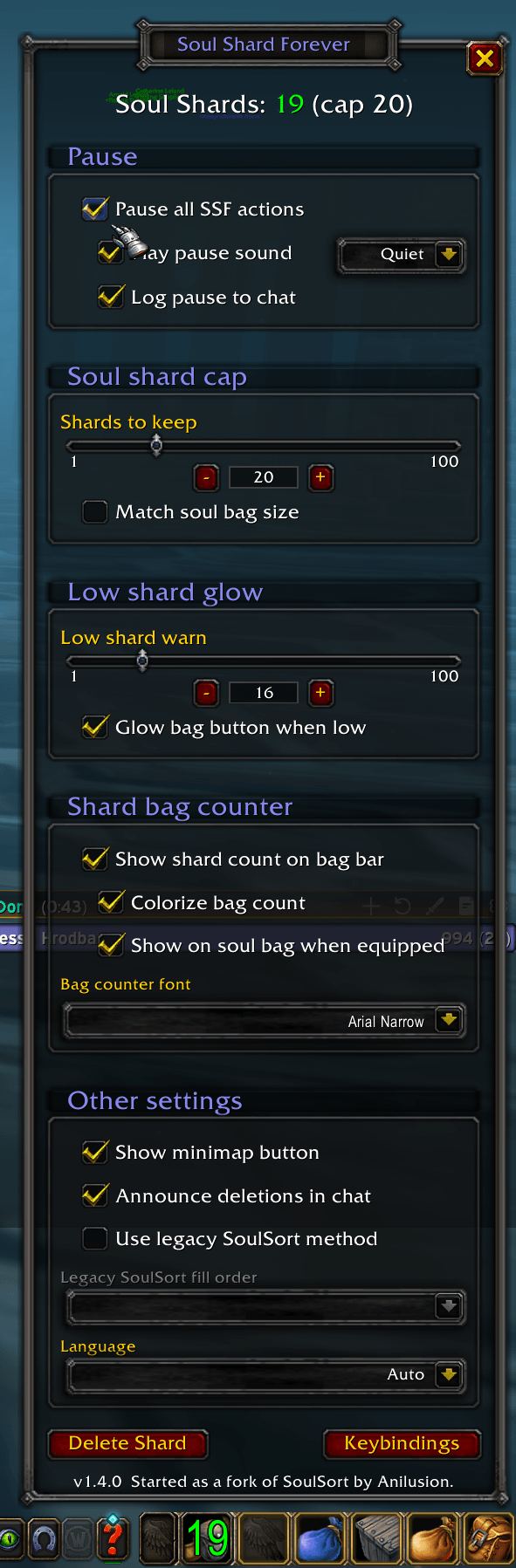
The SSF window. Green means you're between your low mark and your cap, and the same number sits on your soul bag, or your far-left bag if you don't carry one.
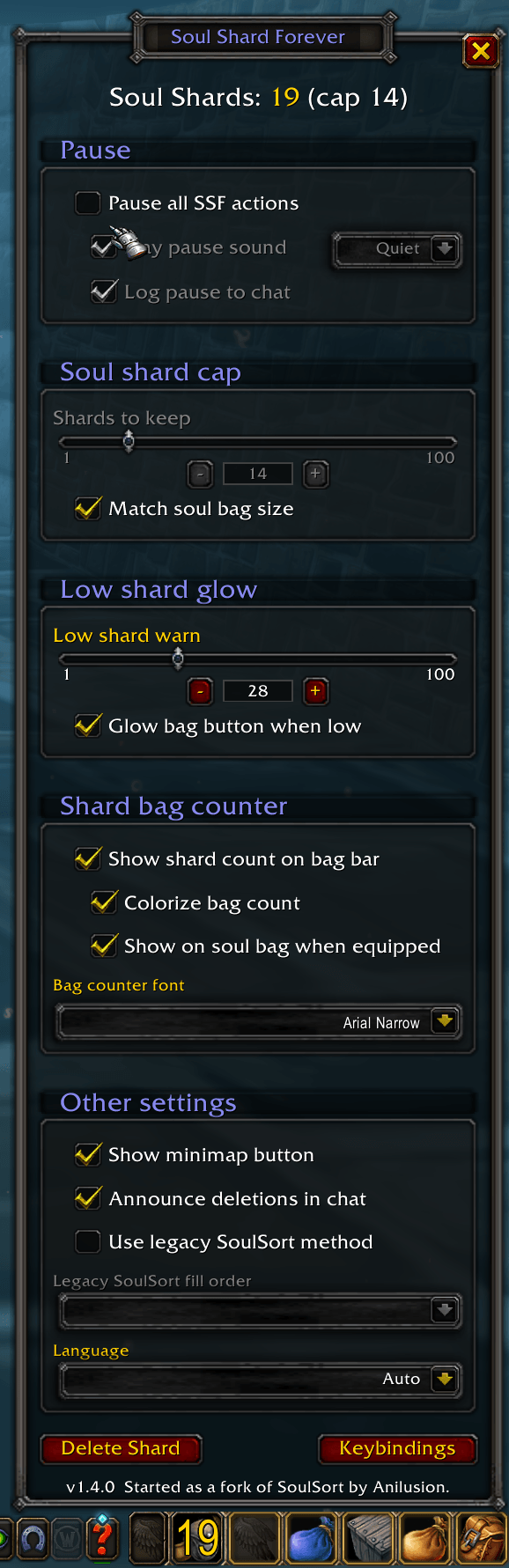
Pause all SSF actions is off here, so its sound, volume and chat options are greyed out. They keep your choices for the next time you pause.
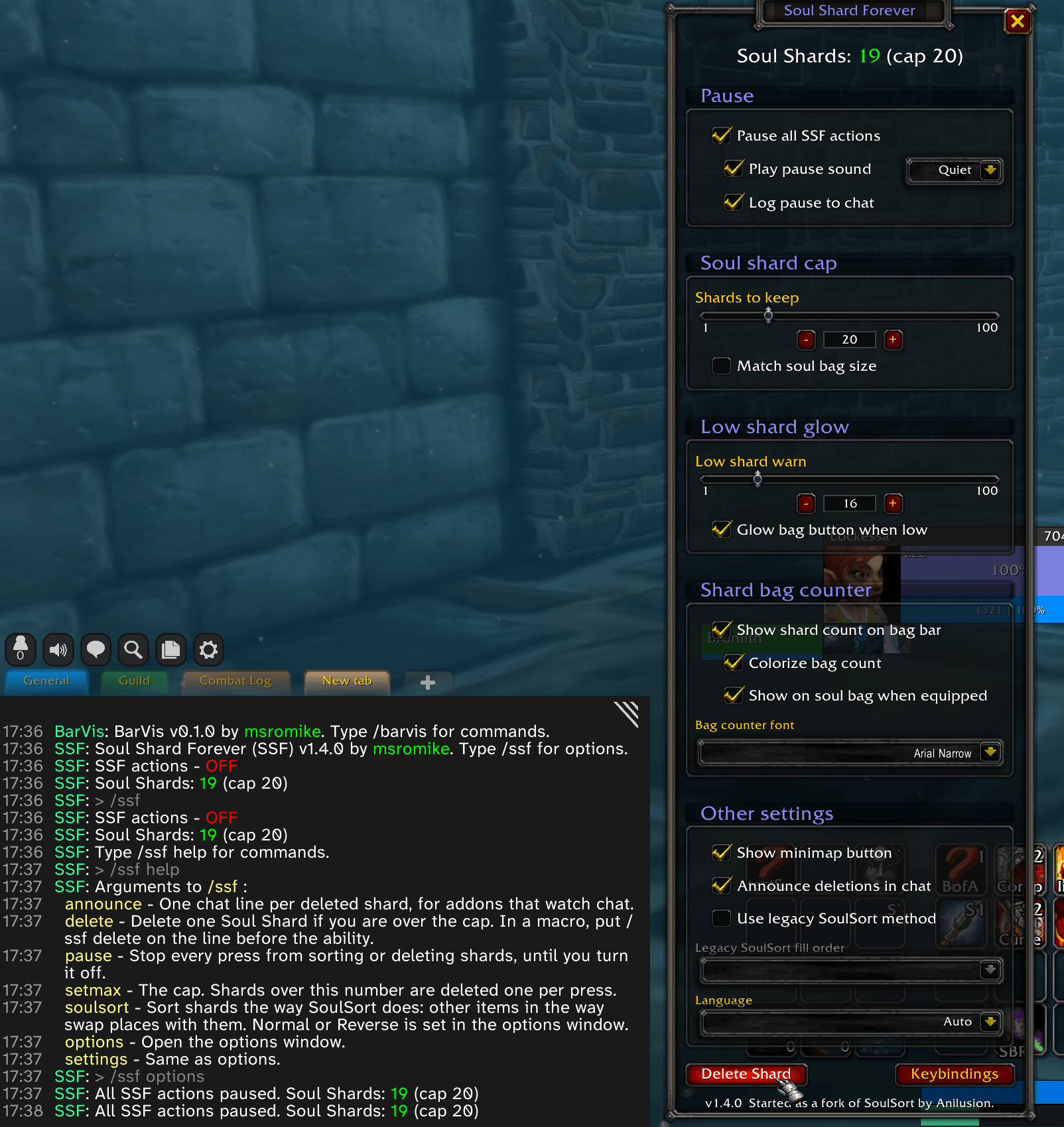
Paused, a press neither sorts nor deletes, so you can stockpile for raid night. The pause sound and chat line are optional. Type /ssf for your status and /ssf help for every command. Tab completes the command words.
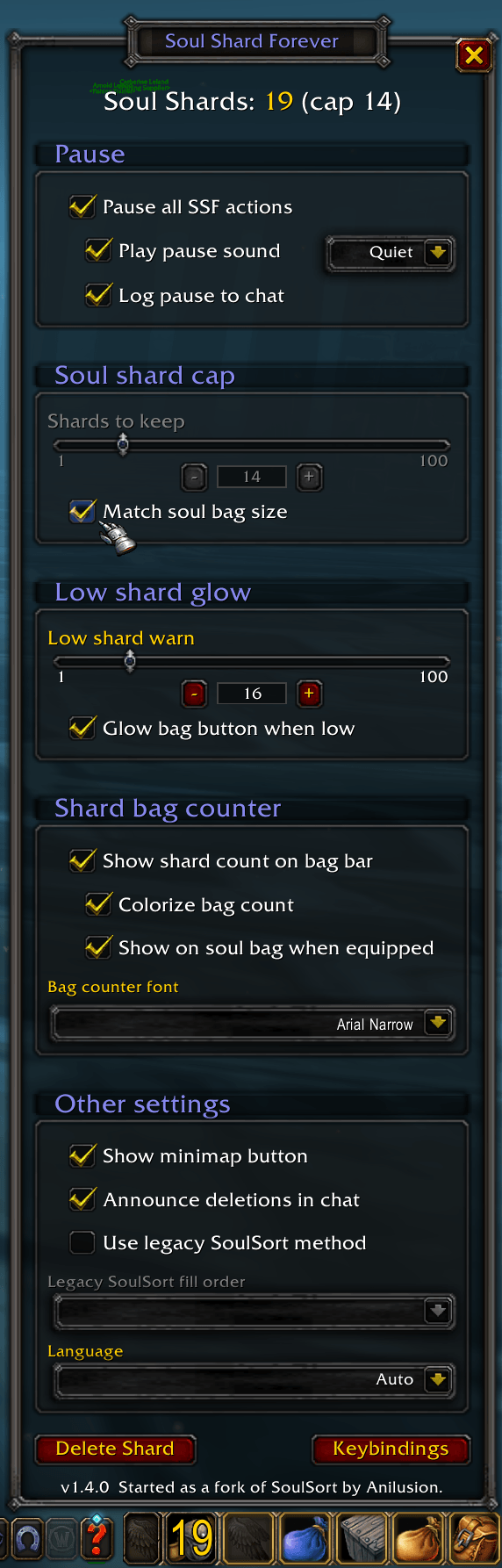
Match soul bag size ties the cap to your soul bag's slots (14 here). Yellow means you're over the cap, so the next press deletes one.
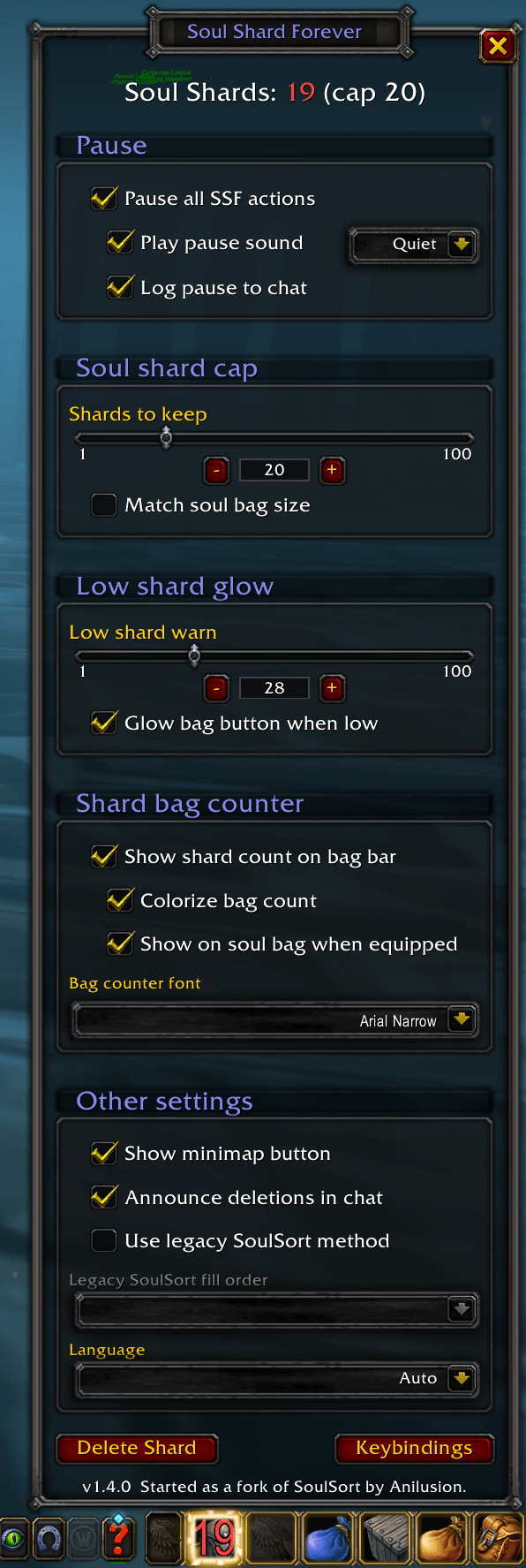
Under your low shard mark the count turns red and the bag button glows, so you farm before you run out.
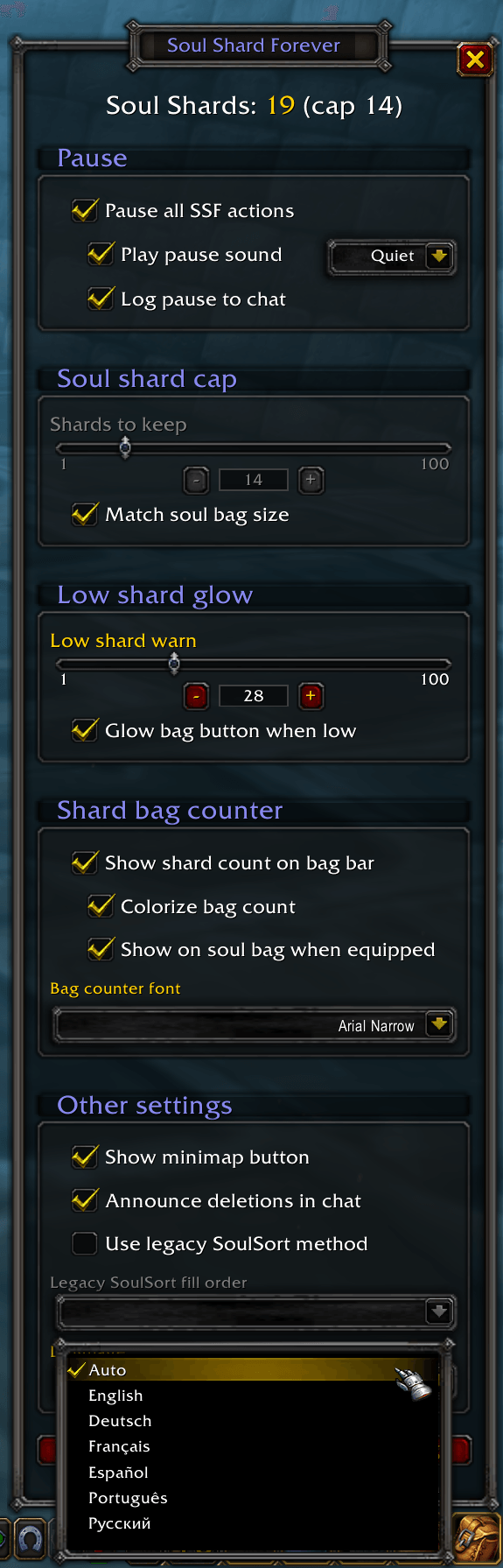
Follows your client's language, or pick English, Deutsch, Français, Español, Português or Русский.
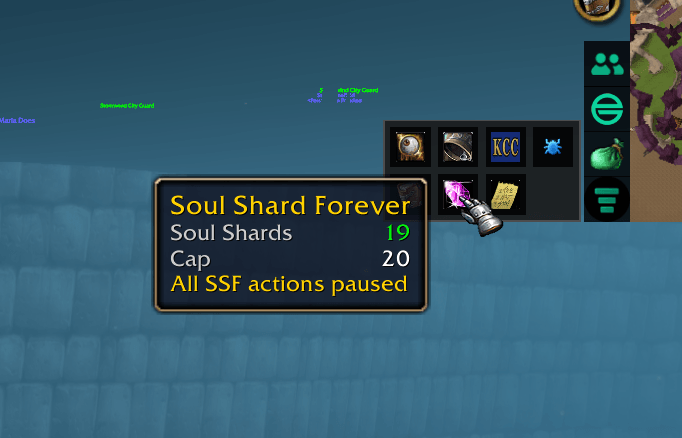
The minimap button's tooltip shows your shard count, your cap, and when SSF is paused. Click it to open or close the window.
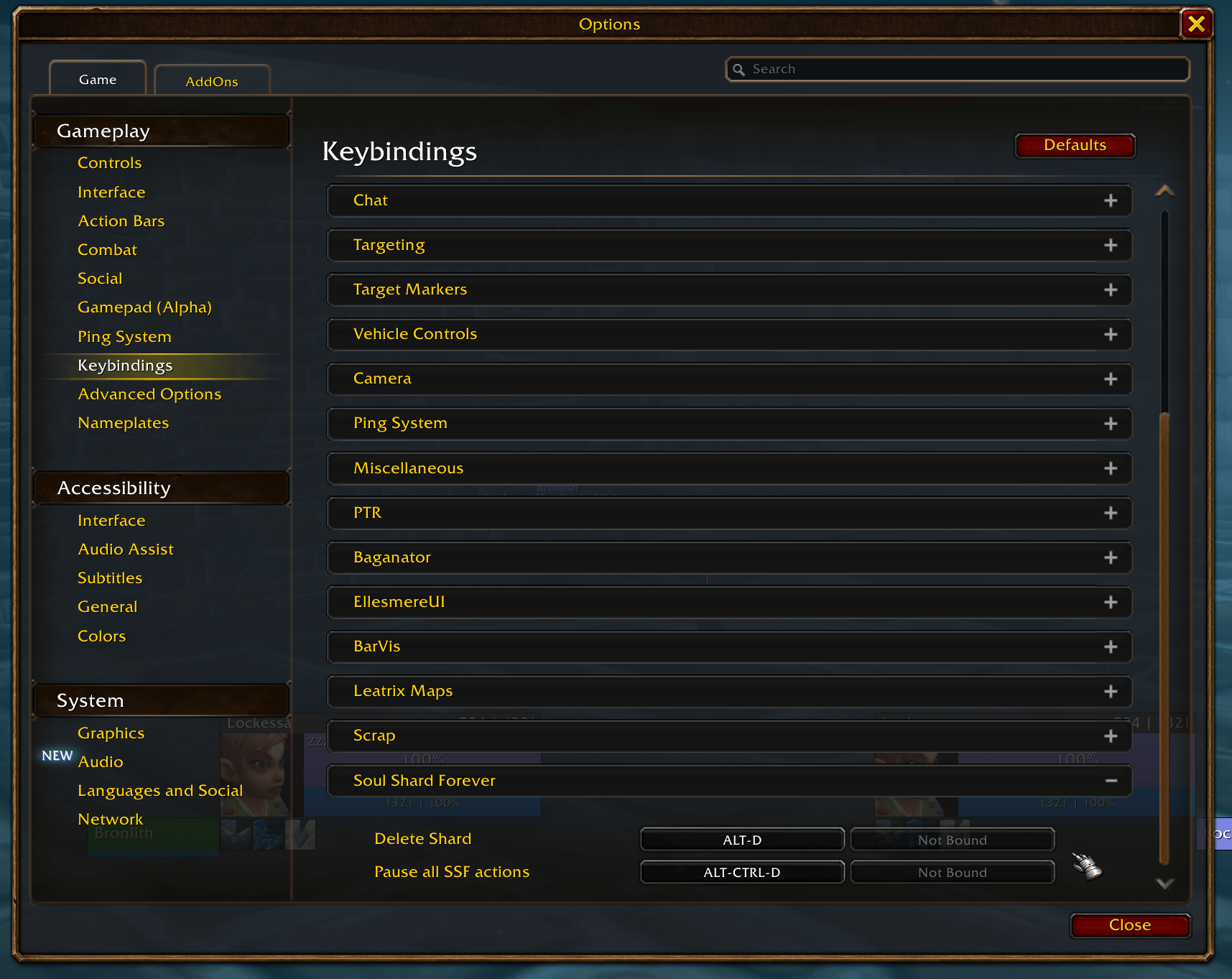
Bind Delete Shard to any key. Each press sorts your shards and deletes one if you're over the cap, never in combat. Bind Pause all SSF actions to turn the pause on and off. The Keybindings button in the SSF window opens this page.
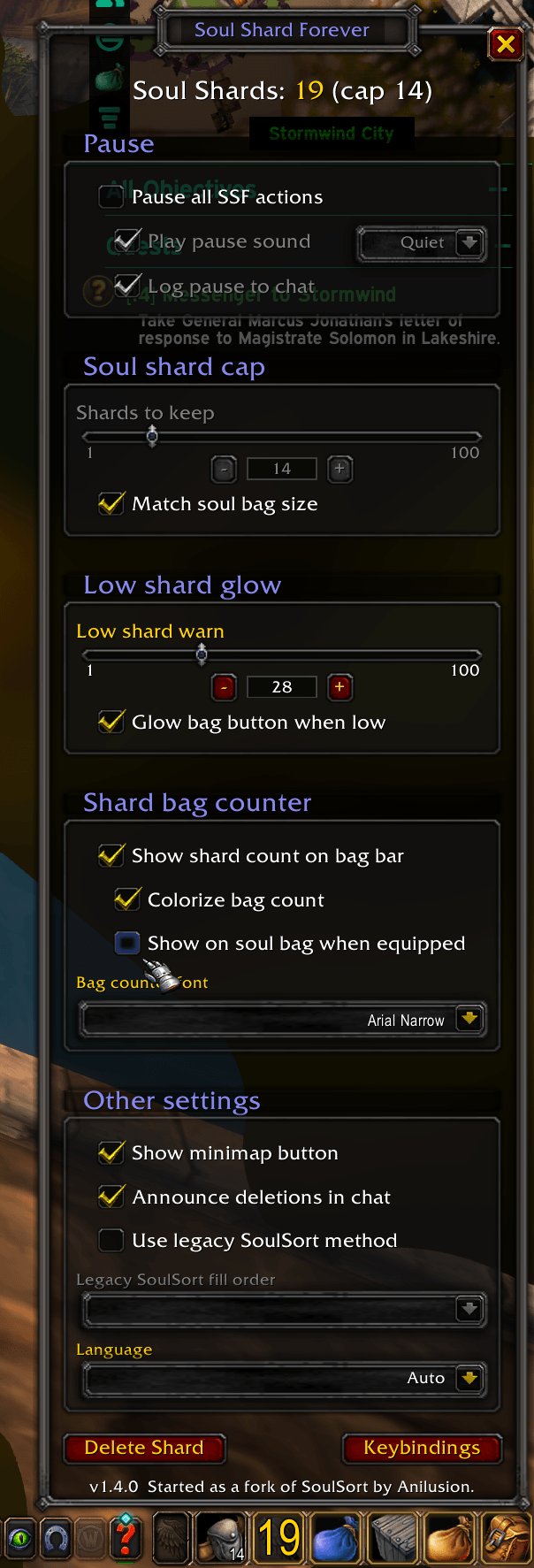
Untick Show on soul bag when equipped and the count moves off your soul bag to your far-left bag, and the soul bag shows the game's own number again. Tick it and the count follows your soul bag to whatever slot it's in.