Soul Shards Forever (SSF)
- By
Warlock Soul Shard manager for WoW Forever. Deletes shards over your cap with a keybind or macro. Shows number of shards on hand. Moves shards into your soul bag if equipped (not required). Legacy Soul Sort behavior as an option. Multi-language support.
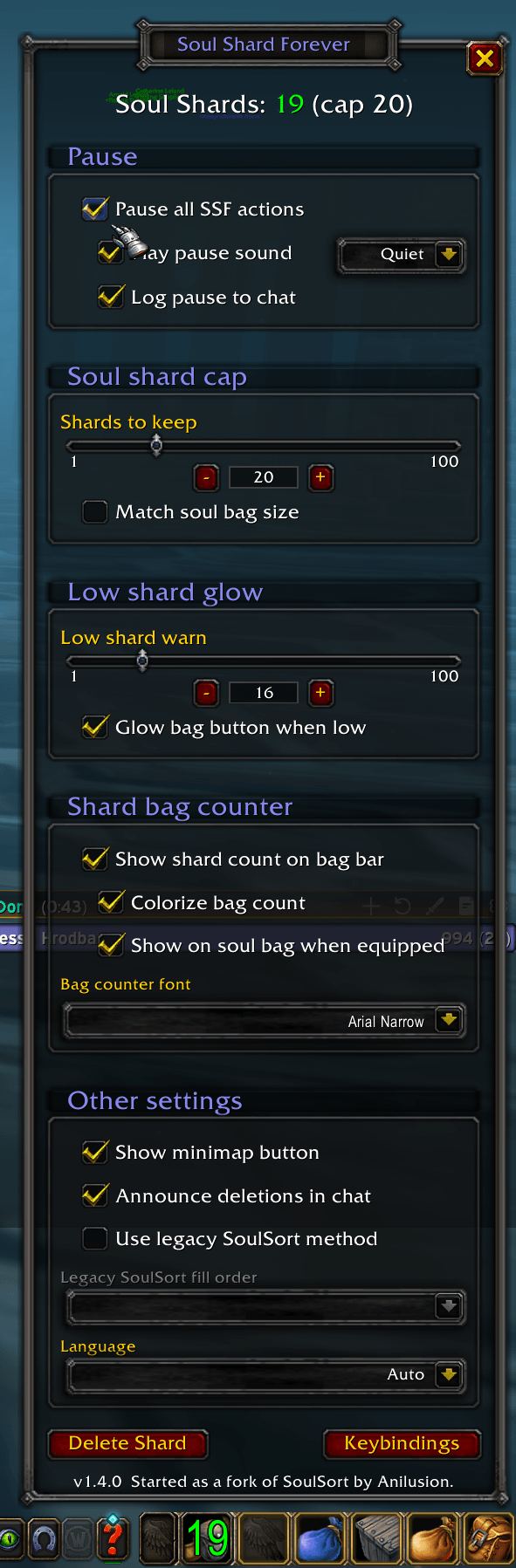
The SSF window. Green means you're between your low mark and your cap, and the same number sits on your soul bag, or your far-left bag if you don't carry one.
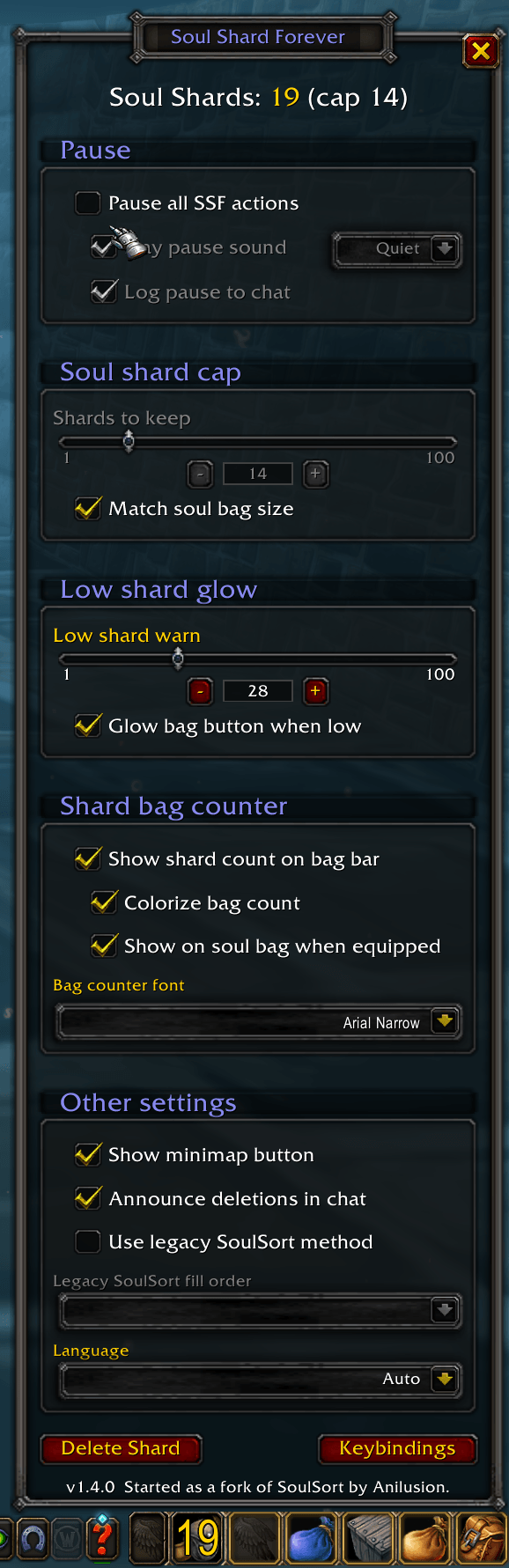
Pause all SSF actions is off here, so its sound, volume and chat options are greyed out. They keep your choices for the next time you pause.
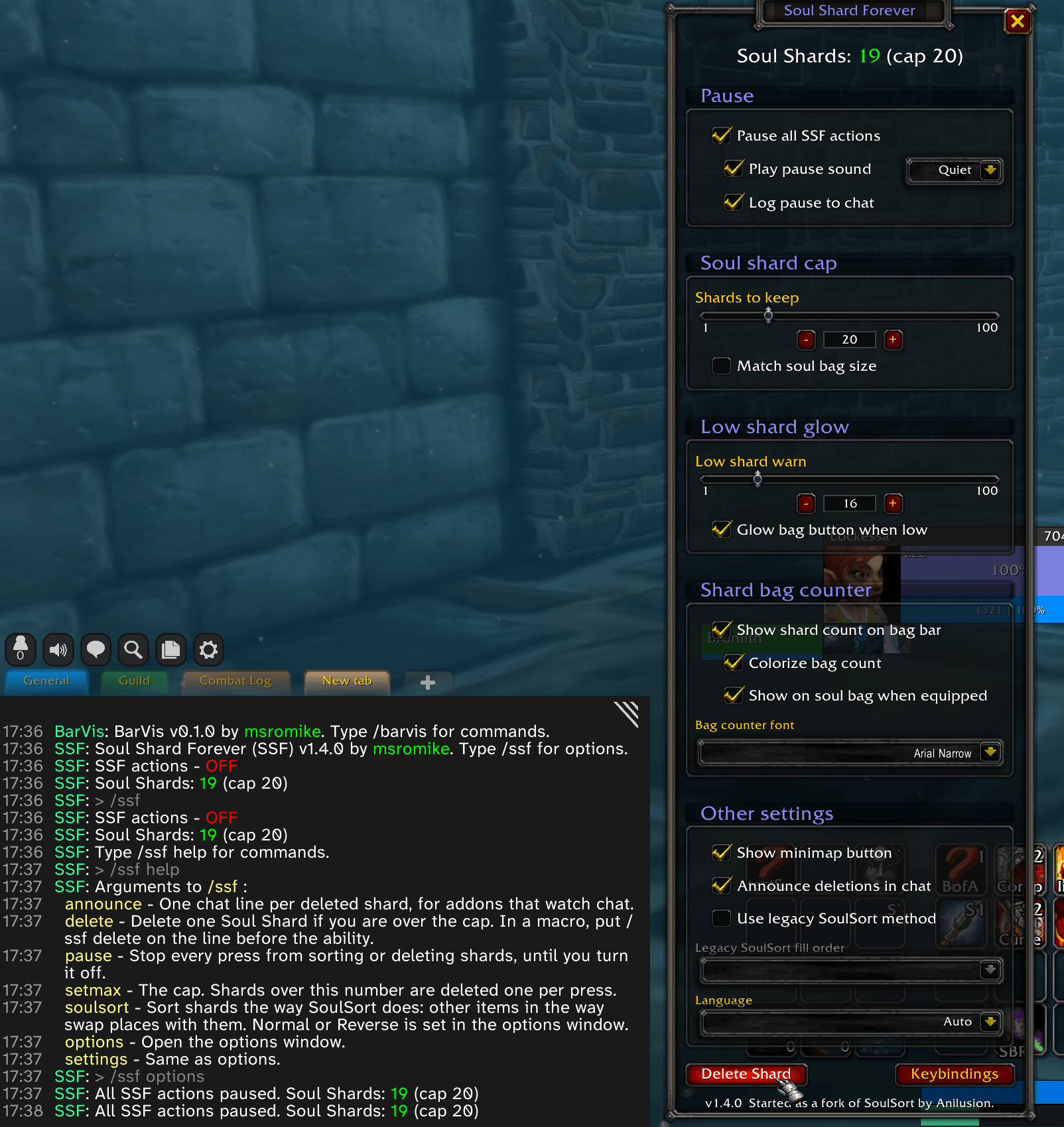
Paused, a press neither sorts nor deletes, so you can stockpile for raid night. The pause sound and chat line are optional. Type /ssf for your status and /ssf help for every command. Tab completes the command words.
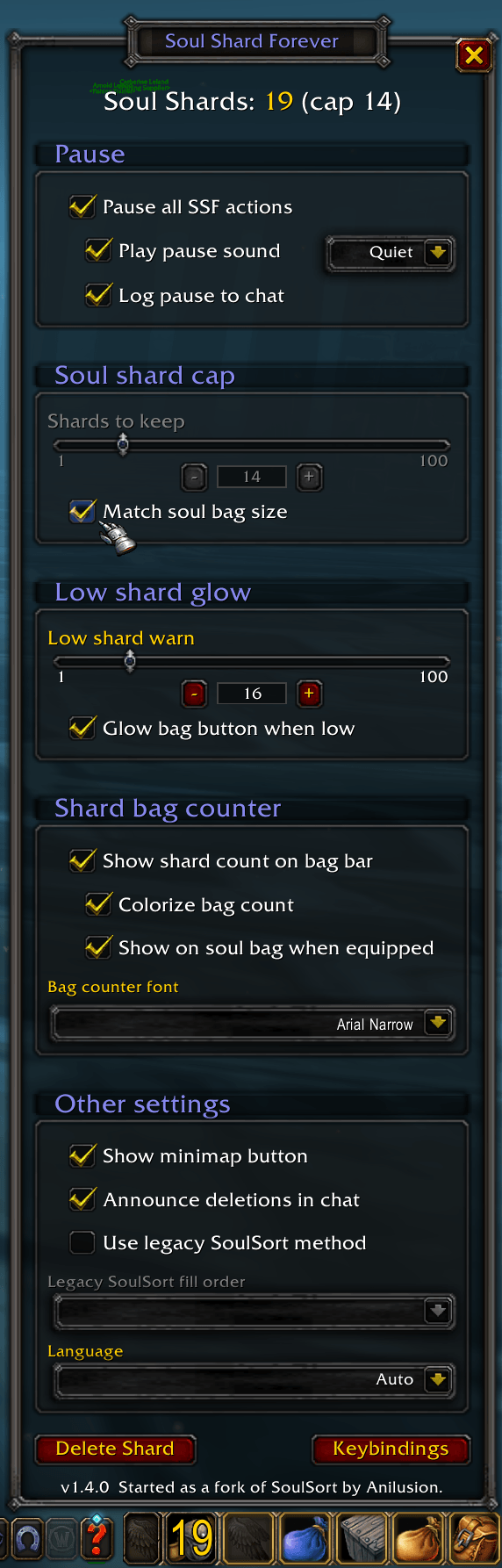
Match soul bag size ties the cap to your soul bag's slots (14 here). Yellow means you're over the cap, so the next press deletes one.
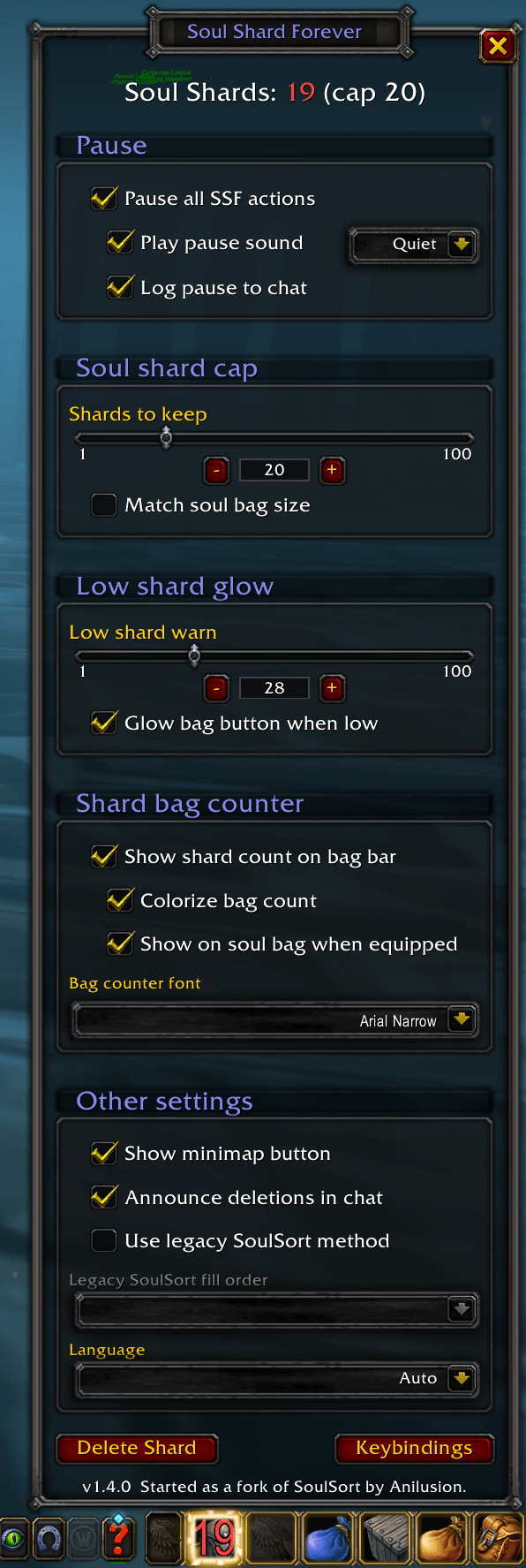
Under your low shard mark the count turns red and the bag button glows, so you farm before you run out.
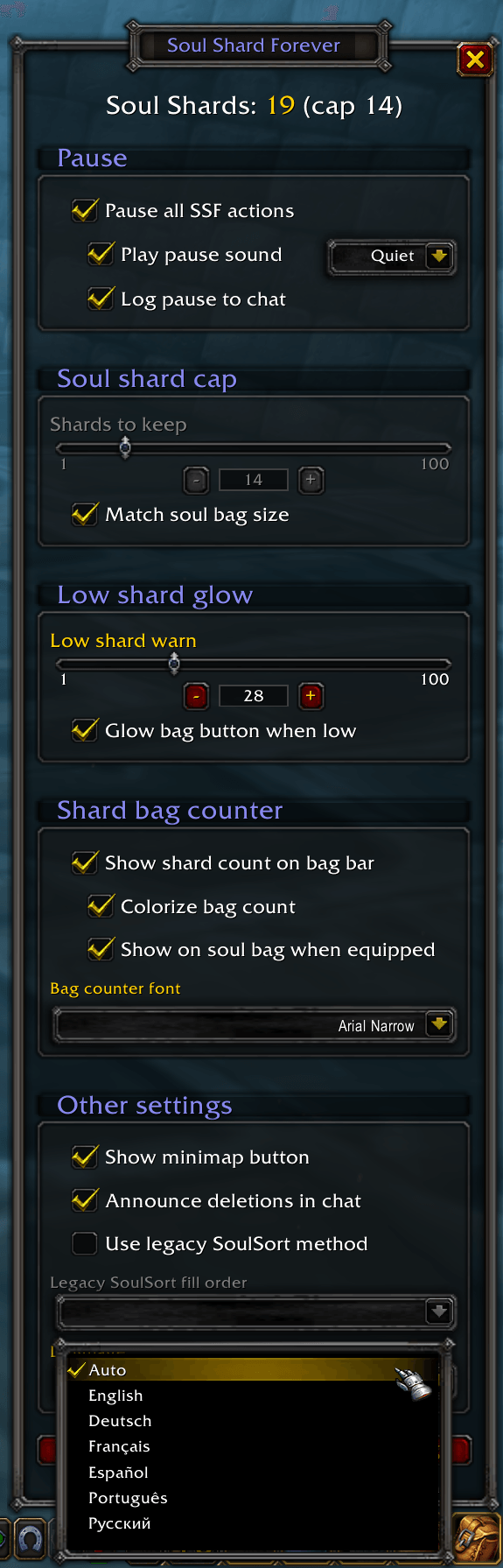
Follows your client's language, or pick English, Deutsch, Français, Español, Português or Русский.
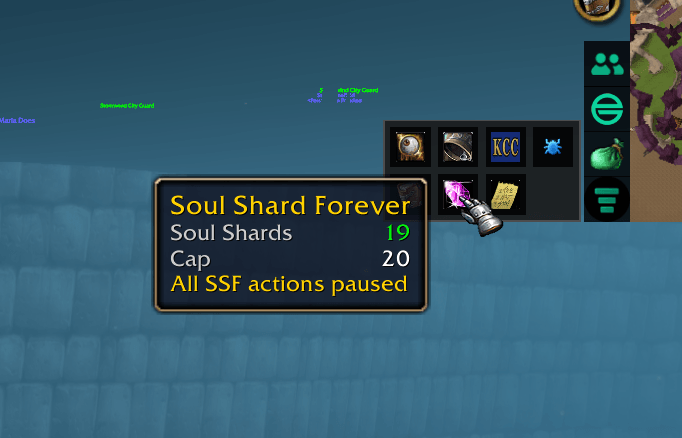
The minimap button's tooltip shows your shard count, your cap, and when SSF is paused. Click it to open or close the window.
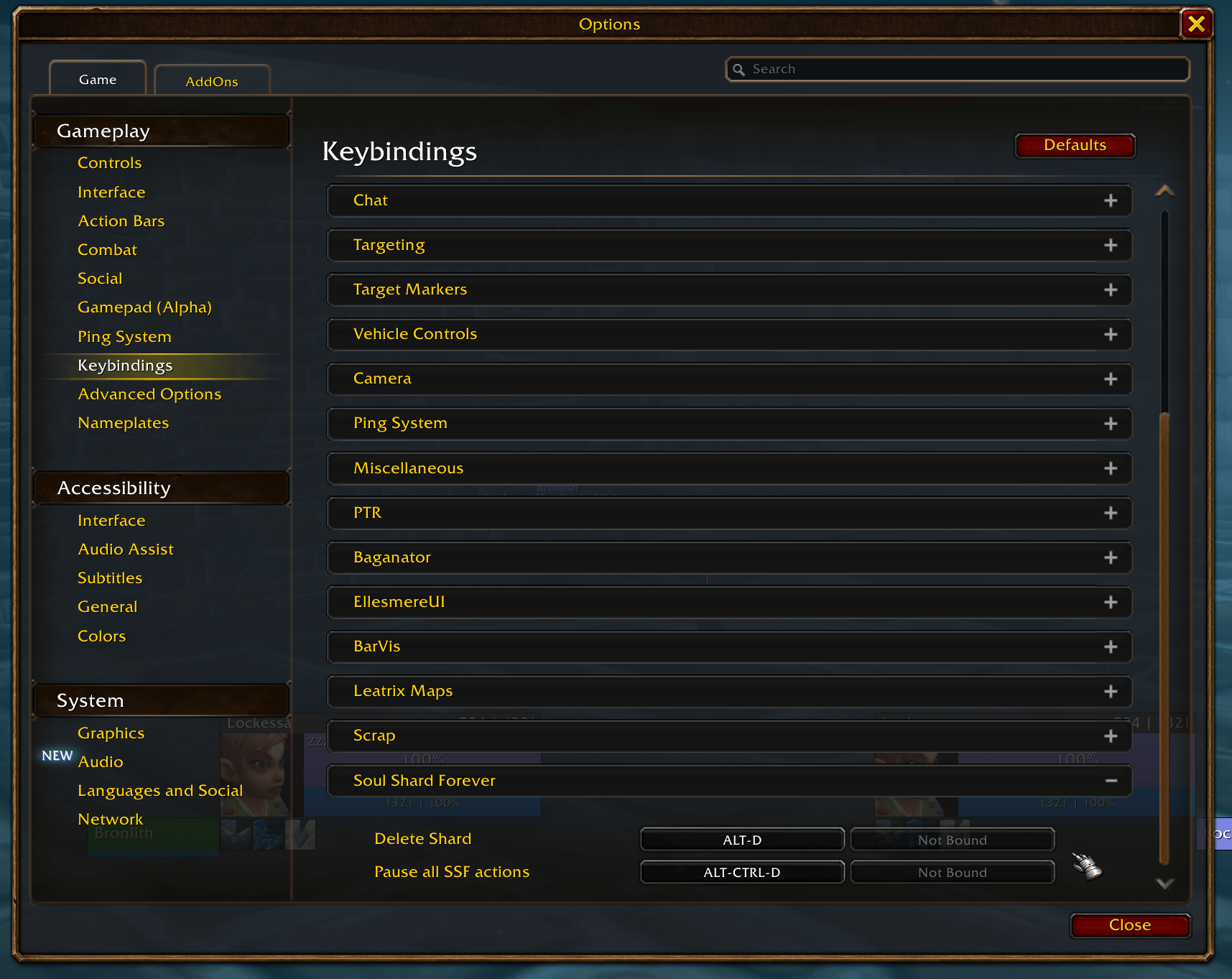
Bind Delete Shard to any key. Each press sorts your shards and deletes one if you're over the cap, never in combat. Bind Pause all SSF actions to turn the pause on and off. The Keybindings button in the SSF window opens this page.
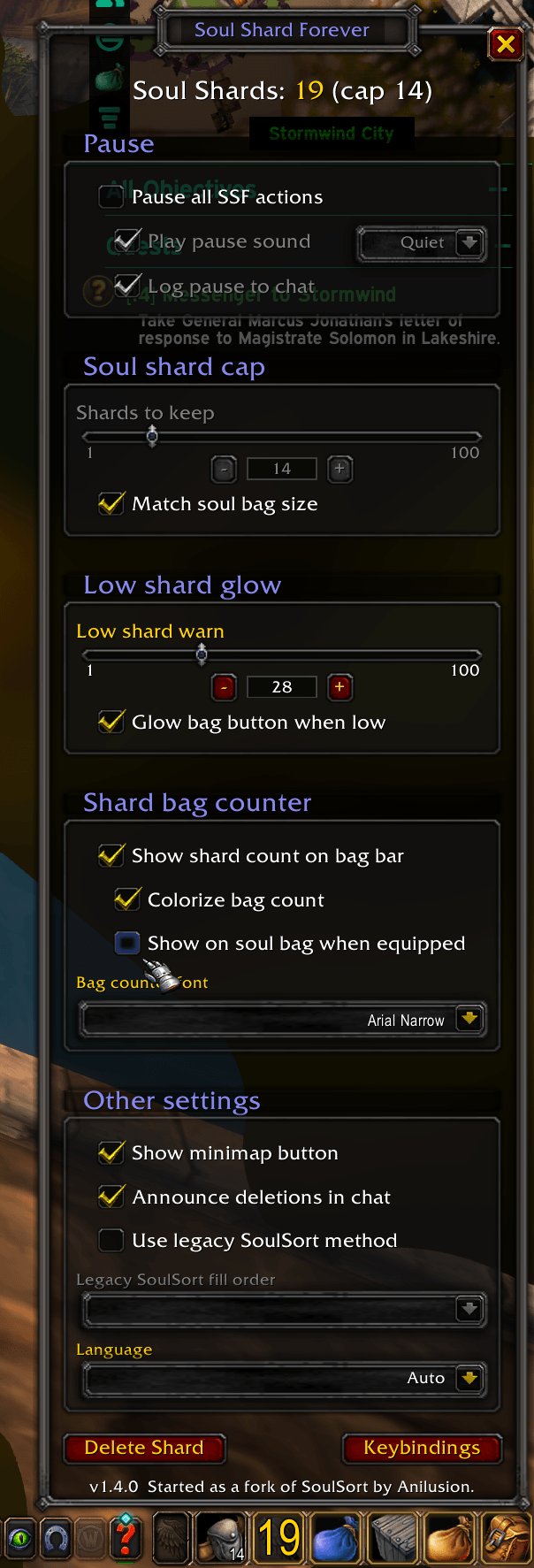
Untick Show on soul bag when equipped and the count moves off your soul bag to your far-left bag, and the soul bag shows the game's own number again. Tick it and the count follows your soul bag to whatever slot it's in.
Description
Summary
This addon helps you prune excess Warlock Soul Shards held in your bags in WoW Forever. Set the cap, tap a key (or macro), done. Works out of the box with minimal setup. Multi-language support.
Description
Keeps your Soul Shards at the cap you set, one press at a time. Never in combat (Blizzard limitation). Displays shard count, and can be paused.
Why this one
There are other shard addons. This one is built to disappear.
- Made for the Forever client, not ported to it.
- “It just works™.” Install it and the defaults get you going.
- One job: keep shards at your cap, a warning when you're low. Pause whenever you need. Nothing else.
Feature set
Core features
- Delete shards with a key or a macro.
- Display shard count on your bag bar or your soul bag (optional).
- Warn you when you're running low (red count, and the bag button can glow).
- Pause for raid night (farming shards for healthstones and summons duty).
QOL features
- Cap follows your soul bag size, if you want it.
- Speaks your language. Follows your game client, or pick English, Deutsch, Français, Español, Português or Русский.
- For those who lean that way, the everyday actions have slash commands too. Type
/ssf helpto see them, and Tab completes the command words.
Set it up
Click the SSF button on your minimap. Then:
- Set Shards to keep.
- Click Keybindings and bind Delete Shard and, if you want it, Pause all SSF actions.
Keep shards at your cap
Every keybind press or macro click sorts your shards into your soul bag (if equipped) and deletes one if you're over the cap.
- Put
/ssf deleteon the line above a spell you spam, and forget it.
  #showtooltip
  /ssf delete
/cast Life Tap- Or tap your keybind whenever.
- Set the cap slider or select use soul bag size(s) as cap: a 24-slot bag means a cap of 24, no slider.
- Legacy SoulSort layout, if that's what you prefer.
See how many you have
Displays shard count:
- On your bag bar, on your soul bag.
- Green in range, yellow over the cap, red when low.
- Glow the bag button when you're low.
- Your font, or no colors, or no count at all. Up to you.
Pause for raid night
When you're stockpiling for soulstones, healthstones and summons, SSF stops deleting.
- Pause and unpause with a key, or the checkbox in the window.
- A soft thunk and a chat line, if you want them, so you know it's paused.
- Your cap stays where it was when you resume SSF.
This is only for WoW Forever. On Classic Era use SoulSort by Anilusion, which the idea for SSF came from.
The code lives on GitHub. Have a look, tell me what you'd change, or send a PR. Happy to hear from you.
Soul Shards Forever (SSF) Team