Social Quest
- By
An add-on designed to enhance the questing experience, with an emphasis on improving group questing.
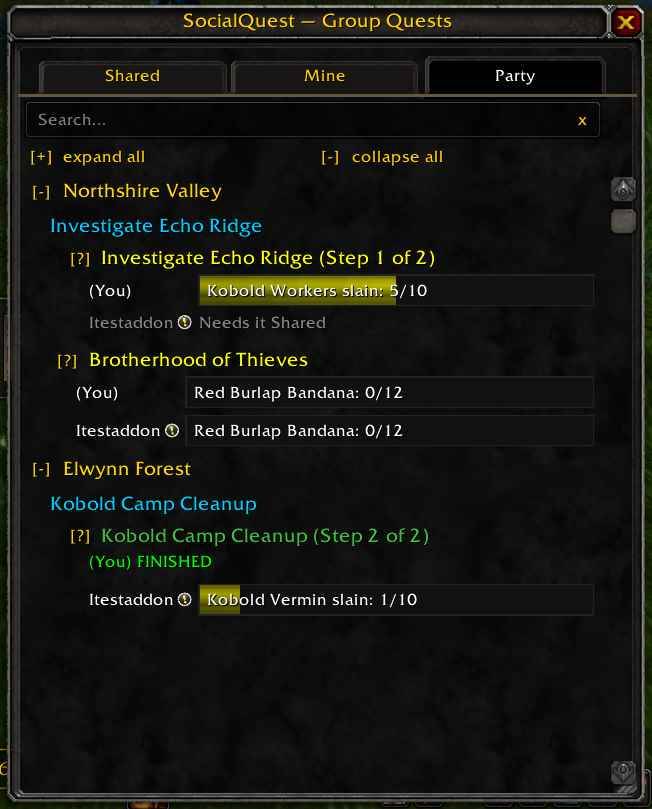
See all party quests in one place
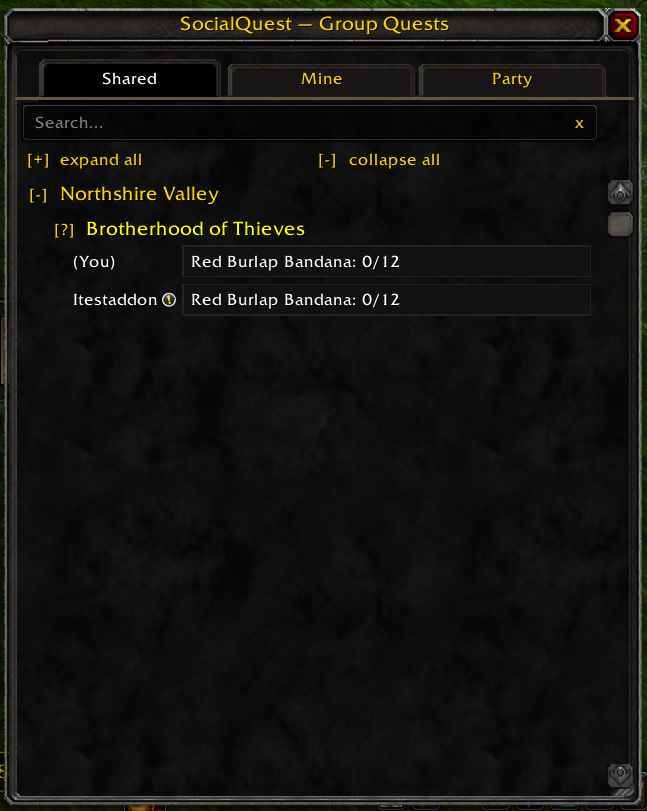
See your shared quests with other party members
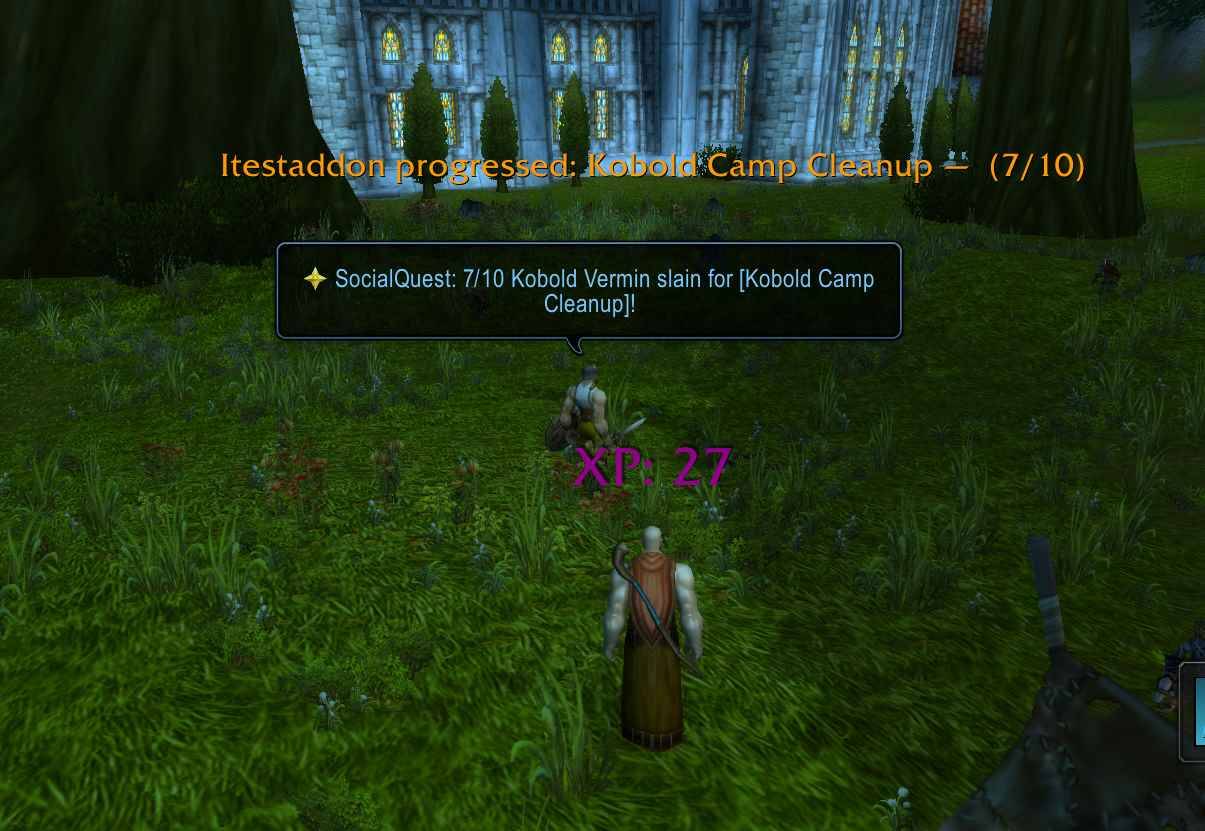
Your party member made progress in a quest
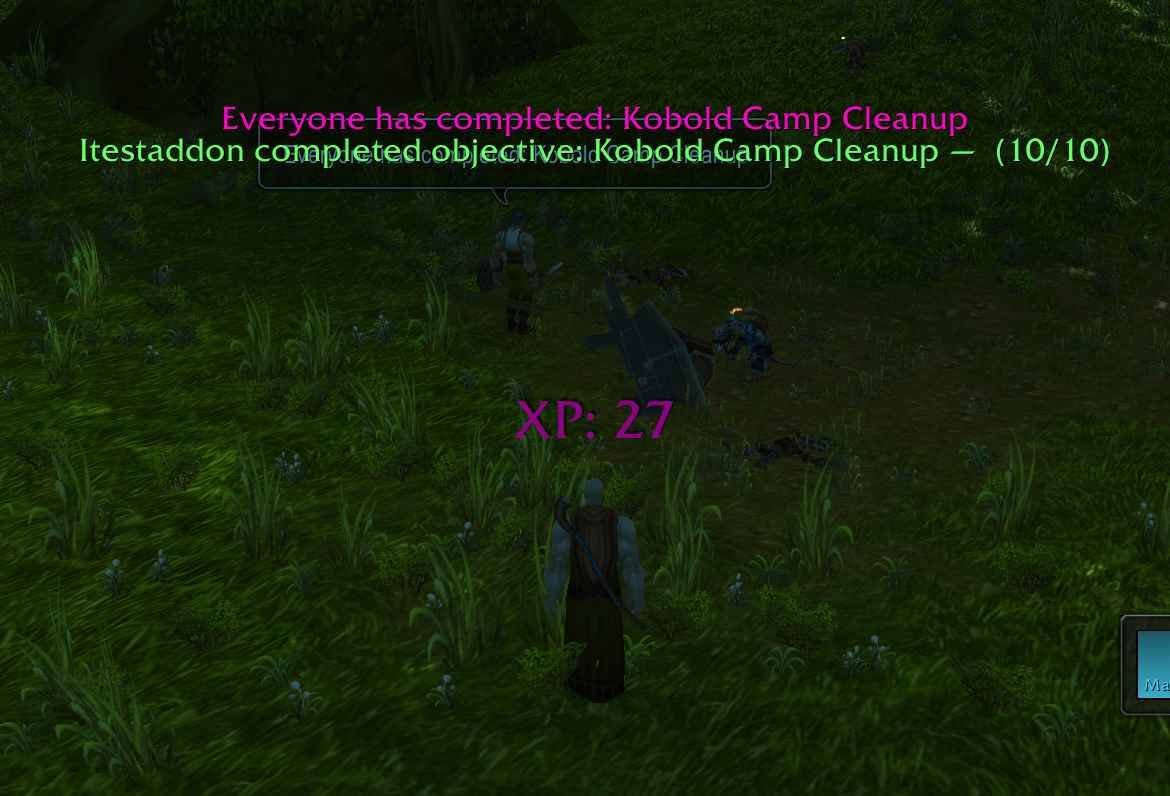
Everyone in the party finished a quest
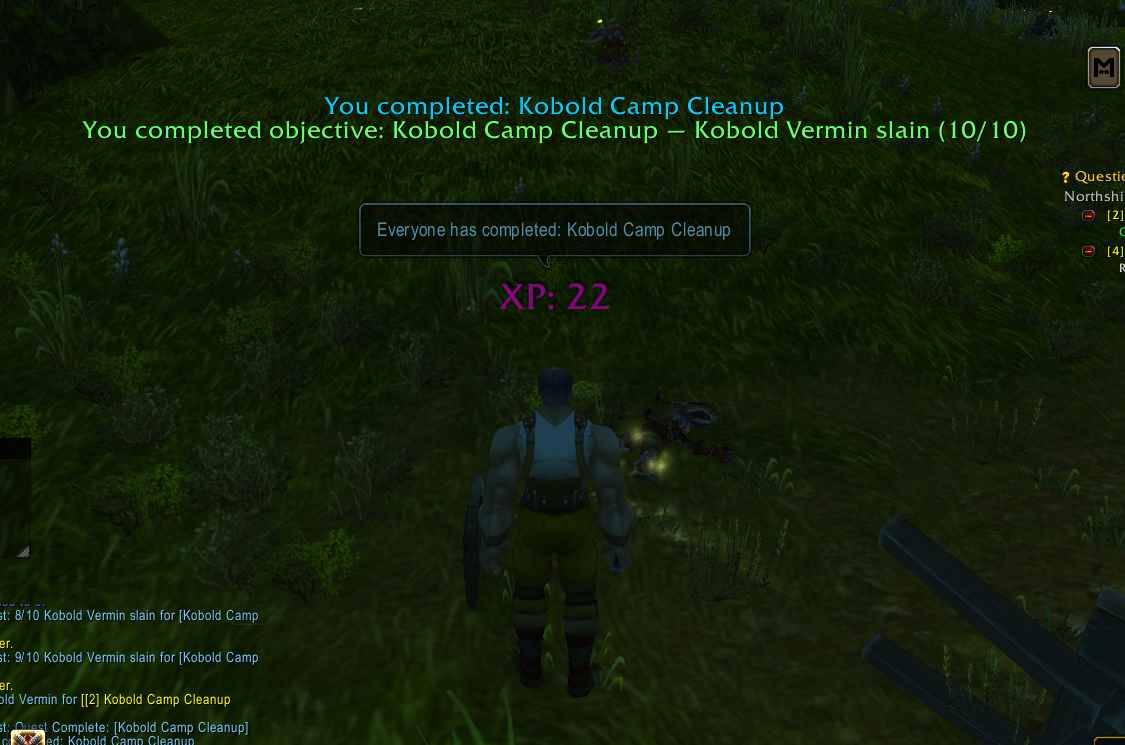
You just completed your quest!
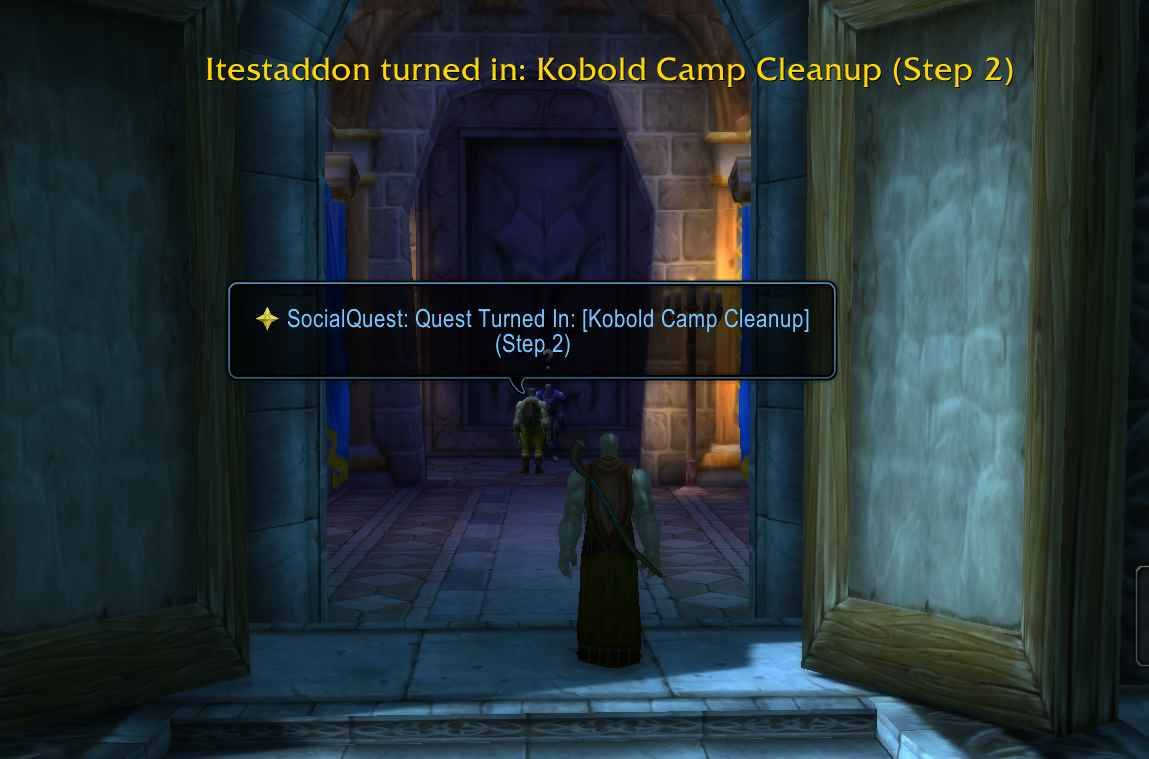
Your party member turned in their quest
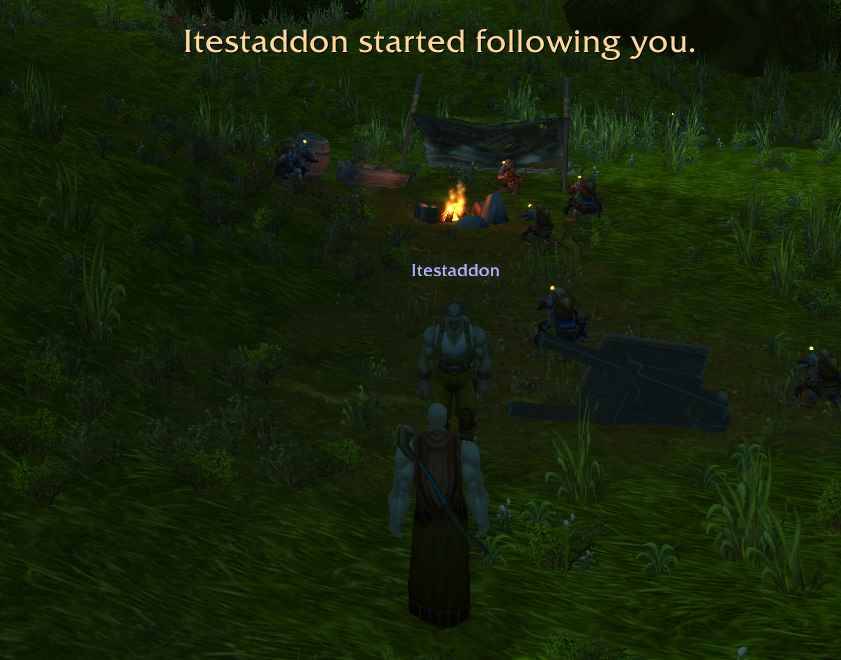
Your party member just started to follow you
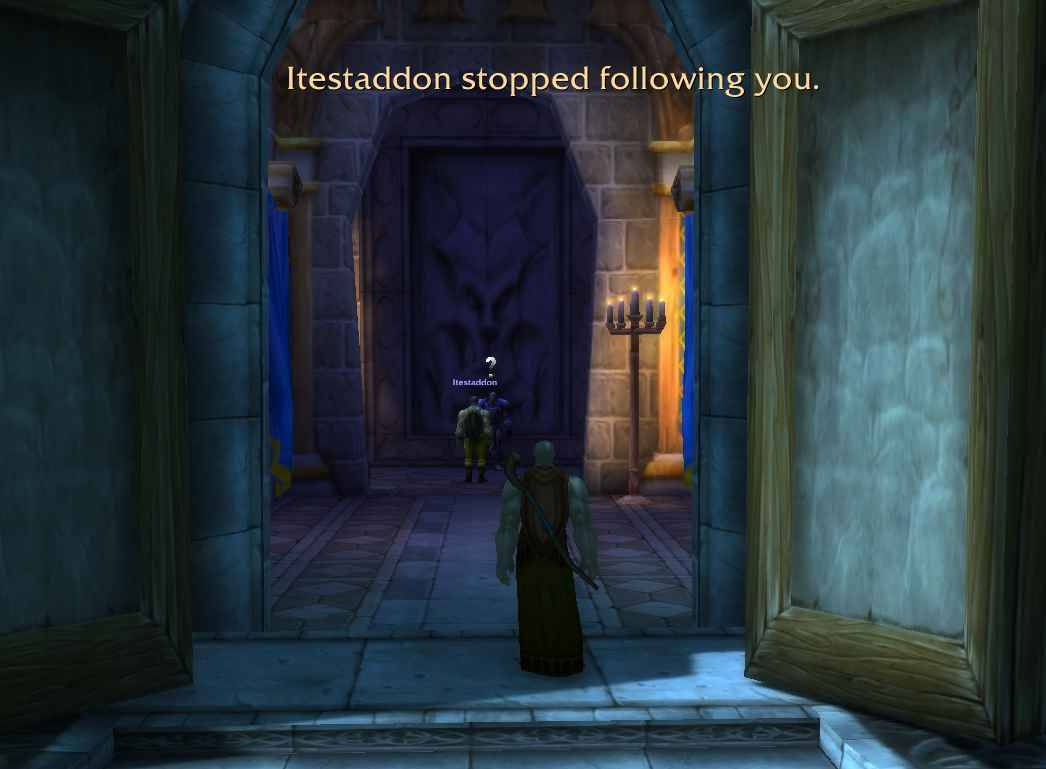
Your party member just stopped following you
Description
Social Quest
Social Quest is an add-on designed to make questing with groups a more seamless experience. It provides a number of notifications to users for numerous quest events, both for the player and their group mates. It can be configured to provide banner announcements on screen and/or announcements in chat.
Note: If you have Questie installed and you configure both to announce messages to chat, Social Quest will suppress its own messages in favor of Questie messages so as not to duplicate similar messages in a chat channel.
The main benefit of Social Quest is syncrhonization of quest data between Social Quest users in a group. As soon as you group with other Social Quest users, your quest data synchronizes in the background and Social Quest then uses that to provide a number of nice features. Aside from the data sync, Social Quest regularly messages between users in a group to give each other updates. All of this is deeply configurable. Below I will break down these core features.
Note: Social Quest now features a Questie bridge module that will allow the banner update messages and the quest window to function very well even if other party members don't have Social Quest installed, but do have Questie installed. In the quest window, other players' quest data who are being determined via the Questie bridge will show a small Questie icon next to their name. This let's you know they are not running Social Quest, but are running Questie and are thus displaying due to the bridging logic. Players running Questie will not generate the same rich information that other Social Quest players will, but it's still pretty good and is enough to make it work well.
Social Quest is localized into many different languages (English, German, Spanish (Spain and Latin America), Portuguese, French, Italian, Japanese, Korean, Russian, mainland Chinese and Taiwanese Chinese), has color blind support and provides a custom key binding for the quest window. If you are a color blind user and have color blind support turned on in the base client, Social Quest will detect that and automatically enable color blind mode regardless of the setting in Social Quest itself.
Commands
You can use the /sq command to open and close the Social Quest Log window. You can also use "/sq config" to open the configuration settings screen for the add-on. These settings are also available through the standard add-on options screen from the main game menu.
Messaging
Social Quest provides banner announcements to the users screen and/or chat announcements for every quest related event. These include Acceptance, Abandonement, objective progress updates, objective completion, completion of all objectives, completion of all objectives by all Questors in the group and turning in the quest. Each of these message types can be configured to display a banner on screen or in chat. These messages are communicated to the other users, so if Joe completes the quest "Jake's Revenge" then all other Social Quest group members will see a banner message stating "Joe completed: Jake's Revenge". It's really up to each user if you want to do party chat announcements or if you'd rather just rely on the banner display on screen. The chat announcement can be a nice fallback in case you have party members not using Social Quest.
Social Quest Group Quests Window
This is another huge feature of the add-on. This window is not meant to replace the existing quest log altogether, but rather to augment it. The Social Quest window provides 3 tabs of quest info. A "Shared" tab, a "Mine" tab and a "Party" tab. Each of these tabs will display quest chain information if you have Questie or Quest Weaver installed. If either of those add-ons are installed, it will also use them to correctly resolve the zone for another player's quest that you don't have. Normally it isn't possible to get the zone for a quest that you don't have in your log. When the zone cannot be determined, the other players' quests will simply show up under an "Other Quests" zone grouping. This makes it easy to see when you and a group member are on the same quest chain, but simply different steps. Shift clicking any quest title will track/untrack it just as in the normal quest log. Beside each title there is a [?] button you can click to open a window with the wowhead link for that quest if you want to look up further info. If you left click on a title, it will open the normal quest log directly to that quest if you need further information. You can also type in the search bar of each tab to filter the listed quests down. It will filter for any zones or quest titles with the search text. You can also add custom filters to each tab. There is a ? symbol in the search bar that will open a help dialog explaining the syntax for typing a custom filter into the search bar. As soon as you type the filter and press enter, the text clears and a filter is added to that tab. An example filter is "zone=storm|iron". That would create a filter that displays only quests in zones that contain the text storm or iron, thus filtering on Stormwind and Ironforge. You can remove a filter by clicking the [x] icon on each one. They will persist until you remove them.
Shared Tab
The shared tab will only show quests that all Social Quest using party members share. This gives you an easy place to see what quests you can all work on together and what each player's status is on the objetives. Other group members not using Social Quest will simply not have their information here.
Mine Tab
The mine tab only shows your own quests. This is still very useful as a summary display of your quests since it will provide quest chain information if available.
Party Tab
Lastly, the party tab displays a cohesive view of all the quests that each Social Quest using party member has. With Questie or Quest Weaver installed, this can make it quite easy to see when you share the same quest chain but are simply 2 steps apart. Then you can quickly get everyone on the same step, at which point the quest shows up on the shared tab.
Quest Link Tooltips
Social Quest modifies the tooltips for quest links to give information about the status of each Social Quest group member on that quest. Social Quest also provides its own rich quest tooltip links and popups. If you prefer the Social Quest tooltips or Questie ones, you can configure your settings such that Questie quest links will open a Social Quest quest tooltip instead of the default Questie. You can also choose to override basic wow quest links as well. Social Quest links themselves are only openable by other SQ players.
Follow Notifications
Social Quest will notify another Social Quest using party member when you begin and stop following them. This way you never need to ask if they are following.
The Social Quest Team