Soapstone
- By
read.png
write.png
minimap.png
world-map.png
Description
Leave your mark, literally. Scribble doodles and drop secret messages wherever you go, visible only to players who wander into the area.
Soapstone lets you leave short messages and little drawings at spots in the world, like the orange soapstone messages in Dark Souls or doodles like in Splatoon 3. A stone stays sealed until someone walks right up to it. Then it opens, and they can read what you left there: a warning, a tip, a joke, a view worth stopping for.
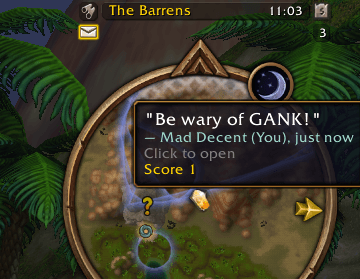
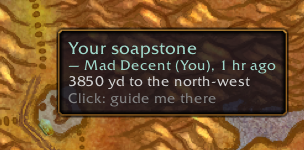
Your minimap shows stones nearby and pulls you toward the sealed ones, with a soft sound when one is close.
Made for WoW Forever (currently in beta).
Soapstone needs the Soapstone companion app to share stones. The companion carries your stones to other players and brings theirs to you. Without it, nobody else will ever see your stones, and you won't find theirs. Get the companion (Windows; macOS coming soon).
Screenshots
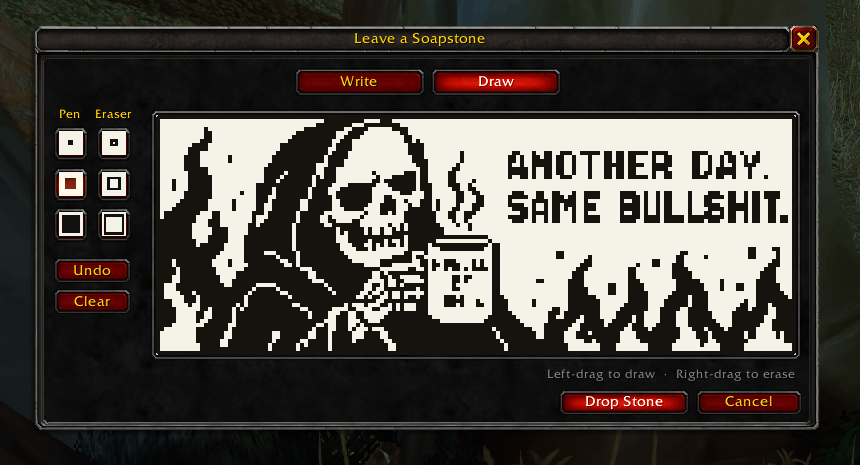
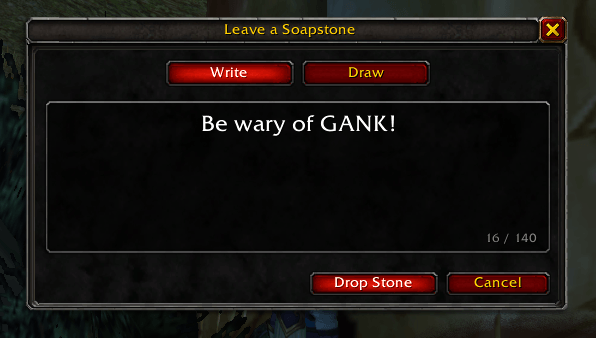
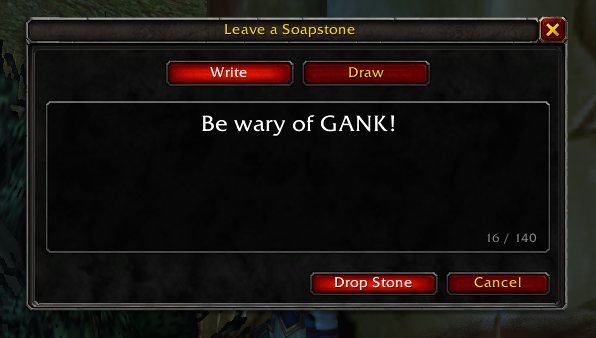
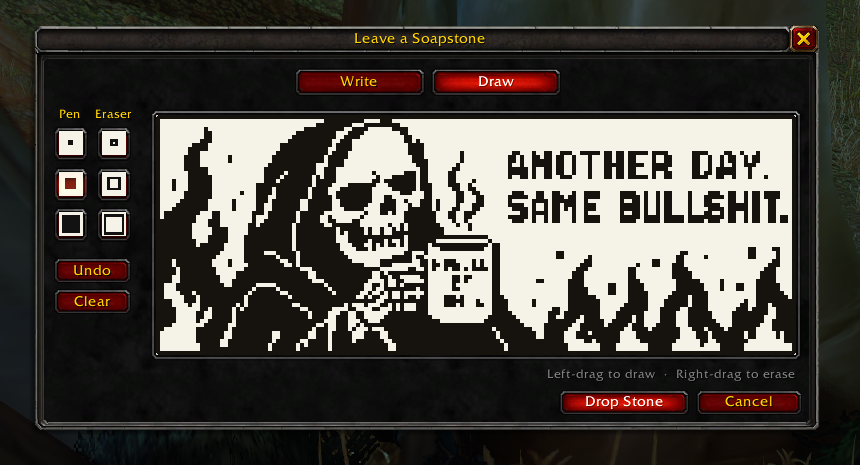
Leave a stone: write a message, or draw one.
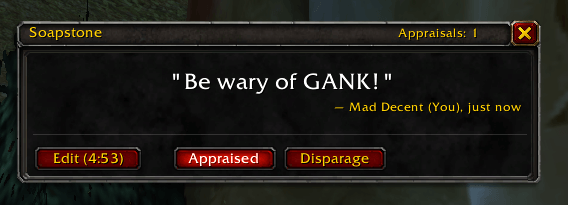
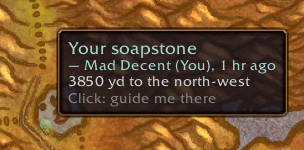
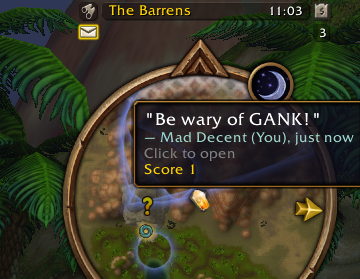
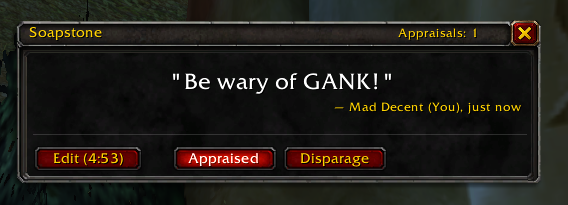
Find it: its pin on the minimap, and on the world map with how far away it is. Open it to read, appraise or disparage it.
Install
Soapstone has two parts, and you need both: the addon, and the Soapstone companion, a small app that sits in your system tray and connects you to everyone else. It brings other players' stones into your world and carries yours into theirs.
- Get the addon from CurseForge. The CurseForge app is the best way: it puts Soapstone in the right folder and keeps it up to date along with the rest of your addons.
- Get the companion: without it, nobody sees your stones. Download
Soapstone-Companion-vX.Y.Z-setup.exefrom its download page and run it. It installs just for your Windows user (no admin prompt) and starts with Windows, so it's always ready to share. It leaves the CurseForge app's copy of the addon alone unless it carries a newer version, and if you skipped step 1, it installs the addon for you. - Restart the game once so it picks up the new files. A soapstone button appears on your minimap.
Keep the companion running while you play. It's what shares your stones with other players and brings theirs to you.
Coming soon: the companion for macOS.
Beta. The companion is new, so expect rough edges. Its installer isn't code-signed, so Windows may say "Windows protected your PC": choose More info, then Run anyway. Each release lists the installer's SHA-256 checksum, so you can check your download.
What's new in each version is in the changelog.
How to play
- Leave a stone: click the soapstone button on your minimap, or type
/soap. Write up to 140 letters, or switch to Draw and sketch something. Press Drop Stone and it's left right where you stand. - Find stones: pins on your minimap point to stones nearby, and you'll hear a soft sound when an unread one is close. The world map shows every stone you know of and how far away it is.
- Read a stone: walk up to it. Within about 40 yards it opens: the minimap button glows, and you can click its pin to read it. Once you've read a stone, come back any time to read it again.
- Get directions: click a stone on the world map to be guided there. With TomTom installed you get its arrow; otherwise you get the game's own map pin.
- Appraise or disparage: praise a stone you liked, or mark one you didn't. Appraised pins turn gold. Disparaged ones fade and stop calling you over. A stone's score adds up every player's votes, and its pin shows how many players have found it.
- Change your mind: for 5 minutes after dropping a stone, you can edit or delete it from its window.
Each of your characters finds stones for themselves: a stone your main has read is still sealed for your alts.
Commands
| Command | What it does |
|---|---|
/soap |
Leave a stone where you stand |
/soap list |
Stones nearby, nearest first |
/soap read |
Open the nearest stone you're close enough to read |
/soap guide |
Point the way to the nearest sealed stone (/soap guide off stops) |
/soap companion |
Where to get the Soapstone companion, which shares your stones with other players |
/soap sync |
Reload the UI so the companion syncs now (also: shift-click the minimap button) |
/soap sound |
Turn the sound cues on or off |
/soap button |
Show or hide the minimap button |
/soap help |
Every command |
Sharing with other players
The Soapstone companion is a small app that sits in your system tray next to WoW and shares stones with everyone through a shared database: stones other players left show up when you log in, along with their drawings, and yours reach them the same way. If you don't use the CurseForge app, it also installs and updates the addon for you (see Install).
It only reads and writes Soapstone's own files, the way the WeakAuras
Companion does, and never touches the game itself. Because WoW only loads
files when you log in or reload, new stones arrive at your next login or
/reload. While WoW is running, the companion checks for new stones every
3 minutes. Shift-click the minimap button (or type /soap sync) to reload
right away: the companion shares your new stones within seconds, and you
get every stone it has fetched so far.
What the companion sends, and who can see it, is in the privacy policy. To uninstall it, use Windows Settings > Apps > Soapstone; that also removes it from Windows startup.
Inspiration
Soapstone grew out of two games. In Elden Ring and Dark Souls, players leave messages on the ground for strangers to find and rate. In Splatoon 3, players' drawings pop up around the plaza. Soapstone brings both to Azeroth.
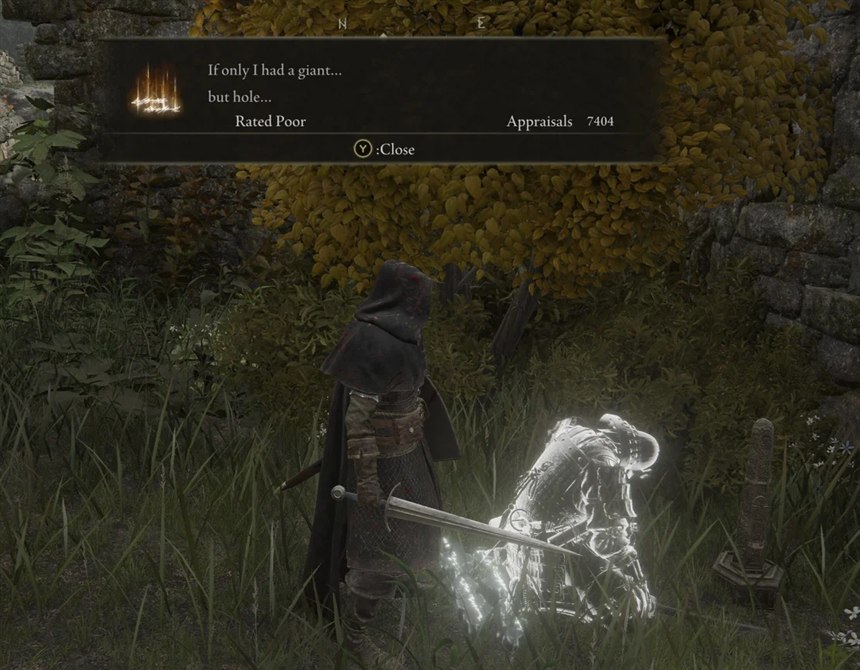
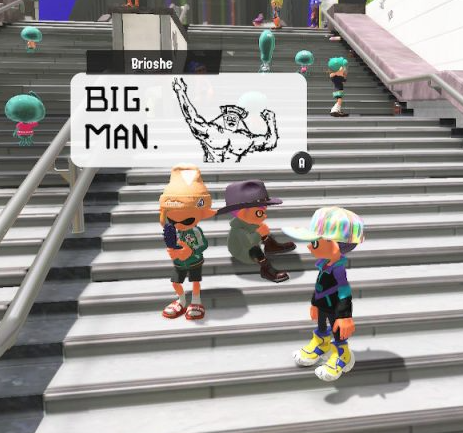
Left: a message in Elden Ring. Right: a drawn post in Splatoon 3.
Soapstone is also a spin-off of Soapstone, a phone app for leaving voice messages at real-world places.
Links
- Source code, releases and the full changelog on GitHub
- Report a bug or suggest an idea
- Privacy policy
Support
Soapstone is free. If you enjoy it, you can buy me a coffee:

Soapstone Team