Snack Manager
One click eats or drinks the best food in your bags, and frees bag space when it’s worth it.
01_one_click.png
02_bag_space.png
03_drink.png
04_options.png
05_languages.png
Description
🇬🇧 English / 🇪🇸 Español
SnackManager
One click. The right snack.
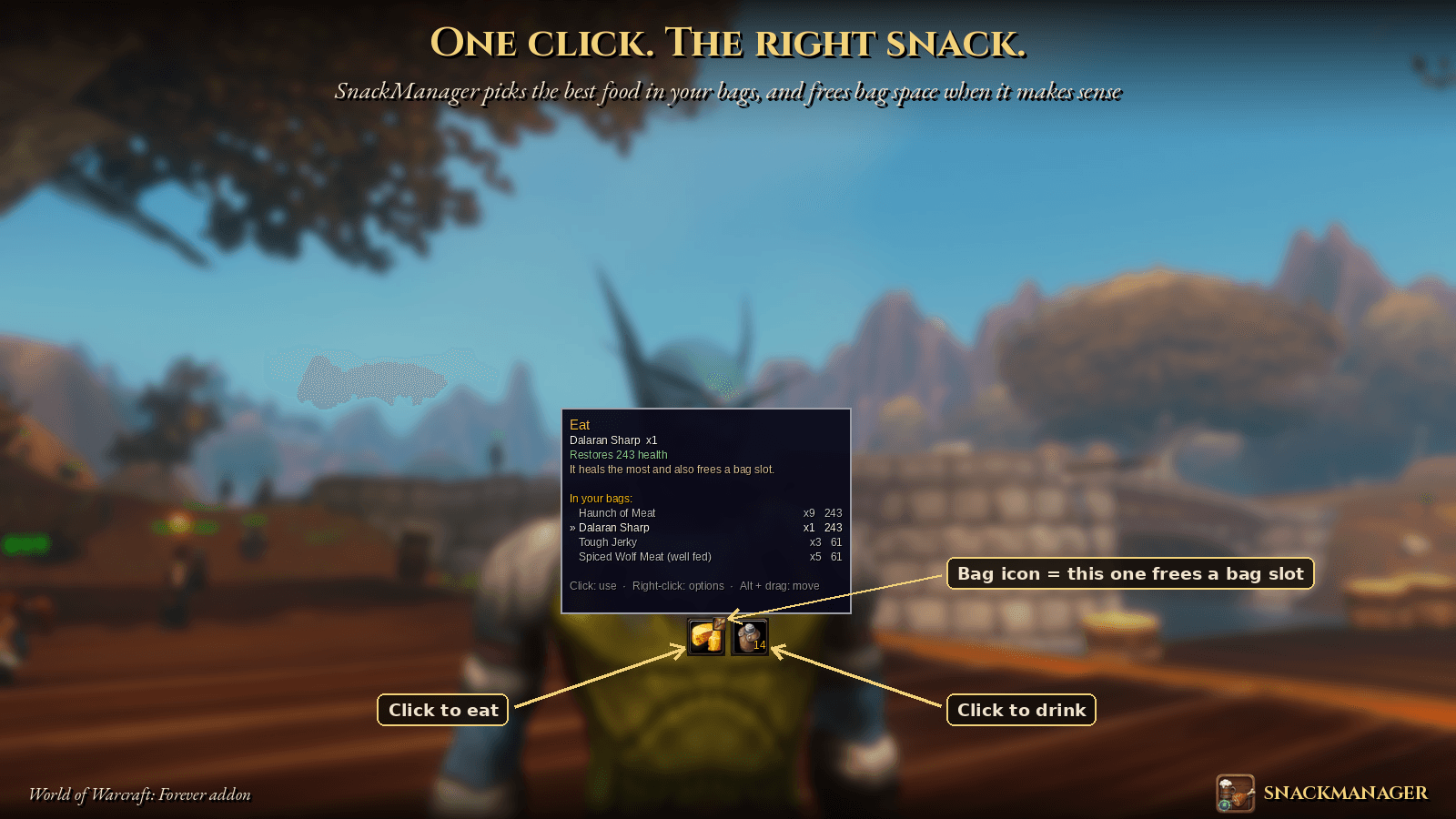
SnackManager adds two buttons to your screen, Eat and Drink. Click one and your character eats or drinks the most sensible thing in your bags. You never have to dig through your bags or keep food on your action bars again.
Why it's different: it frees bag space
Most food addons just eat your best food. SnackManager also looks at your bags.
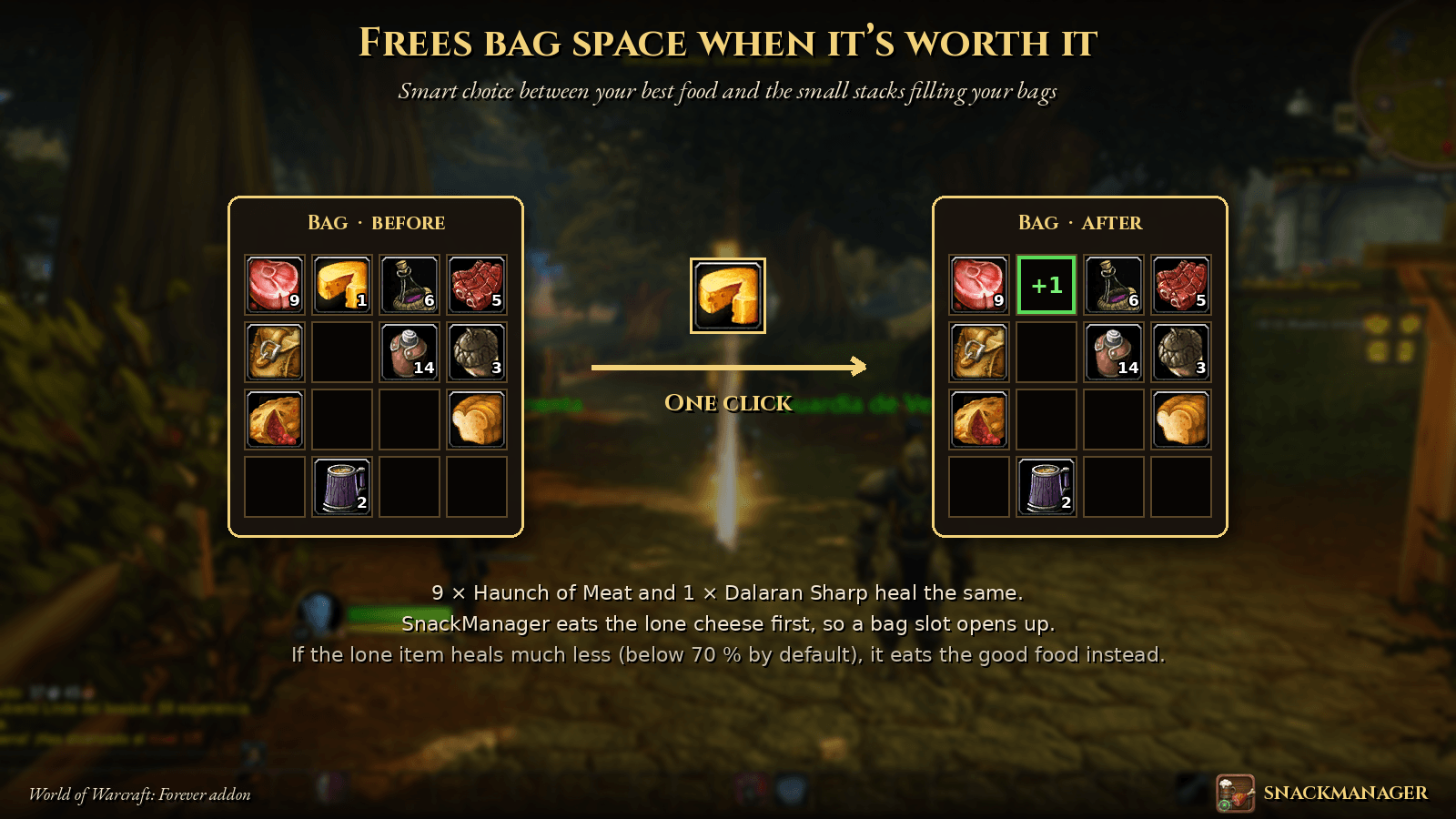
You carry 9 Haunch of Meat and 1 Dalaran Sharp, and both heal the same. SnackManager eats the lone cheese first, so a bag slot opens up.
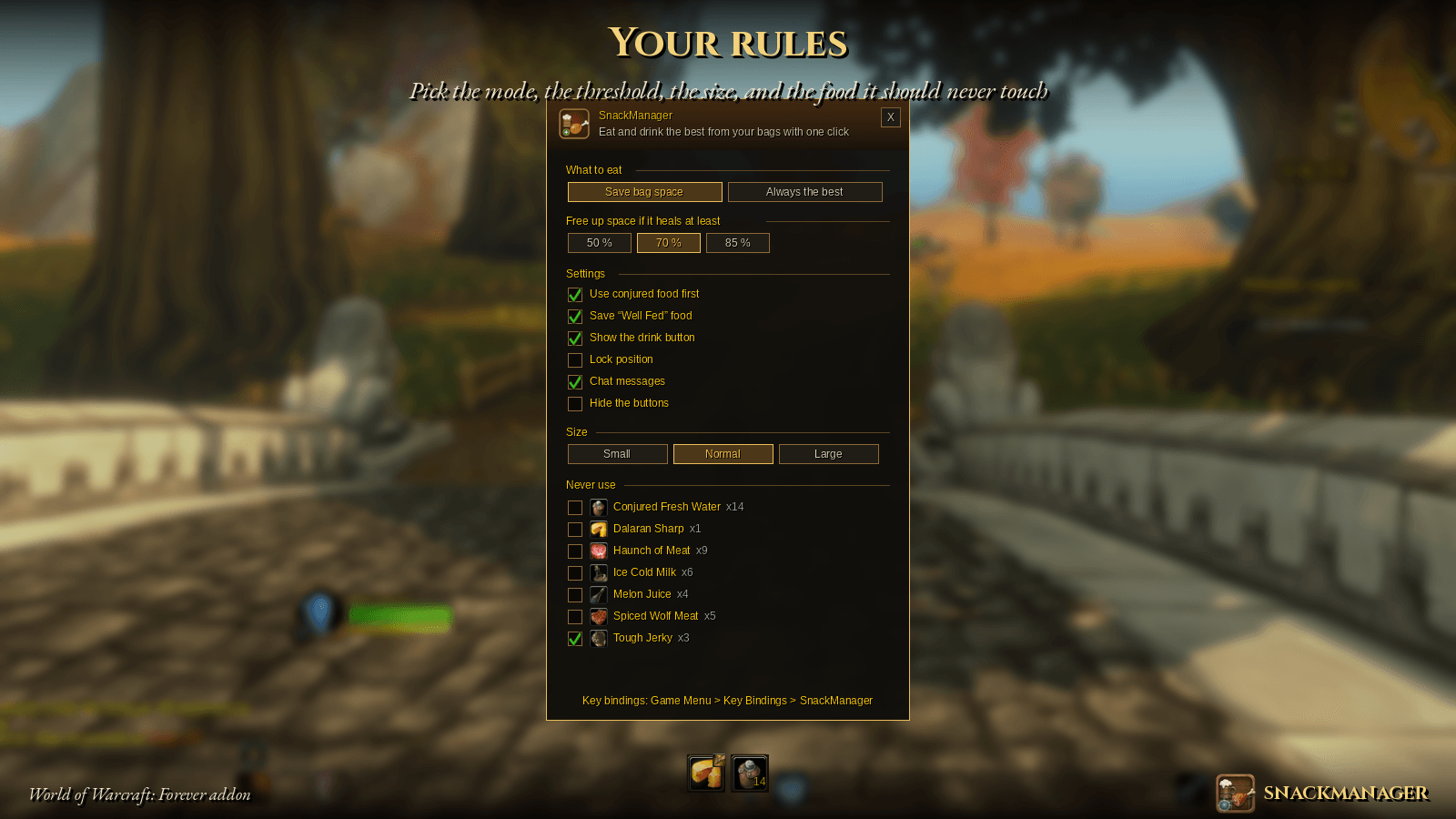
It does this only when it's worth it. Among foods that heal at least 70 % of your best one (you can choose 50, 70 or 85 %), it picks the smallest stack. If the lone item heals much less, it eats your good food instead. A little bag icon on the button tells you when the next bite will free a slot.
Prefer to always use the strongest food? Switch to Always the best mode.
Features
- Automatic detection of food and drink, in any game language. It reads how much each item restores.
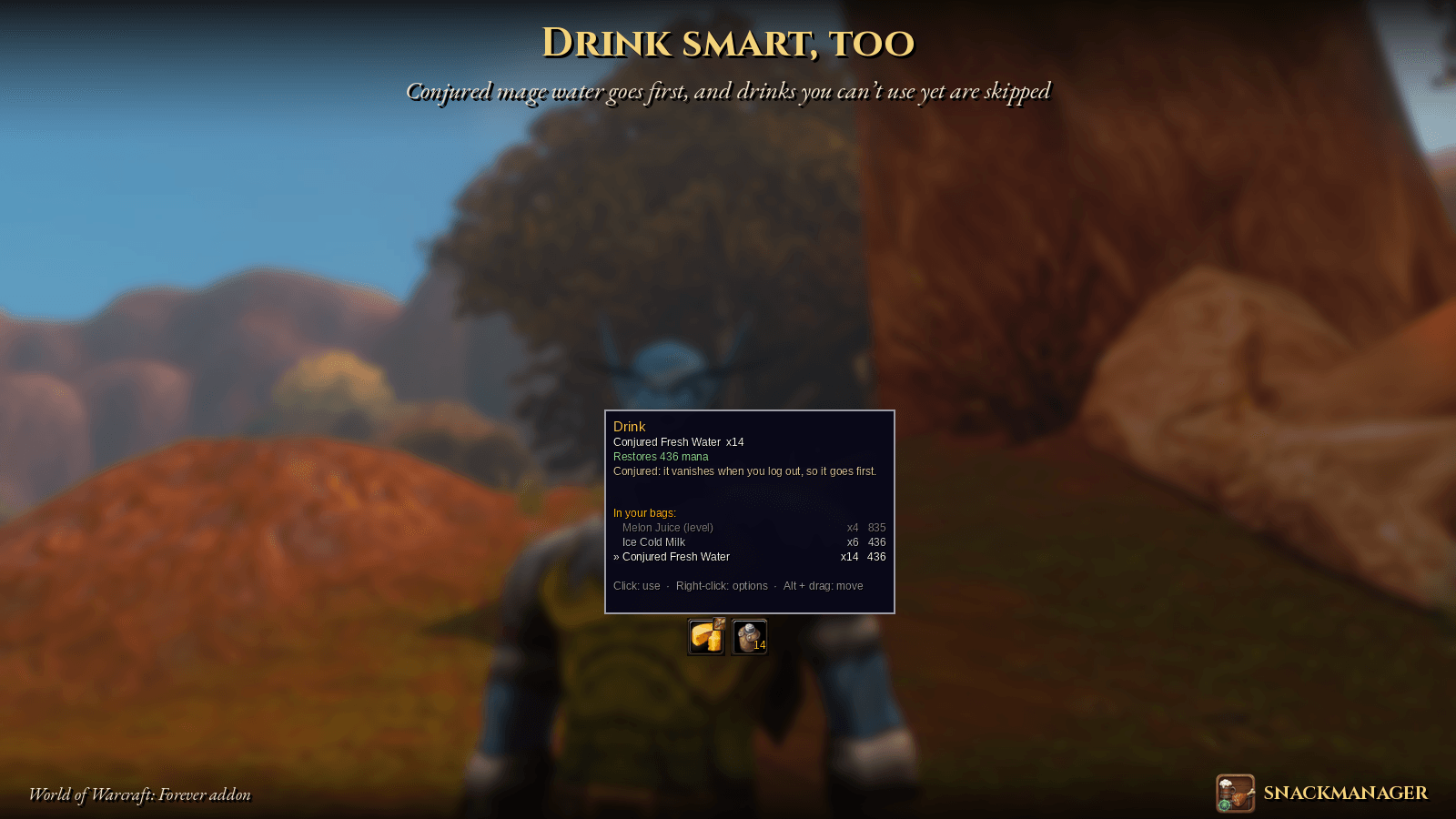
- Skips items you can't use yet because of your level.
- Conjured mage food and water first, because they vanish when you log out.
- Keeps your "Well Fed" food while you have something else to eat.
- "Never use" list: tick any food or drink it should leave alone, such as quest items or something saved for an alt.
- Informative tooltip: what it will use, why, and everything you carry with how much it heals.
- Key bindings: Game Menu → Key Bindings → SnackManager.
- Movable and resizable: Alt + drag to move, three sizes, and you can lock or hide the buttons.
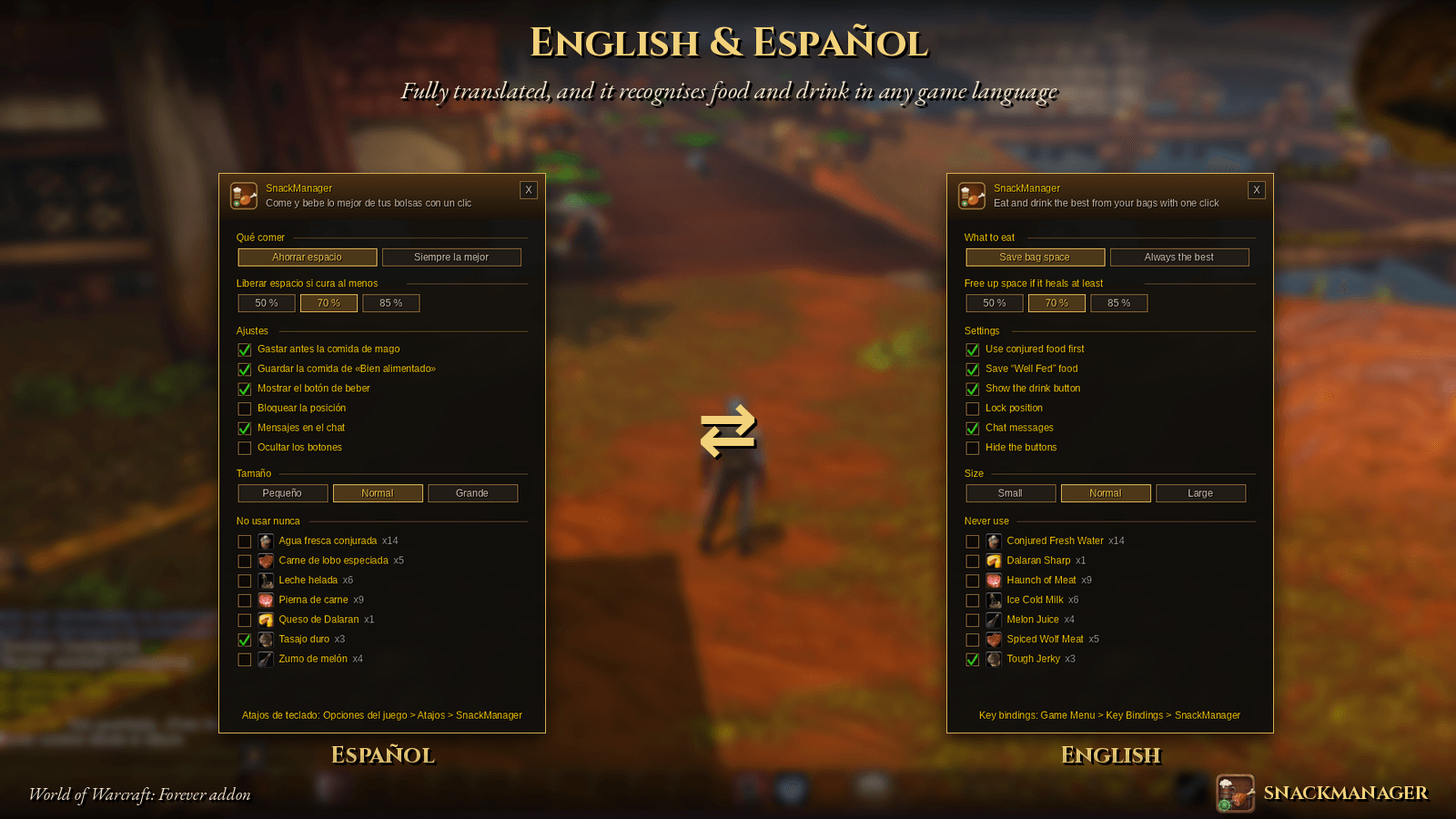
- Fully translated into English and Spanish.
Usage
| Action | What it does |
|---|---|
| Left-click | Eat / drink |
| Right-click | Open options |
| Alt + drag | Move the buttons |
/snack |
Open options |
/snack list |
List your food and drink in chat |
/snack reset |
Move the buttons back to the center |
/snack help |
Show the commands |
Good to know
- The game only allows items to be used with a click or a key press, so SnackManager never eats on its own. You stay in control.
- Buttons can't be changed during combat. What they have ready updates as soon as combat ends, and you can't eat in combat anyway.
🇪🇸 Español
Un clic. La comida adecuada.
SnackManager pone dos botones en pantalla, Comer y Beber. Con un clic tu personaje come o bebe lo más adecuado de tus bolsas.
Libera espacio en la bolsa: si llevas 9 piernas de carne y 1 queso que cura lo mismo, se come primero el queso y te deja un hueco libre. Solo lo hace cuando compensa: elige el montón más pequeño entre las comidas que curan al menos el 70 % de la mejor (puedes elegir 50, 70 u 85 %).
- Detecta la comida y la bebida en cualquier idioma del juego y no usa lo que aún no puedes por nivel.
- Gasta primero la comida y el agua de mago, y guarda la comida de «Bien alimentado».
- Tiene una lista de «No usar nunca», atajos de teclado y botones que se pueden mover, cambiar de tamaño y ocultar.
- Está totalmente traducido al español y al inglés.
Comandos: /snack, /snack lista, /snack reset, /snack ayuda.
Snack Manager Team