Azeroth Chronicles
Your character's photo journal: memories, Bestiary, Atlas and Heroes.
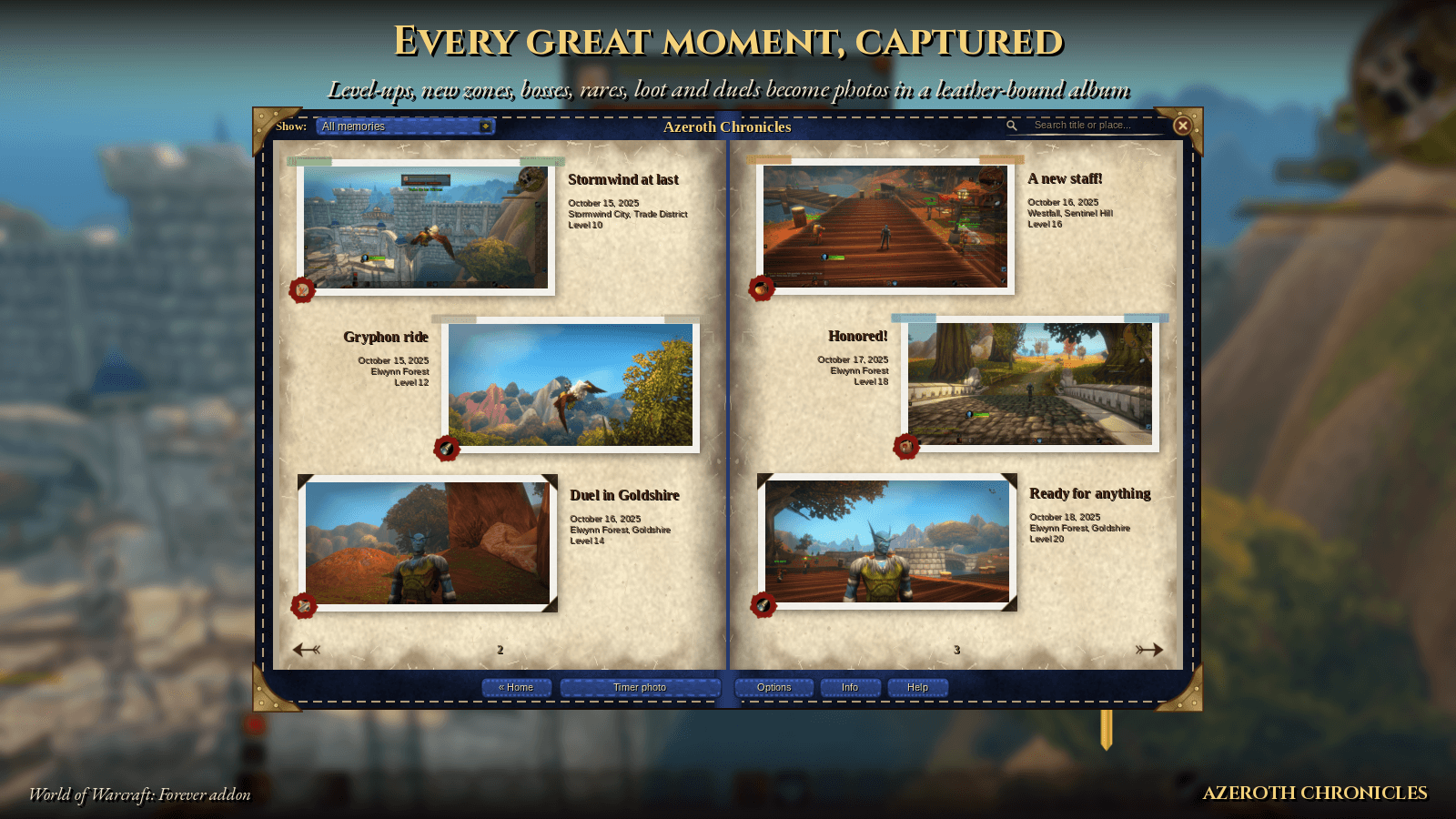
01_album.png
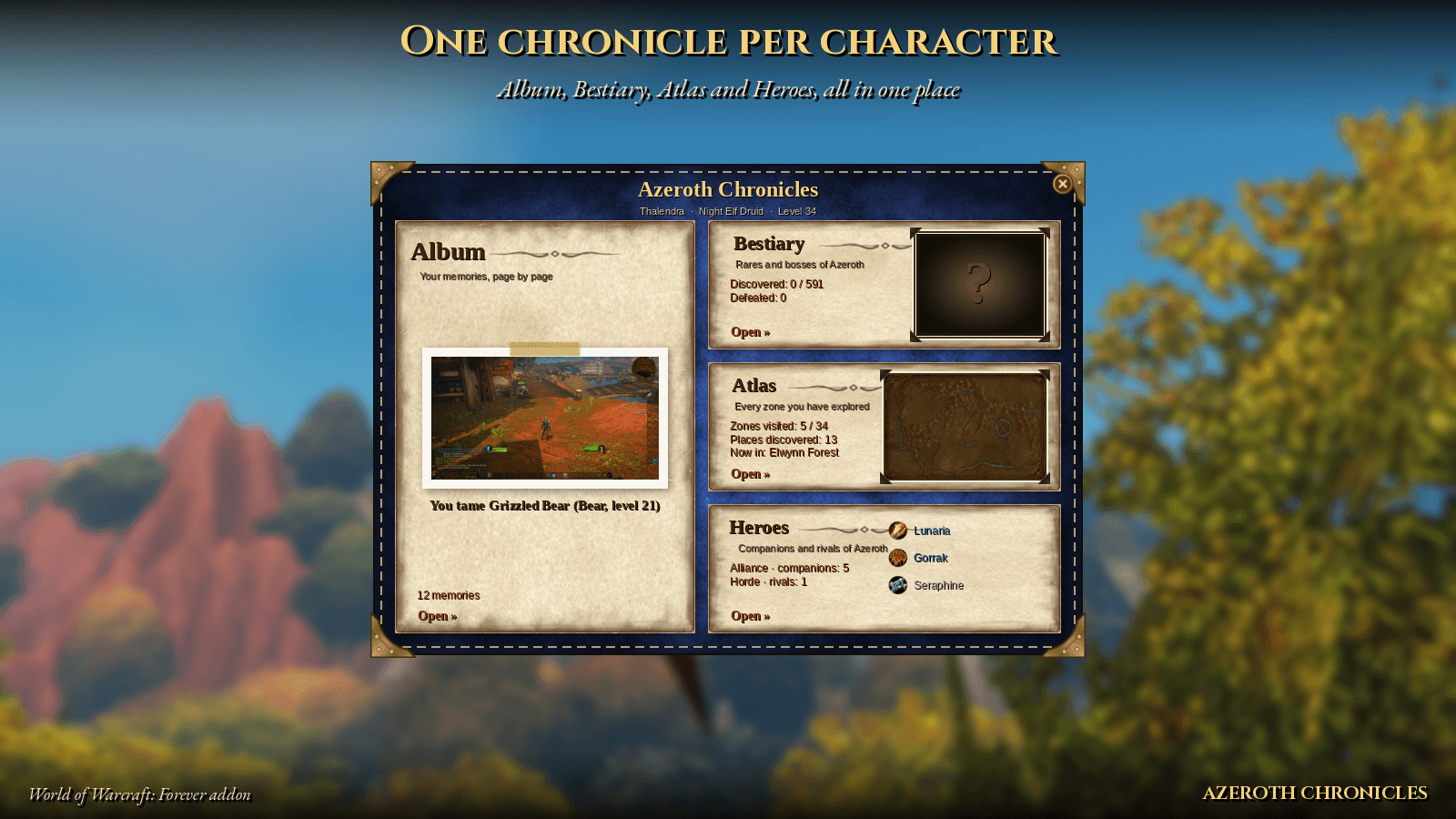
03_home.png
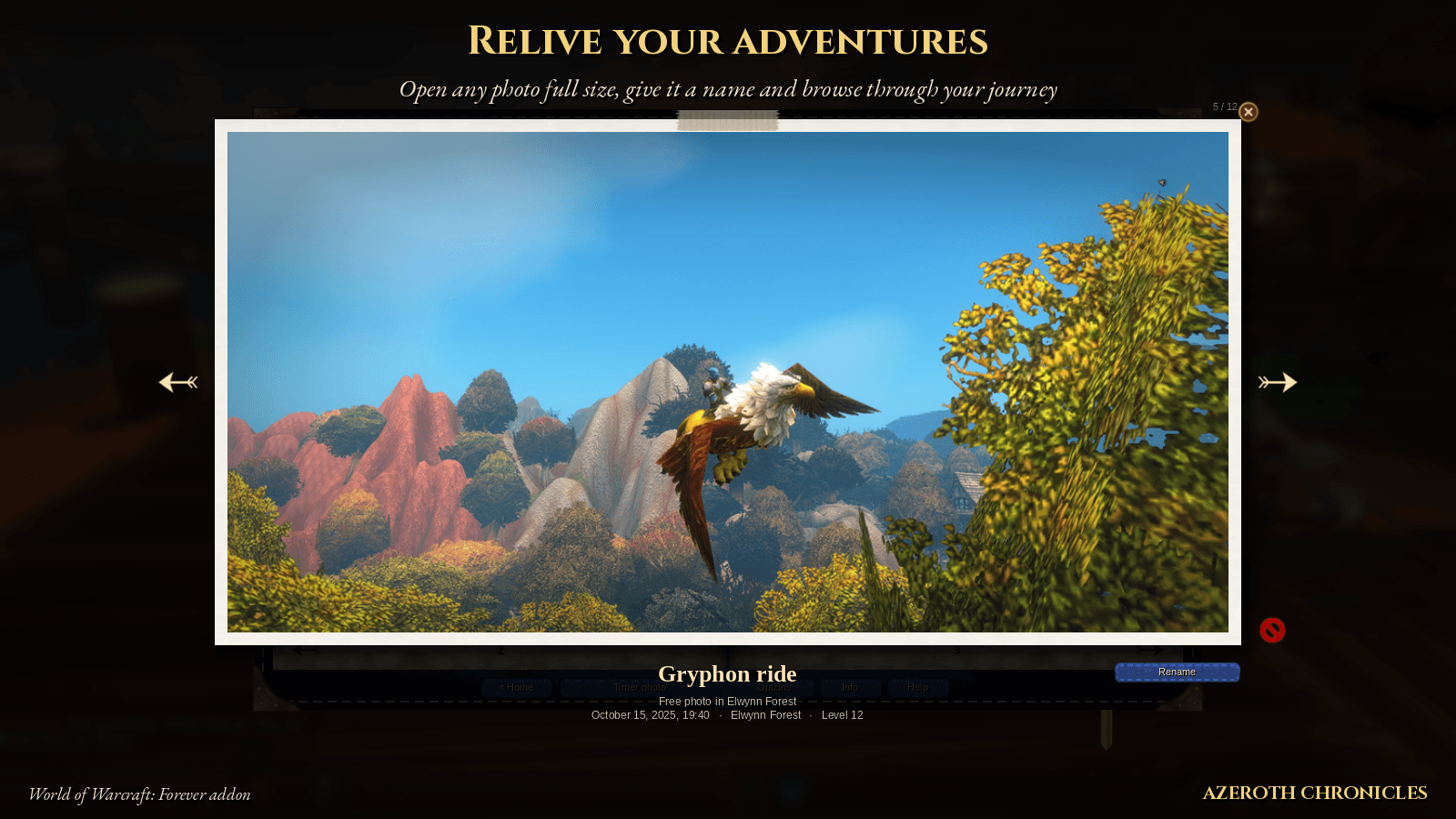
04_viewer.png
05_atlas.png
06_heroes.png
Description
🇬🇧 English / 🇪🇸 Español
Azeroth Chronicles
Every great moment, captured.
Azeroth Chronicles is a journal for your character. It takes a photo at the moments that matter and keeps them in a leather-bound album, alongside a Bestiary, an Atlas and your Heroes. Every character has its own chronicle.
Automatic photos
A photo is taken automatically when you:
- level up
- discover a new zone (or every named place, if you want)
- defeat a dungeon, raid or world boss
- defeat a rare creature
- loot something valuable
- die in battle
- win an open-world PvP fight
- win a duel
- reach a new reputation level
- earn a Legacy point
- tame a new pet (hunters)
- join a guild
You choose what gets photographed and how in Options. Hover any option to see what it does. Each new memory shows an achievement-style notice; click it to jump to the photo.
You can also take free photos: right-click the minimap icon for an instant one, or use the Timer photo button for a countdown with the interface hidden.
A real photo album
- Turn the pages with the arrows or the mouse wheel.
- Filter by type or search by name or place.
- Open any photo full size, give it a title or delete it.
- Rare and boss photos carry the creature's 3D head framed by the target-frame dragon: silver for rares, gold for bosses.
Sign your chronicle
The first time you open it, you sign your chronicle with the mouse. Your signature goes on the cover, next to your character's face in 3D and your faction crest. The cover also has a pedometer: the steps you've taken and the total distance you've traveled, split into on foot, mounted, flight paths and swimming.
The leather cover is blue for the Alliance and red for the Horde, or pick another one: classic brown, emerald, shadow or ebony.
Bestiary, Atlas and Heroes
- Bestiary: every Classic rare and boss (591), hidden as "???" until you find them. Each one has a 3D model, level, location, respawn time and how many times you've defeated it. New WoW: Forever rares are added as you find them.
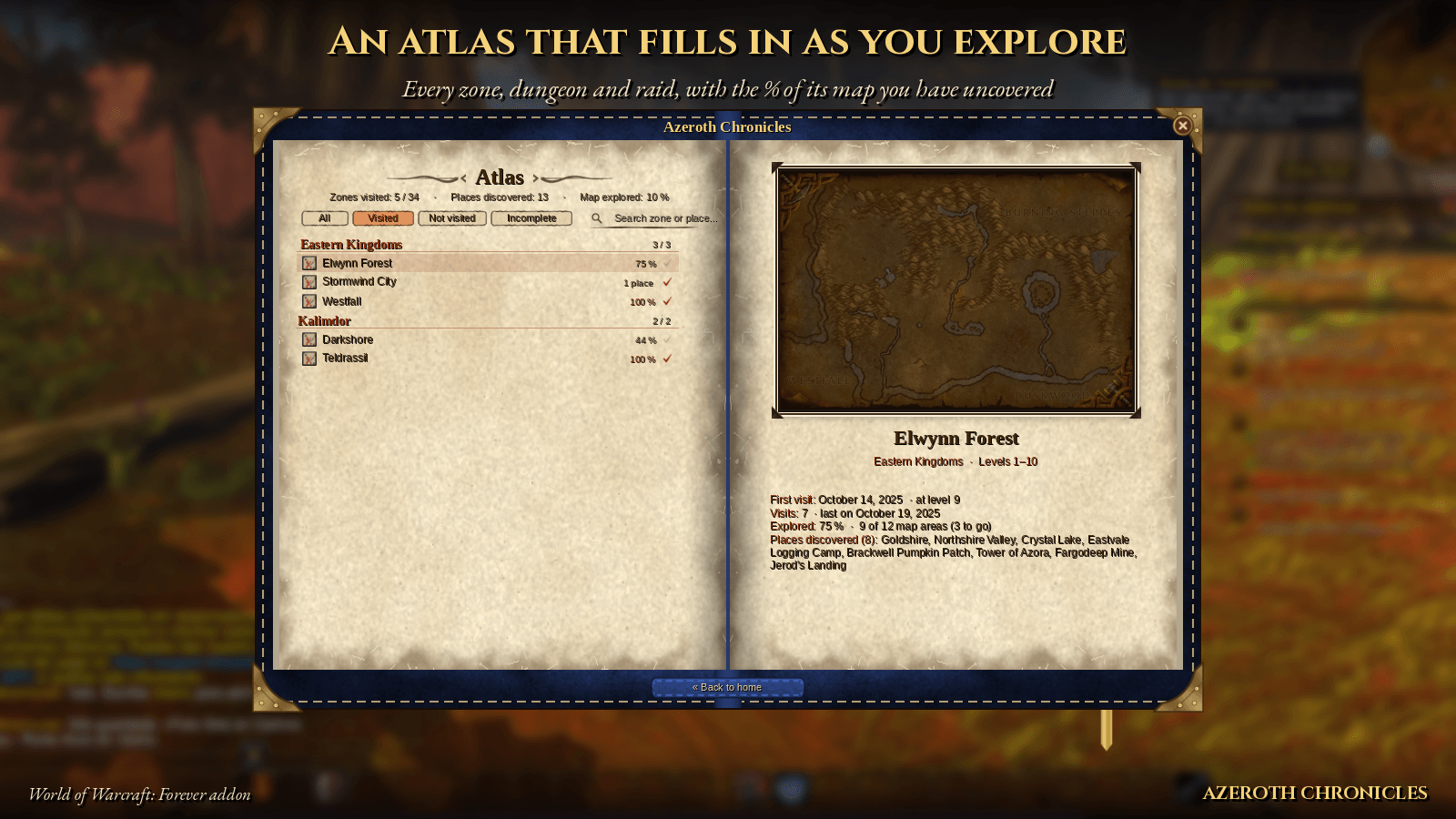
- Atlas: every zone, dungeon and raid. Each zone shows its map, your visits, the places you've found, and the % of its map you've explored. The "Incomplete" filter shows what's left to explore.
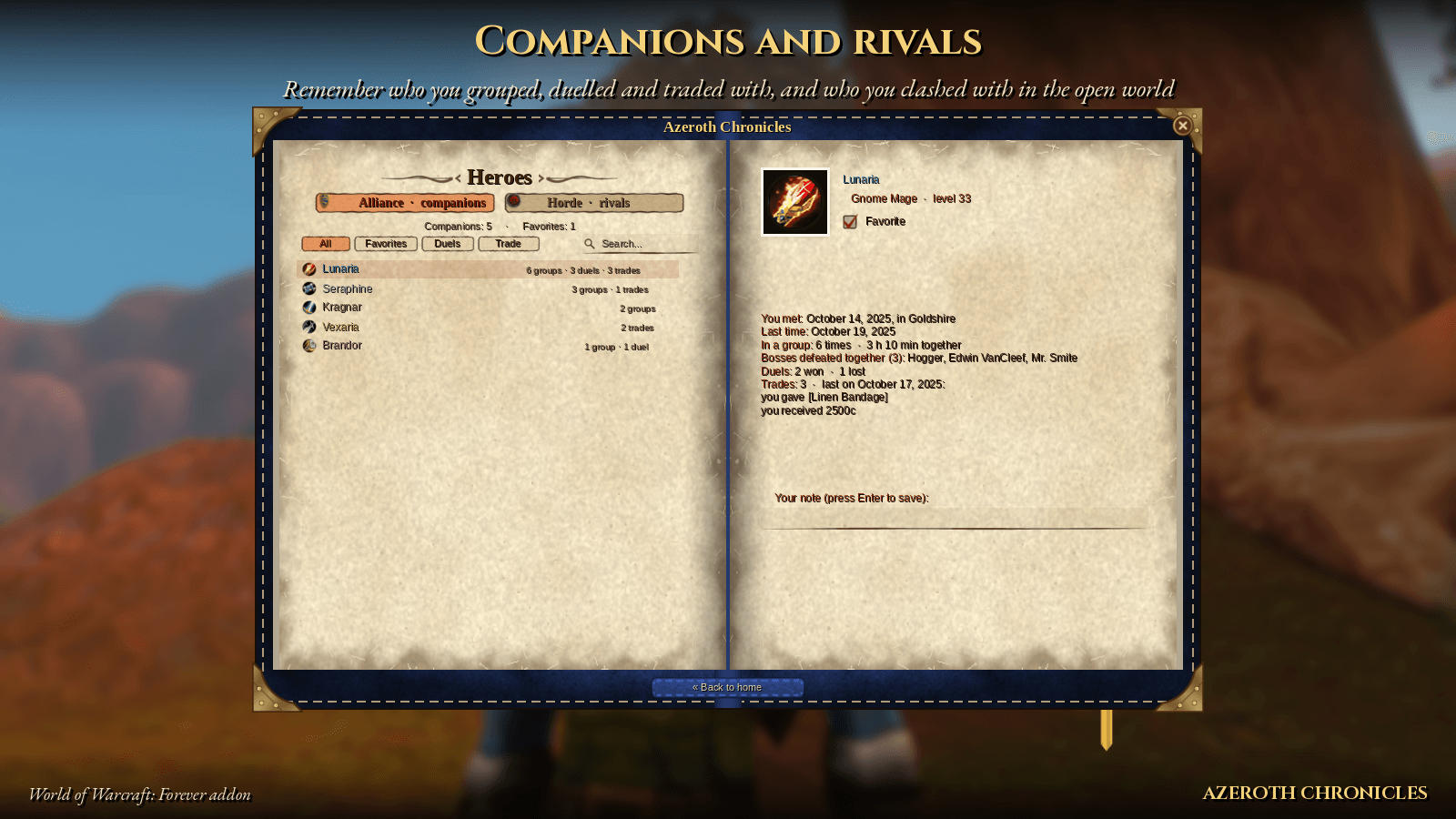
- Heroes: the players you've grouped, dueled and traded with, and your open-world rivals, with your wins and losses against each one.
⚠️ How photos reach the album (Windows)
The game doesn't let addons read your screenshots, so photos are "developed" outside the game by a few small Windows tools. CurseForge doesn't allow .bat files, so they're a separate free download:
👉 Download PhotoTools from GitHub
- Download PhotoTools.zip and extract it into the addon folder (
Interface\AddOns\AzerothChronicles). - Close the game and double-click
Enable auto develop.bat. - Done: your photos are developed every time you close the game.
If Windows says "Windows protected your PC", click More info → Run anyway (only the first time). You can also develop by hand with Develop photos.bat. After updating the addon, run it once so your photos show up again. The original screenshots stay untouched in your Screenshots folder. The steps are also in the chronicle's Help page.
Commands
| Command | What it does |
|---|---|
/chronicles (or /diario) |
Open the chronicle |
/chronicles help |
Album help |
/chronicles minimap |
Show or hide the minimap icon |
You can also bind a key in Key Bindings → AddOns.
Fully translated into English and Spanish. Bestiary data comes from pfQuest (MIT license).
🇪🇸 Español
Cada gran momento, inmortalizado.
Diario de Aventuras (Azeroth Chronicles) es el diario de tu personaje. Hace una foto en los momentos importantes y la guarda en un álbum de cuero, junto a un Bestiario, un Atlas y tus Héroes. Cada personaje tiene su propio diario.
Fotos automáticas al:
- subir de nivel o descubrir zonas;
- vencer jefes y raros;
- conseguir buen botín;
- morir;
- ganar en JcJ o en duelos;
- subir de reputación;
- ganar puntos de Legado;
- domesticar mascotas;
- entrar en una hermandad.
Tú eliges qué se fotografía en Opciones.
Álbum con páginas que se pasan, filtros, buscador, visor a pantalla completa y cabeza 3D de raros y jefes.
Firma tu diario con el ratón. En la portada salen tu firma, tu cara en 3D, el emblema de tu facción y un podómetro con tus pasos y la distancia recorrida.
Tapas azules para la Alianza y rojas para la Horda, o en marrón clásico, esmeralda, sombra o ébano.
Bestiario con los 591 raros y jefes de Classic.
Atlas con el % explorado de cada zona.
Héroes con tus compañeros y rivales.
Para ver las fotos en el álbum (Windows): descarga gratis las herramientas de fotos desde GitHub (CurseForge no admite archivos .bat). Descomprime PhotoTools.zip dentro de la carpeta del addon, cierra el juego y haz doble clic en Activar revelado automatico.bat. Desde entonces las fotos se revelan solas al cerrar el juego. Si Windows avisa, pulsa Más información → Ejecutar de todas formas. También puedes revelar a mano con Revelar fotos.bat; después de actualizar el addon, hazlo una vez.
Comandos: /diario, /diario ayuda, /diario minimapa.
Totalmente traducido al español y al inglés.
Azeroth Chronicles Team