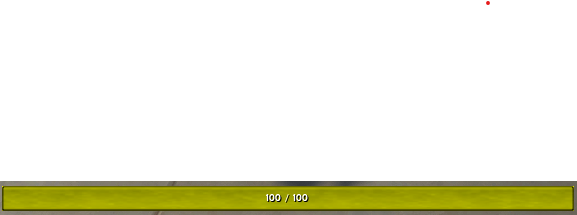
skybar_energy.png
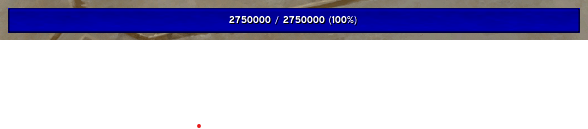
skybar_mana.png

skybar_rage.png

skybar_fury.png

skybar_focus.png
Description
SkyBar
SkyBar is a lightweight, movable power/resource bar for World of Warcraft (Retail). It tracks your current class resource (Mana, Rage, Energy, Focus, Insanity, etc.) in a single, customizable bar—perfect for players who want a clean, minimal HUD.
- Features
- Movable & resizable bar (drag to move; width/height/scale sliders).
- Profiles: create, copy, rename, delete; per-character active profile.
- Per-spec enable/disable: show the bar only on selected specializations.
- Texture picker with live preview (supports LibSharedMedia if available).
- Border: on/off with adjustable edge size.
- Background color with opacity (color picker).
- Text display formats:
- Current / Max (xx%)
- Current / Max
- Percent only
- Current only
- Opacity (alpha) control.
- Precise positioning (X/Y) with sliders and numeric inputs.
- Scrollable Settings panel (fits all options neatly).
How to Use
Install and enable SkyBar.
Type
/skybar optionsto open the Settings panel.Drag the bar to position it, or use Position X/Y, Width, Height, and Scale.
Pick a texture, adjust border and background, and choose your text format.
Set per-spec behavior (enable/disable per specialization).
Save different setups as profiles.
Slash Commands
/skybar options
/skybar lock — toggle drag lock
/skybar width <px> — set width
/skybar height <px> — set height
/skybar scale <num> — set scale (e.g., 1.2)
/skybar alpha <0-1> — set opacity (e.g., 0.9)
/skybar text on|off — show/hide text
/skybar textfmt <curmaxpct|curmax|pct|cur> — choose text format
Profiles:
/skybar profile list
/skybar profile set <name>
/skybar profile new <name>
/skybar profile copy <name>
/skybar profile delete <name>
/skybar profile rename <newName>
Per-spec:
/skybar spec on|off <index>
Compatibility
Game: Retail (modern builds).
Resource types: Uses Blizzard’s API (UnitPower, UnitPowerMax, UnitPowerType), so it adapts to your class/spec automatically.
Dependencies
None required.
Optional: LibSharedMedia-3.0 (if present, SkyBar’s texture picker will list your LSM statusbar textures).
Performance & Safety
Very small footprint; updates only on relevant power events.
No automation or gameplay alteration; ToS-friendly.
No tracking, telemetry, or external network calls.
Localization
English UI. If you’d like to contribute translations, feel free to provide strings (labels are short and easy to translate).
Troubleshooting
Bar not visible?
Check Per-spec toggles (enabled for your current spec).
Ensure Alpha is not set too low and Text is on if you expect numbers.
Texture looks clipped at the corners?
Border is drawn above the bar; fill/background are inset to avoid bleed. Try a different texture if you prefer a flatter look.
Settings panel too long?
The panel is scrollable; use your mouse wheel or the scrollbar.
Known Limitations
The border uses the default tooltip edge; custom border artwork is not included by default.
Text size and font are fixed to the game’s standard small highlight font (by design for consistency).
Credits
Code & design: SkyBar team.
Optional media support by LibSharedMedia-3.0 (if installed).
License & Permissions
Distributed for free for personal use. You may include SkyBar in UI packs as long as it’s unmodified and properly credited.
Do not re-upload elsewhere under a different name. Report issues via the Issues tab.
SkyBar Team