SimpleSet
- By
Lightweight equipment set manager for WoW Classic Anniversary Edition. Save and load gear sets from the character panel with two dropdown menus.
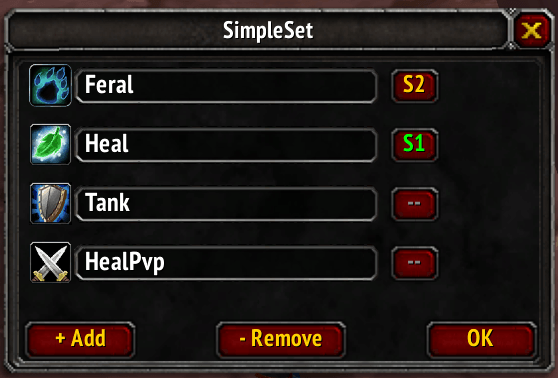
Setting window to add or remove sets, can select custom icon and setup autoequip on Spec1 or 2
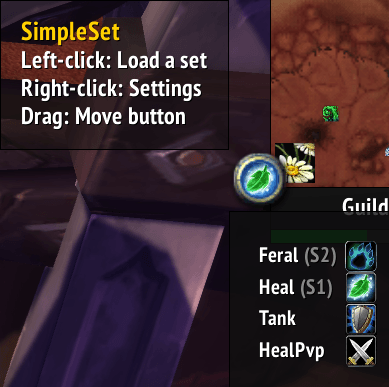
Minimap Button allow to quick swap between sets and display the current equiped set icon
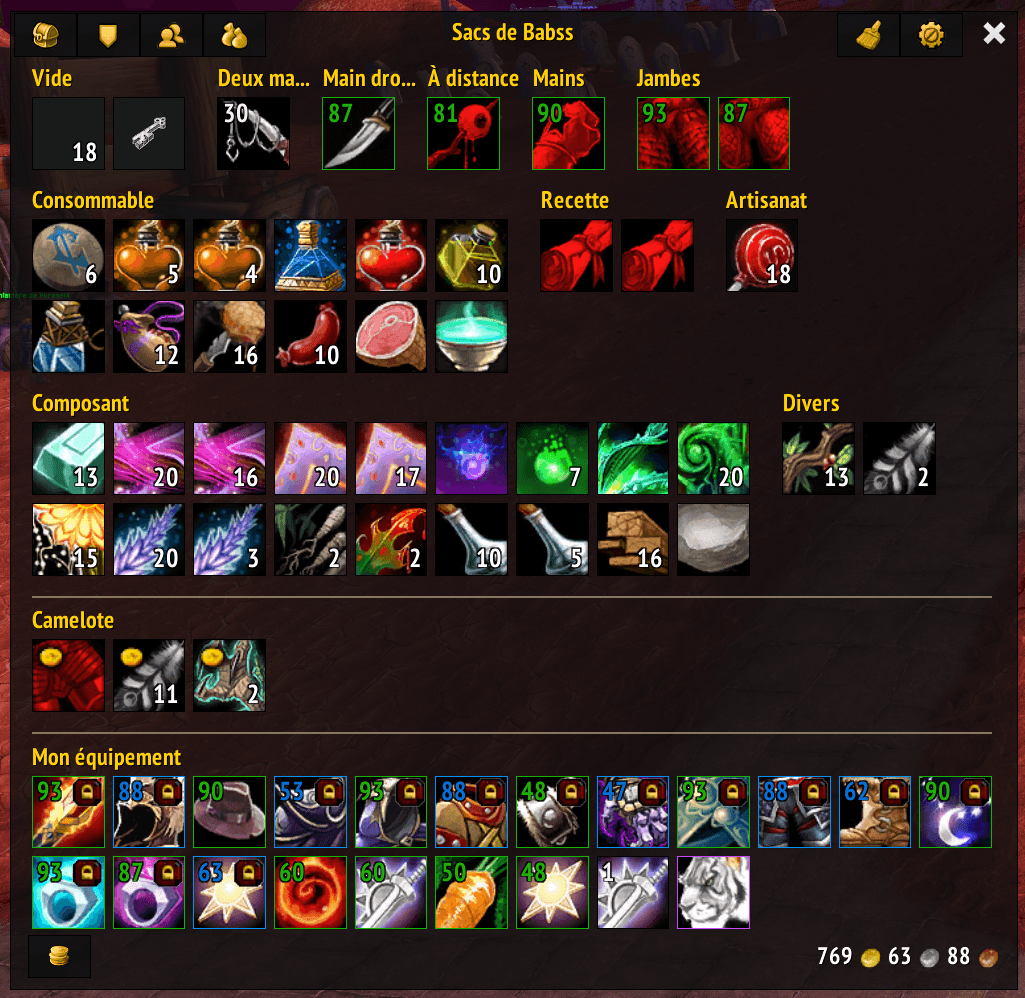
Lock display on items in a set in bagnator
Description
SimpleSet
Lightweight equipment set manager for WoW Classic Anniversary Edition and TBC Classic (2.5.5).
Save and load gear sets from the character panel with two dropdown menus. Each set targets the exact equipment slot, fixing the classic bug where rings and trinkets end up in the wrong slot.
Quick Start
- Open your Character Panel (
Ckey) - You'll see two new dropdowns at the top: Load and Save
- Equip your gear → click Save → pick a slot → confirm
- To switch gear later → click Load → pick your set
That's it. Everything else below is optional customization.
Saving a Set
- Equip the gear you want to save
- Open your Character Panel (
C) - Click Save → pick a slot (Set 1, Set 2…)
- Confirm with Yes
- Done! Your gear is saved.
Loading a Set
You have 3 ways to load a set:
| Method | How |
|---|---|
| Character Panel | Click Load → pick your set |
| Minimap Button | Left-click the minimap icon → pick your set |
| Spec Switch | Bind a set to a spec in Settings → it auto-equips when you switch specs |
Customizing Your Sets
Click the gear icon next to the Load dropdown, or right-click the minimap button to open Settings.
From there you can:
- Rename your sets (click the name field)
- Change the icon (click the small icon on the left → pick from 36 presets)
- Bind to a talent spec (click the
--button to cycle: None → S1 → S2) - Bound sets auto-equip when you switch specs!
- Add/Remove sets with the
+ Add/- Removebuttons (up to 10 sets) - Show/Hide the minimap button with the checkbox at the bottom
Minimap Button
- The icon automatically reflects which saved set you're currently wearing
- Left-click: quick-load a set
- Right-click: open Settings
- Drag: move the button around the minimap
- Works with square minimaps (SexyMap)
- Can be hidden from the Settings panel if you prefer a cleaner minimap
Bag Lock Icons
Items that belong to a saved set show a small lock icon in your bags. This helps you avoid accidentally selling or discarding gear that's part of a set.
- Baganator users: the lock appears as a corner widget (configurable in Baganator settings)
- Default bags: the lock appears in the top-left corner of the item slot
Features
- Save/Load sets from dropdowns on the character panel (top, under your name)
- Per-slot equipping — rings and trinkets go to the correct slot, even with identical names
- Dynamic sets — start with 2, add or remove up to 10 via the settings panel
- Rename sets — both Load and Save dropdowns reflect custom names
- Set icons — 36 presets (gear, weapons, all class specs); auto-detected from main hand on first save
- Spec binding — bind a set to talent spec 1 or 2; gear auto-equips on spec change
- Minimap button — quick-load a set, toggleable from settings, draggable, icon reflects the currently equipped set
- Bag lock icons — items belonging to a set are marked with a lock overlay so you don't vendor them by accident
- Baganator support — integrates as a native corner widget (also works with default bags)
- Compatible — WoW Classic Anniversary Edition + TBC Classic 2.5.5
Slash Commands
| Command | Description |
|---|---|
/ss save <n> |
Save current gear to set n |
/ss load <n> |
Load set n |
/ss list |
List all sets and their status |
/unequipall |
Remove all equipped gear to bags |
SimpleSet Team