statwindowdefault.png
statwindownobordernobackground.png
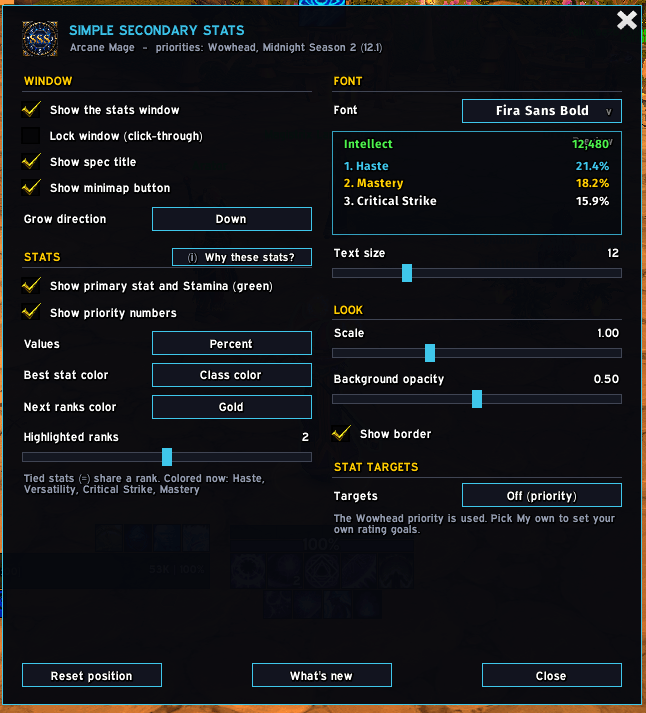
config.png
Description
# Simple Secondary Stats
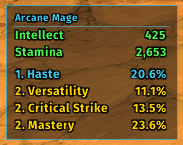
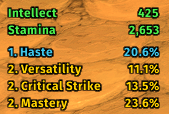
A small World of Warcraft (Midnight, retail) addon that shows your spec's secondary stat
priority with your current values:
- Your primary stat and Stamina on top, in green.
- Your secondary stats in priority order. The top ranks are in your class color (or the
game's default gold) and the rest are white. Stats the guides rate equal share a rank.
Priorities come from Wowhead for Midnight Season 2 (patch 12.1), via
[Styka Sheets](https://stykasheets.com/midnight-season-2-stat-priorities/). They're in
`Data.lua` if you want to change them. Hover over the window to see the full priority
with its `>>`, `>`, `>=` and `=` operators, plus any rating caps.
## Use
- **Minimap button:** left-click opens the config, right-click locks or unlocks the window,
and you can drag it around the minimap. The addons button by the minimap works the same.
- `/sss` shows or hides the window, `/sss config` opens the config, `/sss lock` and
`/sss unlock` lock or unlock it, `/sss reset` moves the window back, and `/sss changelog`
shows what's new (also a button in the config; it opens by itself once after an update).
- **Stats window:** drag to move it (while unlocked), right-click to open the config.
## Config
- **Window:** show or hide it, lock it (it also becomes click-through), spec title, minimap
button, and grow direction: down, up, or in a row to the right or left.
- **Stats:** show the primary stat and Stamina, priority numbers, values (percent, rating,
both or hidden), best-stat color (class color or default), a second color for the other
highlighted ranks (dimmed top color, gold, orange, light blue or the same), and how many
ranks to highlight. Stats the
guide rates equal share a rank, so one rank can color several stats; the config lists
which stats are colored for your spec. The "Why these stats?" button explains the marking.
- **Font:** choose a font from a list that shows each one in its own lettering, with a live
preview. Also text size. Bundled fonts are listed in `fonts/README.txt`, and any fonts
shared through LibSharedMedia appear too.
- **Look:** scale, background opacity, and whether to show the border.
Simple Secondary Stats Team