Simple Raid Target Icons Forever
Simple addon to add doubleclick raid target icon functionality to the game. Also enables world markers and pings through dedicated bars
03-ring-styles (1).png
06-options.png
04-bars (1).png
05-group-notes.png
02-combat.png
Description
SimpleRaidTargetIcons – Forever Edition
Thanks for all the feedback! Bug reports and ideas help a lot, so keep them coming in the comments <3
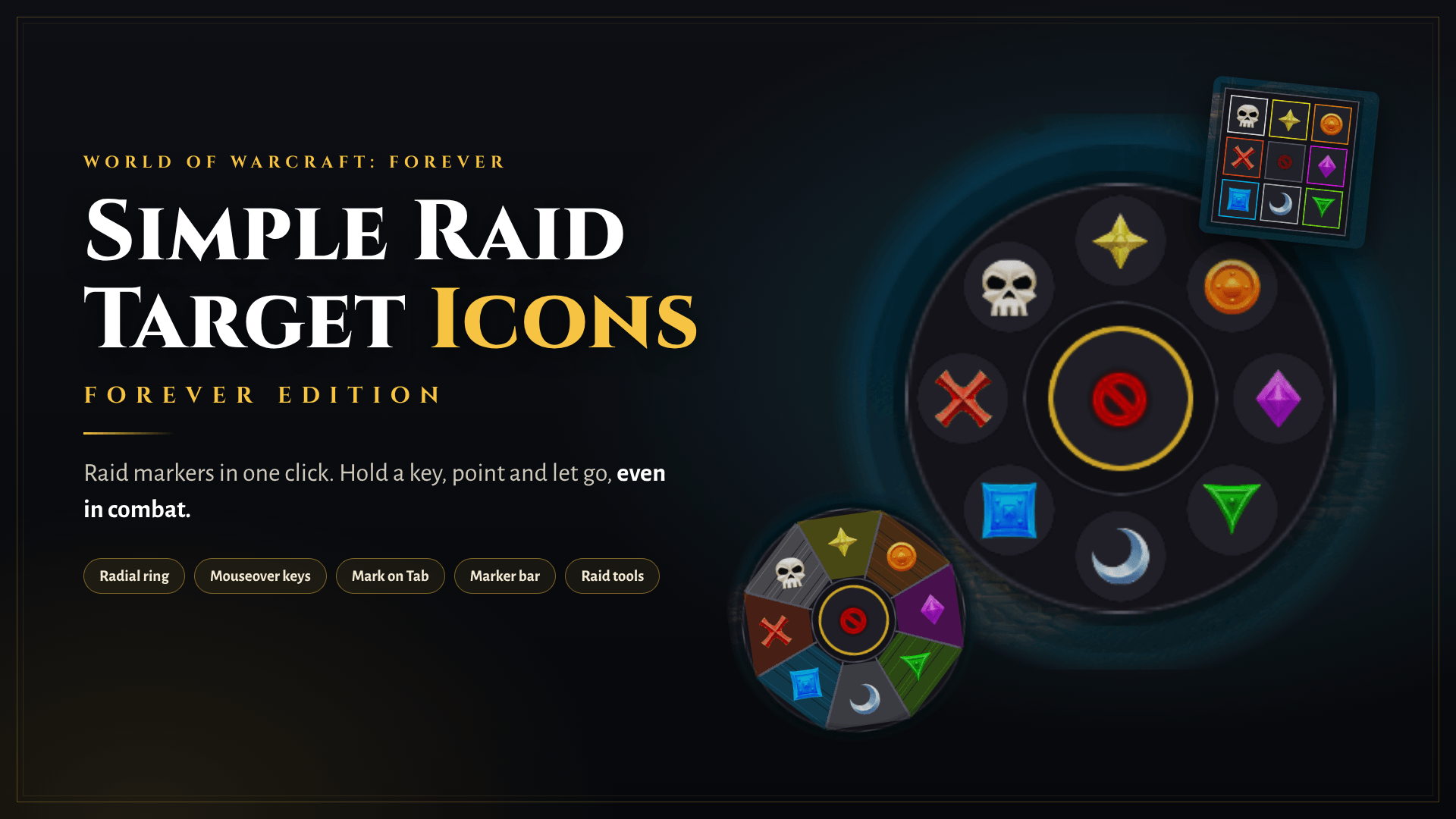
Raid marking for World of Warcraft: Forever. Ctrl + click or double-click a unit, a ring of markers opens under your cursor, click one and it's marked. Optional bars for markers, raid tools and pings.
Rebuilt for the Forever client (interface 16001) and the 12.0 marking rules.
Features
Radial menu
- Opens with Ctrl, Shift or Alt + click, or a double-click on a unit. You choose which of these to use.
- Works on most unit frames. If yours doesn't, let me know, or try
/srti addframe. - Left click an icon to mark your target, right click to place that world marker.
- Center: left click clears your target's mark, right click clears all world markers.
- Modifier + click on empty ground opens it for world markers.
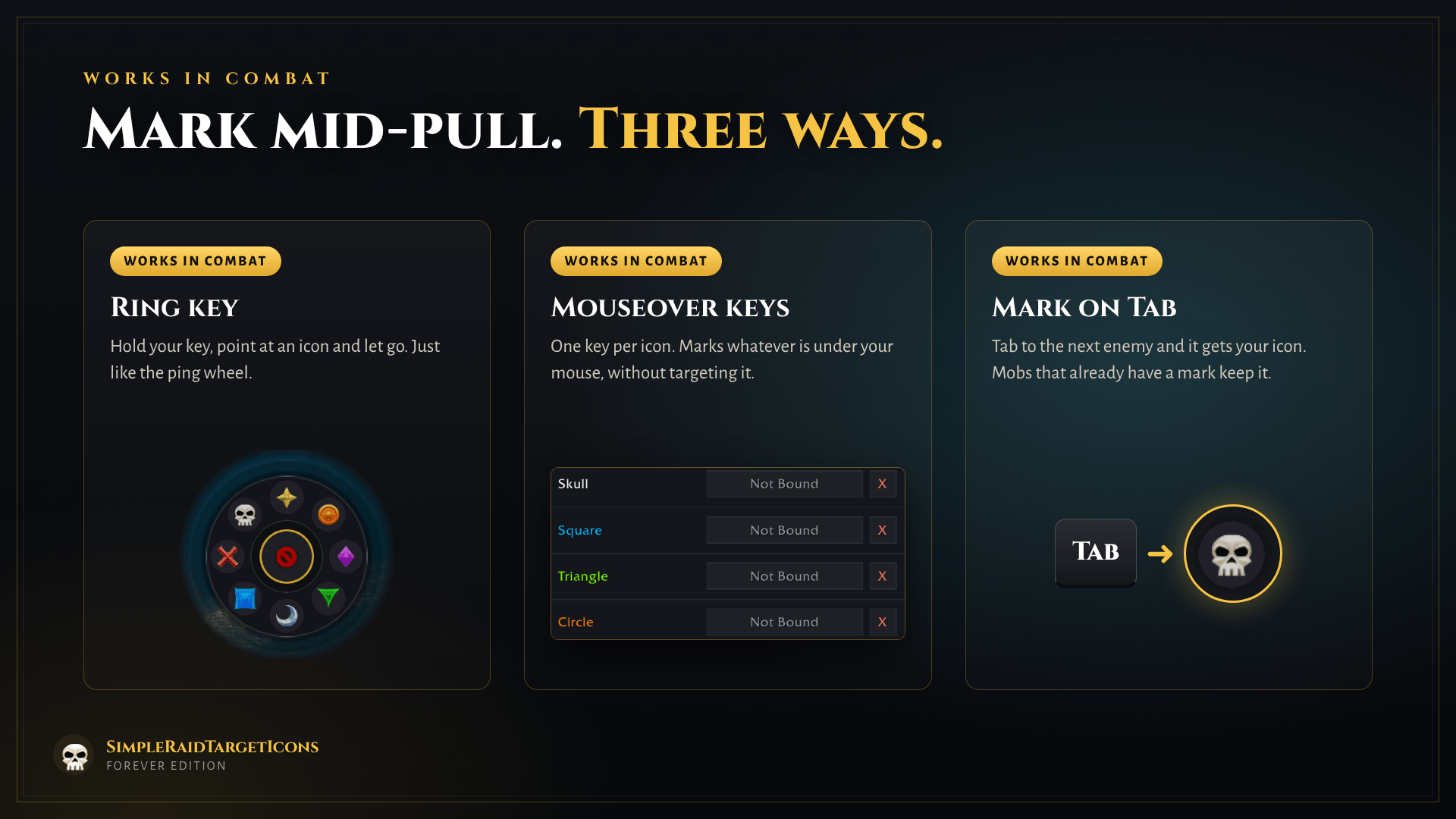
- A key binding opens it anywhere, also in combat. Hold the key, point at an icon and let go.
- Picking the icon your target already has removes it.
- Shows your target's portrait and which marks are already in use.
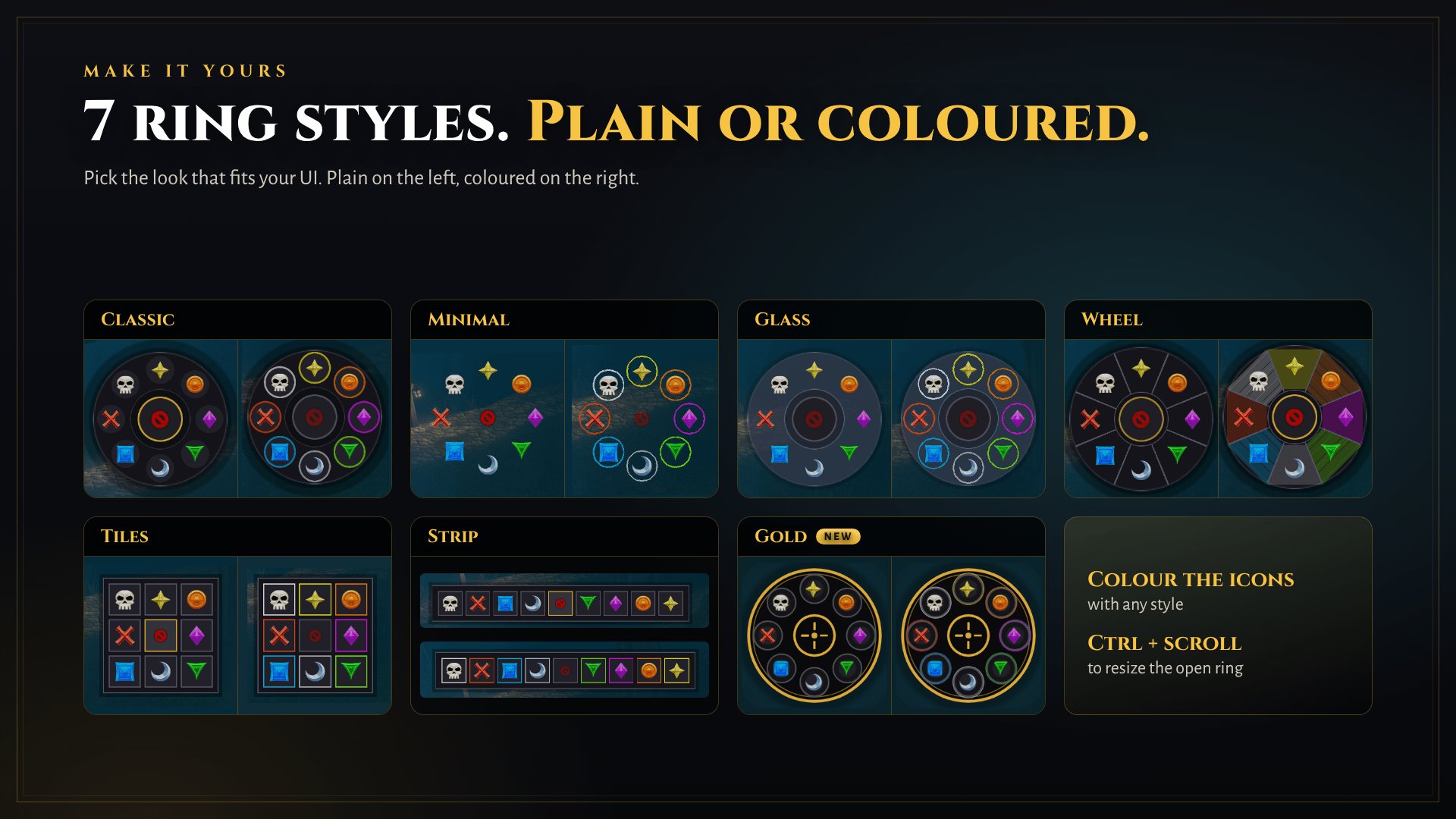
- Styles: Classic, Minimal, Glass, Wheel, Tiles, Strip and Gold, with plain or coloured icons.
- Resize it in the options, or hold Ctrl and scroll over it.
Raid tools ring
- Your raid tools on a ring, arc, list or grid, opened with its own modifier + click on the ground, or a key binding that works in combat.
- Can show a short name under each button.
Mark on Tab
- Tab targets the next enemy and marks it with the icon you pick (works in combat).
- Mobs that already have a mark keep it.
- Choose when it's on: out of combat, in combat, in dungeons, as tank and more.
Marker bar
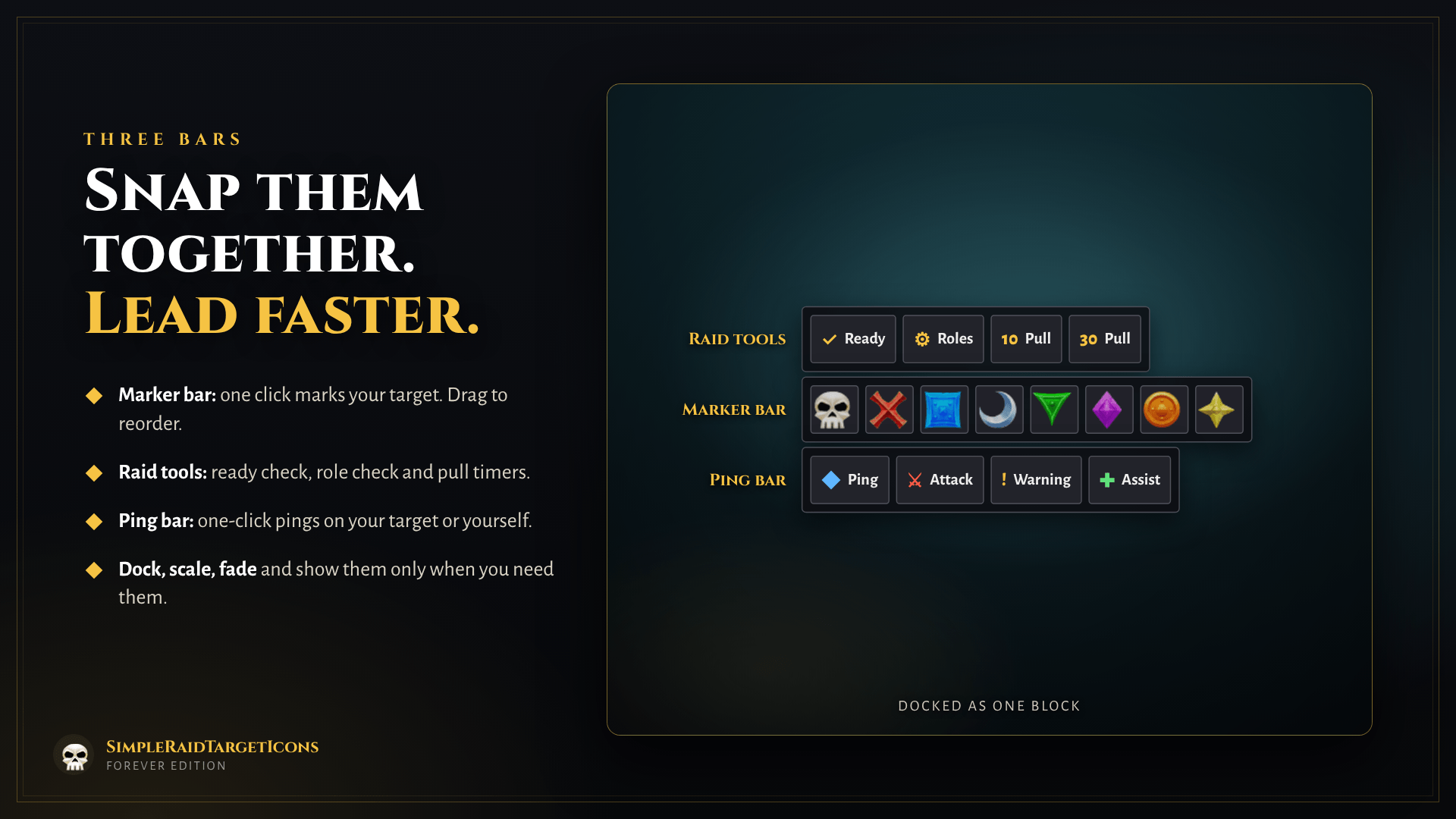
- All eight markers and a clear button.
- Left click marks your target, right click places the world marker.
- Change the icon order or hide the ones you don't use.
Raid tools bar
- Ready check, role check, 10 / 30 / 60 second pull timers, a custom pull timer and stop.
- Break timer: type the minutes and the group sees the countdown.
- Convert to raid / party, and make everyone assistant.
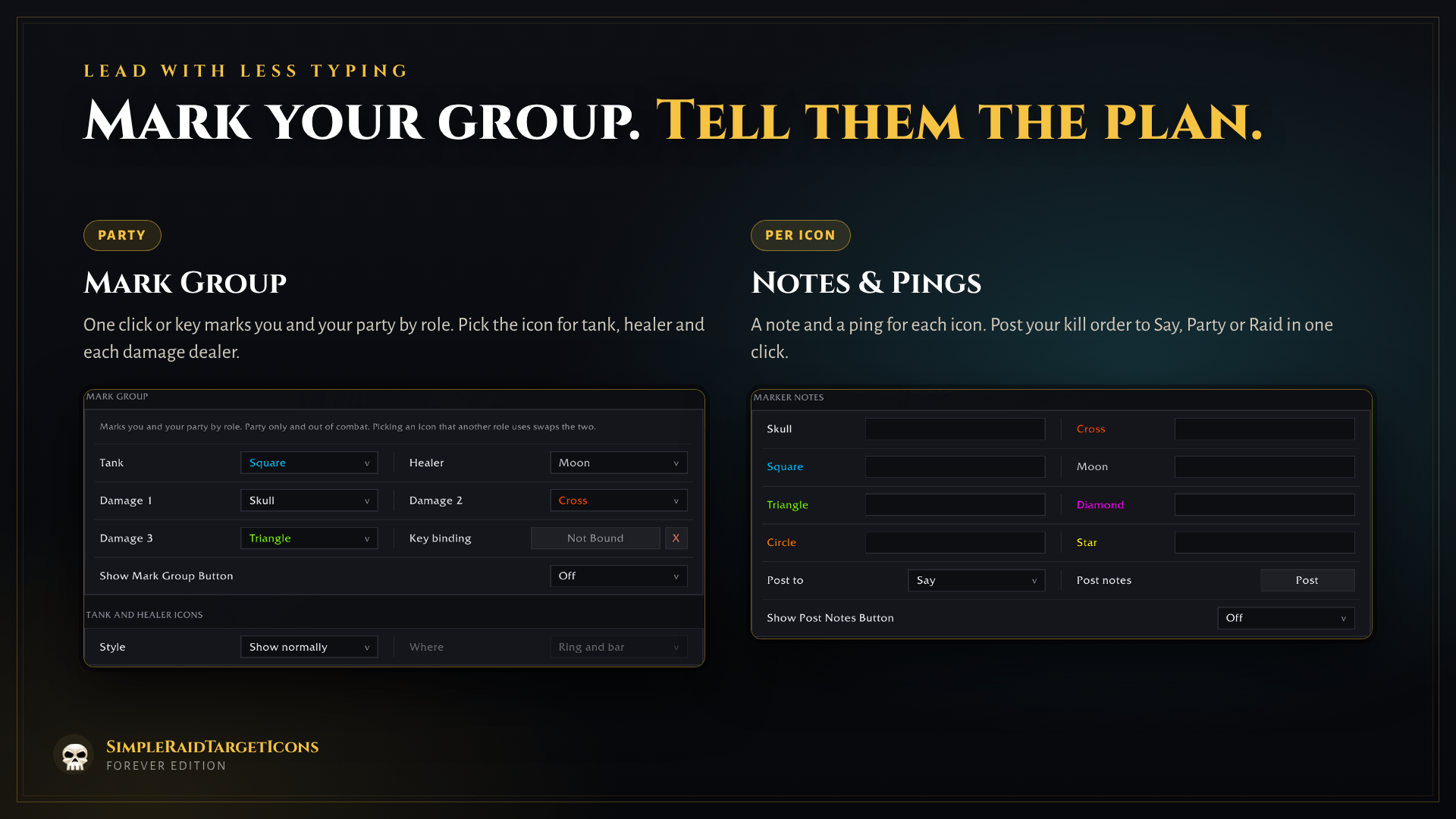
- Mark group: marks your party by role, with an icon per role.
- Ready check summary: who wasn't ready, posted to the channel you pick.
- Turn each button on or off.
Ping bar
- Ping, Attack, Warning, Assist, On My Way.
- Left click pings your target, right click pings yourself.
- You can also send a ping with each mark, e.g. Attack on Skull.
Marker notes
- A note per icon, like "Skull: kill first".
- Post them to say, yell, party or raid with the Notes button.
All bars
- Lock, horizontal or vertical, scale and background.
- Show always, on mouseover, or only when you want (in combat, in a group, in a raid and more).
- Dock to another bar and copy its settings.
- Fold button that folds the bar into a small tab (works in combat).
Key bindings
- Mark your target or your mouseover with any icon, place or clear world markers, mark group, and open either ring.
Options and profiles
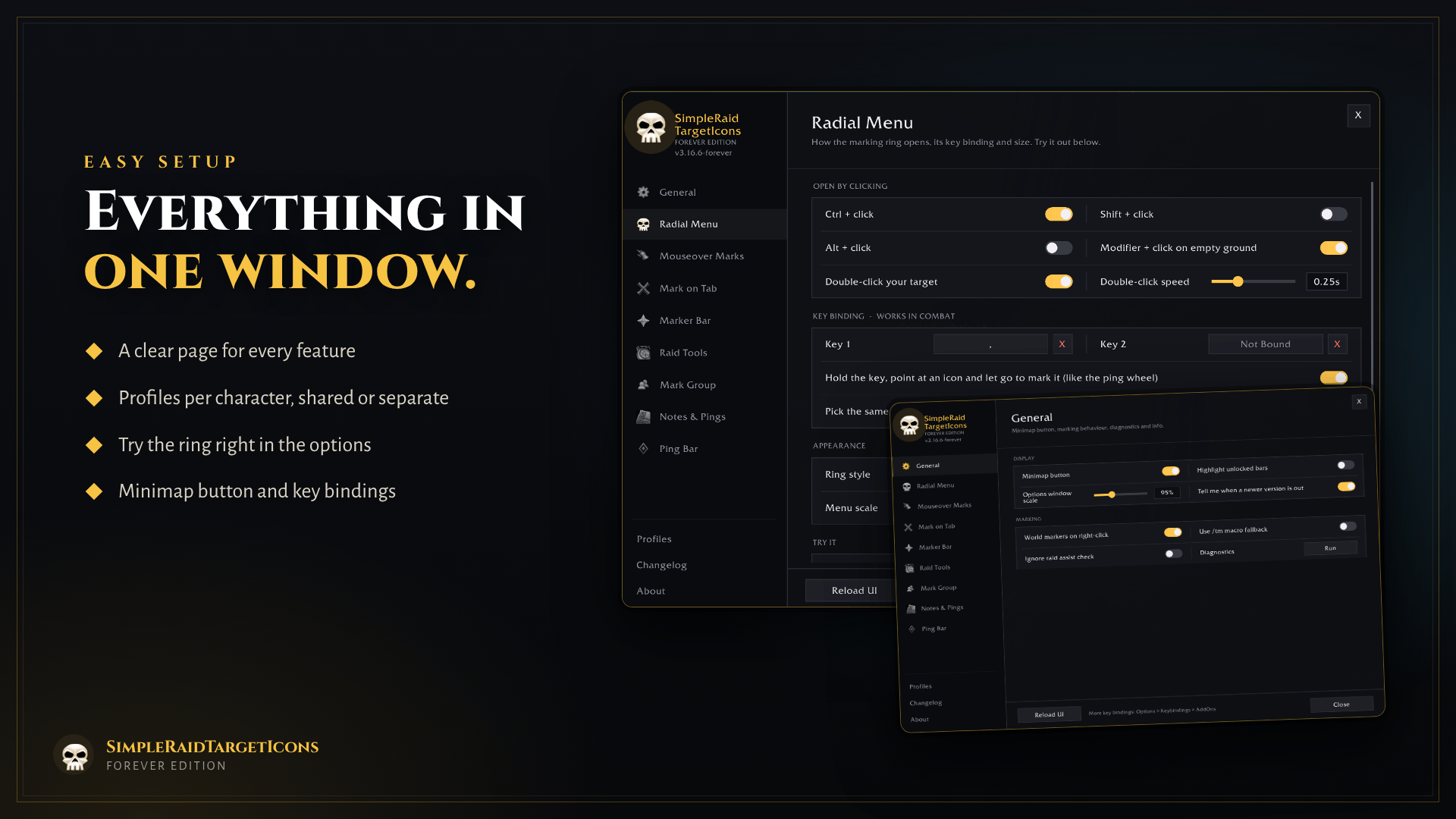
- New options window with a home page, search and tabs. The old window is still there, switch with the button at the top.
- Profiles per character, or share one across characters.
Good to know
- Clicks on mobs, nameplates and party / raid frames only open the ring out of combat. In combat, use the key binding, or double-click / modifier + click your target or focus frame.
- Since 12.0 addons can only clear one mark per click, so the clear button clears your target's mark. Clearing all world markers is still one click.
- In a raid you need lead or assist to mark. World markers need a group.
Slash commands
| Command | What it does |
|---|---|
/srti |
Open the options |
/srti classic |
Go back to the old options window |
/srti bar |
Show / hide the marker bar |
/srti lock |
Lock / unlock the marker bar |
/srti tools |
Show / hide the raid tools bar |
/srti pings |
Show / hide the ping bar |
/srti minimap |
Show and reset the minimap button |
/srti addframe |
Hover a unit frame and run this to make clicks work on it |
/srti removeframe |
Same, but removes it |
/srti frames |
List the frames you added |
/srti diag |
Check why marking might not work |
/tm 1-8 |
Blizzard's own marker command (/tm 0 clears) |
Credits
- Forever port and new features: MrBramwell / Fallia of Retired Parsers (EU)
- Original addon: concept by Qzot, Classic versions by MrFIXlT and Zimzarina, with thanks to ghostduke and Brodrick (Kirov).
Simple Raid Target Icons Forever Team