
Simple Questie Arrow
- By
screenshot_on_off.png
screenshot_worldmap.png
screenshot_two_rings.png
Description
Simple Questie Arrow
Stop guessing which quest to do next.
Simple Questie Arrow reads your level and Questie's quest database, picks the best-XP quests for your level, 1 level below and up to 2 levels above, and points arrows straight at them on your minimap and world map.
No big quest list. No clutter. Just follow the arrows.
Features
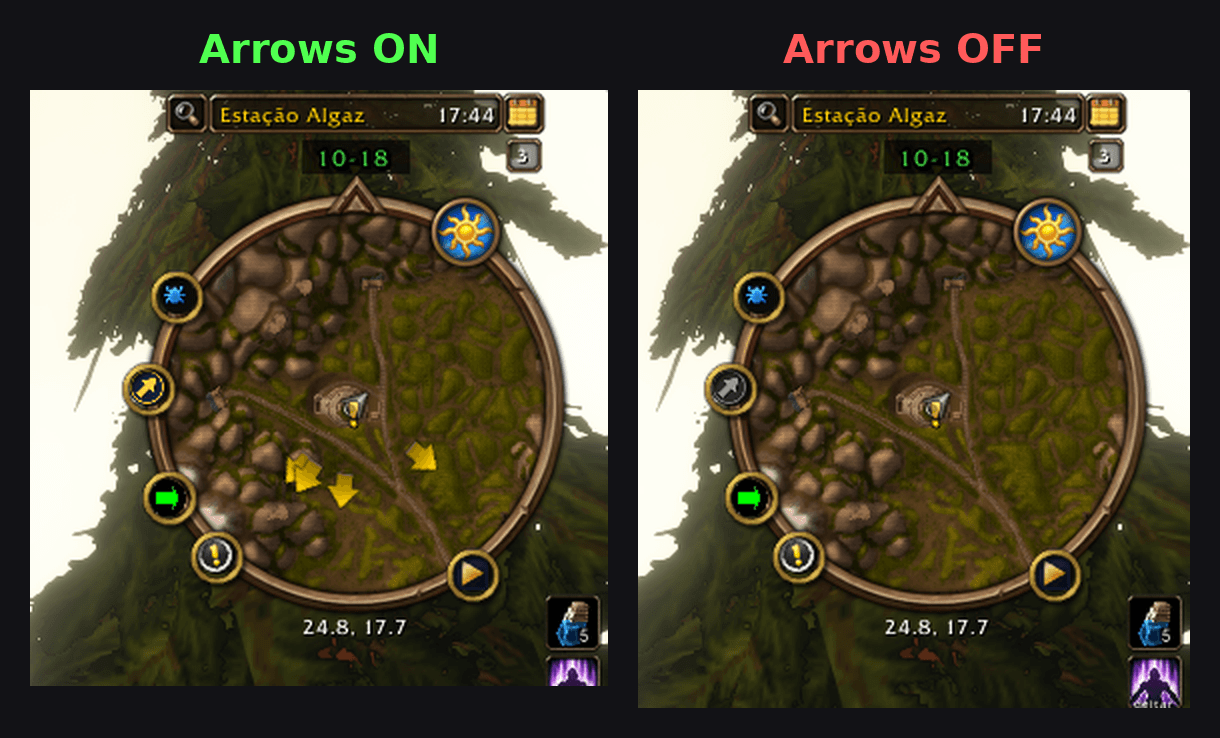
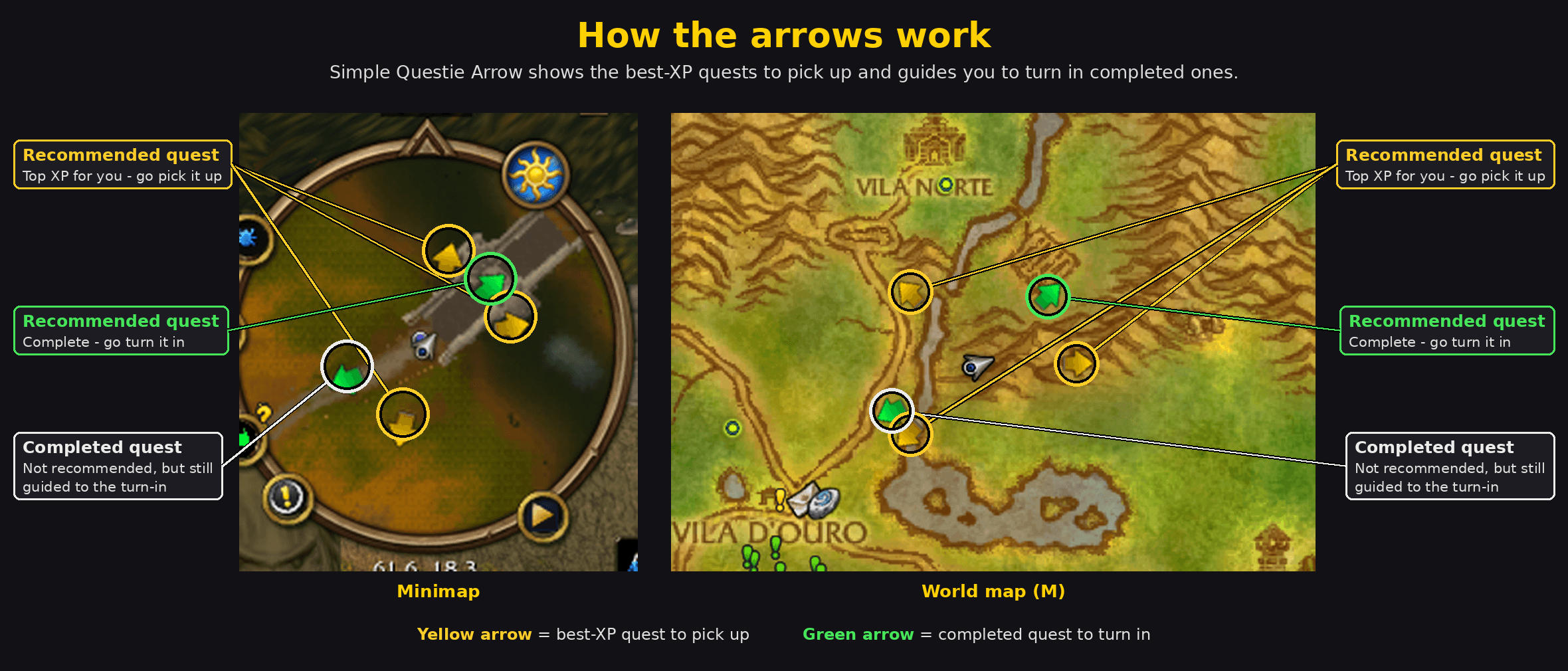
🟨 Yellow arrows Point to the quest givers of the best-XP quests 1 level below you, at your level, 1 level above and 2 levels above. The tooltip tells you which one is which.
🟩 Green arrows Point to where you turn in any quest that is already complete. If a quest wasn't one of the recommendations, the tooltip tells you.
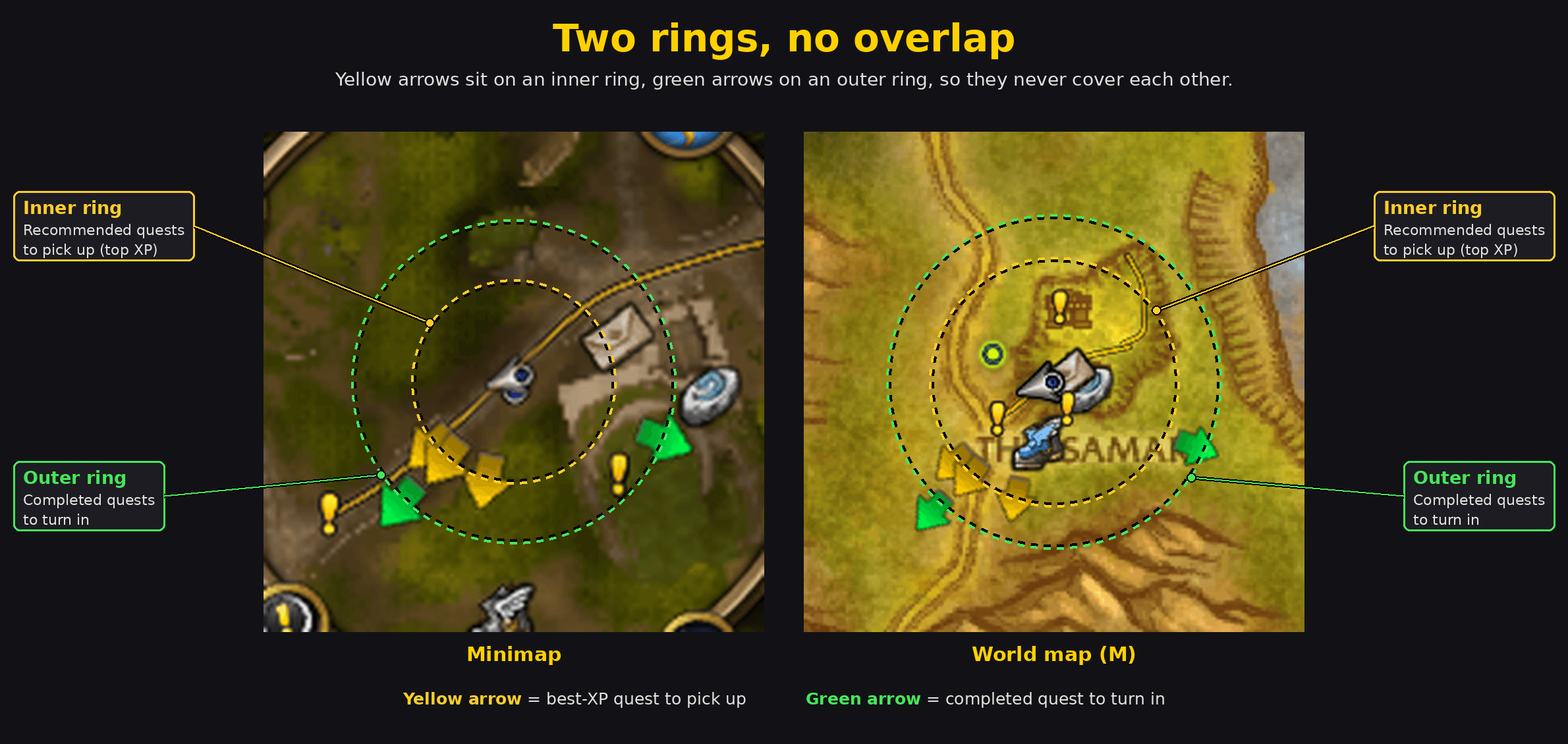
Two rings, no overlap Yellow arrows sit on an inner ring and green arrows on an outer ring, so they never cover each other.
Minimap arrows Sit around your character and always face the target. When you get close, they turn into the ! or ? icon on the NPC.
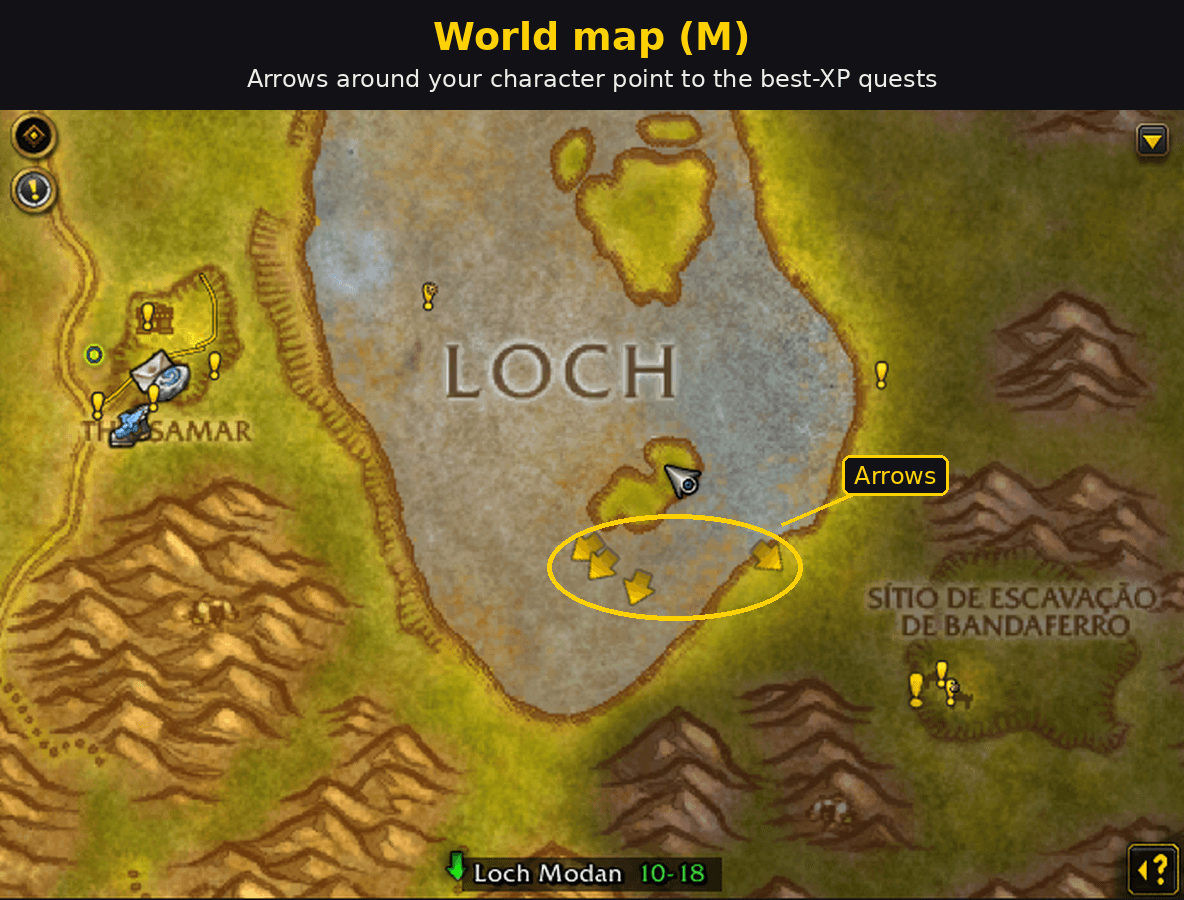
World map arrows (M) A marker on every target NPC, plus arrows around your character showing the direction.
Tooltips Hover any arrow or icon, on the minimap or the world map, to see the quest name, level, XP, region (the zone where the NPC is, in your game's language) and distance.
Options window Right-click the minimap button to choose which levels get yellow arrows (1 level below, your level, 1 level above and 2 levels above) and whether distances are shown in yards or meters. Your choices are saved.
Minimap button Left-click turns the arrows on or off. Bright icon = ON, grey icon = OFF.
Automatic updates Arrows refresh when you level up, accept, complete or turn in a quest, or change zone.
Lightweight No quest database of its own. It reads the data from Questie, which you already have.
How it picks the quests
- Reads your level and the quests Questie says are available to your race and class.
- Removes quests you can't accept yet, quests more than 1 level below yours and quests too far above it.
- Calculates the XP each remaining quest gives for your level.
- For each level (-1, yours, +1 and +2), keeps only the quests with the highest XP and points arrows at them.
Example: you are level 15. At level 15 there are quests giving 1500 and 860 XP, so you get an arrow for the 1500 XP one. You also get arrows for the best level 14, 16 and 17 quests.
How to use
- Install Questie (required) and Simple Questie Arrow.
- Log in. The arrows show up automatically once Questie finishes loading.
- Follow the yellow arrows to pick up quests and the green arrows to turn them in.
- Left-click the minimap button to turn the arrows on or off, right-click it for options. Click and hold to move it around the minimap.
Commands
Type /sqa help in game to open a help window with everything below.
| Command | What it does | Example |
|---|---|---|
/sqa |
Turns the arrows on or off (same as left-clicking the minimap button). | /sqa |
/sqa on / /sqa off |
Turns the arrows on, or off. | /sqa off |
/sqa list |
Prints the arrow targets in the chat: level, name, XP, region and distance. | /sqa list |
/sqa range N |
Best quest for each level from yours up to N levels above. 0 = only your level. Default: 2 | /sqa range 0 |
/sqa distance N |
Minimap arrow distance from your character: 10 (very close) to 90 (edge). Default: 45 | /sqa distance 30 |
/sqa minimap |
Hides or shows the minimap button. | /sqa minimap |
/sqa help |
Opens the in-game help window. | /sqa help |
Requirements
- Questie (required). Simple Questie Arrow uses Questie's quest database and won't work without it.
Good to know
- Only quests in Questie's database can be shown. As Questie adds more quests, this addon gets them automatically.
- Only quests on your current continent are considered.
- Quests started by an item (a drop) have no NPC to point to, so they are not shown.
- Arrows are hidden inside dungeons, because the game does not report your position there.
- Your settings are saved per character.
Feedback and bug reports
Found a bug, or a quest that should (or shouldn't) be recommended? Leave a comment with:
- your level, race and class;
- the quest name, or the output of
/sqa list; - any red error message the addon printed in the chat.
Suggestions are welcome too!
Credits
- Quest data provided by Questie (GPLv3).
- Uses LibStub, CallbackHandler-1.0, LibDataBroker-1.1 and LibDBIcon-1.0.
Simple Questie Arrow Team
