Should I Grind This?
- By
A lightweight gold grinding tracker. Start a session, kill stuff, and the addon tells you in real time whether the spot is actually worth your time.
sigt_1.png
sigt_4.png
sigt_3.png
sigt_2.png
Description
## What it does
- Counts every item and copper you loot during the session.
- Values items at vendor price by default, with **automatic Auctioneer /
Auctionator / TradeSkillMaster** market-price lookups when those addons
are installed.
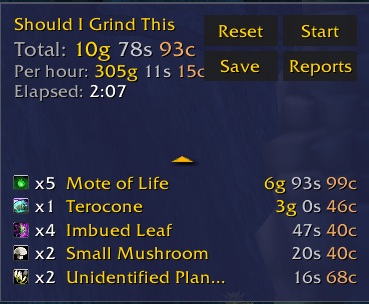
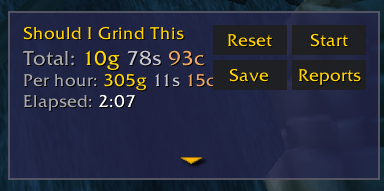
- Shows **total gold** and **gold/hour** for the live session, plus elapsed
time, in a small movable frame.
- **Saves sessions** to a permanent history.
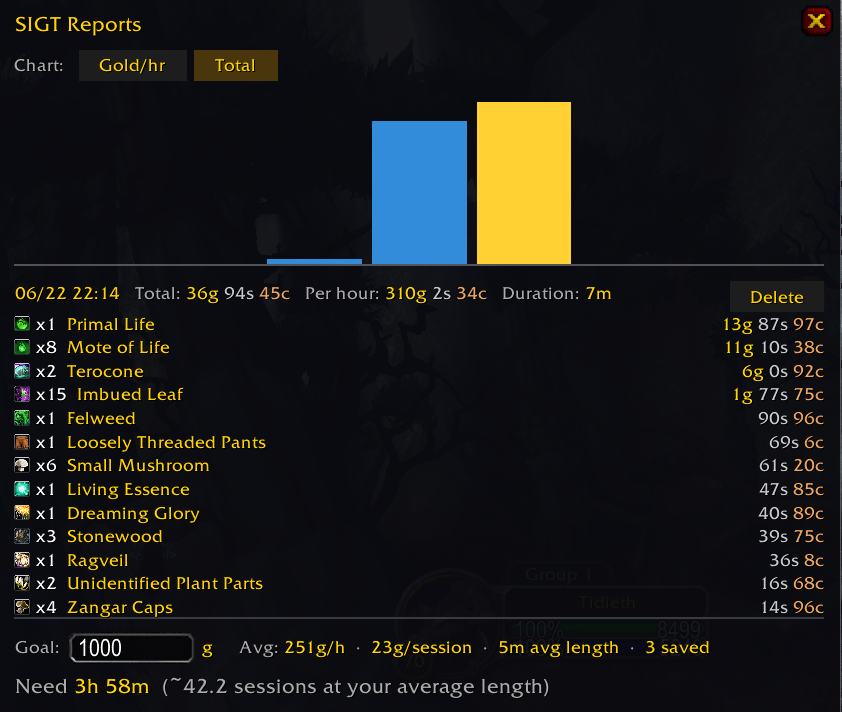
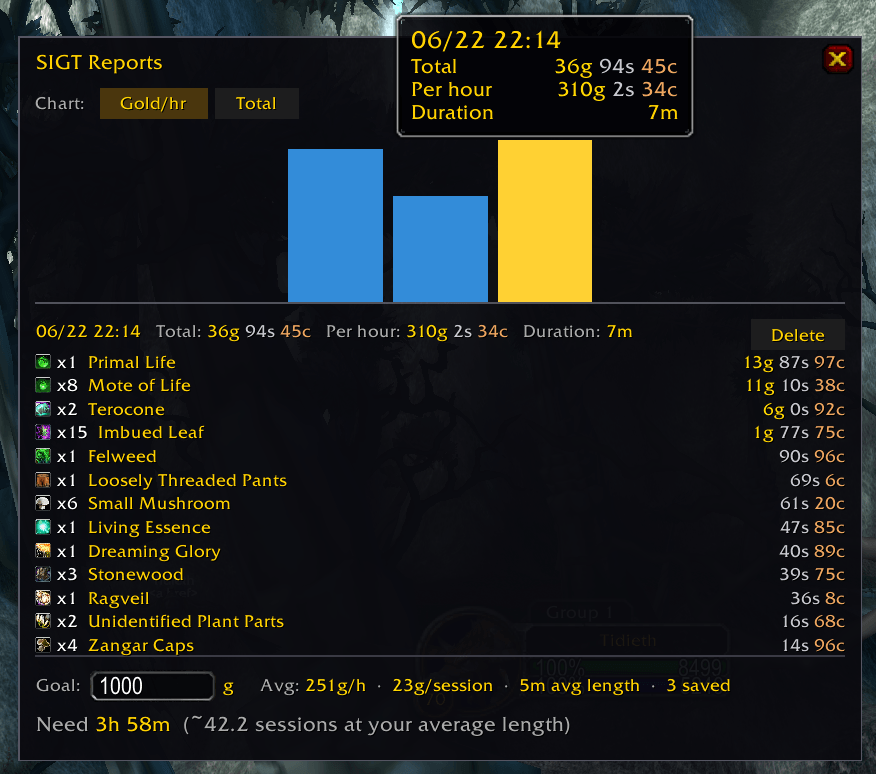
- **Reports window** with a bar chart of saved sessions, click any bar to
inspect that session's full item breakdown.
- **Goal calculator** — enter a target gold amount and the addon tells you
how many hours and sessions you need based on your historical average.
## Why it's not just "another loot tracker"
- **Auctioneer scam-resistant.** Grey/junk items always use vendor price by
default, so a scammer's 1g Stonewood listing doesn't inflate your gp/h.
Tighten further with `/sigt ahquality 2` to also skip white items.
- **Smart mote → primal valuation.** Motes of Air/Earth/Fire/Life/Mana/
Shadow/Water are valued at `primal_AH / 10`, capping per-mote scam
prices automatically.
- **Mote combine reconciliation.** When you convert 10 motes → 1 primal in
your inventory, the session subtracts the motes and shows the primal, so
the breakdown reflects what you actually have — not stale "looted"
motes plus the resulting primal.
- **Survives /reload.** Active session and elapsed time persist across
reloads and logouts.
## Pricing sources, in order of preference
1. Auctioneer Advanced (`AucAdvanced.API.GetMarketValue`, plus Appraiser
and BeanCounter fallbacks)
2. Auctioneer (legacy)
3. Auctionator (modern v1 API + legacy `Atr_*` globals)
4. TradeSkillMaster (`TSM_API.GetCustomPriceValue("dbmarket", ...)`)
5. Informant
6. Vendor sell price (always available)
If you have none of these, vendor prices are still used and the addon works.
## UI
- Movable, lockable main frame (`/sigt unlock` then drag, `/sigt lock`).
- Click the chevron on the frame to collapse / expand the per-item breakdown.
- **Start / Stop / Reset / Save / Reports** buttons on the frame.
## Reports
- Bar chart of every saved session. Toggle bar height between **Gold/hr**
and **Total**.
- Click any bar to load its full item breakdown below the chart.
- Delete unwanted sessions individually, or wipe all with `/sigt clearreports`.
- Goal calculator: type a target gold amount, see required time and session
count based on your average across all saved sessions.
## Slash commands
| Command | What it does |
|---|---|
| `/sigt start` | begin tracking loot |
| `/sigt stop` | pause tracking |
| `/sigt toggle` | start or stop, whichever applies |
| `/sigt reset` | clear all session data |
| `/sigt save` | snapshot current session into Reports, then reset |
| `/sigt reports` | open the Reports window |
| `/sigt clearreports` | delete all saved sessions (irreversible) |
| `/sigt details` | toggle the per-item breakdown panel |
| `/sigt lock` / `unlock` | toggle frame drag handle |
| `/sigt resetpos` | move the frame back to default |
| `/sigt quality <0-4>` | minimum item quality to count |
| `/sigt ahquality <0-5>` | minimum quality to use AH prices (1 = skip grey, 5 = vendor only) |
| `/sigt debug` | dump pricing-source diagnostics for the most recently looted item |
| `/sigt help` | show the full command list |
Aliases: `/grind`, `/sigrindthis`.
## Compatibility
- **WoW TBC Classic 2.5.x** (Interface 20505).
- No required dependencies. Auc-Advanced, Auctioneer, Auctionator,
TradeSkillMaster, and Informant are all **OptionalDeps** — installed they
load first so their data is ready; missing they're skipped gracefully.
## Installation
1. Drop the `Should I Grind This` folder into
`World of Warcraft\_classic_\Interface\AddOns\`.
2. Launch WoW, ensure it's enabled at the character-select AddOns list.
3. `/sigt help` in-game.
## Feedback / bugs
Issue tracker on the CurseForge project page, or file a comment here.
Should I Grind This? Team