FeralFlow | DPS & Tanking Addon For Feral Druids
- By
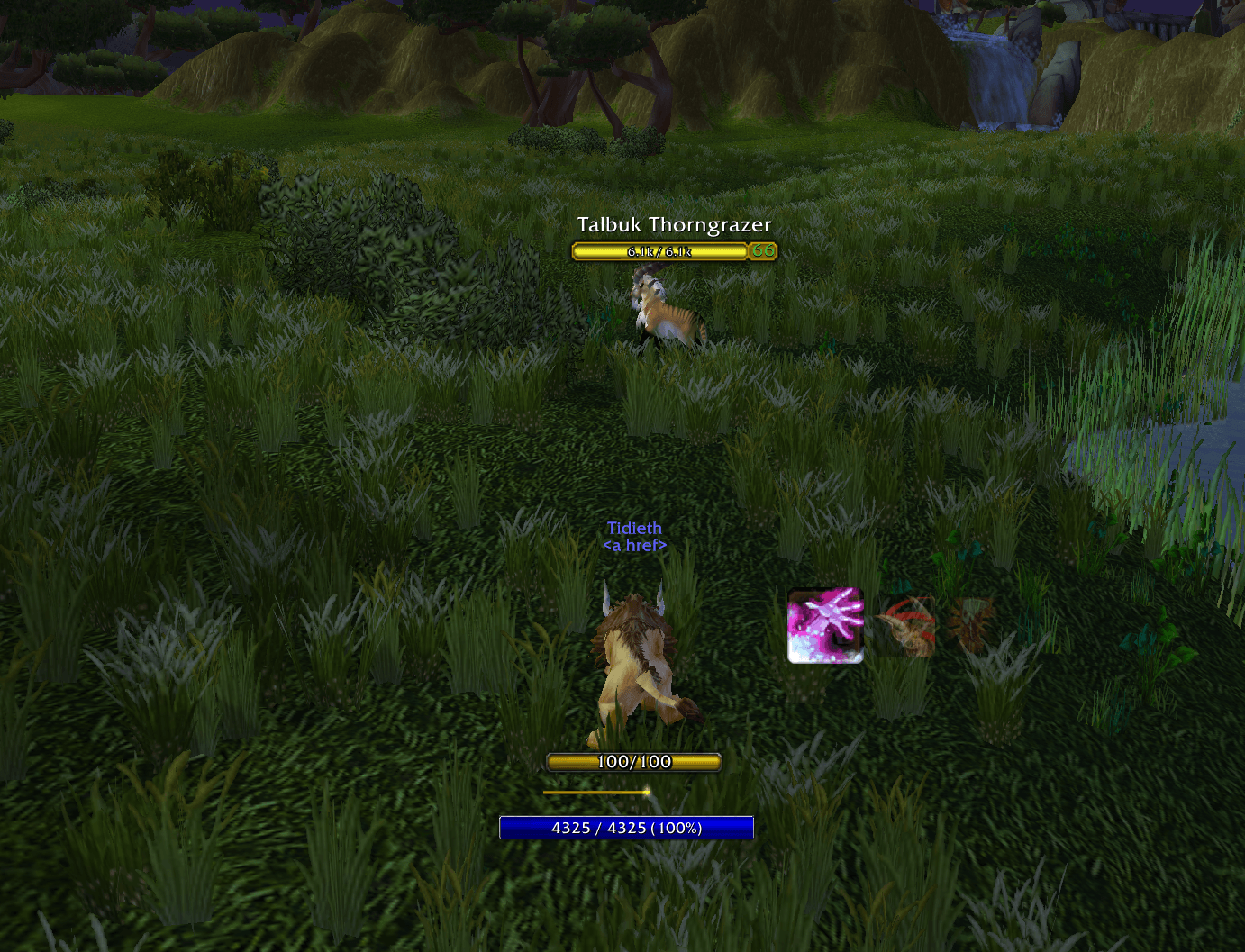
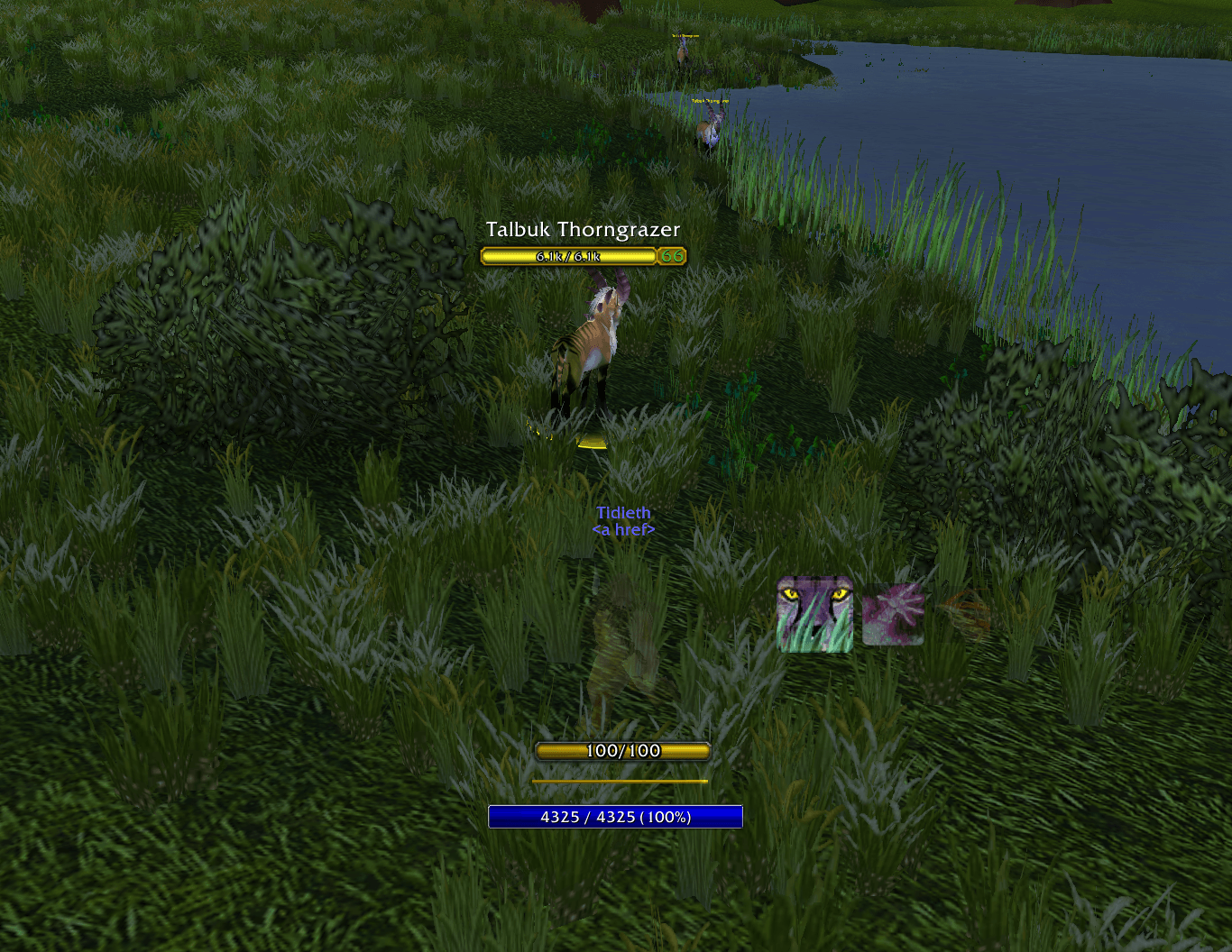
Add up to 300+ DPS* & lock in threat on every pull with this lightweight rotation helper.
FeralFlow_1.png
FeralFlow_2.PNG
FeralFlow_3.PNG
FeralFlow_4.PNG
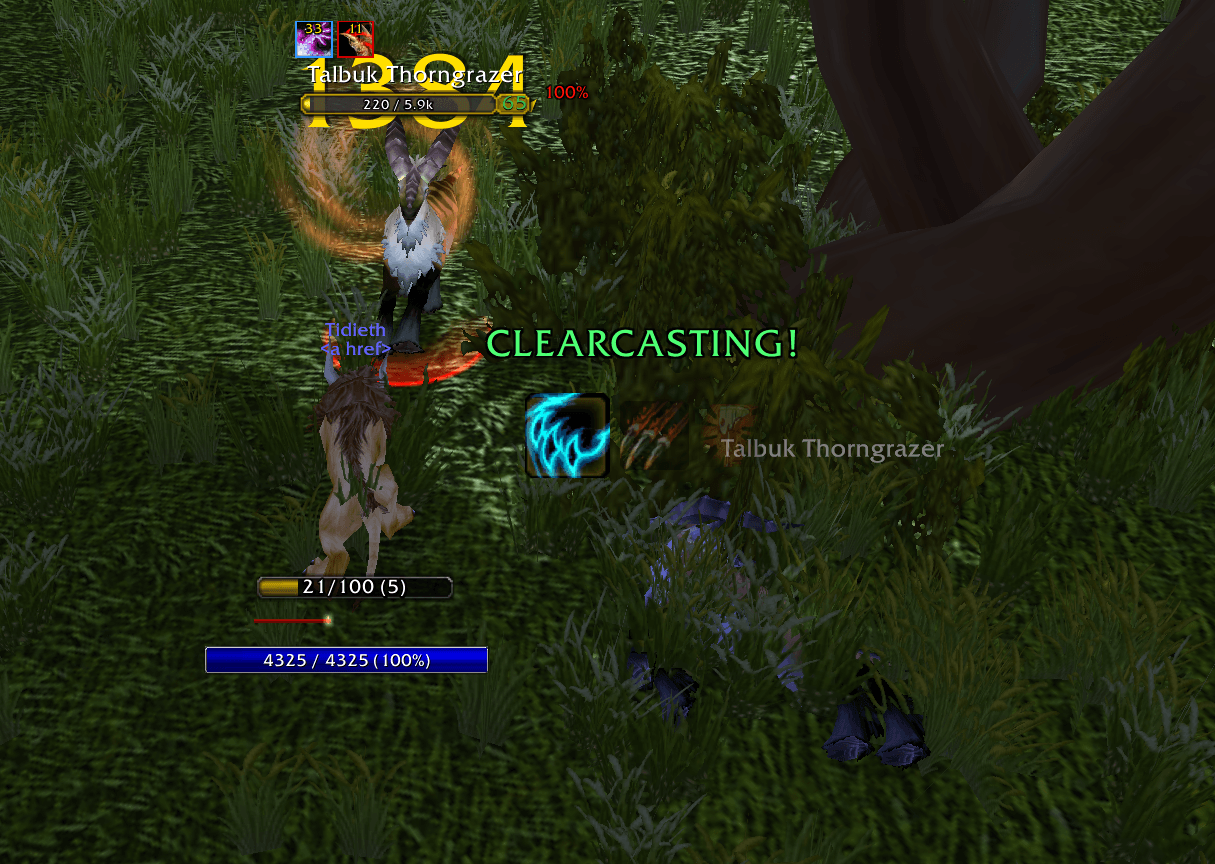
FeralFlow_5.PNG
Description
FeralFlow reads your live game state and runs a forward simulation of the Feral rotation, accounting for your current Energy, Combo Points, position, and the remaining duration of key debuffs. It supports both Cat DPS and Bear tanking, and switches automatically when you shapeshift.
Current version: 1.5.0 · Built for TBC Classic Anniversary 2.5.6
What Makes FeralFlow Different?
Most rotation helpers tell you what to press right now. You react. You button mash. FeralFlow shows you what's coming next so you can anticipate the rotation instead of chasing it. That gives you a moment to read the fight, position, and act proactively.
How FeralFlow Increases Your DPS*
FeralFlow squeezes extra damage out of your rotation by making the small, fast decisions that are easy to fumble mid-fight. It drops Rake in favor of maximizing Shreds, your highest-value combo builder, and tells you exactly how to spend energy between powershifts.
When a Clearcasting or energy proc lands, should you wait for the next energy tick to Shred, or powershift now? Can you sneak a Ferocious Bite in between Rips, or should you hold? FeralFlow answers these in real time so you stop bleeding energy and keep your damage flowing.
Did FeralFlow increase your DPS? Let me know in the comments!
Features
| Feature | What it does |
|---|---|
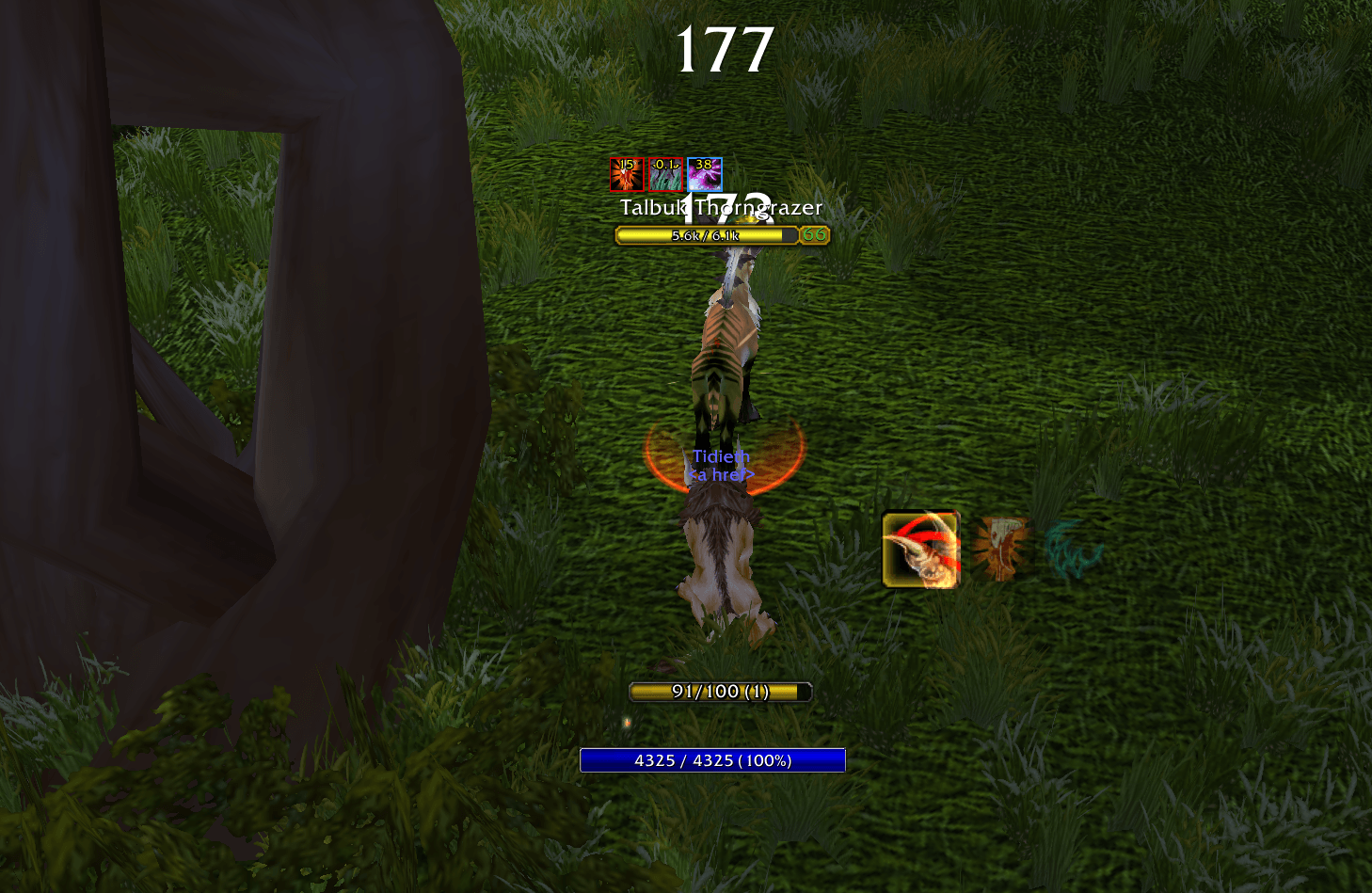
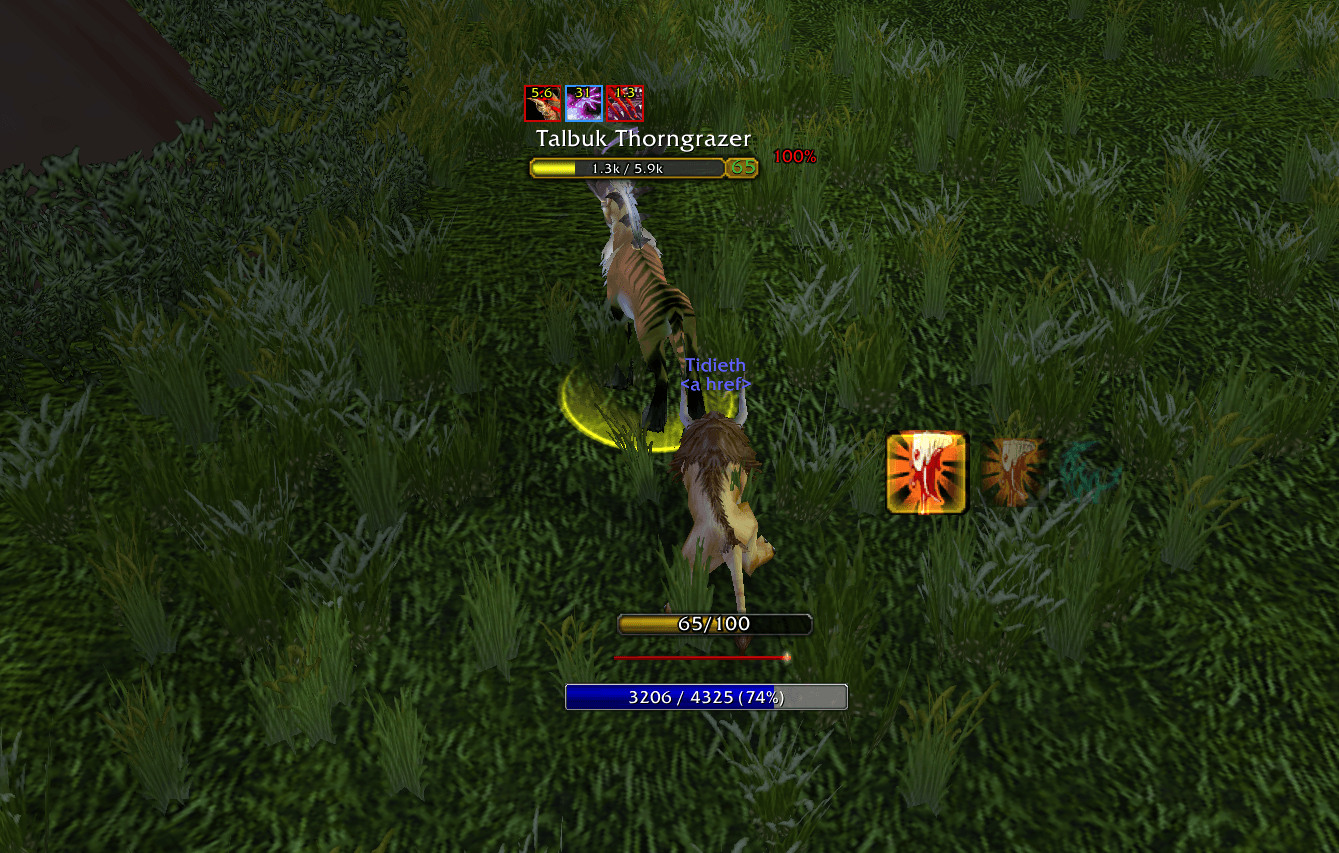
| 3-icon predictive queue | Shows your current and next two recommended abilities at a glance. The dim/glow cues always reflect your actual current energy. |
| Threat-on-target readout (new) | Live "Threat: 4.2k (142%)" line under the icons, straight from the game's threat API. Tab through a pack and the color tells you which mob needs focus: in bear, red = not tanking it, green = secure; in cat, the colors warn you as you approach pulling aggro. |
| Energy- and combo-point-aware | Recommendations follow standard Feral DPS priorities — building combo points, powershifting, applying and refreshing Rip, and dumping points with Ferocious Bite between Rip refreshes. Finishers always outrank utility casts. |
| Debuff tracking | Monitors Mangle, Rip, Lacerate, Demoralizing Roar, and Faerie Fire on your target and folds their timers into the rotation. |
| Faerie Fire that knows when to quit | Only suggested when the debuff has actually dropped off. Immune mobs are detected from the combat log and never suggested again. /ff faerie disables it entirely. |
| Clearcasting alerts | Flashes an on-screen notification the instant an Omen of Clarity proc lands, and adjusts suggestions to spend the free cast. |
| Smart filler selection | Recommends Shred when you're behind the target and Mangle when you're in front. Inferred in real time from cast feedback and facing, or locked manually. |
| Stealth openers | Suggests Ravage or Pounce out of Prowl, with a configurable preference. |
| Powershift cues | Prompts a tick-synced powershift when you're energy-starved — timing that stays accurate even right after energy procs. |
| T4 2-set proc alerts | The Malorne Harness 2-set procs 20 energy in cat and 10 rage in bear. FeralFlow detects both directly from the combat log (the procs have no buff aura) and flashes an amber "ENERGY PROC!" or red "RAGE PROC!" banner. |
| Works in your language | Spell and debuff names are resolved from your game client at load — all features work on non-English clients. |
| Movable, lightweight frame | Drag it anywhere (/ff unlock works in any form, anywhere), set a custom icon size, position saved between sessions. Fully dormant on non-Druid characters. |
Feral Tanking (introduced 7/13/2026 · overhauled 8/18/2026)
The tanking module went through a full audit and rework in August. If you tried it early, it's worth a second look. Feel free to report a bug or issue.
| Feature | What it does |
|---|---|
| Bear priority ladder | Faerie Fire → establish snap threat (Mangle-Bear / Maul) → AoE fork (Swipe, Demoralizing Roar, capped Lacerate stacks) → single-target Mangle / Lacerate / Maul filler. |
| Snap-threat tracking | Remembers, per mob, whether you've landed a Mangle (Bear) or Maul on it — the burst of threat that makes Lacerate stick. The rotation prioritizes untagged mobs' needs automatically. |
| Nameplate stamp | A red mark on hostile nameplates during combat until that mob has been Mangled or Mauled. Tab-target the marked ones. (Requires enemy nameplates enabled — press V.) |
| AoE that doesn't need nameplates | Engaged mobs are counted directly from the combat log, so multi-mob detection works even with nameplates off — and mobs from other groups' pulls never trigger your AoE suggestions. |
| Maul uptime tracker | /ff maul prints Maul uptime for the current pull and a 10-fight rolling average. Optional persistent footer via /ff mauluptime. |
Threat Tracking (new 8/18/2026 v 1.4.1)
FeralFlow now shows exactly how much threat you've generated on your current target, live, under the icon queue:
Threat: 4.2k (142%)
The number is your total threat on the mob, read directly from the game's threat API — real data, not an estimate. The percentage is your threat relative to whoever the mob is currently chasing: over 100% while tanking is your lead, under 100% is how close you are to the top.
Tab through a pack and the colors tell you which mob needs attention:
| Color (Bear) | Meaning |
|---|---|
| 🔴 Red | You are not tanking this mob — it needs focus now |
| 🟡 Yellow / 🟠 Orange | Contested — your lead is thin or someone's pushing past you |
| 🟢 Green | Securely tanking — safe to tab onward |
| Grey "Threat: −" | You haven't touched this mob yet |
In cat form the colors flip to serve DPS: white means you're safe, yellow and orange warn you're climbing toward the tank, and red means you've pulled aggro.
Instead of guessing which add is loose, tab across the pack — the red and grey ones are your to-do list. Toggle the readout anytime with /ff threat.
Known Issues
| Issue | Details |
|---|---|
| Nameplate stamp requires enemy nameplates | The stamp draws on Blizzard's nameplate frames, so it can only appear when enemy nameplates are shown (V). The rotation itself works fine without them. |
| Improved Mangle fallback timing | If the cooldown API returns nothing, the internal fallback assumes the untalented 6s Mangle (Bear) cooldown, so Improved Mangle bears may briefly see Mangle suggested up to 1.5s late in that rare case. |
| Rage costs assume untalented values | Ferocity/Shredding Attacks discounts aren't modeled — the readiness dim may be slightly conservative at very low rage. |
Commands
| Command | Category | What it does |
|---|---|---|
| /ff help | General | Prints the complete list of commands with short descriptions. Typing /ff or /feralflow with no argument does the same. |
| /ff unlock | Frame | Shows the frame with a drag handle so you can reposition it — works anywhere, in any form. |
| /ff lock | Frame | Locks the frame back in place and hides the drag handle. |
| /ff reset | Frame | Returns the frame to its default position. |
| /ff size <n> | Frame | Sets the primary icon size in pixels (predicted icons scale proportionally). Range 20–96. Default 40. |
| /ff auto | Cat rotation | Default. Infers whether you're behind the target and picks the filler accordingly — Shred behind, Mangle in front. |
| /ff behind | Cat rotation | Forces the behind assumption — Shred is always the recommended filler. |
| /ff front | Cat rotation | Forces the front assumption — Mangle is always the recommended filler. |
| /ff opener <ravage | pounce> | Cat rotation | Chooses your recommended stealth opener from Prowl. Default ravage. |
| /ff faerie (new) | Rotation | Toggles Faerie Fire suggestions on/off entirely, in both forms. |
| /ff threat (new) | Display | Toggles the threat-on-target readout under the icons. On by default. |
| /ff bear | Bear rotation | Toggles the bear-form rotation on or off. When off, the frame hides while you're in bear form. |
| /ff stamp | Bear rotation | Toggles the nameplate snap-threat stamp. |
| /ff alert | Alerts | Toggles the Clearcasting proc alert. On by default. |
| /ff t4 | Alerts | Toggles the T4 2-set energy proc alert (cat, 20 energy). On by default. |
| /ff t4rage | Alerts | Toggles the T4 2-set rage proc alert (bear, 10 rage). On by default. |
| /ff maul | Bear stats | Prints current-pull and last-10-fight Maul uptime % to chat. |
| /ff mauluptime | Bear stats | Toggles the persistent Maul-% footer under the icons (bear form only). Off by default. |
| /ff debug | Troubleshooting | Dumps form, state, prediction, nameplate registration, and combat-log/Maul-tracker status to chat. Paste this when reporting an issue. |
Disclaimers
FeralFlow is purely advisory. In line with Blizzard's addon policy, it never casts abilities for you. It only recommends what to press next. You remain in full control of your character at all times.
*DPS increases using this addon will vary based on skill and gear.
If you're already comfortable with the feral rotation then this addon is more of a monitoring/alert system for if you zone out or panic reacting to boss mechanics.
If you're newer to feral druid then this will absolutely add 200-300+ DPS.
FeralFlow | DPS & Tanking Addon For Feral Druids Team