Shaws Decursive for Ellesmere Ui
- By
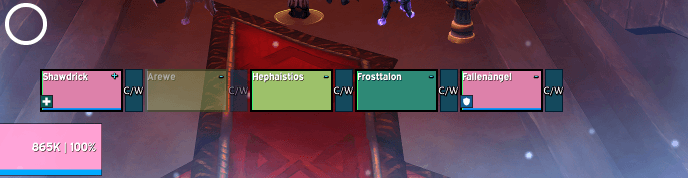
Dispel and whisper buttons, range feedback, and white Blessing of Freedom reminders on EllesmereUI party and raid frames.
Screenshot 2026-10-18 160641.png
Screenshot 2026-10-18 160217.png
Screenshot 2026-10-19 145014.png
Screenshot 2026-10-19 151150.png
Description
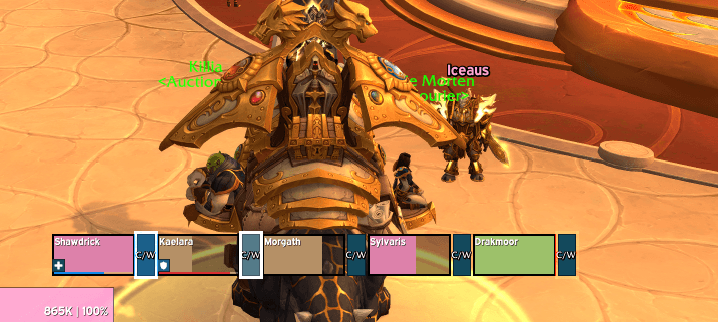
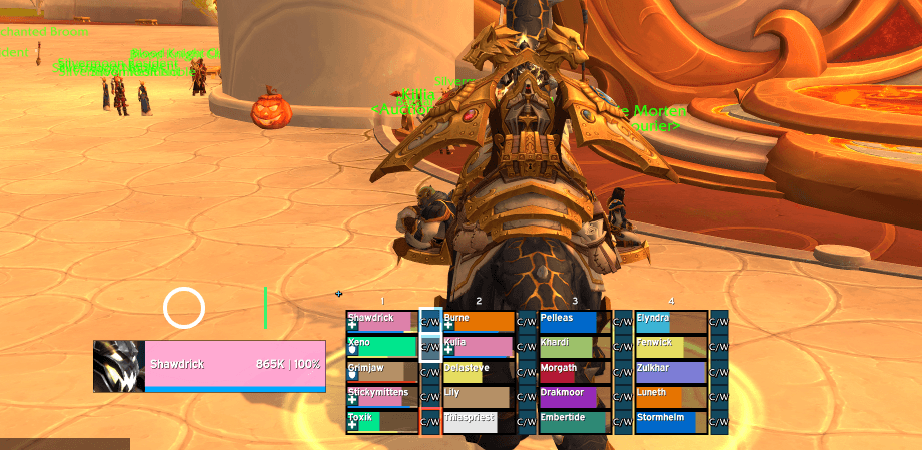
Shaws Decursive for Ellesmere Ui adds a small Dispel / Whisper button beside each EllesmereUI party or raid bar. Your main player bars keep their normal targeting and healing controls.
Requires EllesmereUI and its Raid Frames module (EllesmereUIRaidFrames). This download contains the companion only. It does not replace or include EllesmereUI.
Button controls
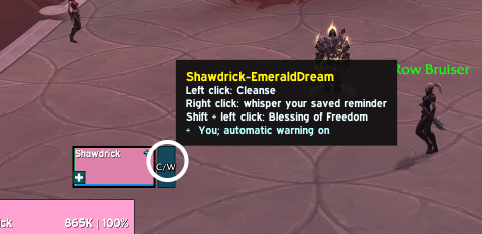
- Left-click: stop your current cast and attempt your learned primary dispel on that player.
- Right-click: whisper your configured reminder to that player.
- Shift + left-click: stop your current cast and attempt Blessing of Freedom, when learned by your paladin.
These controls are configured automatically. No named macro creation or Blizzard click-casting setup is required. Primary dispel selection supports all healer classes.
Visual feedback
- Prominent dispel-ready flashing and glow on the small button, with spell icons and cooldown feedback beside the player.
- A white flash and glow when Blizzard reports crowd control and your learned Blessing of Freedom is ready, usable and in range.
- Red out-of-range feedback takes priority over ready flashes. Unknown range results do not produce a red warning.
The white Freedom cue is a general crowd-control reminder. It does not identify every slow or guarantee Freedom can remove the effect. Range feedback does not check line of sight.
Whisper protection and options
Use the Whisper page to customize your reminder message and set its per-player cooldown from 0 to 300 seconds, with 30 seconds as the default. Setting 0 disables the repeat timer. Save your message or restore the default reminder without sending anything. Messages are saved as one chat line, up to 255 UTF-8 bytes. Spells and whispers require your click.
Turn Dispel > Show button tooltip off to remove the small button's hover tooltip.
Open /sdeui, /shawsdecursiveeui, or the Shaws Decursive for Ellesmere Ui section in EllesmereUI's options. Show or hide the buttons; toggle dispel and Freedom visuals, spell icons, cooldown text and range feedback; or adjust your personal range-warning icon. Buttons follow their own player bars and reserve space through EllesmereUI's layout settings. Protected configuration changes apply outside combat.
Installation and updates
Built for World of Warcraft Retail 12.1.5. Install the included Shaws Decurcive EllesmereUi folder and keep both required EllesmereUI modules enabled.
If updating from the old HealerRange / Shaw's Healing tools companion, disable that old companion so both copies do not run together. Optional settings-transfer instructions are included in the README. This is separate from Shaws Decursive for Blizzard's default frames.
For support, include your class and specialization, EllesmereUI version, frame layout, /sdeui status output and any Lua error text.
Creator links
The Dispel page includes a compact creator-links section below its existing controls. Click a button to display its address, then press Ctrl+C and paste it into your browser.
Shaws Decursive for Ellesmere Ui Team