SGI - Safeguard Improved
- By
Low health and mana warnings with screen flashes and sounds, plus crowd-control, disconnect and combat alerts and chat announcements that adapt to where you are.
Description
Safeguard Improved
A ground-up deeply customizable rewrite of Safeguard by Tollski. It warns you before you die or run dry, tells your group when something goes wrong, and keeps quiet when nothing has.
Supports: Classic Era (including Hardcore and Season servers), TBC Anniversary, Wrath Classic, Cataclysm Classic and Mists of Pandaria Classic. One download covers all of them.
Not supported: Retail and WoW Forever. Both run on the Midnight engine, which hides health and mana from addons during combat. A low-health warning has to compare your health against a threshold, and the engine forbids that, so no update can make it work there.
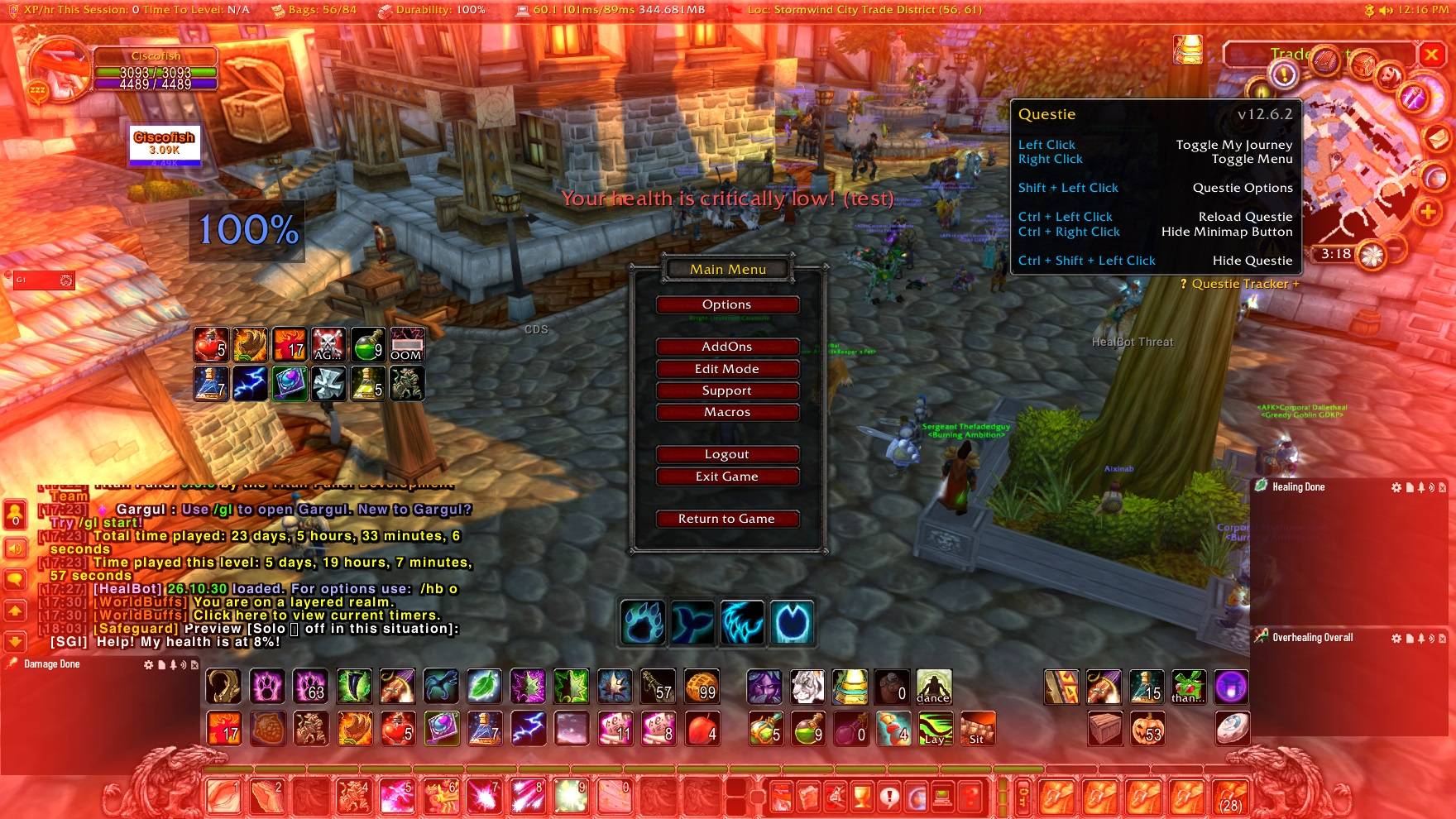
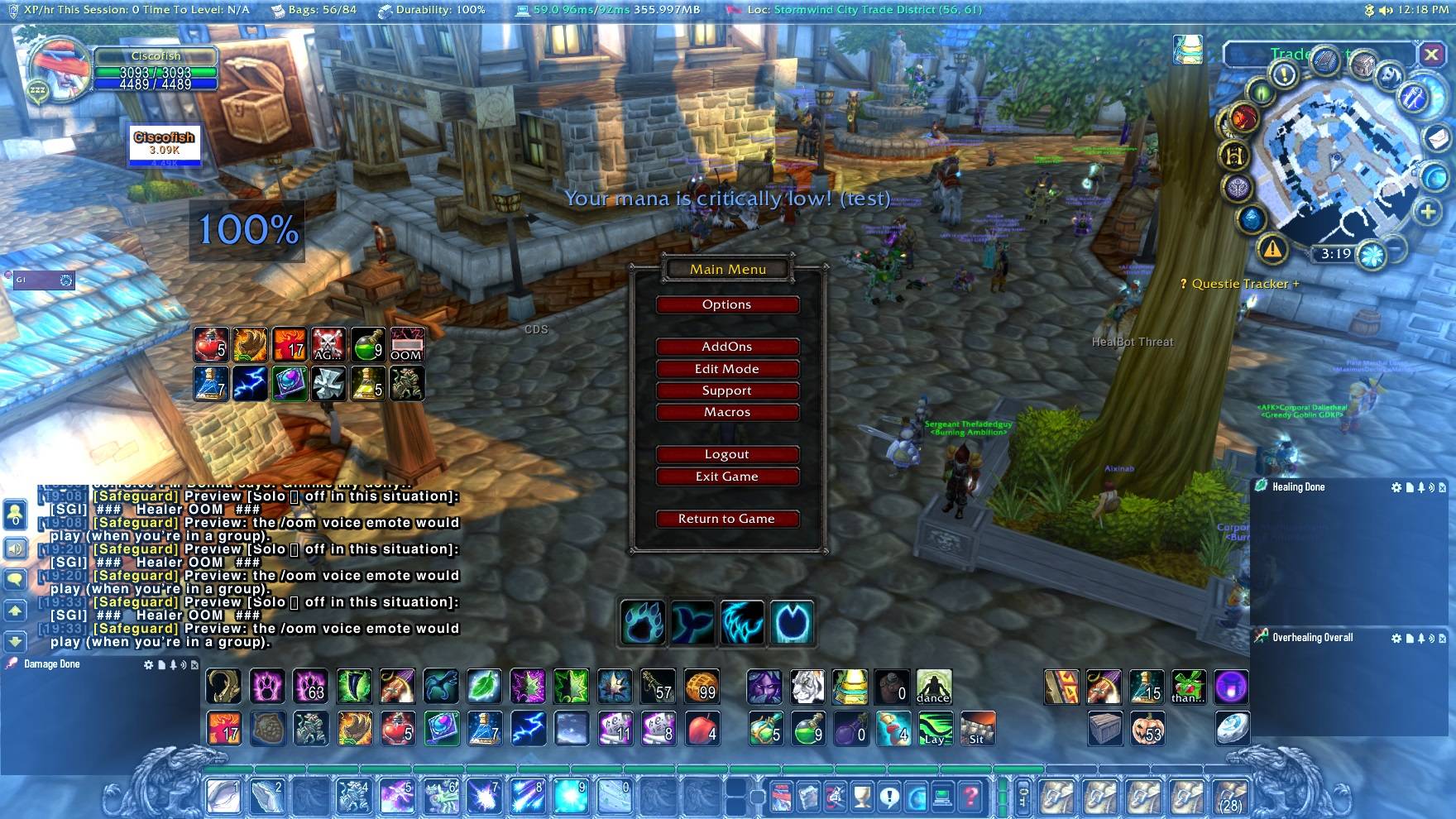
Low health & low mana
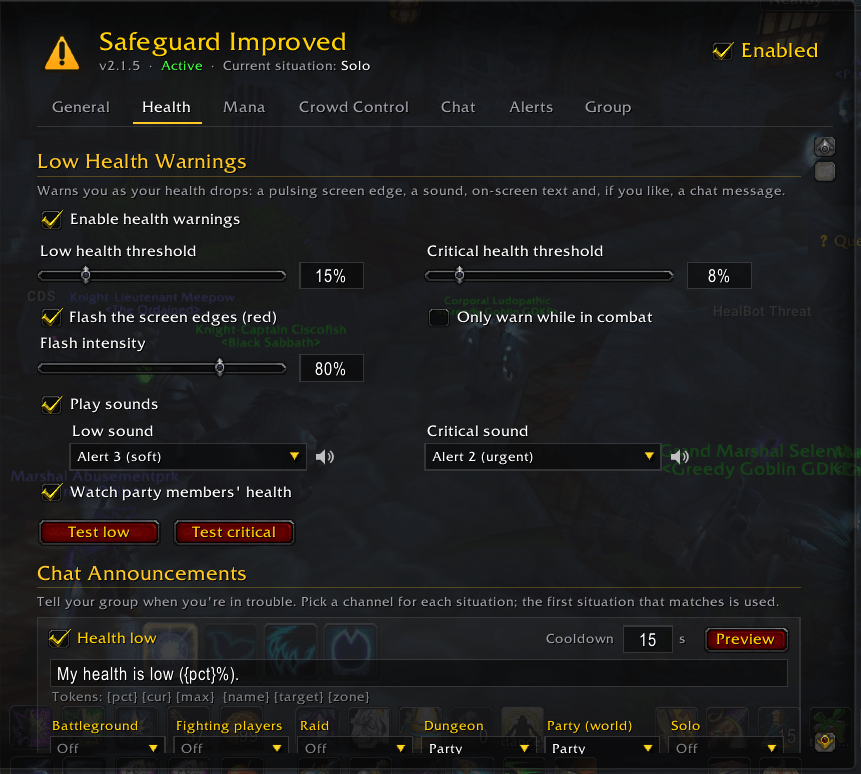
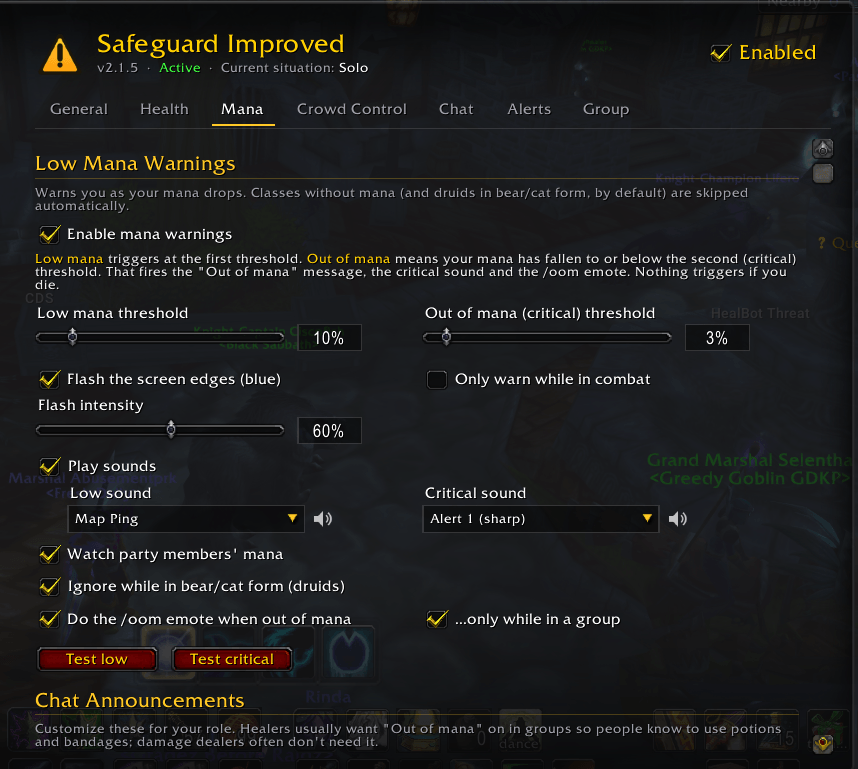
- Two thresholds each: low and critical, set separately for health and mana.
- Screen-edge flash: red for health, blue for mana. It pulses faster when you're critical, and you can set how strong it is.
- Sounds: choose from Safeguard's own alerts, Blizzard's sounds, or any sound your other addons share through LibSharedMedia. Every sound in the list has a preview button.
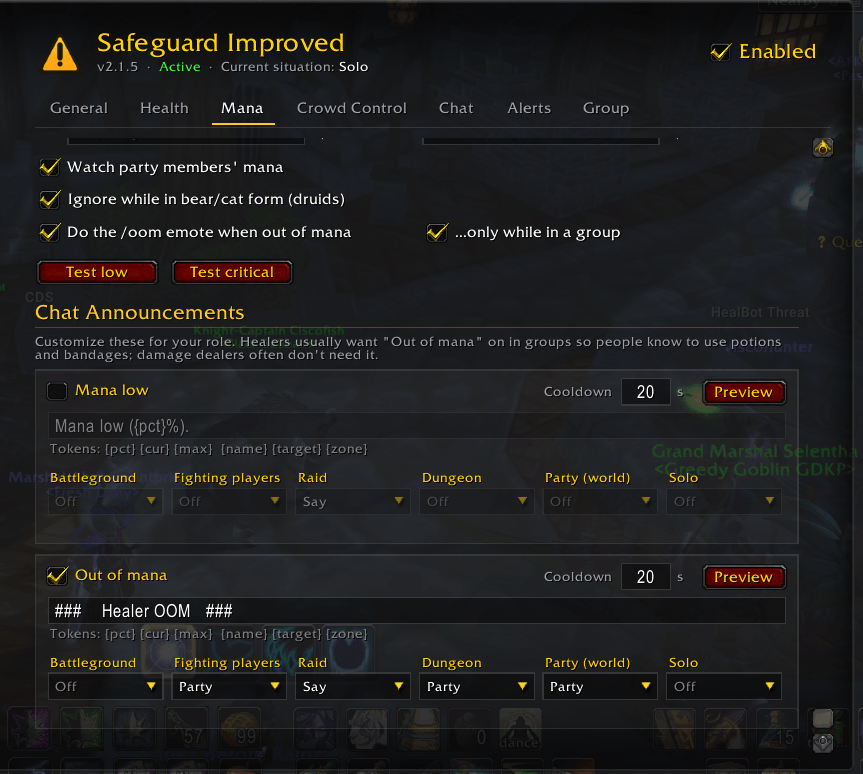
- Out of mana means at or below your mana critical threshold. It can also play the
/oomvoice emote, with an option to do that only in a group. - No false alarms:
- Small wobbles around a threshold don't repeat the alert.
- Dying (which empties your stats) never reports alarms.
- Switching talent specs (which also empties your mana) stays silent.
- Other SGI users: see when a party member's health or mana is low.
- Optional combat-only mode.
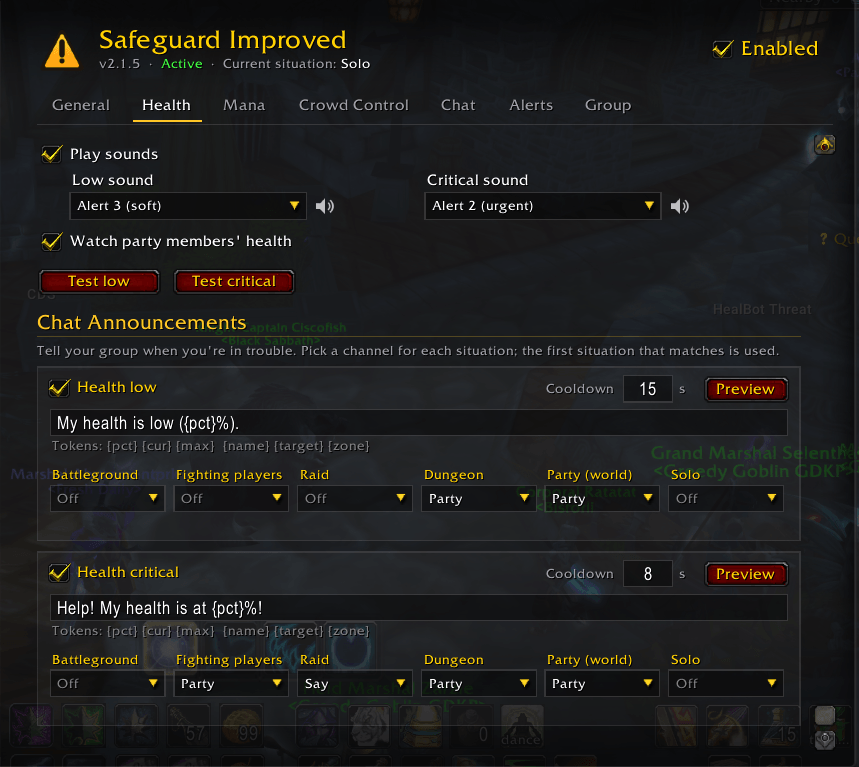
Chat announcements that fit the situation
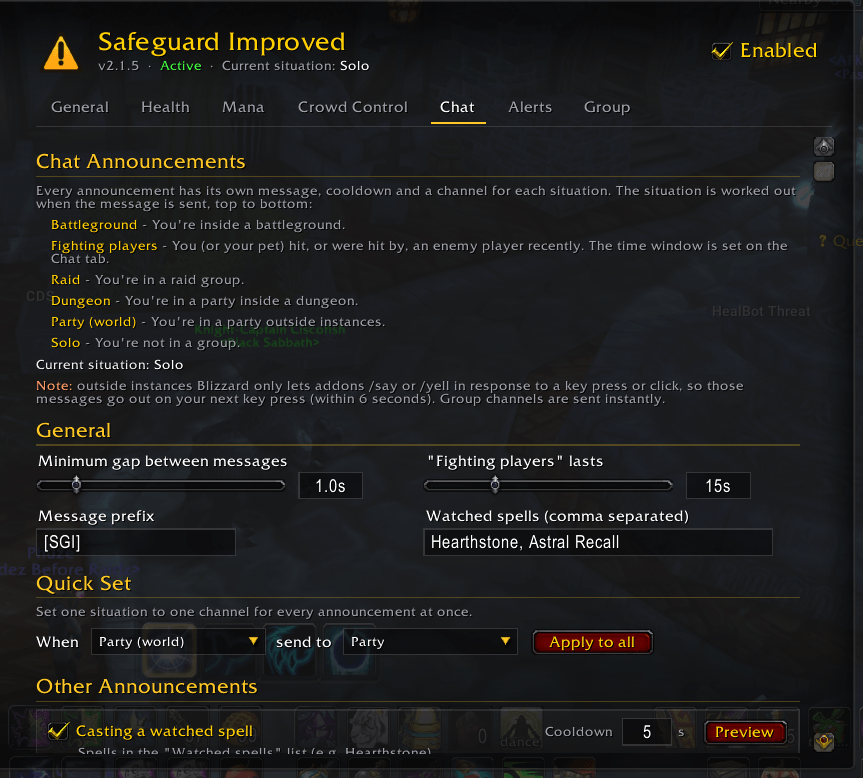
Each announcement picks its own channel for each situation: Battleground → Fighting players → Raid → Dungeon → Party → Solo. For example, low health can go to Party in a dungeon, Say in a raid and only your own chat window when solo.
- Channels: Off, Self, Say, Yell, Emote, Party, Raid, Raid Warning, or Group (picks the right group channel automatically).
- Editable messages with tokens:
{pct} {cur} {max} {spell} {dur} {for} {school} {mob} {count} {name} {target} {zone} - Each announcement has its own cooldown. A minimum gap between messages stops spam: messages inside the gap are delayed, not dropped. Critical health and mana always go through straight away.
- Default prefix
[SGI]. You can change or remove it.
Crowd control
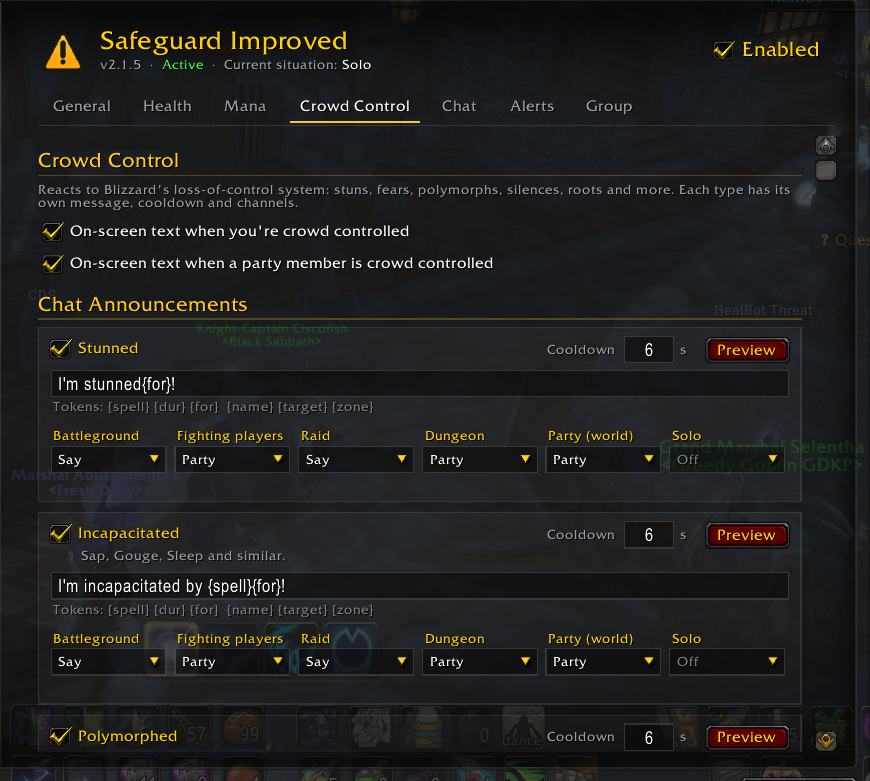
A separate message, cooldown and channels for stunned, incapacitated, polymorphed, feared, mind controlled, silenced, rooted, disarmed, spell-school lockout, pacified and "other". The message includes the spell and how long it lasts.
Disconnect detection
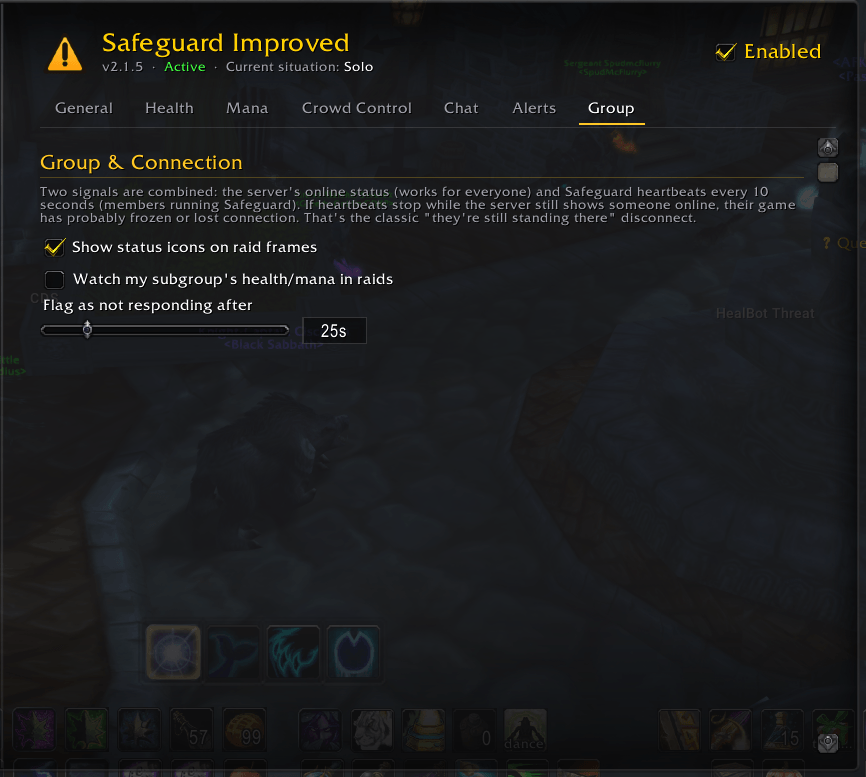
- Offline / back online for every group member. Works even if they don't have the addon.
- Stopped responding: catches a frozen or lag-disconnected client while the server still shows them online. Works for members running Safeguard Improved or the original Safeguard.
- Your own connection: warns you when the server stops answering.
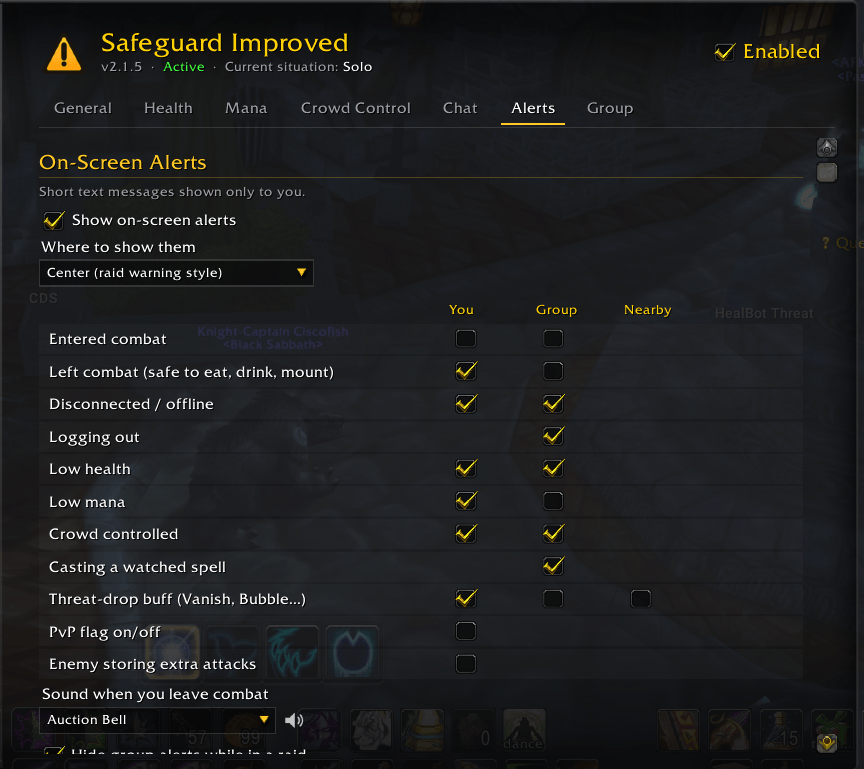
On-screen alerts
Short messages only you see, at the top of the screen, in the centre or in chat:
- Combat: entered combat, and left combat (safe to eat, drink, stealth or mount), with an optional sound.
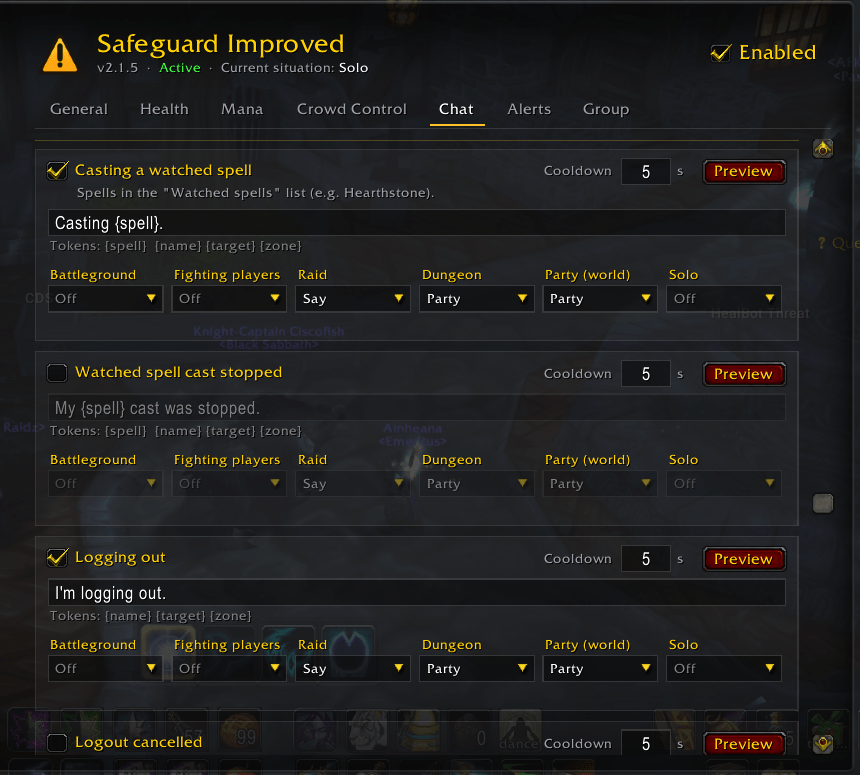
- Group members: low health or mana, crowd control, logging out, and casting a spell you watch (Hearthstone and so on).
- Enemies and buffs: threat-dropping buffs (Vanish, Divine Shield…), and enemies storing extra attacks (Thrash).
- PvP: your PvP flag turning on or off, plus an optional PvP-flag countdown timer.
Also included
- Status icons on the raid frames: connection and combat.
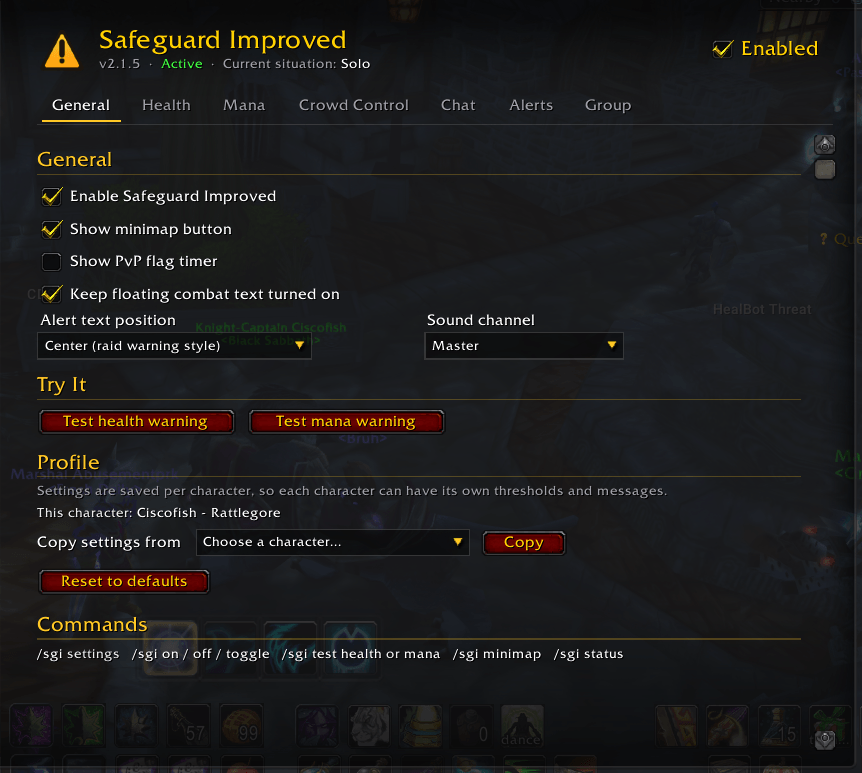
- Minimap button: left-click opens settings, right-click turns the addon on or off, drag to move.
- One master on/off switch.
- Per-character profiles with copy and reset.
- Imports your settings from the original Safeguard the first time it runs.
Settings
Open with the minimap button, /sgi, or Esc → Options → AddOns → Safeguard Improved. There are tabs for General, Health, Mana, Crowd Control, Chat, Alerts and Group, and test buttons to preview flashes, sounds and messages without sending anything to chat.
A note about Say and Yell
Blizzard only lets addons /say and /yell outside instances right after you press a key or click. Safeguard Improved holds those messages and sends them on your next key press or click, within 6 seconds. Group channels, and Say/Yell inside instances, send instantly.
Slash commands
| Command | What it does |
|---|---|
/sgi |
Opens the settings |
/sgi on / off / toggle |
Turns the addon on or off |
/sgi test health / test mana |
Previews the flash, sound and message (nothing sent to chat) |
/sgi minimap |
Shows or hides the minimap button |
/sgi status |
Shows the version, whether the addon is on, and the current situation |
/safeguard and /sg work too.
Coming from the original Safeguard?
Your settings are imported automatically. Disable the original Safeguard while using this one, or you'll get every alert twice. Safeguard Improved still understands messages from group members running the original.
Credits
Based on Safeguard by Tollski. Rewritten from scratch by Ciscofish. Includes LibStub, CallbackHandler-1.0 and LibSharedMedia-3.0.
SGI - Safeguard Improved Team